CPQ for professional services: how to quote services in Salesforce CPQ

CPQ for professional services means pricing people, time and outcomes instead of catalog products. Salesforce CPQ can do it: roles become products priced per hour or day, price rules apply rate cards and multi-dimensional quoting handles ramp schedules. It starts to struggle when engagements run to hundreds of lines, blend onshore and offshore teams, and need margin modeling before the quote goes out.
This guide starts with why services quoting is different, shows how to model it natively in Salesforce CPQ, explains where that approach runs out and what your options are, then walks through how Genpact scaled services quoting from a stalled pilot to 600 users.
Key takeaways
- Services quotes are priced by role, location, hours and tier, so they change with every engagement.
- Salesforce CPQ handles standard services deals with price rules and lookup tables for rate cards, multi-dimensional quoting for ramps and quote line groups for phases.
- Large engagements push CPQ in five places: quote volume, blended delivery, multi-dimensional rate cards, offline work and deal modeling.
- Firms usually choose between customizing CPQ, a standalone quoting tool or a spreadsheet layer that writes back to CPQ.
- Genpact grew from 100 pilot licenses to 600 users building quotes 3x faster, saving more than 750,000 hours a year.
Why services quoting is different
Salesforce CPQ was designed around a product catalog: pick products, apply price books and discounts, generate a quote. Services do not fit that shape. New to CPQ? Start with what CPQ is and how it works.
| Product quoting | Services quoting | |
|---|---|---|
| What is sold | Catalog items with fixed specs | People, time and outcomes that change per engagement |
| Pricing model | Fixed price per unit | Time and materials, fixed fee or a mix, often estimated before scope is final |
| Price driver | List price and quantity | Role, seniority, location, hours and service tier |
| Quote size | Tens of lines | Often hundreds of lines across roles, phases and years |
| Delivery shape | Ship once or renew | Ramp up, steady state, transition and ramp down |
| Margin check | Price against cost of goods | Blended rate against blended labor cost |
Swipe the table to see all columns
The pricing model adds its own risk. Time and materials depends on estimating effort before the scope is final. Fixed fee moves the risk of a wrong estimate onto the firm, so the hours and costs behind the price still need checking. Many engagements mix the two, such as a fixed-fee assessment followed by time and materials delivery.
The result is that two services quotes for the same client can look nothing alike, and a single quote can carry more lines than most product deals.
How to model services in Salesforce CPQ
Most of those differences can be handled with standard CPQ features. This is the toolkit we see services teams use.
| Services need | Native Salesforce CPQ tool | How it works |
|---|---|---|
| Rate cards by role and location | Price rules with lookup tables | A price rule looks up the hourly or daily rate from a custom lookup object, using fields such as role, location and tier on the quote line |
| Time and materials | Hours or days as quantity | Each role is a product priced per hour or day, so quantity is the estimated effort |
| Fixed-fee phases | Fixed-price products or bundles | A phase is sold as one fixed-price line, with the role hours behind it kept on the quote for cost and margin checks |
| Cost-based pricing | Cost pricing method | Price is calculated from a cost record plus a markup, which suits pass-through staff or subcontractors |
| Fees tied to the engagement | Percent of total pricing | Project management, travel or support is priced as a percentage of other lines |
| Ramp schedules | Multi-dimensional quoting (MDQ) | One line is split into segments, such as years or quarters, with a different quantity or price in each |
| Phases and workstreams | Quote line groups | Lines are grouped by phase, workstream or location, with subtotals per group |
| Standard packages | Bundles | Repeatable offers, such as an assessment or a managed service tier, become bundles with options |
| Discount and margin control | Advanced Approvals | Approval rules route quotes by discount, margin, deal value or non-standard terms that need legal or compliance review |
Swipe the table to see all columns
Approval rules matter more for services than for products, because a small change in blended rate moves margin on every hour sold. Our guide to Salesforce CPQ discount management covers thresholds and guardrails, and our guide to custom orders in Salesforce CPQ covers one-off pricing for non-standard deals.
Where native CPQ runs out for services
That toolkit works for standard engagements. Larger services deals push it in five places.
1. Quote volume
Services quotes often run past 200 lines once every role, location and phase is listed. In the Quote Line Editor, each line is edited and recalculated on its own, which turns every change into a long session. We cover the causes in Salesforce CPQ limitations.
2. Blended delivery
Onshore, nearshore and offshore teams, ramp schedules, SLA commitments and transition costs all sit in one deal. Modeling them as separate products and segments is possible, but hard to read and slow to change.
3. Multi-dimensional rate cards
Rates depend on location, service tier, role level and volume commitment at once. Each extra dimension multiplies the rows in the lookup table and the price rules that read it.
4. Offline work
CPQ needs a live connection. Services quotes are often shaped in client workshops, on site or while traveling, so estimates end up in a spreadsheet and are re-keyed later.
5. Deal modeling
Before a services quote goes out, sales and finance want blended margin, scenario comparisons, ramp cost projections and total cost of ownership. CPQ calculates the price; the modeling usually happens in Excel.
When these gaps add up, quoting moves into disconnected spreadsheets and CPQ becomes the place quotes are typed in at the end. That brings its own problems: copies on laptops, several versions of the same quote, rates that drift from the official rate card and customer data outside Salesforce security. Our guide to Salesforce CPQ adoption covers how that pattern starts and how to reverse it.
Your options for services quoting
Teams that hit these limits usually weigh three paths.
| Option | What you get | Trade-off |
|---|---|---|
| Customize Salesforce CPQ | Custom objects, fields and code for services pricing | Months of build time and ongoing maintenance with every change to rates or offers |
| Standalone quoting tool | A tool built for services estimates | Quotes live outside Salesforce, so CPQ rules, approvals and reporting no longer apply |
| Spreadsheet layer on CPQ | Reps build quotes in Excel or Google Sheets connected to live CPQ data | Needs a connector that writes back through CPQ so rules and approvals still run |
Swipe the table to see all columns
The third option keeps Salesforce CPQ as the system of record. Pricing rules, approvals and reporting still apply, while reps build the quote in the format they already use. Our guide to editing CPQ quote lines in Excel compares the tools.
How Genpact scaled services quoting from 100 to 600 users
Genpact is a professional services and digital transformation firm with more than 115,000 employees in over 30 countries. It rolled out Salesforce CPQ with 100 pilot licenses to standardize how it priced service engagements, and ran into all five gaps above. Quotes regularly exceeded 200 lines, priced by location, service tier, role level and volume commitment, and reps could not quote offline. The pilot could not justify a wider rollout, and the real quoting happened in spreadsheets.
Professional services quoting isn’t product quoting.
Source: Sales Operations, Genpact, in the Genpact case study
Genpact considered a custom CPQ rebuild and a standalone quoting platform, and chose to connect Excel to Salesforce CPQ with Valorx Fusion. Fusion was deployed on the existing CPQ setup without changing objects, workflows or permission sets. Rate cards sit inside the quoting templates, quotes can be built offline and synced in one click, and margin, deal value and partner sign-off breaches route through CPQ’s native approvals. The first service line went live within weeks, and Genpact’s admins went on to build 900 quoting templates across Digital Operations, AI and Analytics, Consulting and Advisory, Technology Services and Transformation Programs, without code.
| Result | Detail |
|---|---|
| 600 active users | Up from 100 pilot licenses, with 95% license utilization |
| 3x faster | Quote build time |
| 750,000+ hours | Saved a year and redirected to client work |
| 900 quoting templates | Built by admins without code, covering every service line |
| Offline quoting | Quotes built anywhere, synced to Salesforce in one click |
| Deal modeling | Margins, scenarios and total cost of ownership modeled in Excel on live data |
Swipe the table to see all columns
Results as reported in the Genpact case study. For more numbers like these, see our roundup of CPQ statistics.
Professional services quoting best practices
Whichever option you choose, these practices keep services quotes fast and profitable.
- Keep one rate card in Salesforce, keyed by role, location and tier, and price every quote from it.
- Turn repeatable offers into bundles so only the truly custom work is built line by line.
- Use quote line groups for phases or workstreams so clients can read the quote.
- Model ramps with segments instead of separate lines for each period.
- Approve on margin, not just discount, because services margin moves with the blend of roles and locations.
- Keep modeling on live data so the margin and scenarios you approve match the quote you send.
- Connect the quote to delivery so the sold roles and hours flow into your PSA or project plan. Our guide to the Salesforce quote-to-cash process shows the stages after the quote.
Services quoting in Revenue Cloud Advanced
Everything above applies to Salesforce CPQ. Salesforce stopped selling CPQ to new customers in March 2025, and existing customers can keep using it, according to Salesforce’s CPQ end-of-sale page. Revenue Cloud Advanced prices services differently. It supports attribute-based pricing: attributes such as role or location are marked as price impacting, adjustments are stored in a decision table and a pricing procedure applies them, as shown on Trailhead.
Attributes map more directly to rate card dimensions than CPQ lookup tables, but existing price rules, rate cards and approval logic need rebuilding in the new model. Our guide to choosing a Salesforce Revenue Cloud partner covers the migration.
Quoting professional services with Valorx
Most of the gaps above come down to building long, multi-dimensional quotes one line at a time and modeling them outside Salesforce. We keep Salesforce CPQ as the system of record and make building and modeling services quotes faster.
- Valorx Fusion connects Excel and Google Sheets to live Salesforce CPQ data. Teams build quotes from templates with rate cards built in, model margin and scenarios with formulas and pivot tables, work offline and save back with CPQ rules, validation and approvals applied.
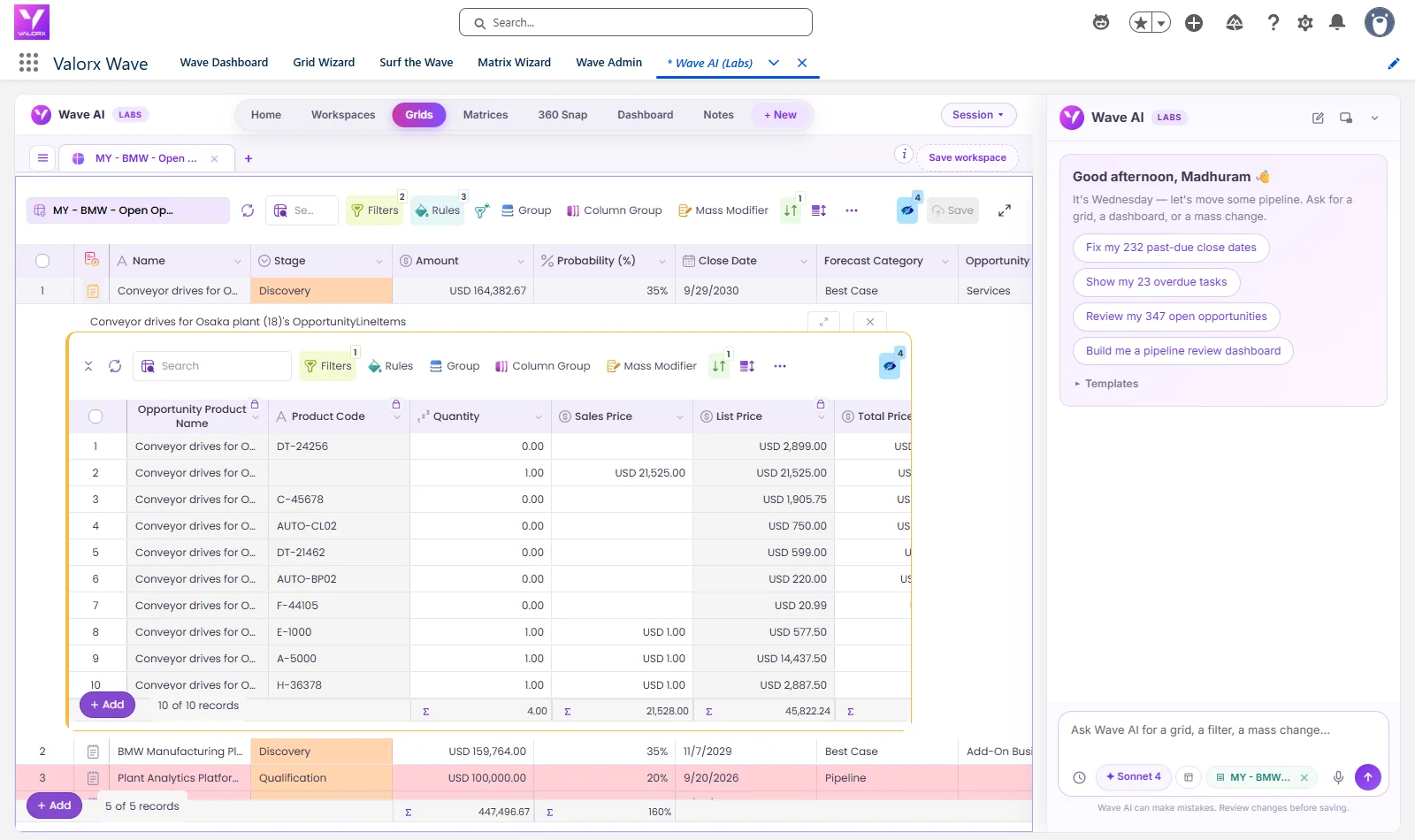
- Valorx Wave puts a spreadsheet-style grid inside Salesforce for bulk updates to quote lines, products and price books.
The interactive demo above shows a Fusion workbook connected to live Salesforce data. To estimate what faster quoting is worth to your team, try the CPQ ROI calculator. For configurable products alongside services, see Salesforce CPQ for complex products, and for a broader playbook, download our complete guide to optimizing Salesforce CPQ.
Quote services engagements of any size on live CPQ data.
Both products work on your live Salesforce CPQ data, with your pricing rules and approvals intact. The difference is where your team wants to work.
Frequently asked questions
Can Salesforce CPQ handle professional services quoting?
Yes, for standard engagements. Roles become products priced per hour or day, price rules with lookup tables apply rate cards, multi-dimensional quoting handles ramp schedules and quote line groups organize phases. Large engagements with hundreds of lines, blended delivery and margin modeling usually need a spreadsheet layer on top of CPQ.
How do you build a rate card in Salesforce CPQ?
Store rates in a custom lookup object keyed by role, location and tier, then use a price rule with a lookup query to set the price on each quote line from those fields.
How do you quote time and materials in Salesforce CPQ?
Create a product for each role, priced per hour or day, and use quantity for estimated effort. Use the cost pricing method with a markup for pass-through staff, and percent of total pricing for fees such as project management.
Should professional services be quoted as time and materials or fixed fee?
It depends on how well the scope is known. Time and materials suits work where effort is hard to estimate, while fixed fee suits well-defined deliverables but puts the risk of a wrong estimate on the firm. In Salesforce CPQ both can sit on one quote, with fixed-fee phases as single lines and time and materials roles priced per hour or day.
How do you quote ramp schedules in Salesforce CPQ?
Use multi-dimensional quoting, which splits a quote line into segments such as years or quarters, each with its own quantity and price.
What is the difference between CPQ and PSA for professional services?
CPQ prices and quotes the engagement before the deal closes. A professional services automation (PSA) tool plans resources, tracks time and manages delivery after it closes. Most firms connect the two so the sold quote becomes the project plan.
How does Revenue Cloud Advanced handle services pricing?
Revenue Cloud Advanced supports attribute-based pricing. Attributes such as role or location can be marked as price impacting, and adjustments are stored in a decision table that a pricing procedure reads. Rate card logic from CPQ needs rebuilding in this model.
How did Genpact scale services quoting in Salesforce CPQ?
Genpact connected Excel to Salesforce CPQ with Valorx Fusion. Admins built 900 quoting templates without code, and the rollout grew from 100 pilot licenses to 600 users building quotes 3x faster and saving more than 750,000 hours a year.





Choose the workflow you need:
Try Wave in browser Extension

Try Wave in Salesforce

Try Fusion In Excel

Enhancing Salesforce for industry leaders