Salesforce Case Management

Manage cases at scale with spreadsheet-style editing inside Salesforce.
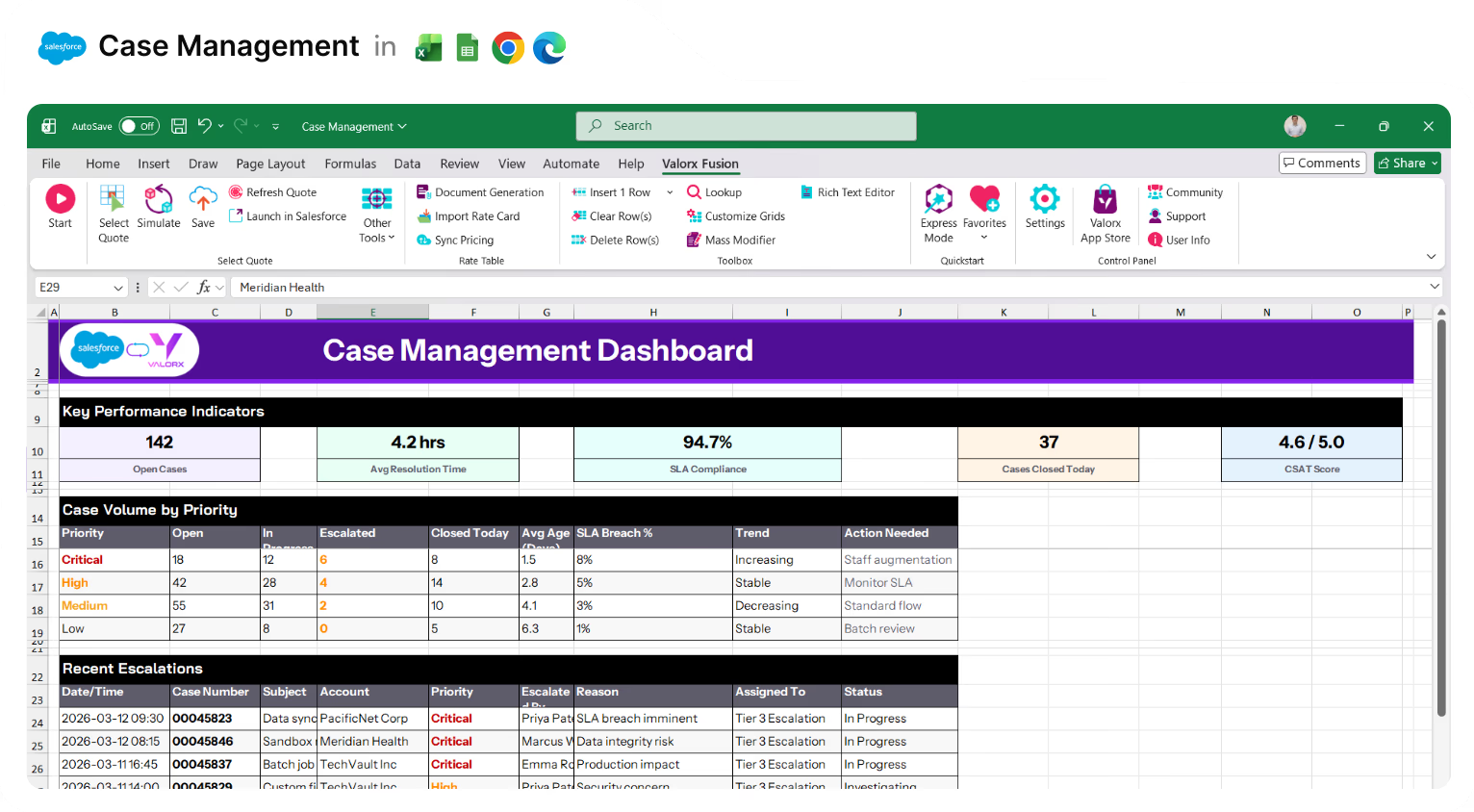
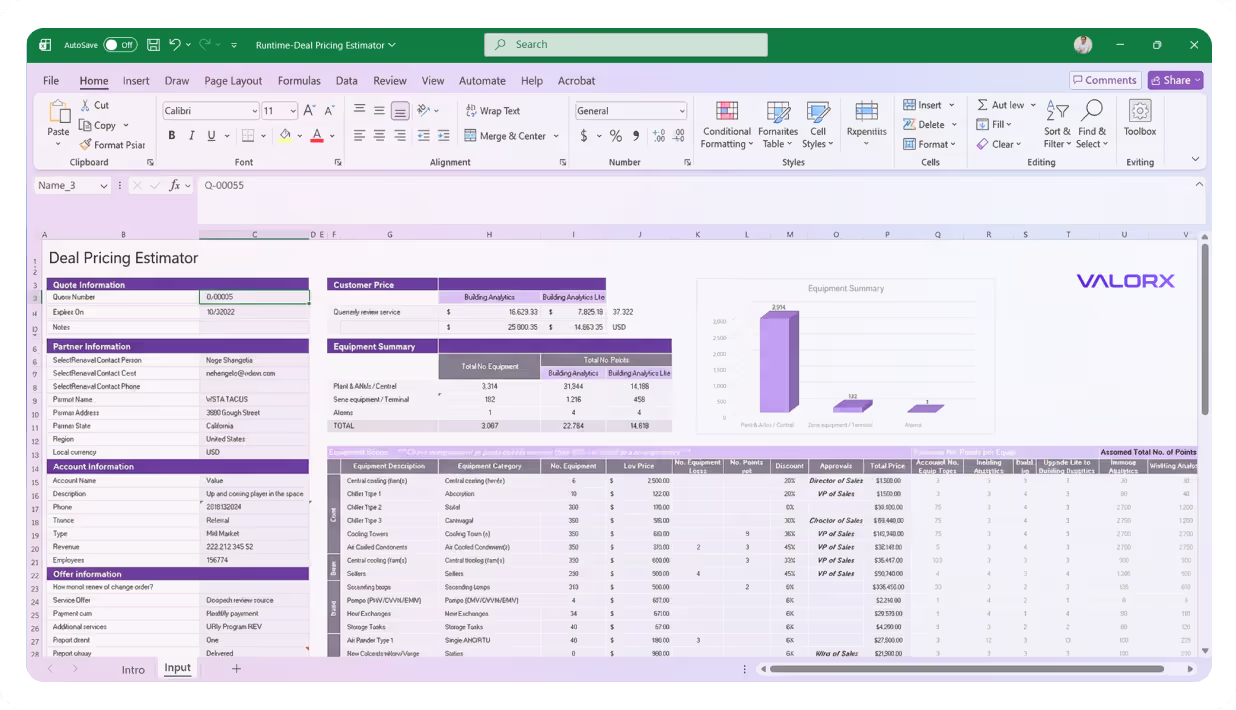
Excel spreadsheet showing a Case Management Dashboard with key performance indicators, case volume by priority, and recent escalations.
Cases
USE CASES

Your high-volume case operations, simplified

Bulk update, mass close, reassign queues - spreadsheet-style editing connected to Salesforce
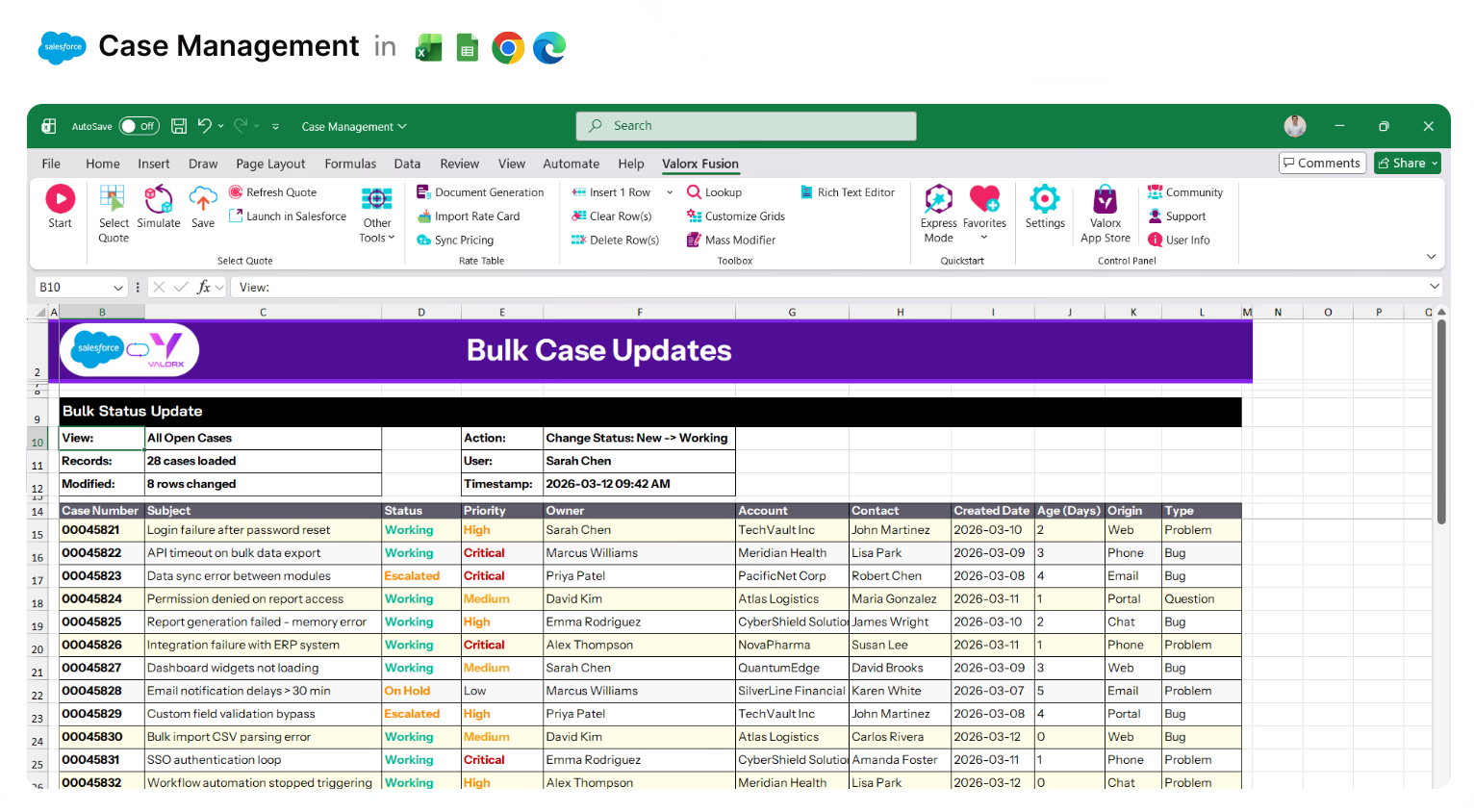
Excel spreadsheet titled Bulk Case Updates showing a table with case numbers, subjects, statuses, priorities, owners, accounts, contacts, created dates, age in days, origin, and type for various support cases.

Update hundreds of cases at once

Edit status, priority, and owner in bulk. Copy/paste, drag/fill, and mass modify.
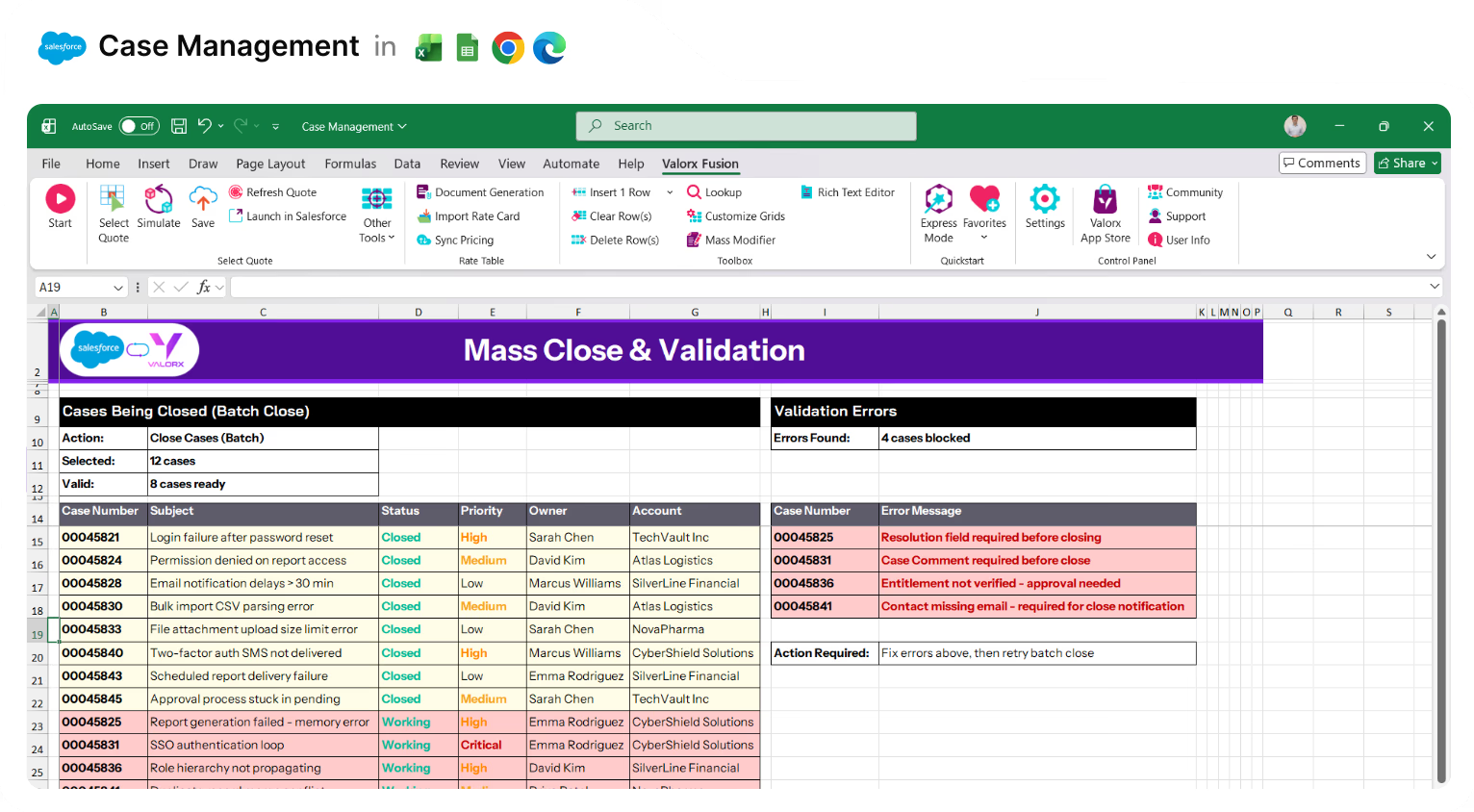
Excel spreadsheet titled Mass Close & Validation showing case management data with cases being closed, their status, priority, owner, and account, alongside validation errors highlighting four blocked cases with specific error messages in red.

Mass close with error preview

See which cases will fail validation before you save. Fix issues upfront.
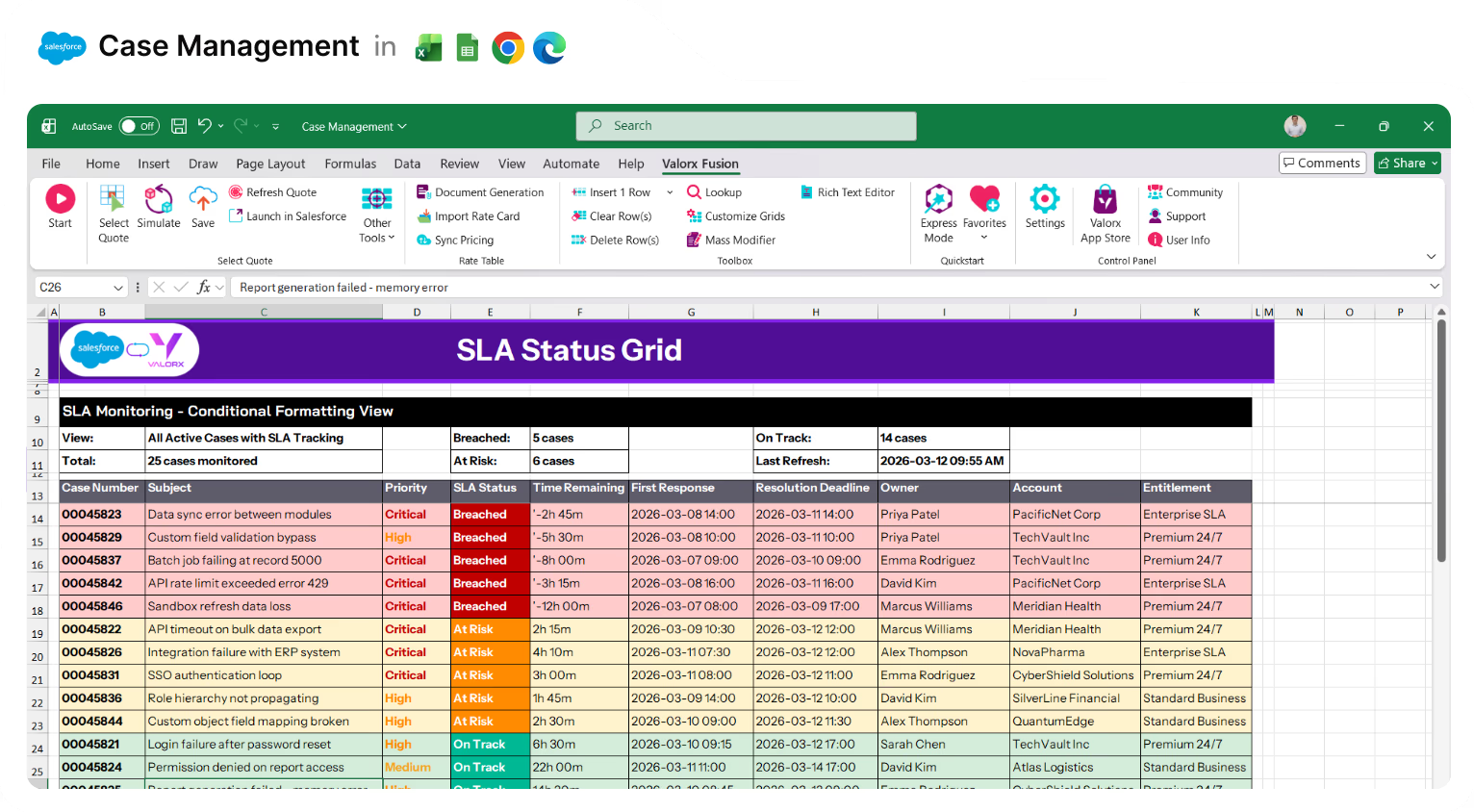
Excel spreadsheet titled SLA Status Grid showing case management data with columns for case number, subject, priority, SLA status, time remaining, first response, resolution deadline, owner, account, and entitlement, color-coded by SLA status.

Surface SLA status in the grid

Conditional formatting highlights at-risk and breached cases at a glance.
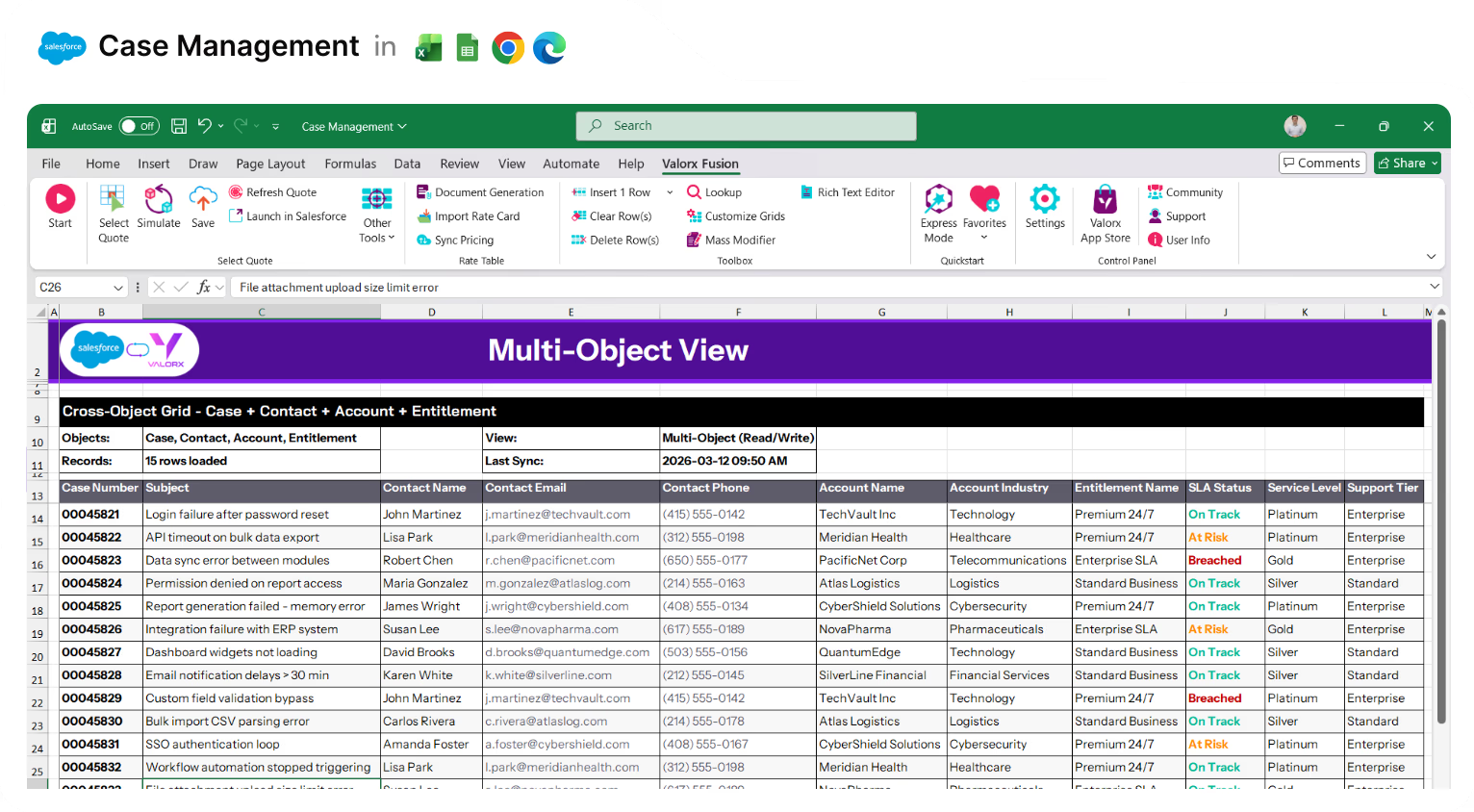
Excel spreadsheet showing a multi-object view of case management data with columns for case number, subject, contact info, account details, entitlement name, SLA status, service level, and support tier.

View related data in one place

Cases + Contacts + Accounts + Entitlements together in a single grid.
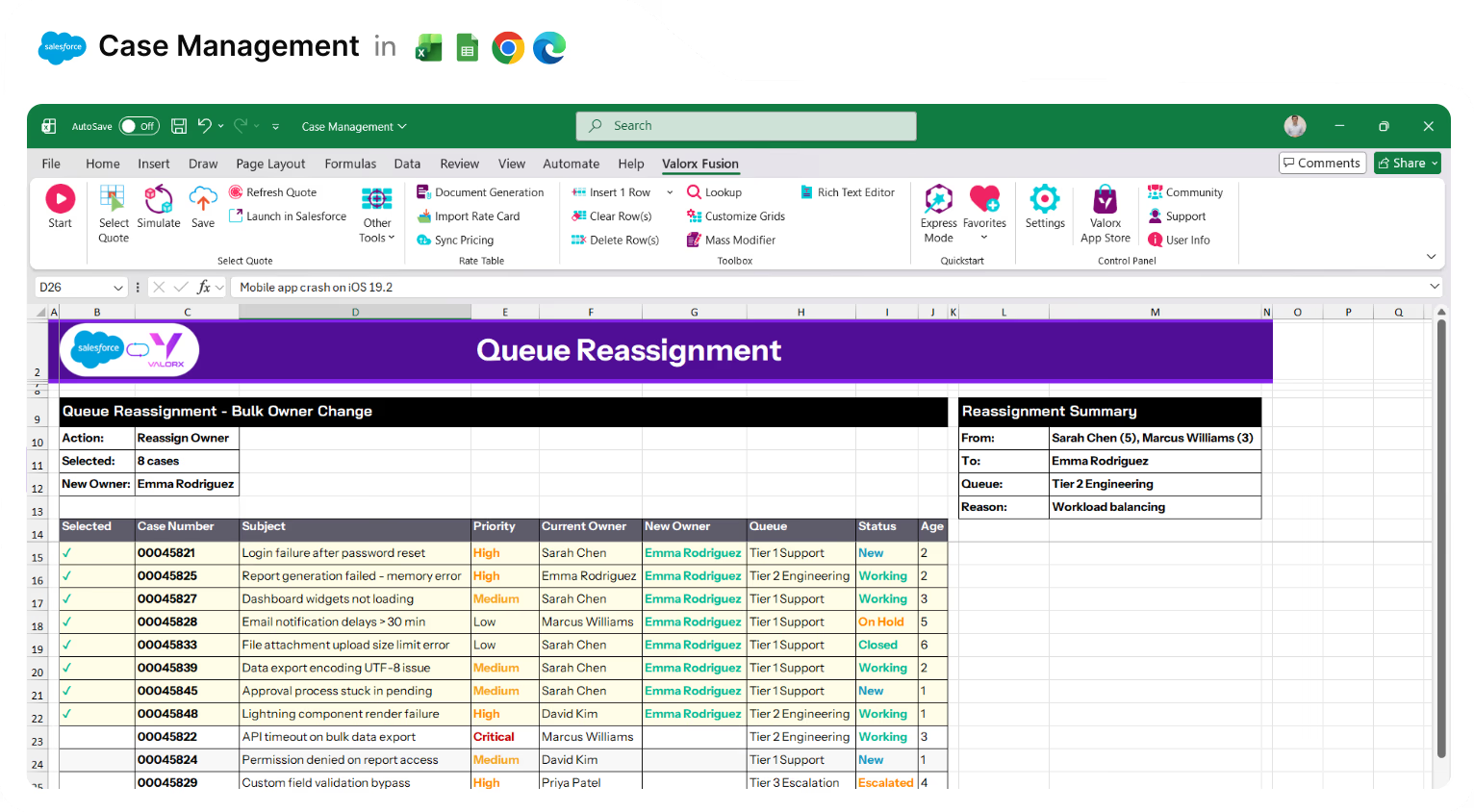
Excel spreadsheet titled Queue Reassignment listing cases with columns for case number, subject, priority, current and new owner, queue, status, and age, showing bulk owner change to Emma Rodriguez and reassignment summary with workload balancing reason.

Reassign queues instantly

Select cases, change owner, and reassign entire queues in seconds.
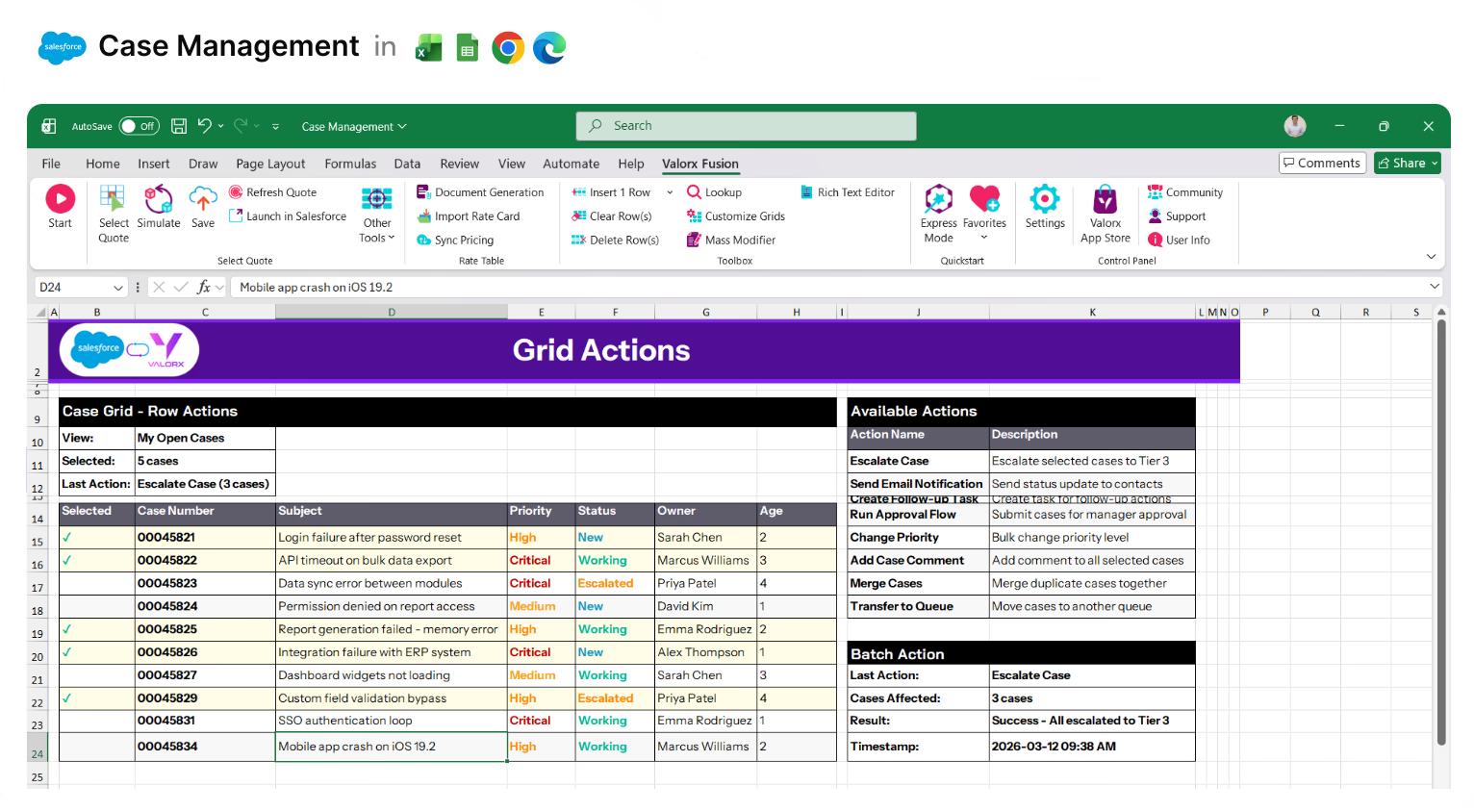
Excel spreadsheet titled Grid Actions showing a case management table with columns for case number, subject, priority, status, owner, and age, alongside a panel listing available actions like escalate case and send email notification, with a batch action summary showing escalation success to Tier 3.

Take action on multiple cases at once

Escalate, send emails, or run Flows on selected cases from the grid.
Valorx Wave CRM dashboard displaying a table of opportunity records with columns for Name, Stage, Amount, Close Date, Owner, Opportunity Type, and Account.
Sales agreement table in Valorx Wave showing account details, products, planned quantities, sales prices, and discount percentages for October 25 and November 25.
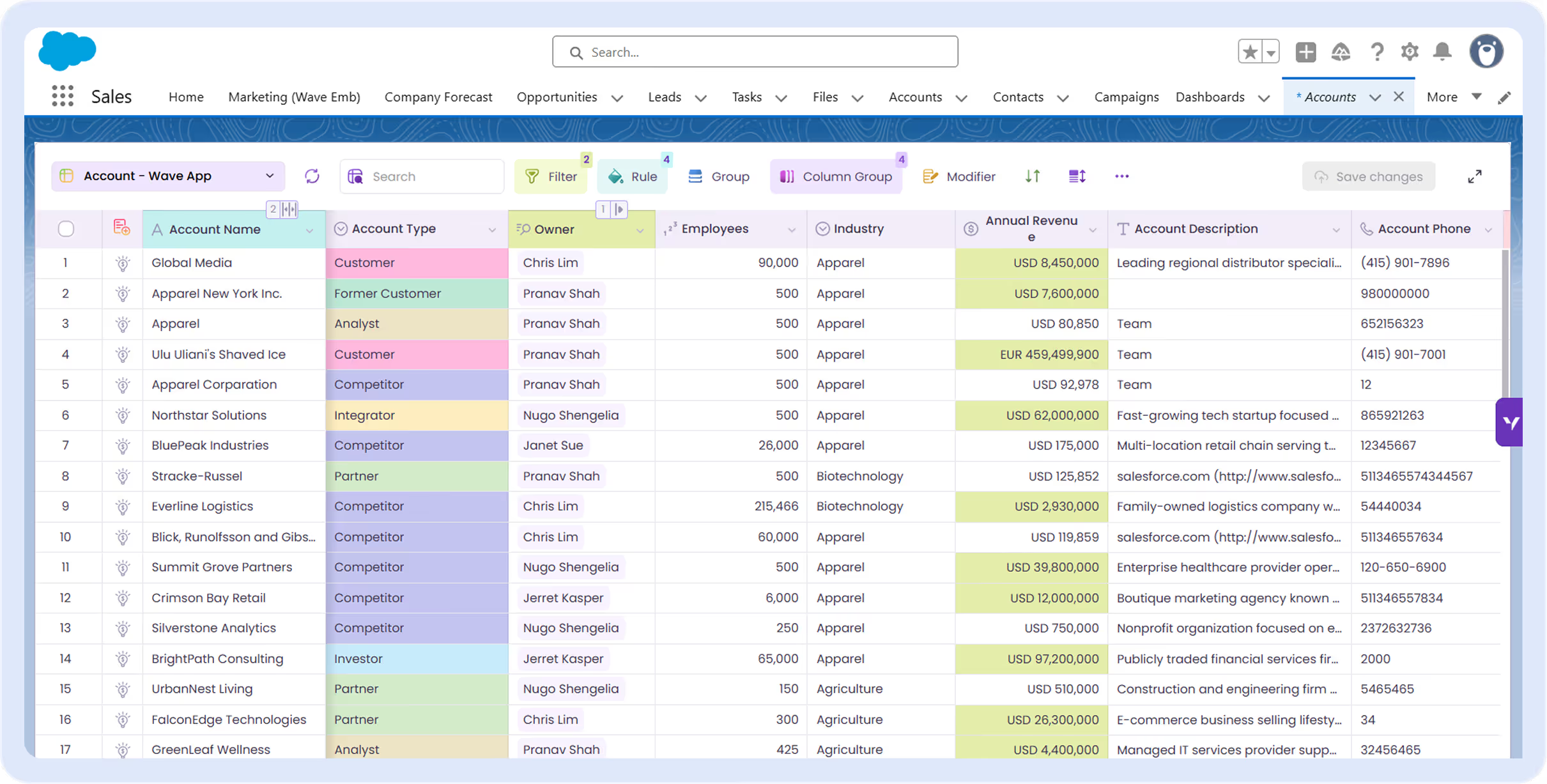
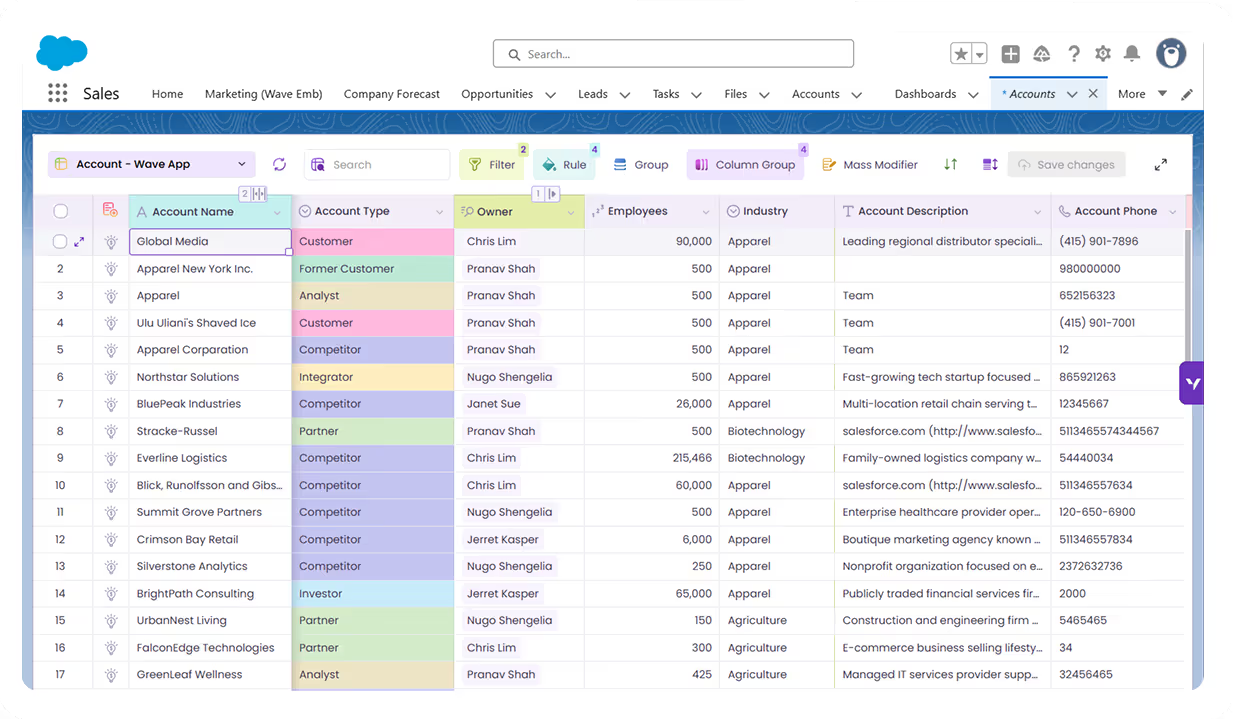
Valorx Wave sales dashboard showing account details like name, phone, type, and owner, alongside a circular KPI chart with case status breakdown and 147 record count.

Access all your favorite Excel features

From simple drag-and-drop to powerful formulas, enjoy all your go-to spreadsheet tools while working directly with your Salesforce data.

Copy and paste

Quickly copy and paste data between Wave, Excel, and other sources using familiar shortcuts, while staying fully synced with Salesforce.

Filter columns

Apply fast, column-level filters to zero in on exactly the records you need without leaving the grid.

Drag and drop

Reorder columns, move fields, and organize your grid layout intuitively with simple drag-and-drop.

Global grids

Standardized, reusable grid templates that can be shared across teams and orgs for consistent Salesforce data views.

Custom grids

Personalized grids tailored to specific roles or workflows with custom columns, filters, and logic.

Sort columns

Sort by one or multiple columns to surface top priorities—ascending or descending—in just a click.

Column group

Visually group related columns under a single header to keep complex datasets easy to read and navigate.

Layout

Save and switch between different grid layouts—columns, sorting, grouping, filters—optimized for each workflow.

Freeze columns

Pin key columns (like Account or Opportunity) so they stay visible while you scroll horizontally through the grid.

Global search

Search across all visible columns and records in a grid to instantly find what you’re looking for.

Smart import

Import data with intelligent field mapping, validation, and error handling powered by live Salesforce metadata.

Manage access

Control who can view, edit, or configure grids at object, field, and layout level using role-based permissions.

See what Valorx adds to Salesforce Case Management

Without Valorx
Edit cases one at a time
Mass close with limited visibility
SLA status on individual records
Related data across tabs
With Valorx
Bulk update hundreds at once
Preview errors before save
SLA status visible in the grid
Cases + Contacts + Accounts in one grid

Smiling young man with glasses and a beard wearing a black shirt on a light gray circular background with a small purple circle in the top right.
Eric Winston
Service Supervisor
Book a demo
Soft gradient background fading from light gray to pale blue and white.

Built for teams managing cases in Salesforce

Circular silicon wafer with a grid pattern, displaying a gradient of colors from purple to green.

Technology & SaaS

High case volumes, technical support queues.

Icon of a robotic arm with a gradient blue, purple, and green color on a rounded white square background.

Financial Services

Compliance-sensitive case tracking, disputes.

Three stylized human figures standing side by side, with gradient blue and green colors on a rounded square white background.

Healthcare

Patient inquiries, billing, HIPAA-compliant handling.

Icon of a translucent cloud with a glowing server stack inside, symbolizing cloud computing or cloud storage.

Manufacturing

Warranty claims, product support, RMA processing.

Two ways to manage cases in Salesforce

Choose the approach that fits your workflow.
Abstract purple outline of four connected circles inside a rounded square frame on a black background.
Abstract geometric logo featuring a circle above layered semicircles within a rounded square border.
Venn diagram with three overlapping purple circles on a black background.
Purple crescent shapes forming a circle on a black square background with rounded corners.
Purple outline icon of a briefcase inside a rounded square border on a black background.
Abstract black and purple geometric design with layered squares and rounded corners.
Green spreadsheet file icon representing an Excel document on a light background.
Abstract black and purple geometric design with layered squares and rounded corners.
Smiling young man with glasses and a beard wearing a black shirt on a light gray circular background with a small purple circle in the top right.
Eric Winston
Service Supervisor
Book a demo
Icon with three nested rectangles inside a rounded square outline, representing a scaling or resizing concept.
Microsoft Excel app icon with an overlapping white X on a green abstract background.
Purple geometric icon with three nested diamond shapes on a black background.
Three purple abstract human figures representing a group or team on a light background.
Icon with three stacked rounded rectangles in purple outline on a black background.
Abstract purple outline of four connected circles inside a rounded square frame on a black background.
Icon showing four interconnected circles forming a square with a horizontal line extending from the right circle.
Google Chrome web browser logo.
Salesforce logo with white text inside a blue cloud shape.
Abstract geometric design with multiple rounded squares outlined in purple on a black background.
Purple circular abstract icon with overlapping partial rings on a black square background with rounded corners.
Three overlapping purple circles forming a triangular Venn diagram on a black background.
Abstract geometric logo featuring a circle above layered semicircles within a rounded square border.