Education in Salesforce

From recruitment to alumni—manage the entire student lifecycle in Salesforce. Stop exporting to spreadsheets. Start focusing on outcomes.
Screenshot of Valorx Wave sales dashboard showing account sales agreements with columns for product, planned quantity, sales price, and discount percentage for October 25 and November 25.
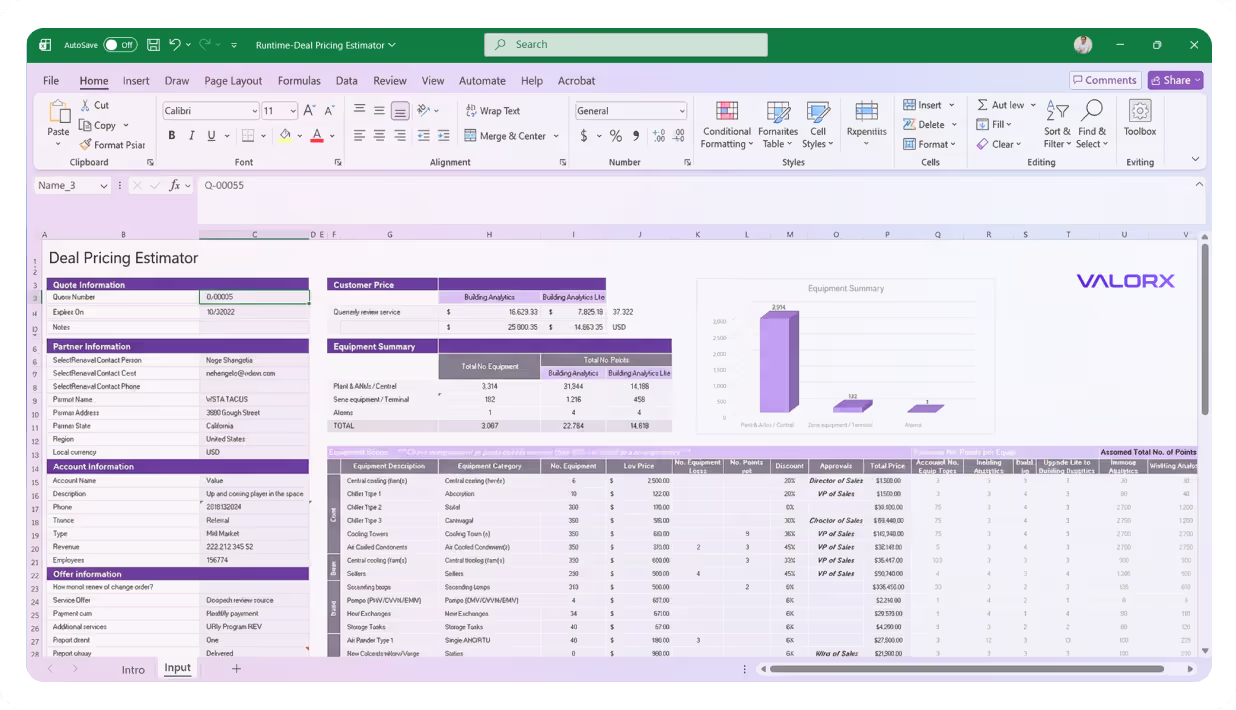
Valorx Fusion interface showing an Excel sheet titled Deal Pricing Estimator with sections for Quote Information, Partner Information, Account Information, Customer Price, and Equipment Summary.
Admissions

Admissions & recruitment

Manage thousands of applications and recruitment activities without exporting to Excel. Conditional formatting flags at-risk applications before deadlines pass.

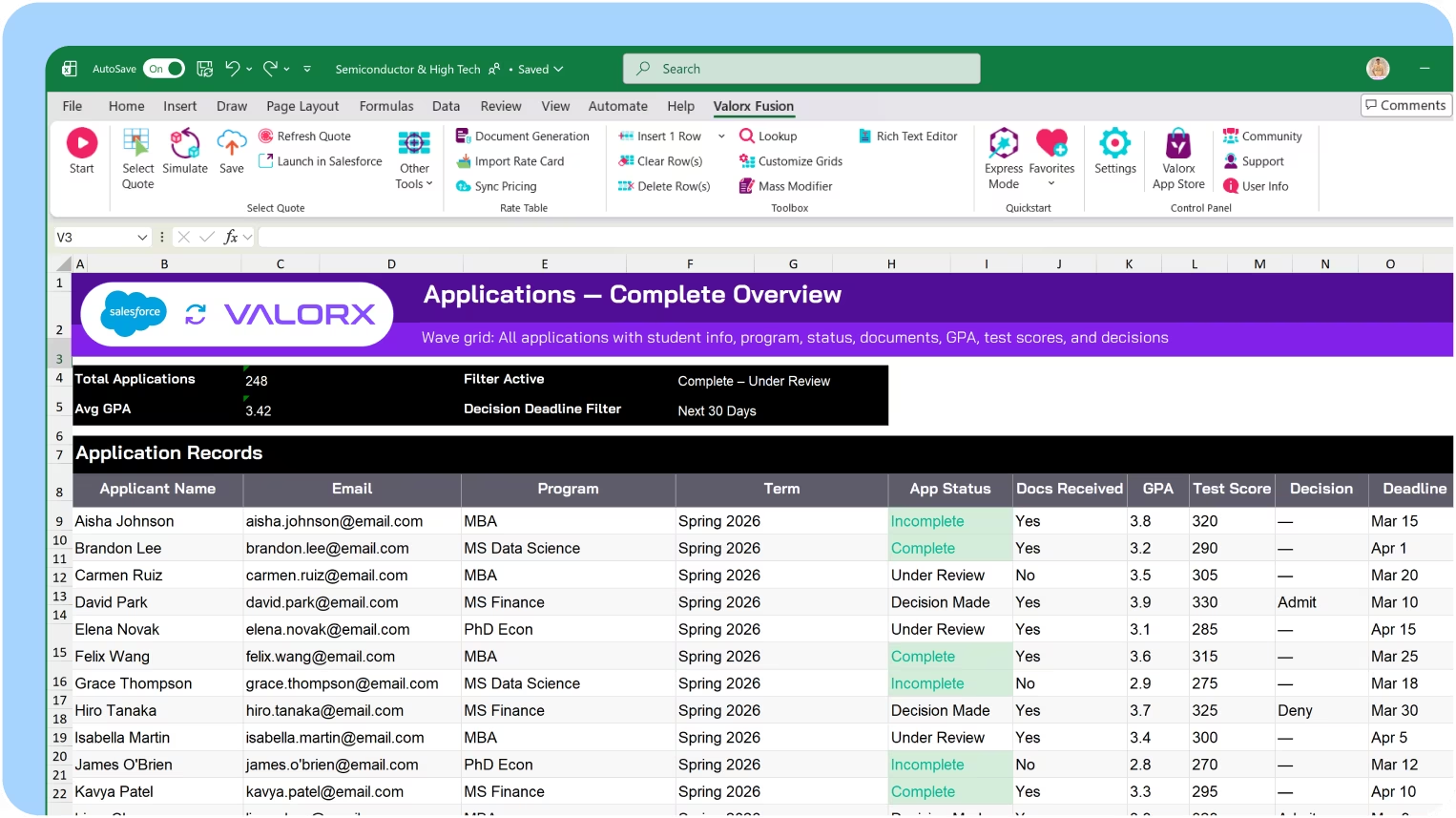
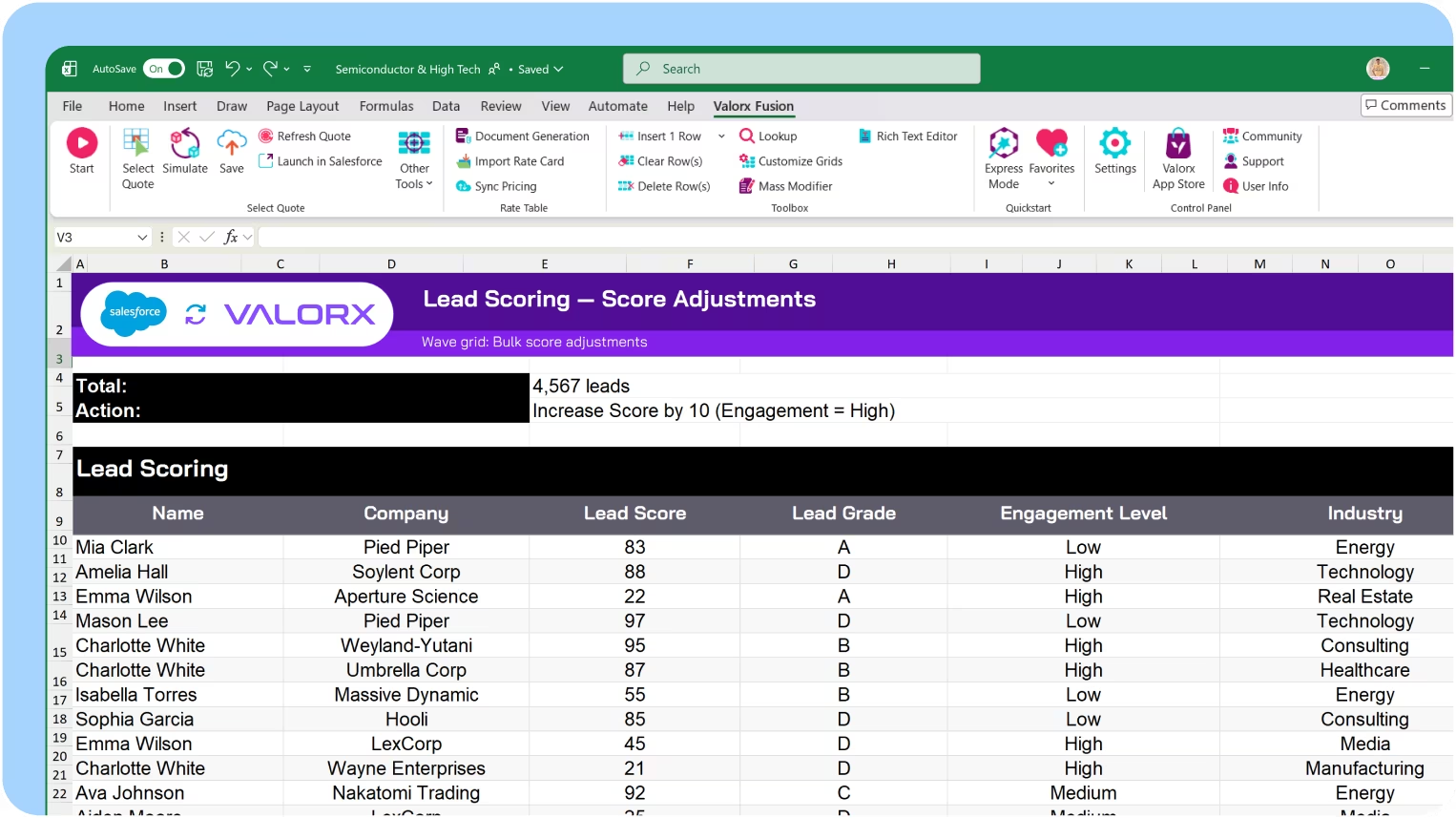
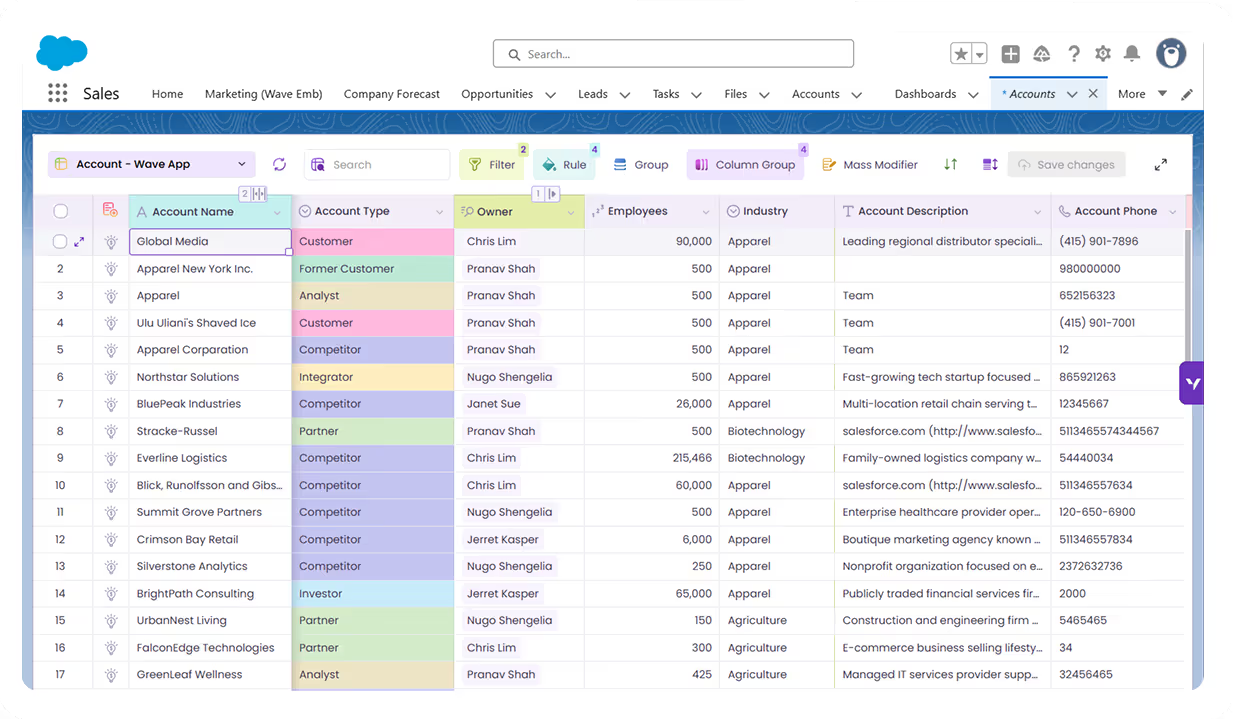
View all applications in one grid

See every application with student info, program, status, documents, GPA, test score, and decision deadline—in a single view. Filter by term, program, or status to focus on what needs attention.

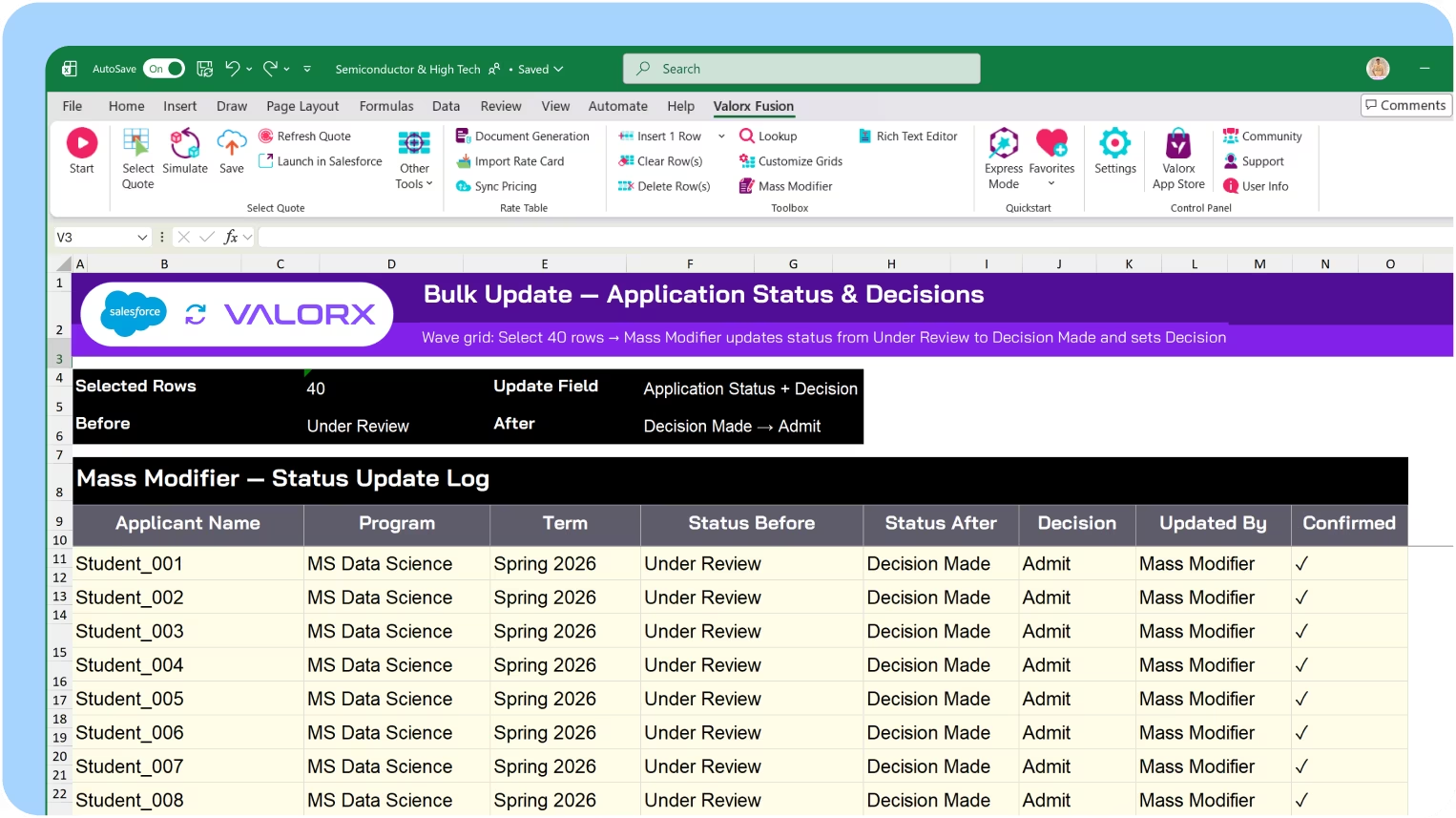
Bulk update statuses and decisions

Select applications by program, term, or criteria and update statuses in one action. Move applicants through review stages, record decisions, or assign reviewers—without touching records one by one.

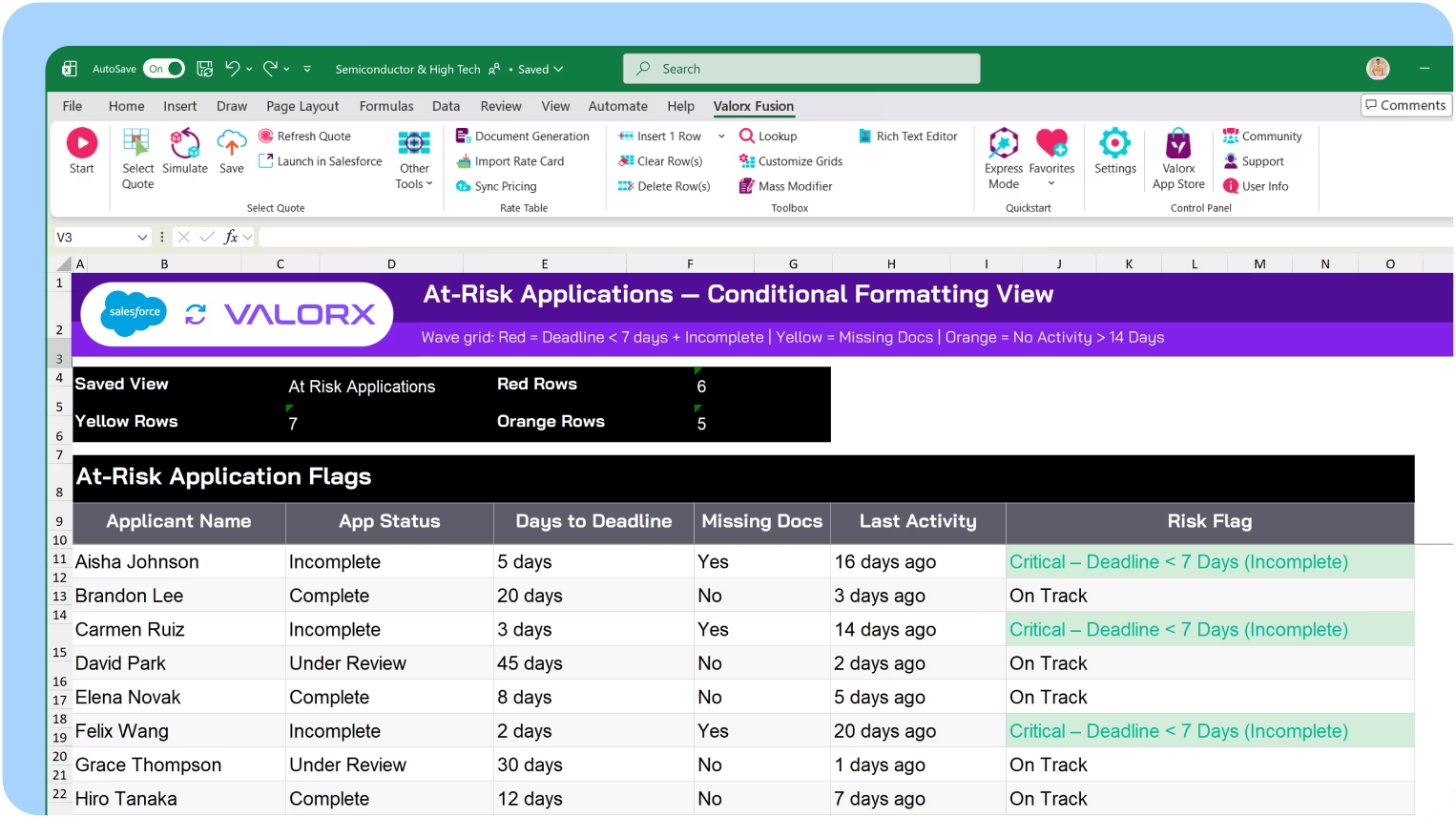
Spot at-risk applications before deadlines

Conditional formatting highlights incomplete applications, missing documents, and approaching deadlines. See recruitment pipeline health across all programs without running reports.

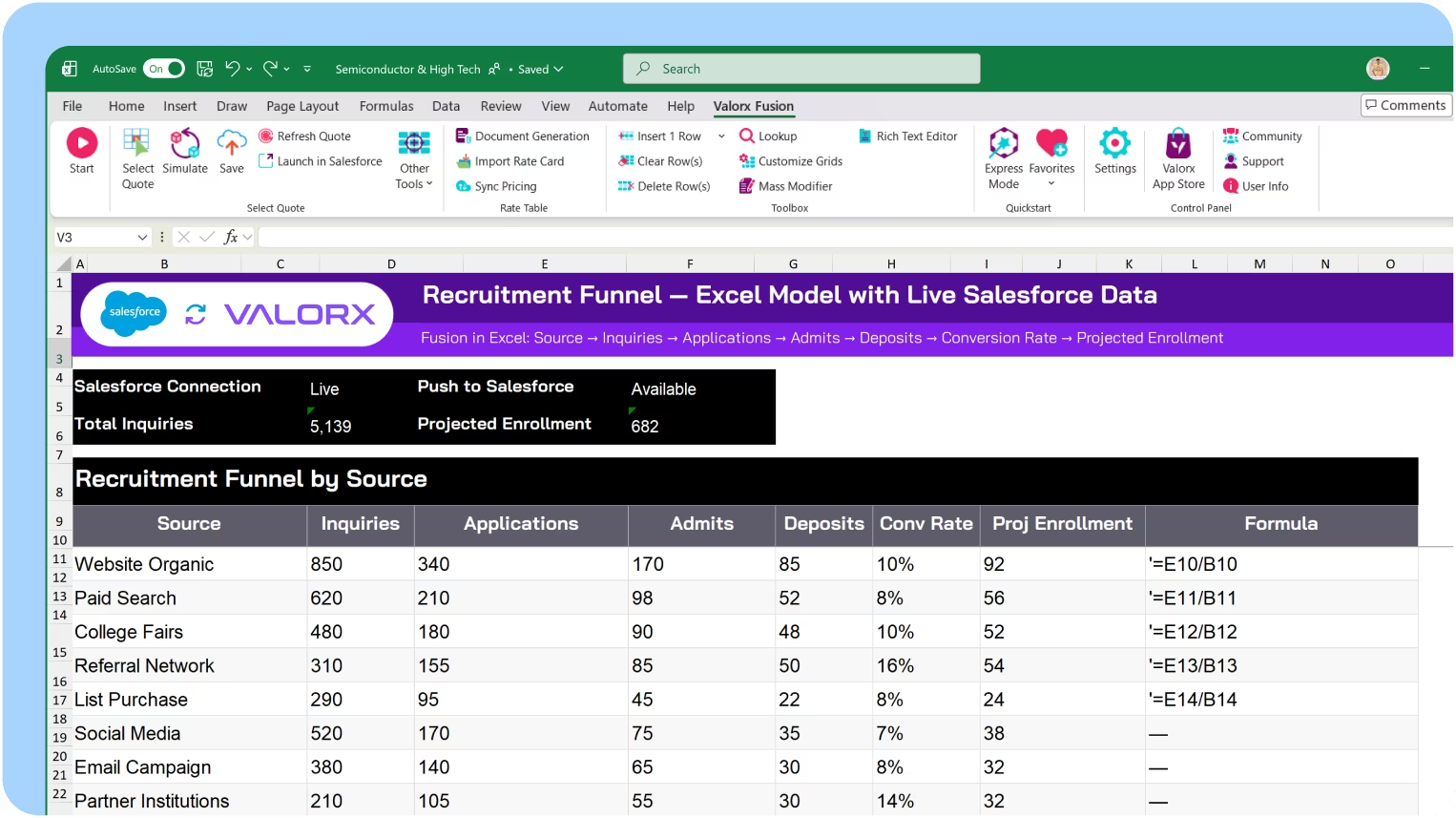
Build recruitment models in Excel

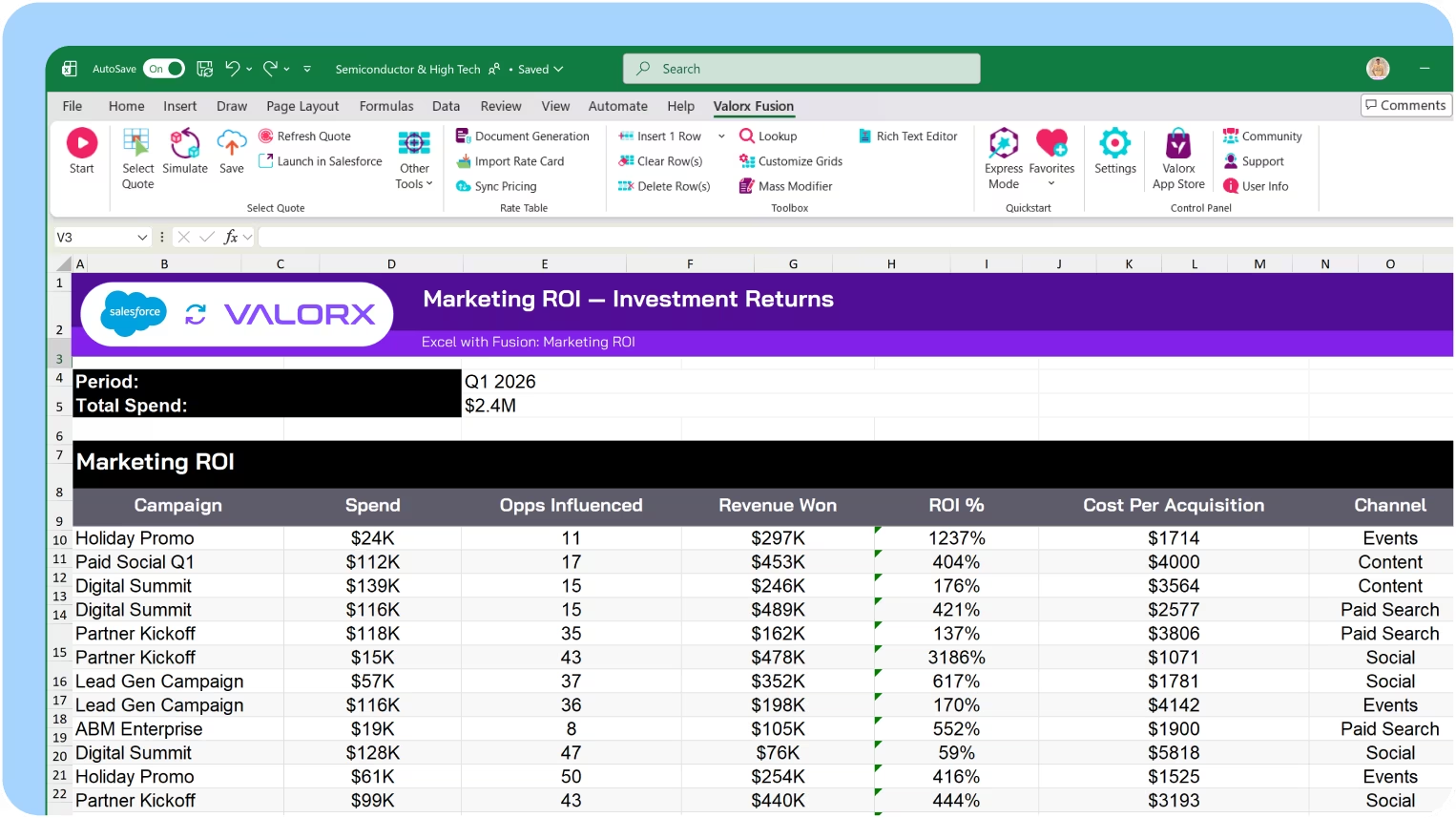
Use Fusion to connect recruitment spreadsheets to Salesforce. Model yield scenarios, calculate conversion rates by source, and project enrollment—then push updates back without Data Loader.
Enrollment

Student records & enrollment

Student data touches every department. Manage enrollments, track progress, and coordinate academic records across programs—all in Salesforce.

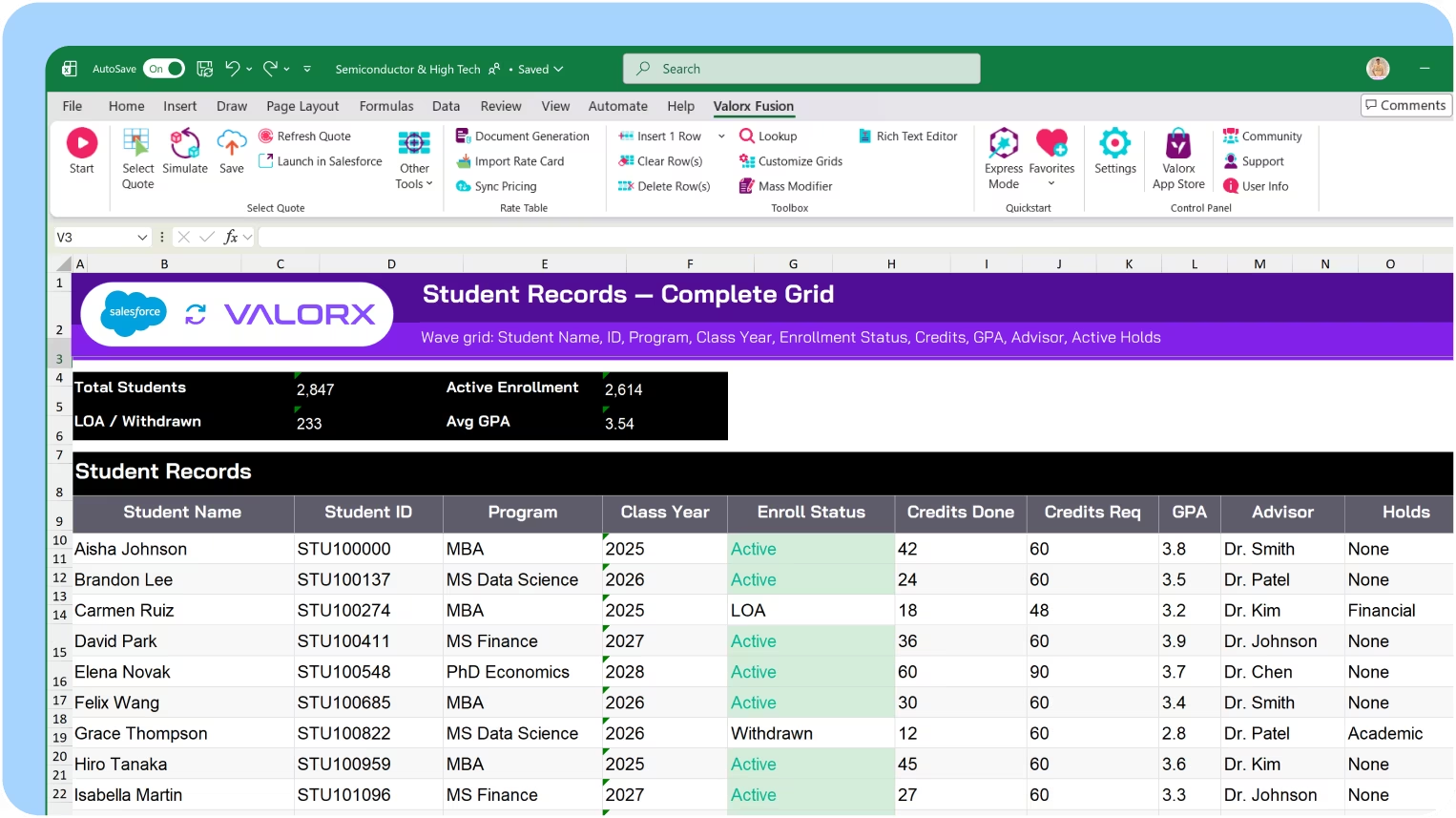
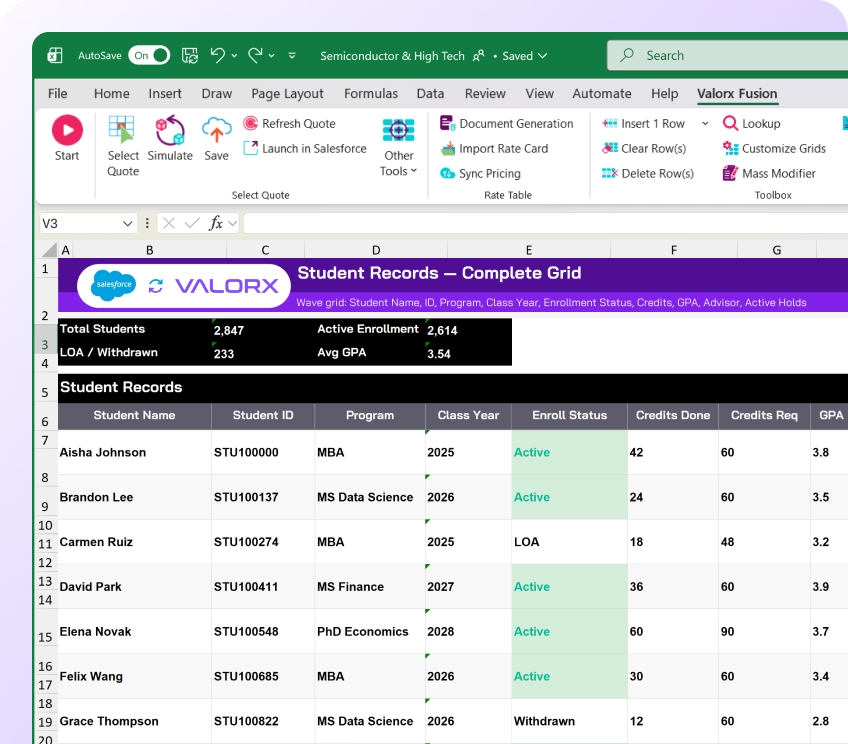
View student records in one grid

See all students with program, enrollment status, credits completed, GPA, advisor, and holds in a single view. Filter by program, class year, or academic standing to focus reviews.

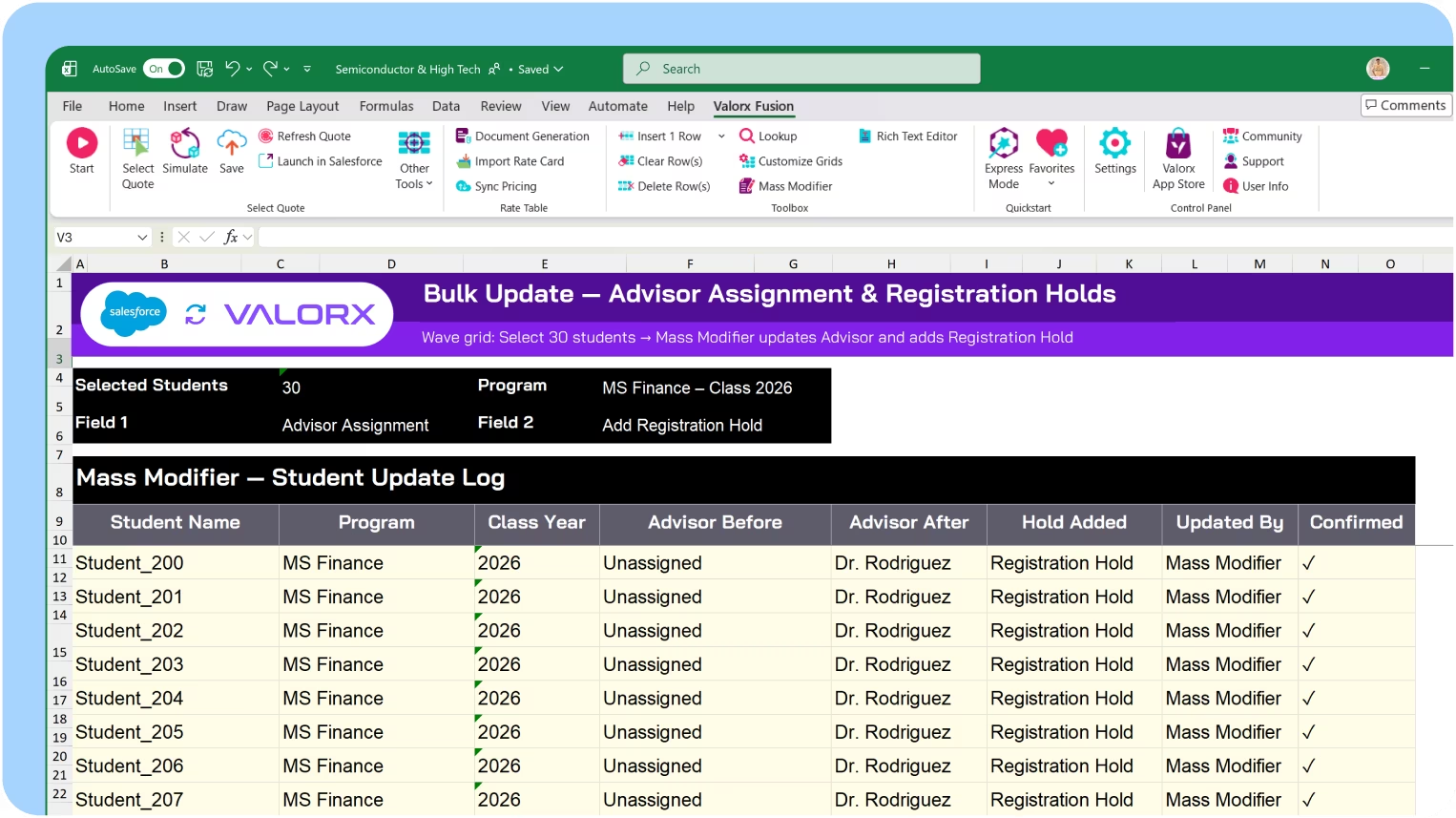
Bulk update statuses and assignments

Update enrollment statuses across cohorts at once. Assign advisors, apply holds, or update program assignments—without editing each student record individually.

See courses, grades & aid together

Multi-object views show student records alongside their current course enrollments, grades, financial aid awards, and balances. Assess student status without jumping between records.

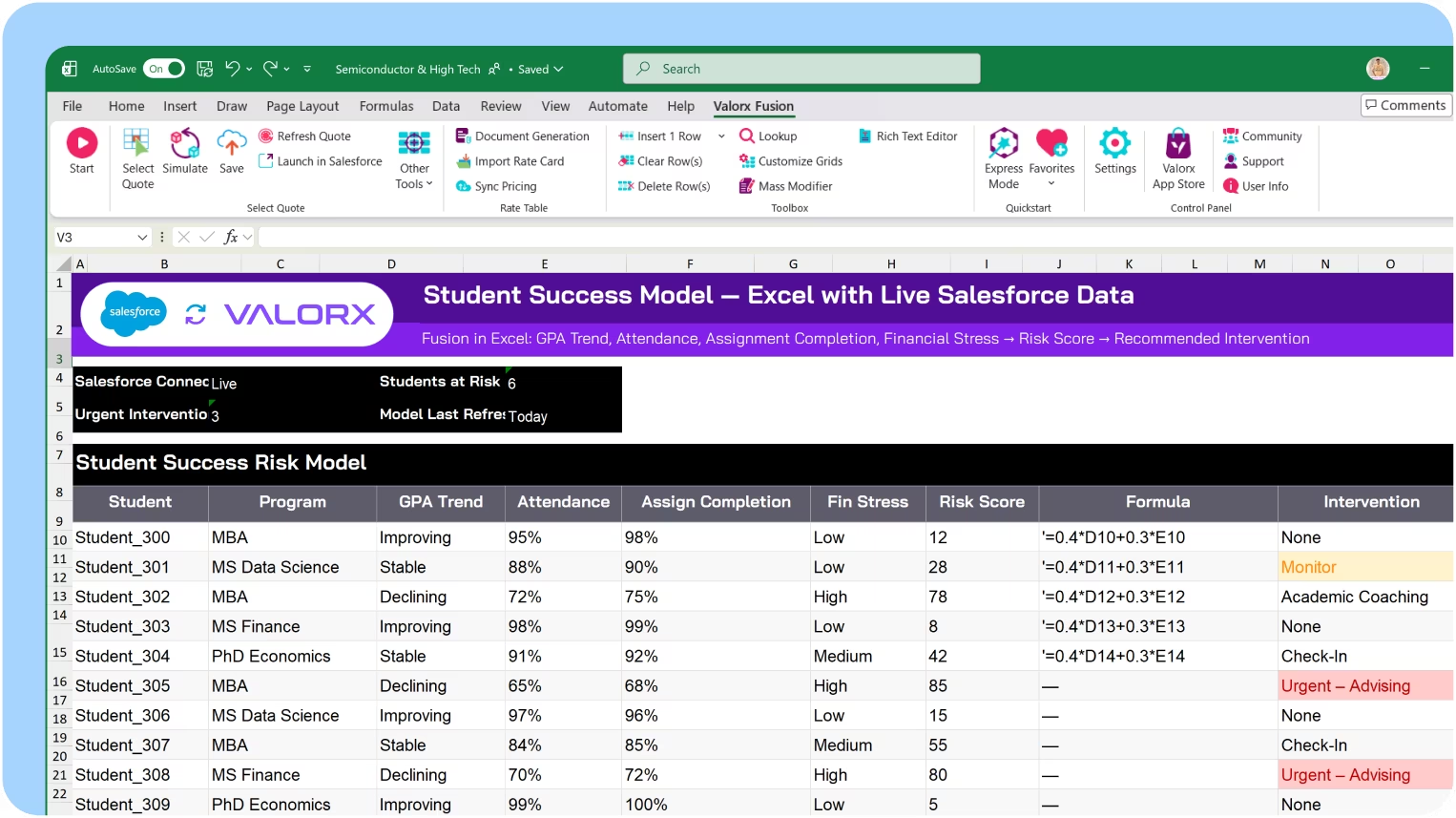
Build student success models in Excel

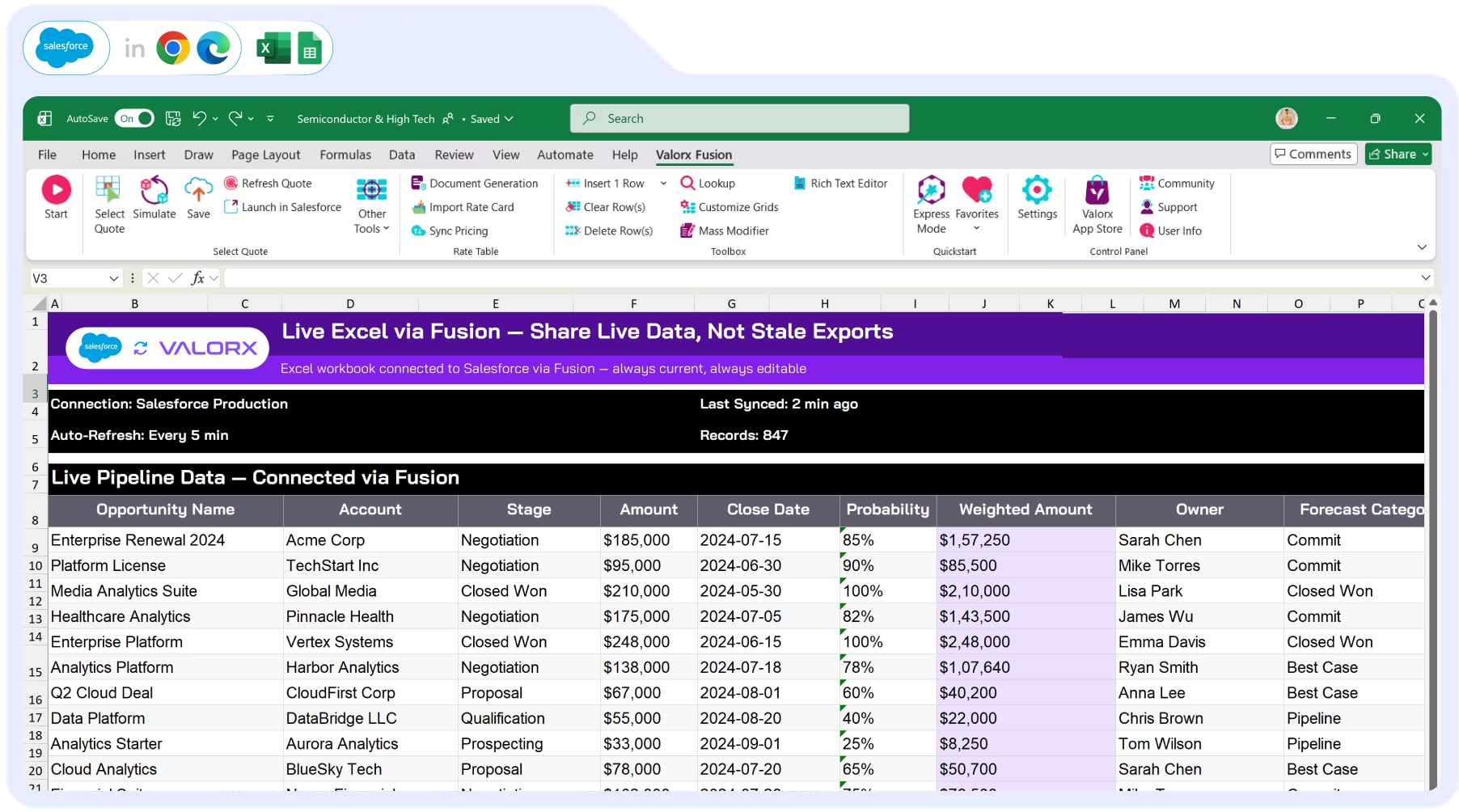
Use Fusion to create comprehensive student risk models. Combine academic performance, engagement data, and financial indicators into early warning scores—with live Salesforce data.
Courses

Courses & programs

Academic programs have complex structures—courses, sections, prerequisites, capacity limits. Manage course catalogs, section assignments, and enrollment caps at scale.

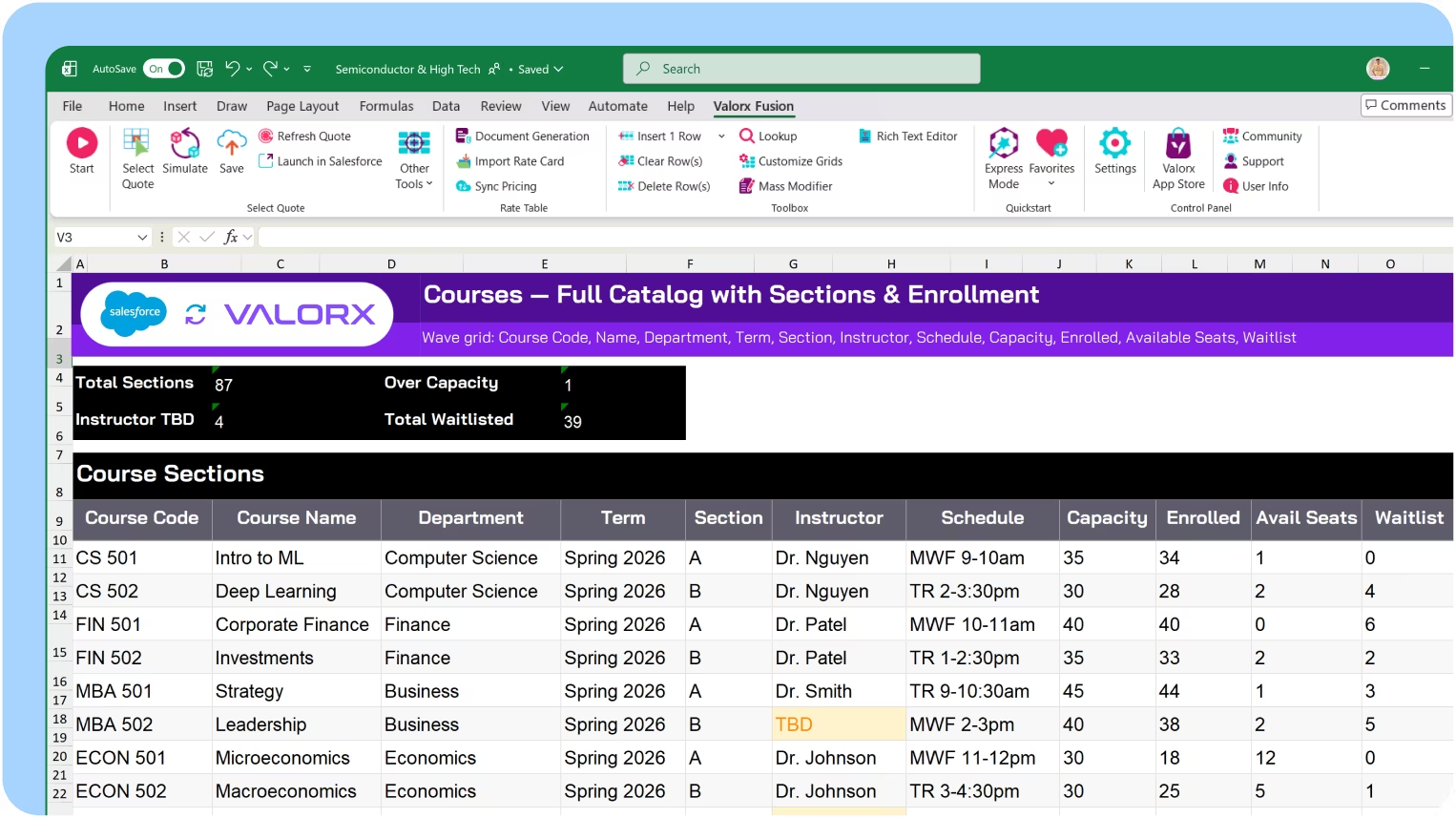
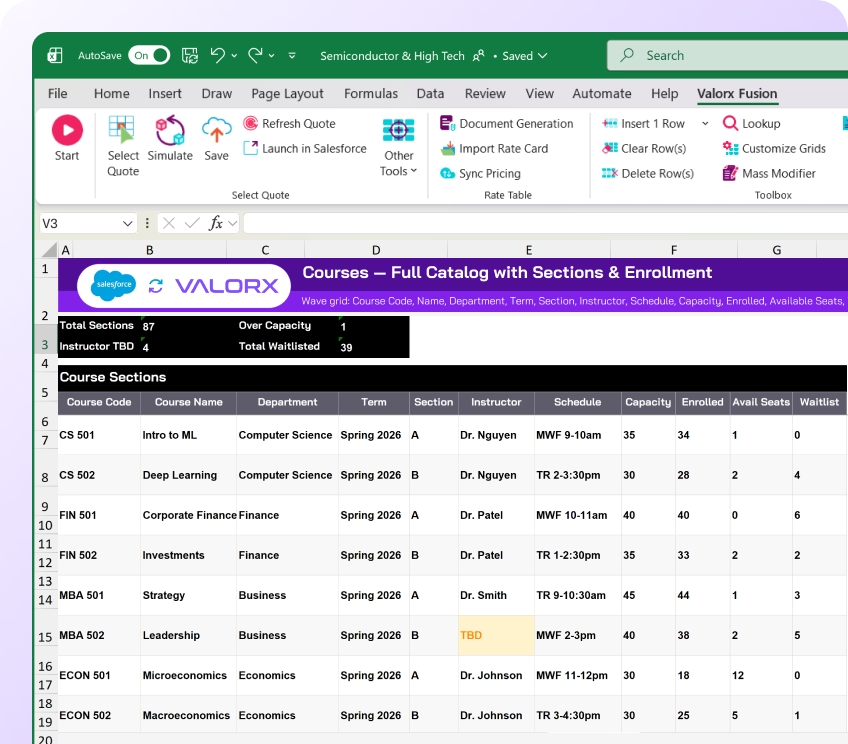
View courses, sections & enrollment

See courses with their sections, instructors, schedules, capacity, and current enrollment in a single grid. Filter by department, term, or enrollment status.

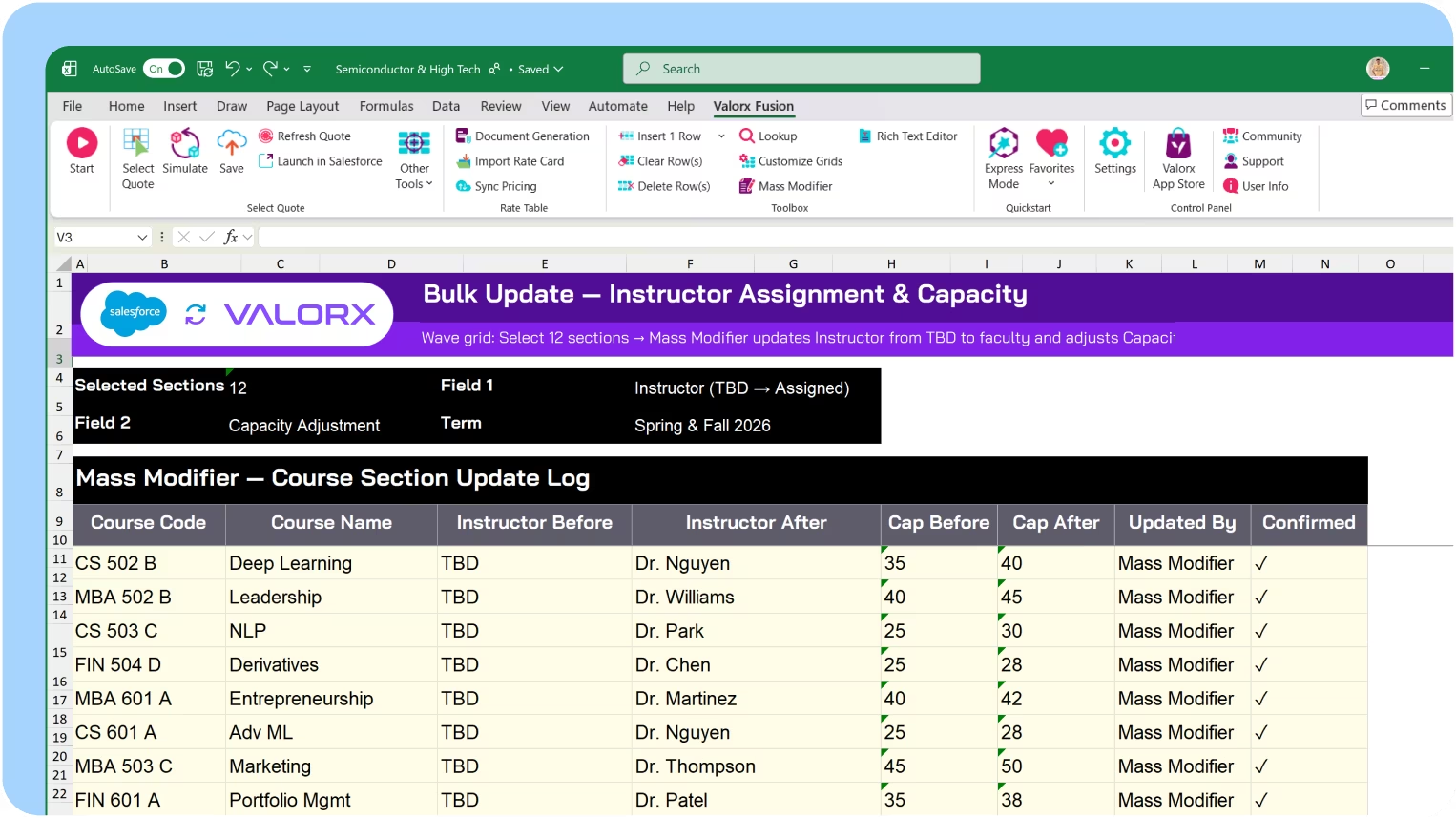
Bulk update course details

Update instructors, schedules, or capacity limits across course sections at once. Reassign sections when staffing changes—without editing each course record.

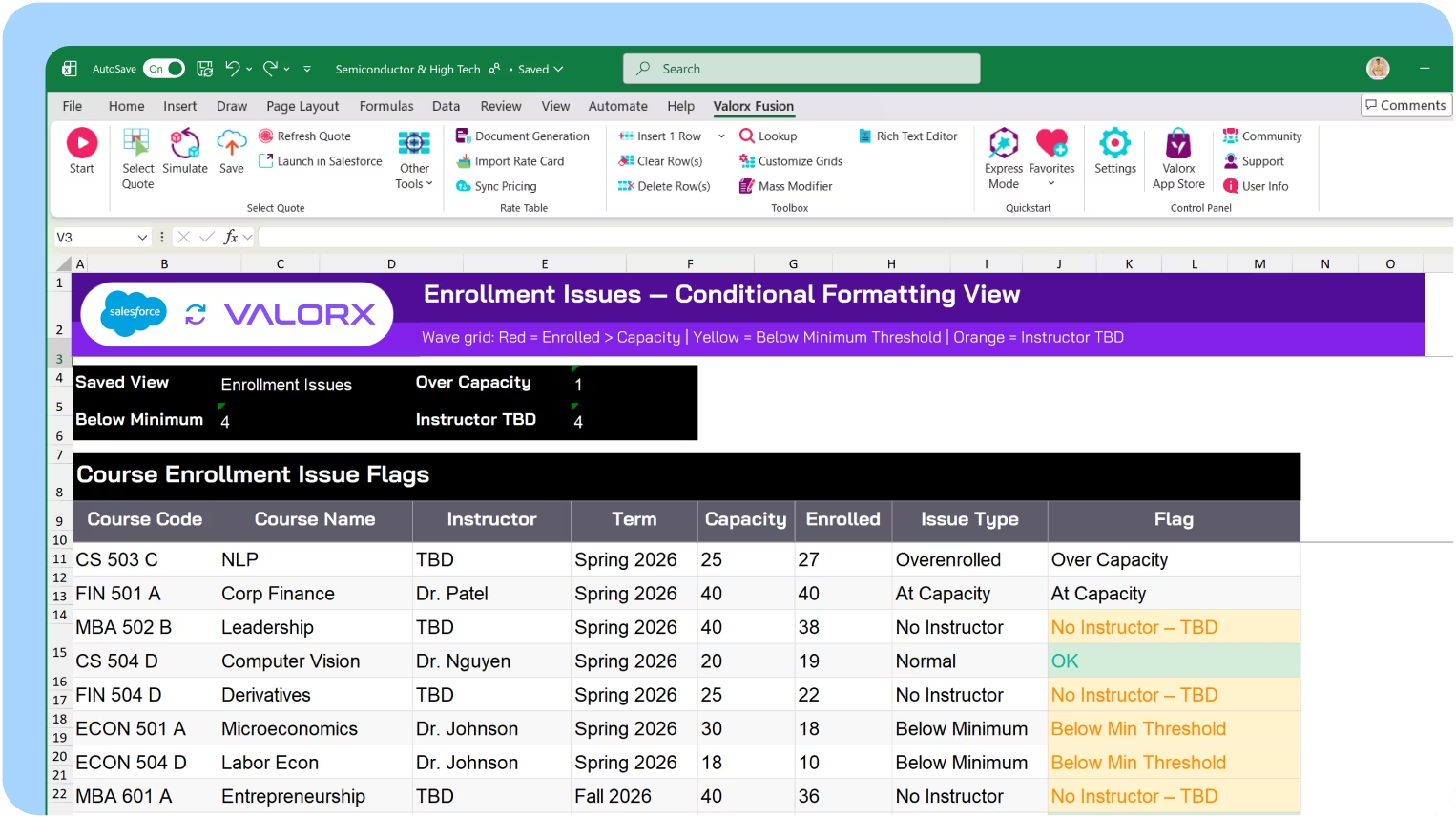
Spot enrollment issues before registration closes

Conditional formatting highlights over-enrolled sections, courses with low enrollment at risk of cancellation, and sections without assigned instructors. See scheduling issues across departments.

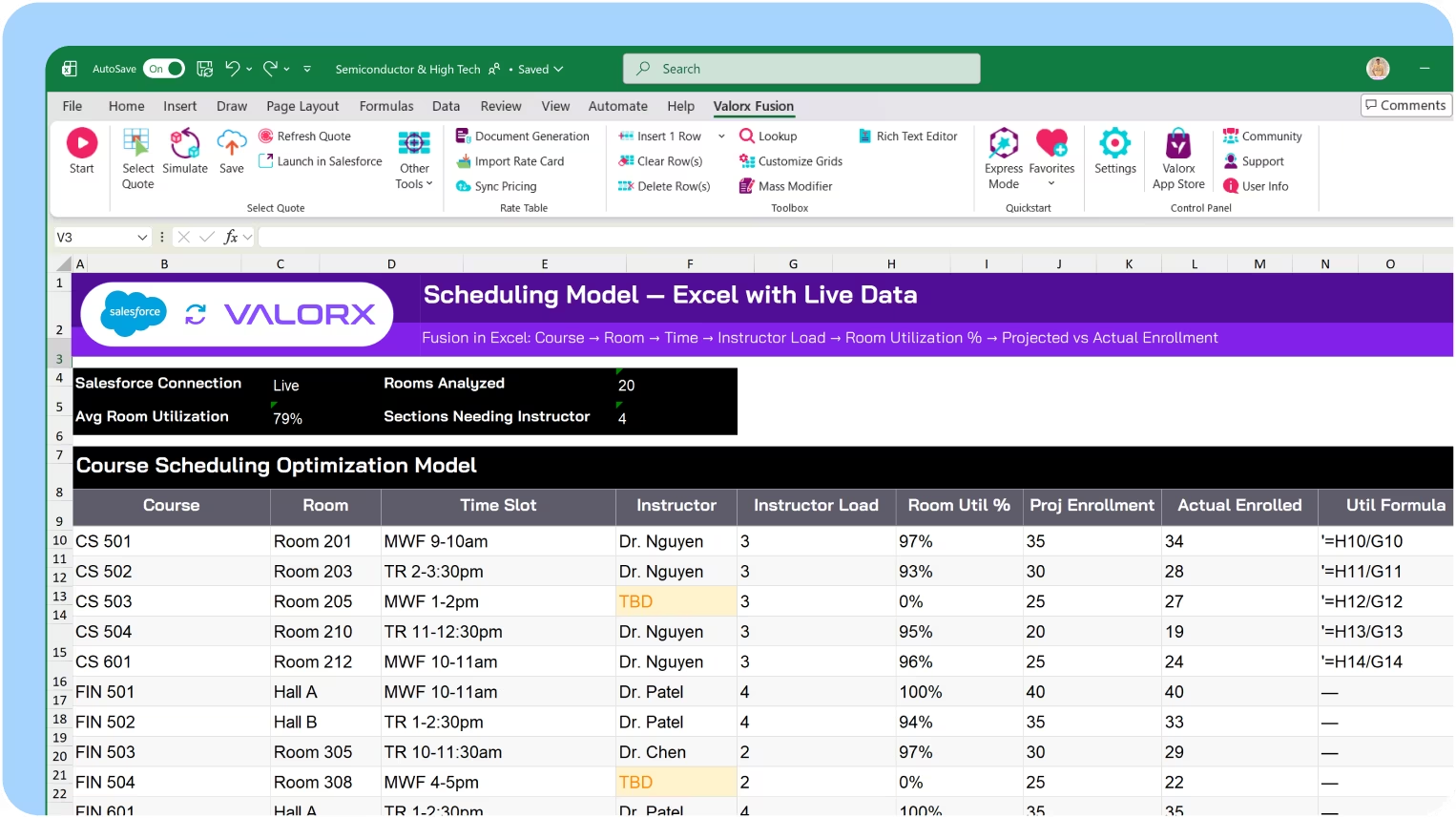
Model scheduling in Excel

Use Fusion to build course scheduling models with live Salesforce data. Analyze room utilization, faculty loads, and enrollment projections—then push approved schedules back.
Aid

Financial aid & scholarships

Aid packages are complex—federal aid, institutional grants, scholarships, loans. Manage awards, track disbursements, and coordinate packages across thousands of students.

View all aid awards with disbursement status

See students with their aid packages, award amounts, acceptance status, and disbursement schedule in a single grid. Filter by aid type, term, or disbursement status.

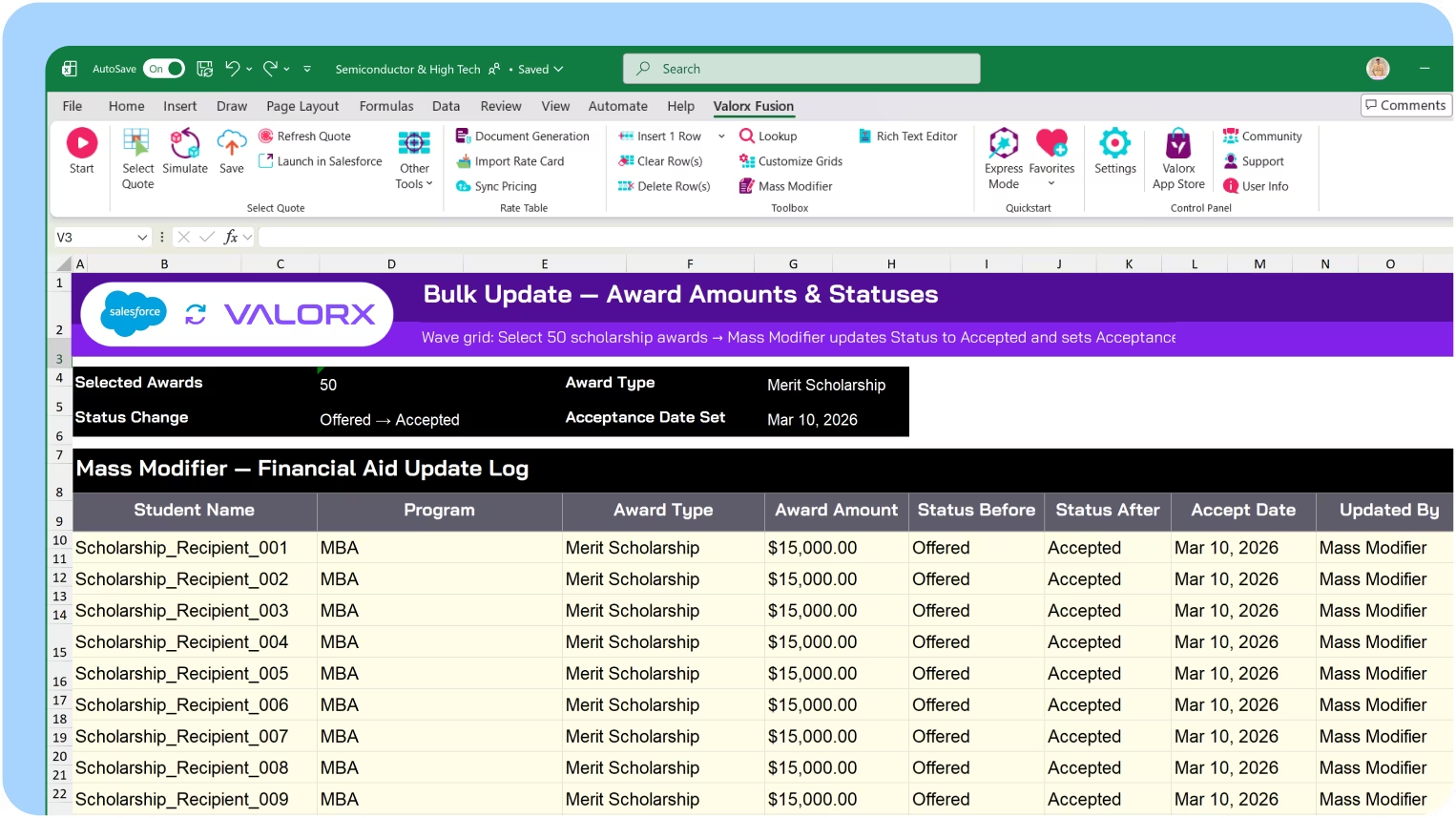
Bulk update award amounts and statuses

Update award amounts across student groups at once. Process acceptances, adjust packages, or apply disbursements—without editing each award record individually.

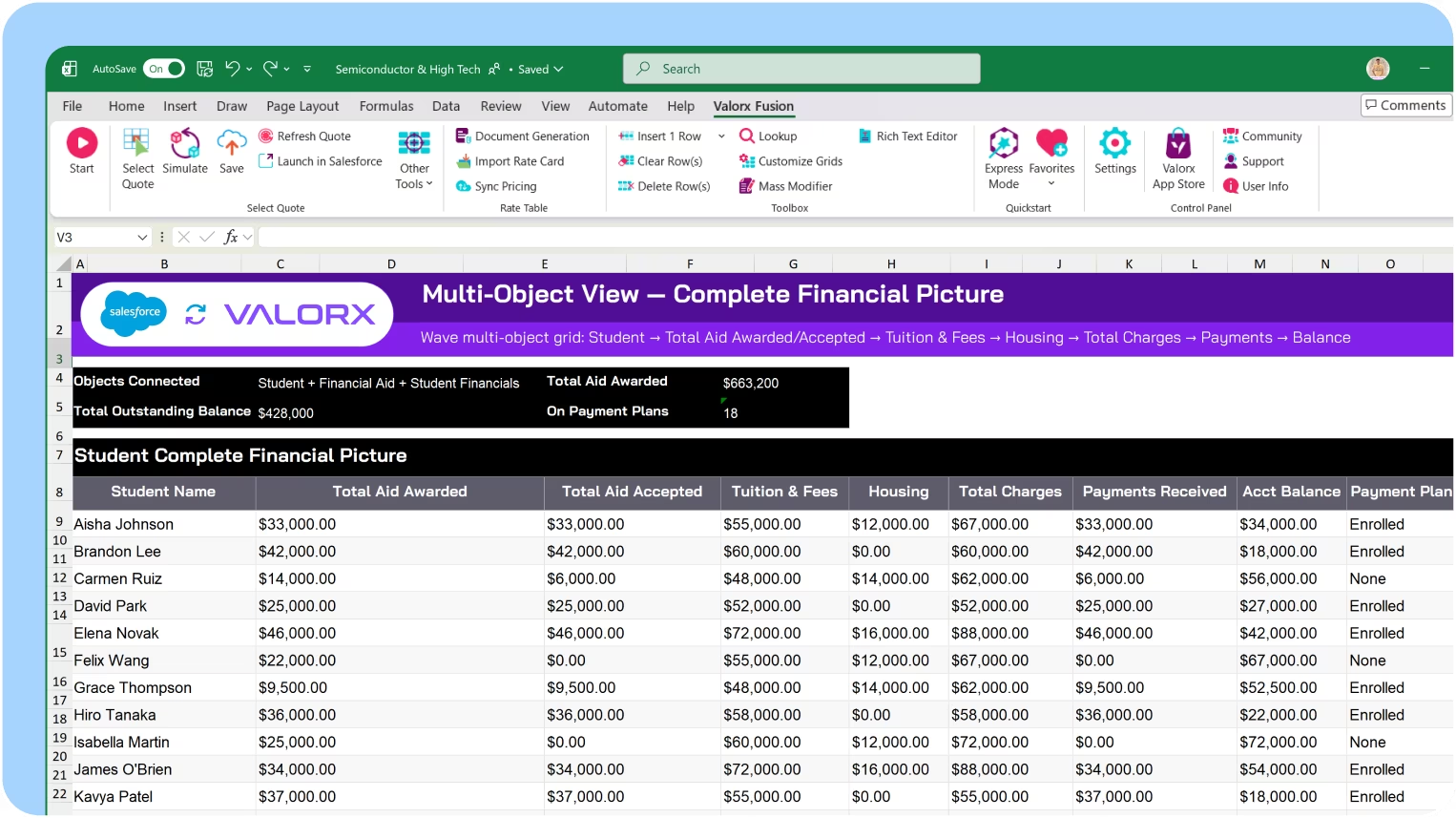
See each student's full financial picture

Multi-object views show students alongside aid awards, tuition charges, payments, and remaining balance. Assess affordability without jumping between financial records.

Model aid packaging in Excel

Use Fusion to analyze aid packaging strategies. Model need-based vs merit allocations, calculate net revenue by segment, and project budget impact—with live Salesforce data.
Engagement

Engagement & interventions

Route inquiries to counselors. Track engagement. Identify disengaged students before they drop. Coordinate interventions in bulk.

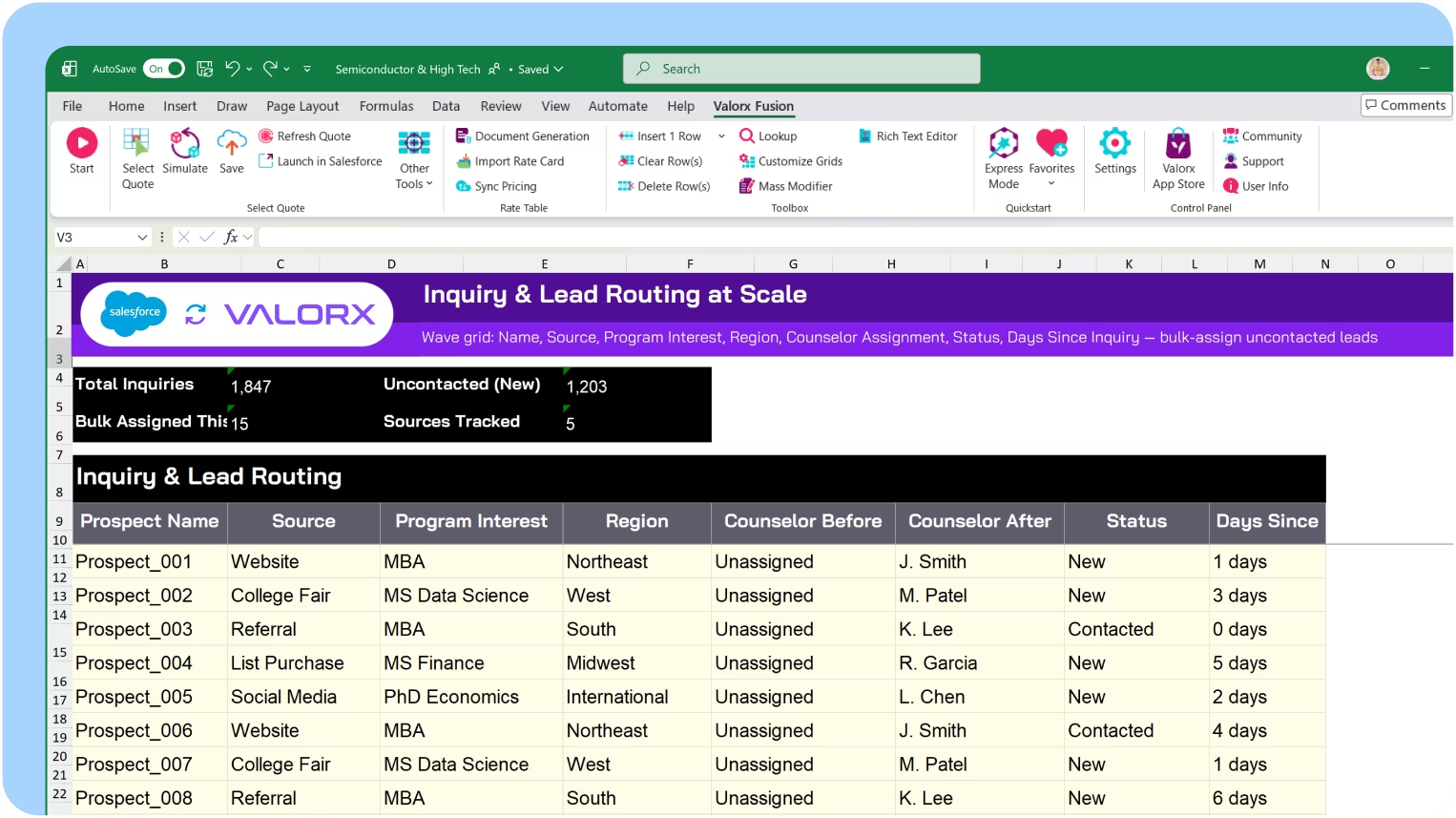
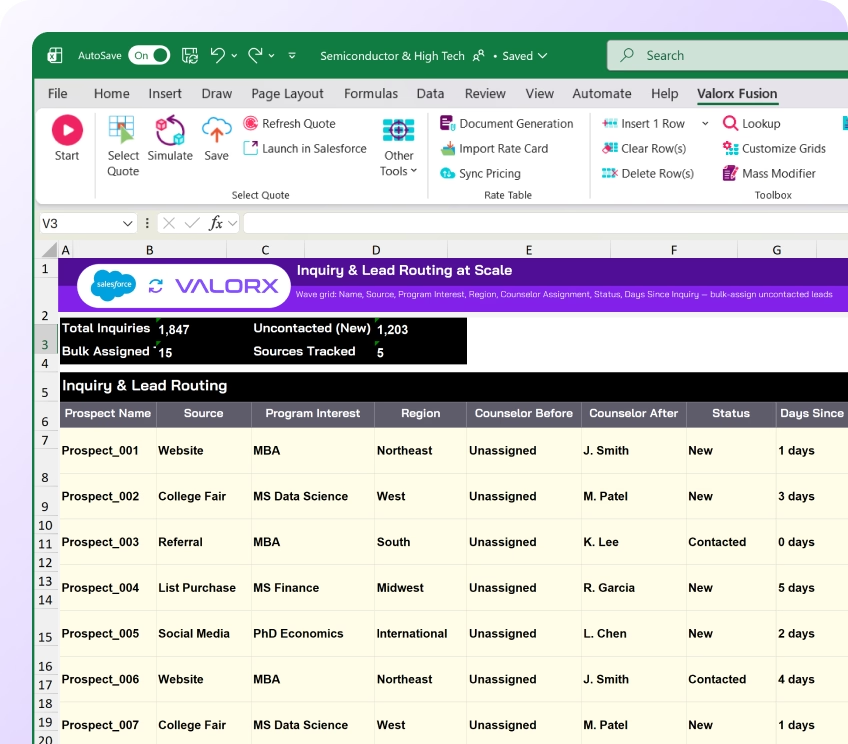
Manage inquiries & lead routing at scale

Education inquiries come from many sources—website, college fairs, referrals, list purchases. View all inquiries with their source, interest, and assignment. Distribute to counselors in bulk.

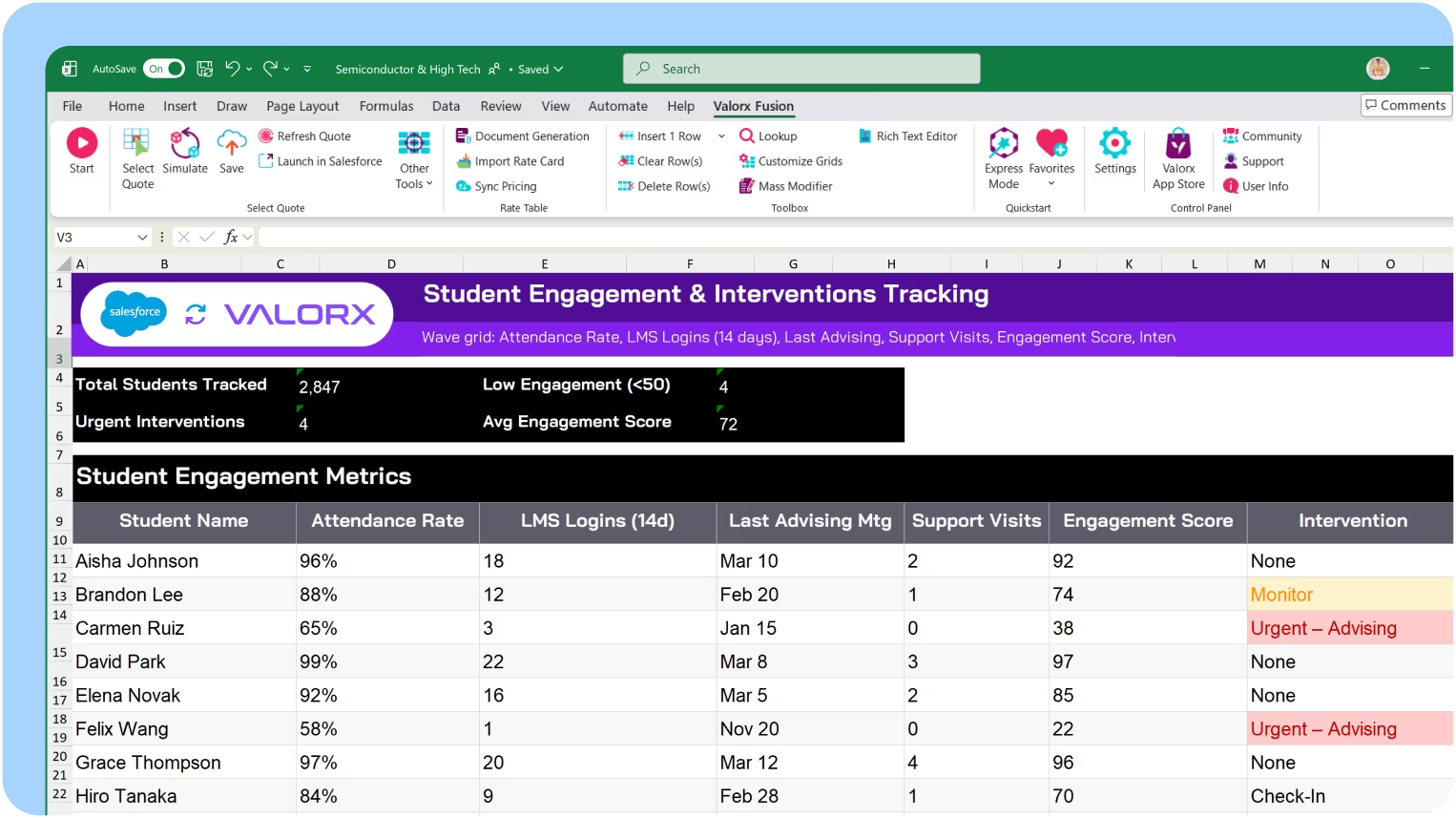
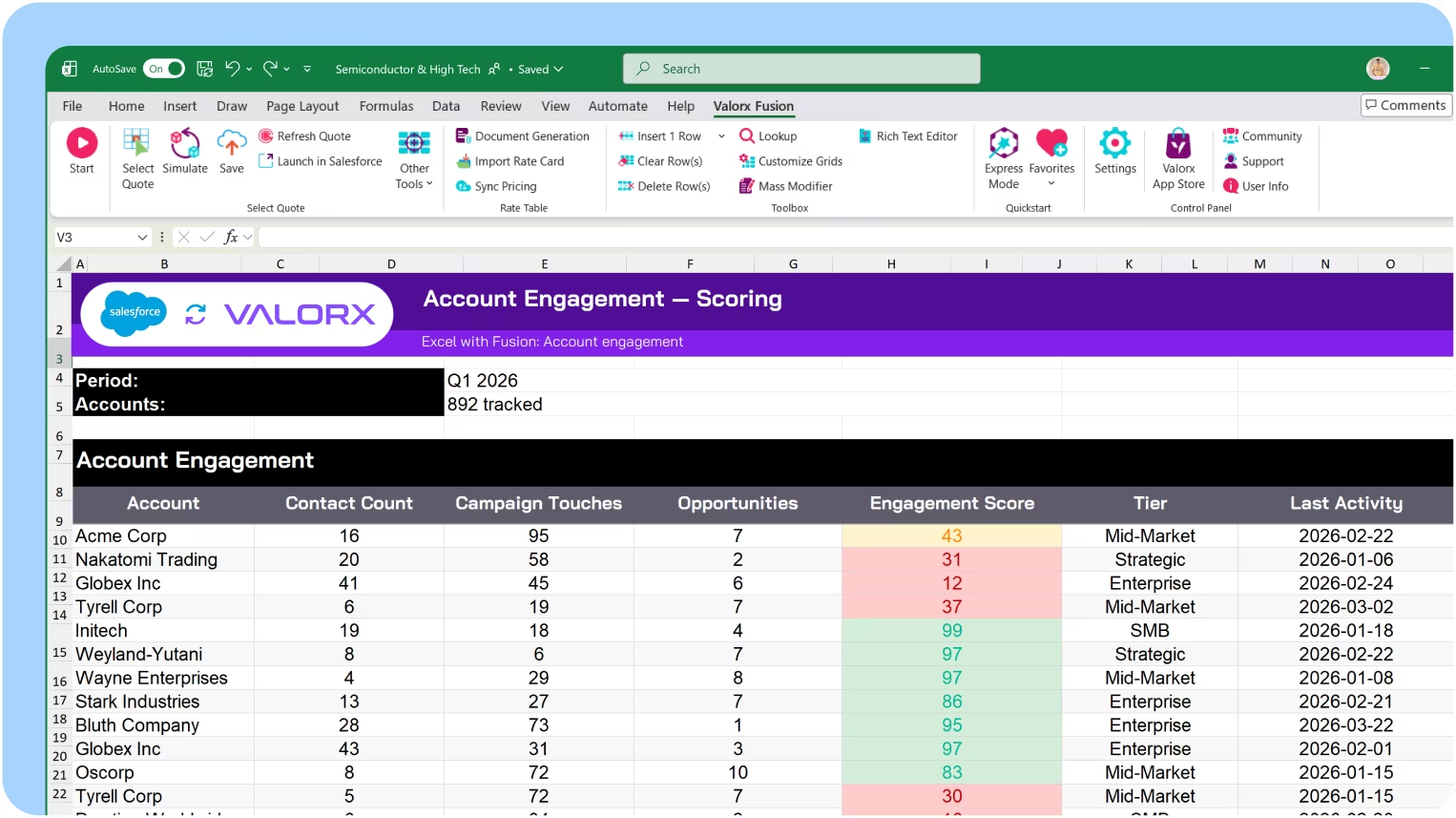
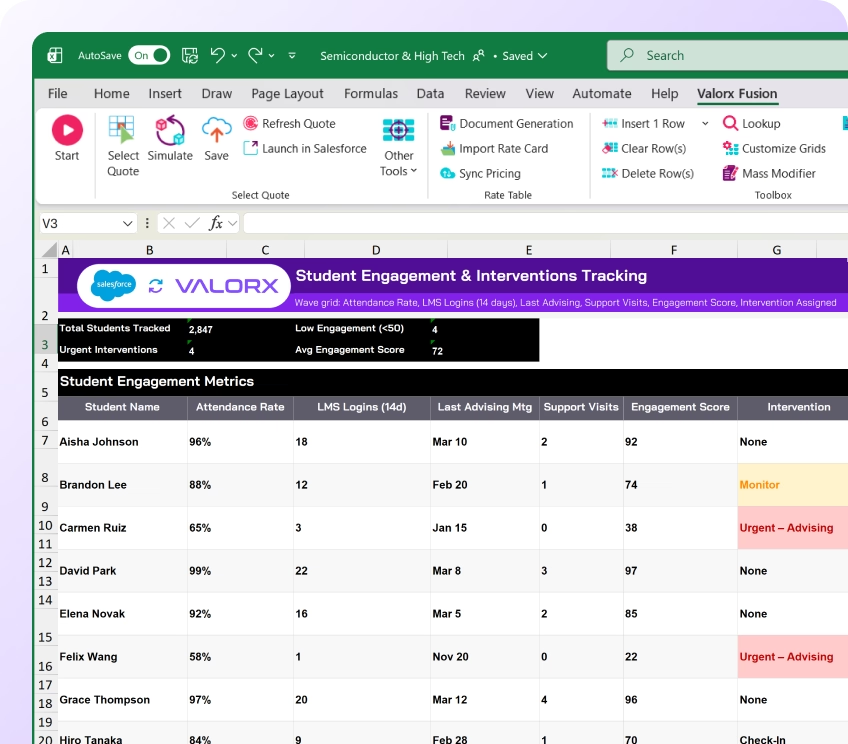
Track student engagement & interventions

See student engagement metrics—attendance, LMS activity, advising meetings, support utilization—in one grid. Identify disengaged students and assign interventions in bulk.

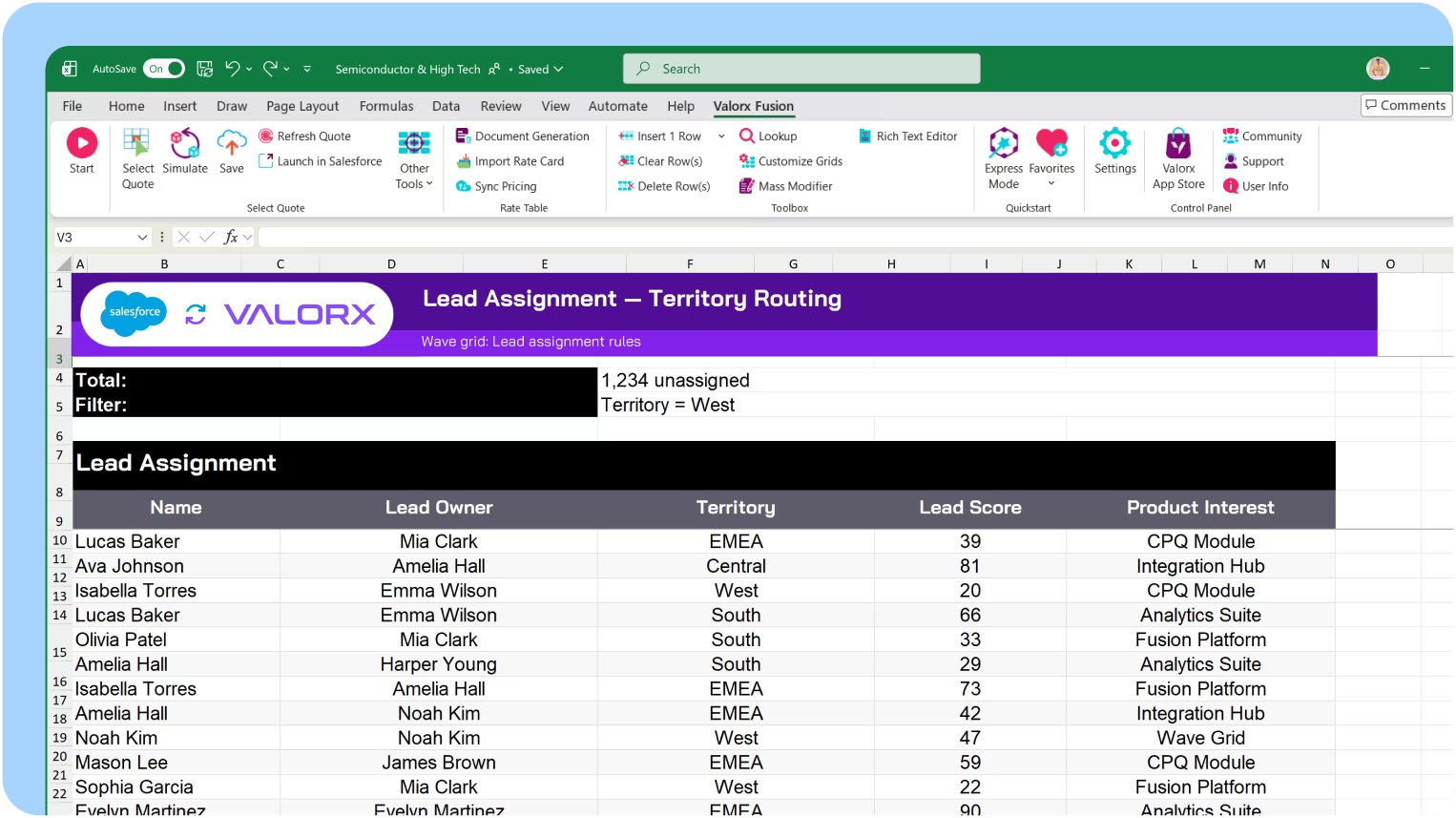
Bulk reassign stalled inquiries

Select hundreds of uncontacted or stale inquiries and redistribute across counselors in one action. Rebalance territories or redirect by program interest.

Build retention risk models

Use Fusion to combine attendance, GPA, financial stress, and engagement signals into cohort-level retention risk scores. Push prioritized outreach lists back to advising teams.
Outcomes

Outcomes & research

Track career outcomes, alumni engagement, and institutional research metrics. Build the accreditation story with live Salesforce data.

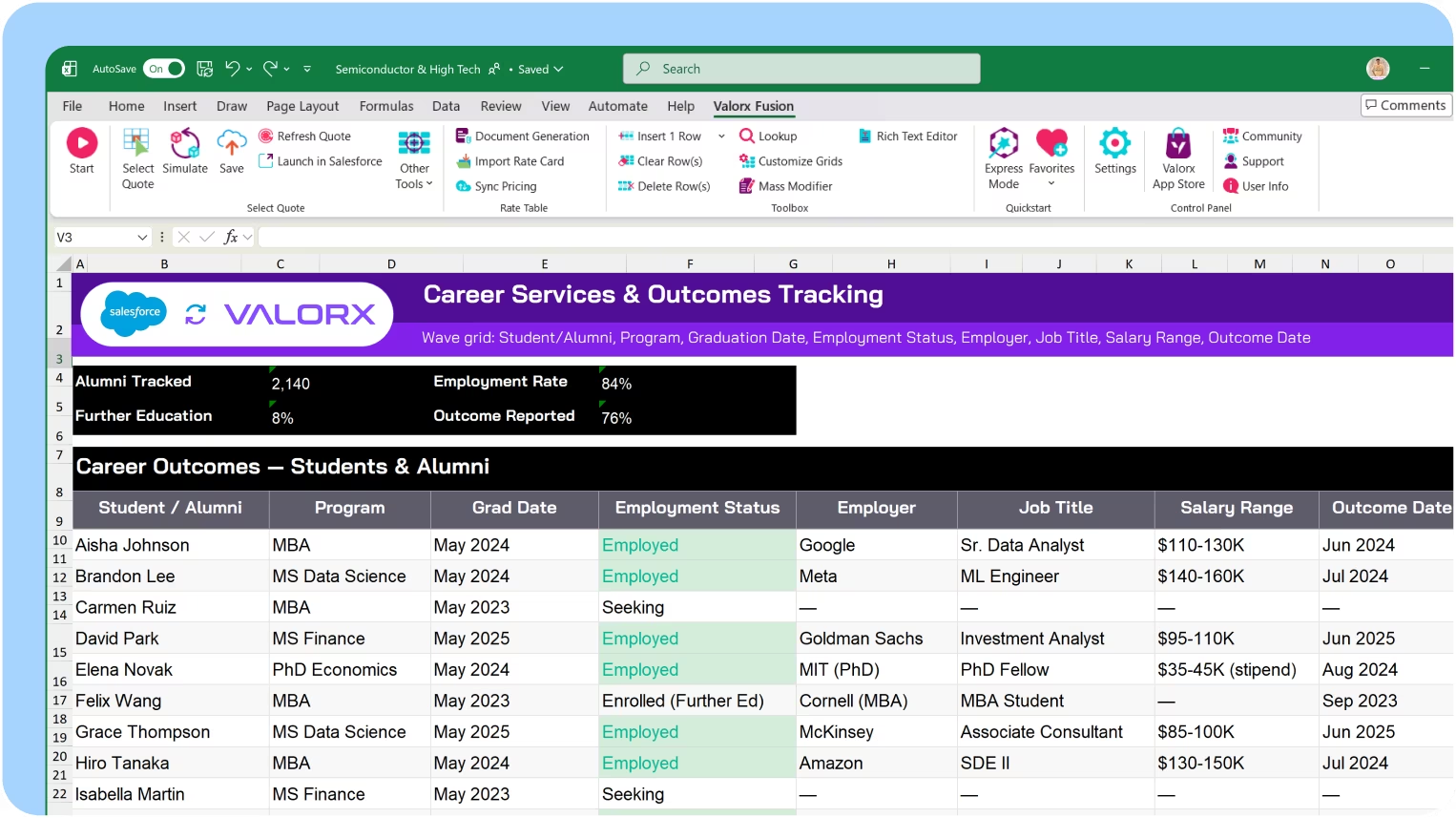
Coordinate career services and outcomes

View students and alumni with their career interests, employer connections, and placement outcomes. Track outcomes by program for reporting and accreditation.

Bulk update alumni engagement records

Manage alumni touchpoints, event participation, and giving history at scale. Assign relationship managers and update engagement status across thousands of alumni.

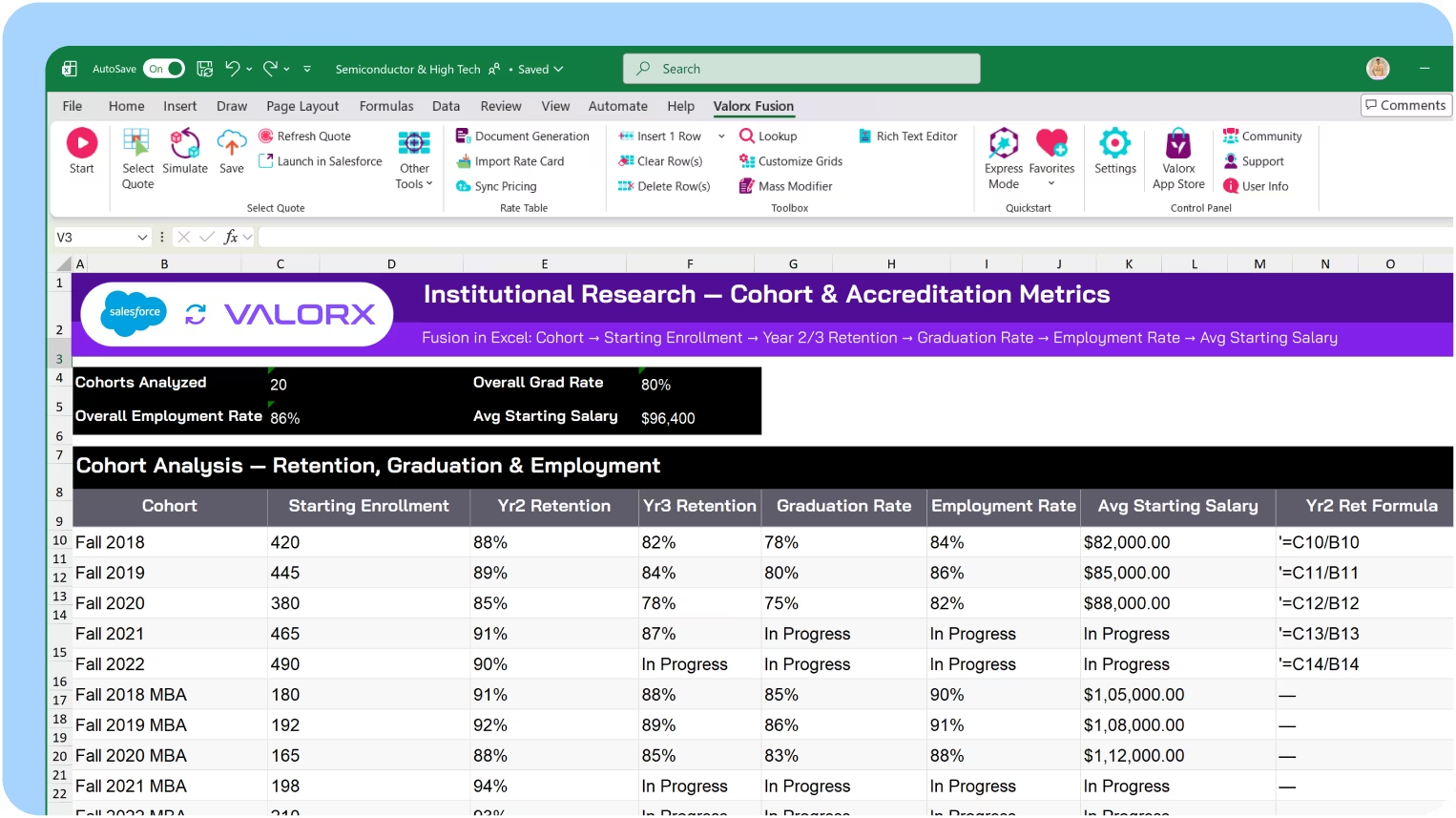
Build institutional research models

Use Fusion to analyze institutional data for reporting and accreditation. Calculate retention rates, graduation rates, and outcome metrics—connected to live Salesforce data.

Model campaign and fund performance

Use Fusion to analyze advancement campaigns, donor portfolios, and fund performance. Model ask strategies and pipeline—with live NPSP data from Salesforce.

See how fast Salesforce
can actually feel.

If you can do it in spreadsheet,
you can do it in Valorx.
Book a demo

<14 days

to production

10x

faster dmissions processing

4+

departments aligned on one Salesforce view

Abstract soft pastel-colored gradient background with blurred lavender, blue, and pink hues.

Built for education institutions

Valorx works across institution types using Salesforce EDA & NPSP
Abstract hexagonal molecular structure in purple and blue tones representing a chemical or scientific concept.
Blue and purple stylized automotive wheel icon with five spokes.

Higher Education

Admissions, student records, advancement, outcomes
Abstract hexagonal molecular structure in purple and blue tones representing a chemical or scientific concept.
Illustration of a purple and blue microchip with circuit lines extending outward.

K-12 Schools

Enrollment management, student success, family engagement
Abstract hexagonal molecular structure in purple and blue tones representing a chemical or scientific concept.
Icon with a gear and a wrench crossed, symbolizing machinery or tools.

Continuing Education

Cohort management, program operations, corporate partnerships
Abstract hexagonal molecular structure in purple and blue tones representing a chemical or scientific concept.
Abstract 3D cubes stacked with a gradient of pink and blue hues inside a white circular frame.

Online Learning

Lead-to-enroll pipelines, engagement, LMS signal integration

Work in Salesforce like you work in a spreadsheet.
See what Valorx adds to Salesforce

Salesforce connects your campus. Valorx makes the data manageable.
Without Valorx
Admissions decisions record-by-record
Incomplete applications discovered after deadline
Departments work from conflicting spreadsheets
Course schedules managed in side files
With Valorx
Bulk decisions across programs and terms
Conditional formatting flags at-risk applications
Admissions, registrar, and aid on one live grid
Bulk section updates with enrollment flags

Smiling young man with glasses and a beard wearing a black shirt on a light gray circular background with a small purple circle in the top right.
Eric Winston
Service Supervisor
Book a demo
Soft gradient background fading from light gray to pale blue and white.

Why teams choose Valorx

Valorx has made complicated data uploads quick and easy, saving valuable time. The implementation was quick and the support simply top notch!
Dawn Jamieson
Business Operations Manager, Nvidia
Besides the efficiency gains, Valorx has helped us mitigate data leakage and improve accuracy. I highly recommend Valorx to anyone who works with Salesforce data.
Ben Wong
Sales Operations Manager, Adobe
We use Valorx for sales forecasting. Very powerful, highly recommend the product. Excellent customer service and exceptionally fast turnaround time.
Karthik Dosapati
Data Analyst, Western Digital
When it comes to data migration, I see a limitless potential to migrate CPQ master data between orgs to maintain configuration, pricing, and quoting processes without the need for lengthy data loader processing.
Ian Jones
Senior Revenue Cloud Consultant, Globant

Frequently asked questions

Does Valorx work with Manufacturing Cloud?
Yes. Valorx works with all Manufacturing Cloud objects including Sales Agreements, Account Forecasts, and Warranty Claims.
Can I use Valorx with Salesforce CPQ?
Yes. Bulk edit quote line items, update pricing across products, and compare quotes side-by-side.
How does Wave help with forecasting?
Wave lets you edit Account Forecast records in bulk—update planned quantities across accounts, products, and time periods in one grid. Conditional formatting highlights variances between planned and actual.
When should I use Fusion instead of Wave for forecasting?
Use Fusion when you need complex calculations, seasonal adjustments, or what-if scenarios that require Excel's formula capabilities. Fusion syncs live with Salesforce, so your models stay connected to Manufacturing Cloud data.
Does Valorx respect Salesforce security?
Yes. All permissions, sharing rules, and validation rules are enforced. Users only see and edit data they have access to.
How fast can we deploy?
Wave deploys in minutes as a managed package. Fusion requires Excel add-in installation. Most teams are live within 14 days.

Abstract purple outline of four connected circles inside a rounded square frame on a black background.
Abstract geometric logo featuring a circle above layered semicircles within a rounded square border.
Venn diagram with three overlapping purple circles on a black background.
Purple crescent shapes forming a circle on a black square background with rounded corners.
Purple outline icon of a briefcase inside a rounded square border on a black background.
Abstract black and purple geometric design with layered squares and rounded corners.
Green spreadsheet file icon representing an Excel document on a light background.
Abstract black and purple geometric design with layered squares and rounded corners.
Smiling young man with glasses and a beard wearing a black shirt on a light gray circular background with a small purple circle in the top right.
Eric Winston
Service Supervisor
Book a demo
Icon with three nested rectangles inside a rounded square outline, representing a scaling or resizing concept.
Microsoft Excel app icon with an overlapping white X on a green abstract background.
Purple geometric icon with three nested diamond shapes on a black background.
Three purple abstract human figures representing a group or team on a light background.
Icon with three stacked rounded rectangles in purple outline on a black background.
Abstract purple outline of four connected circles inside a rounded square frame on a black background.
Icon showing four interconnected circles forming a square with a horizontal line extending from the right circle.
Google Chrome web browser logo.
Salesforce logo with white text inside a blue cloud shape.
Abstract geometric design with multiple rounded squares outlined in purple on a black background.
Purple circular abstract icon with overlapping partial rings on a black square background with rounded corners.
Three overlapping purple circles forming a triangular Venn diagram on a black background.
Abstract geometric logo featuring a circle above layered semicircles within a rounded square border.