Semiconductor & High-Tech in Salesforce

From design wins to EOL—manage the entire product lifecycle in Salesforce. Handle thousands of BOMs, track component obsolescence, and coordinate schedule changes at semiconductor scale.
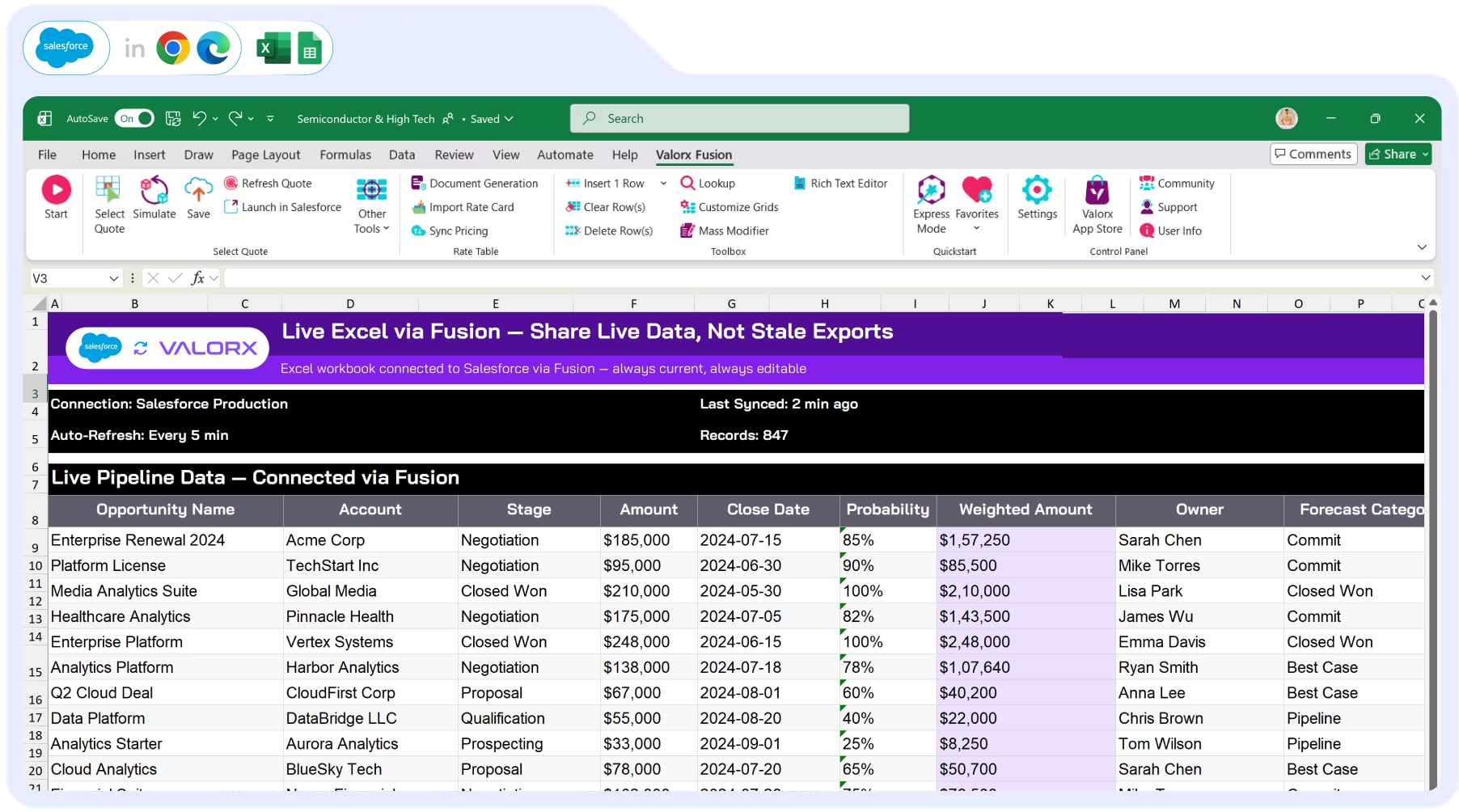
Screenshot of Valorx Wave sales dashboard showing account sales agreements with columns for product, planned quantity, sales price, and discount percentage for October 25 and November 25.
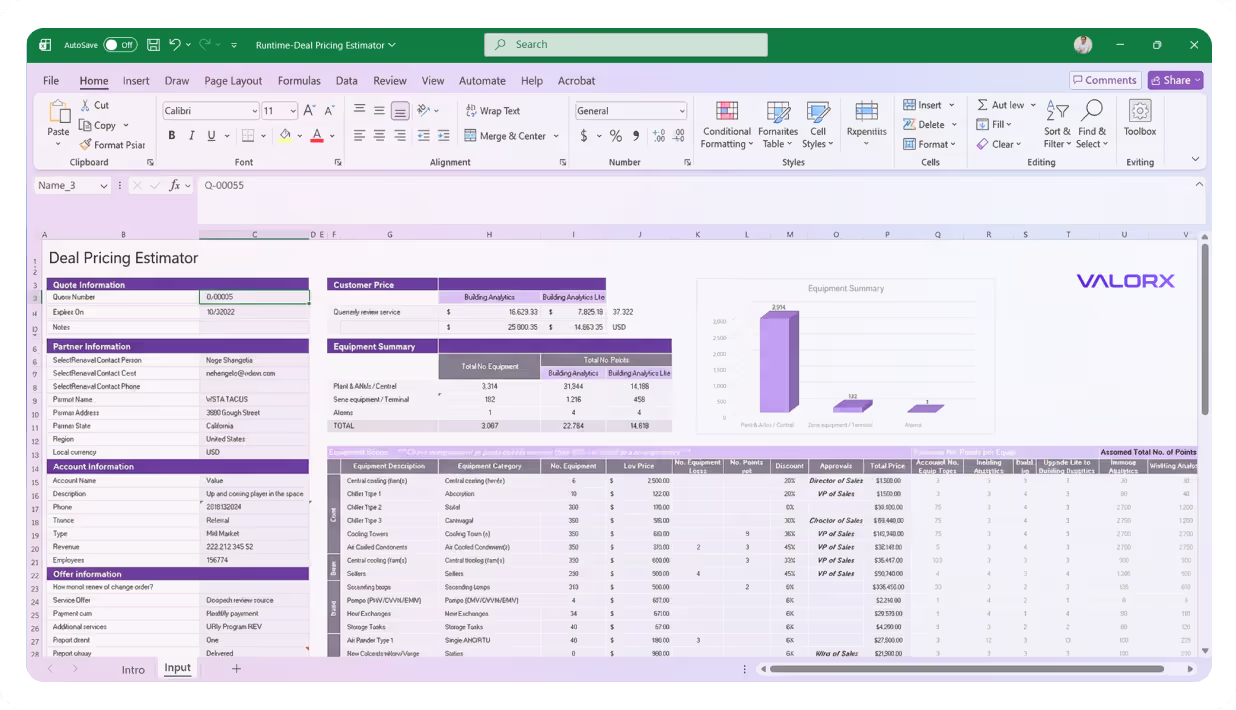
Valorx Fusion interface showing an Excel sheet titled Deal Pricing Estimator with sections for Quote Information, Partner Information, Account Information, Customer Price, and Equipment Summary.
bom management

Product BOM management

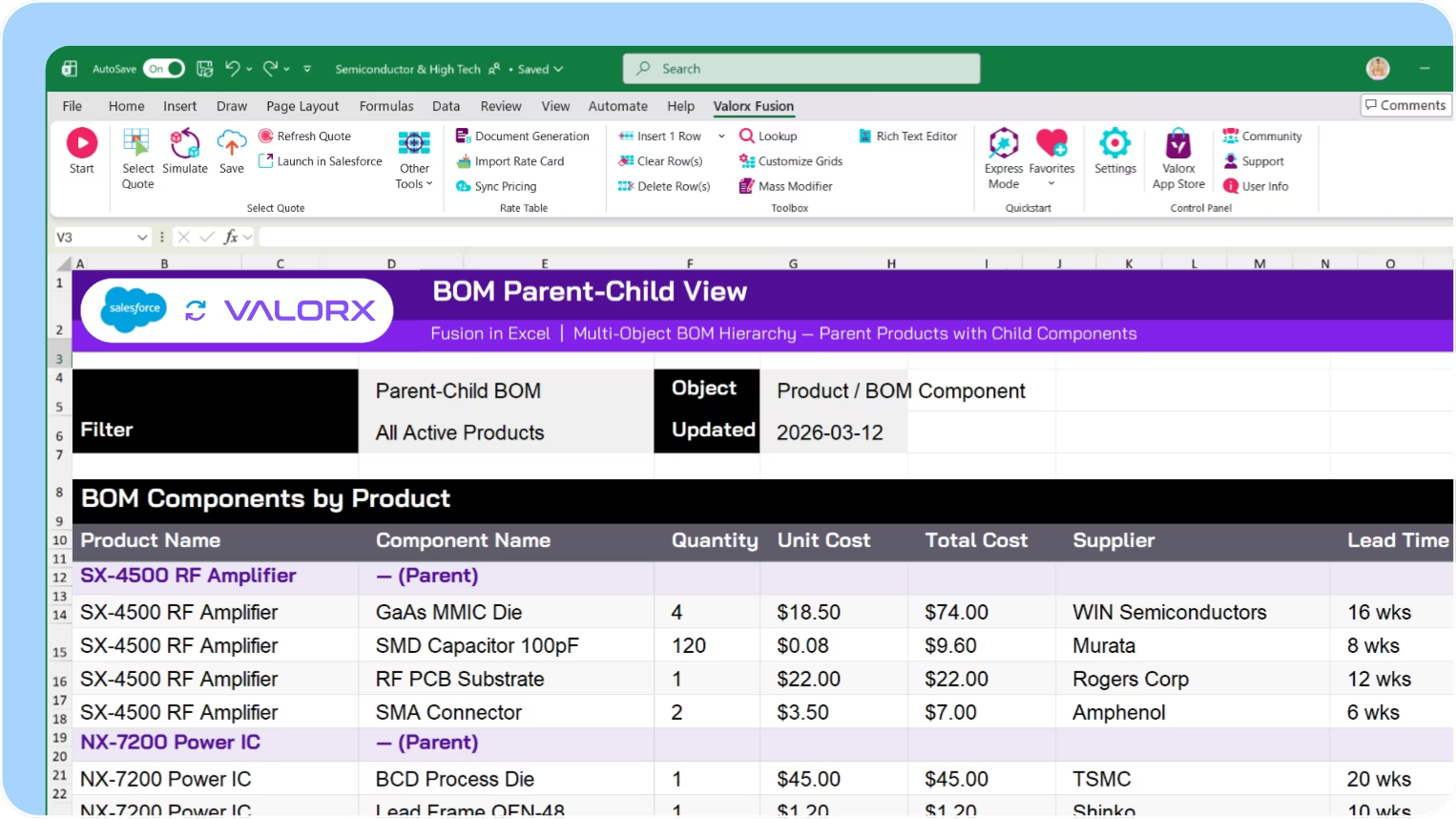
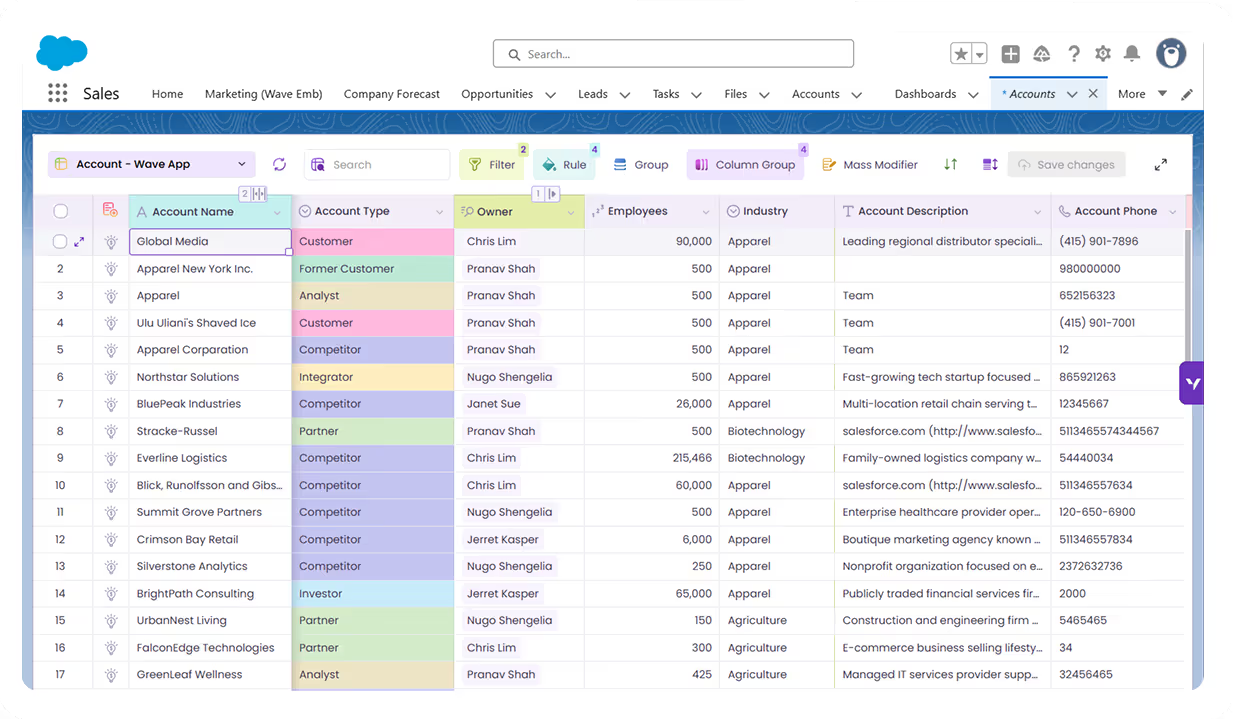
Valorx brings spreadsheet-style editing to Salesforce BOMs—so you can manage thousands of components without exporting to Excel.

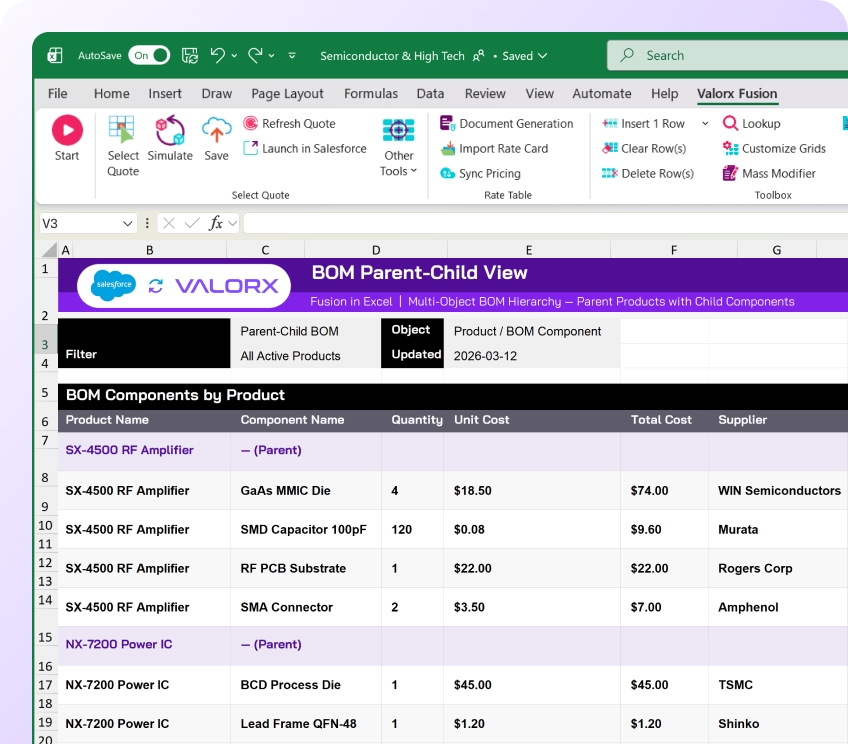
View parent products with all components in one grid

See parent products alongside their Bill of Materials—components, quantities, costs, and sourcing—in a single view. No more navigating related lists.

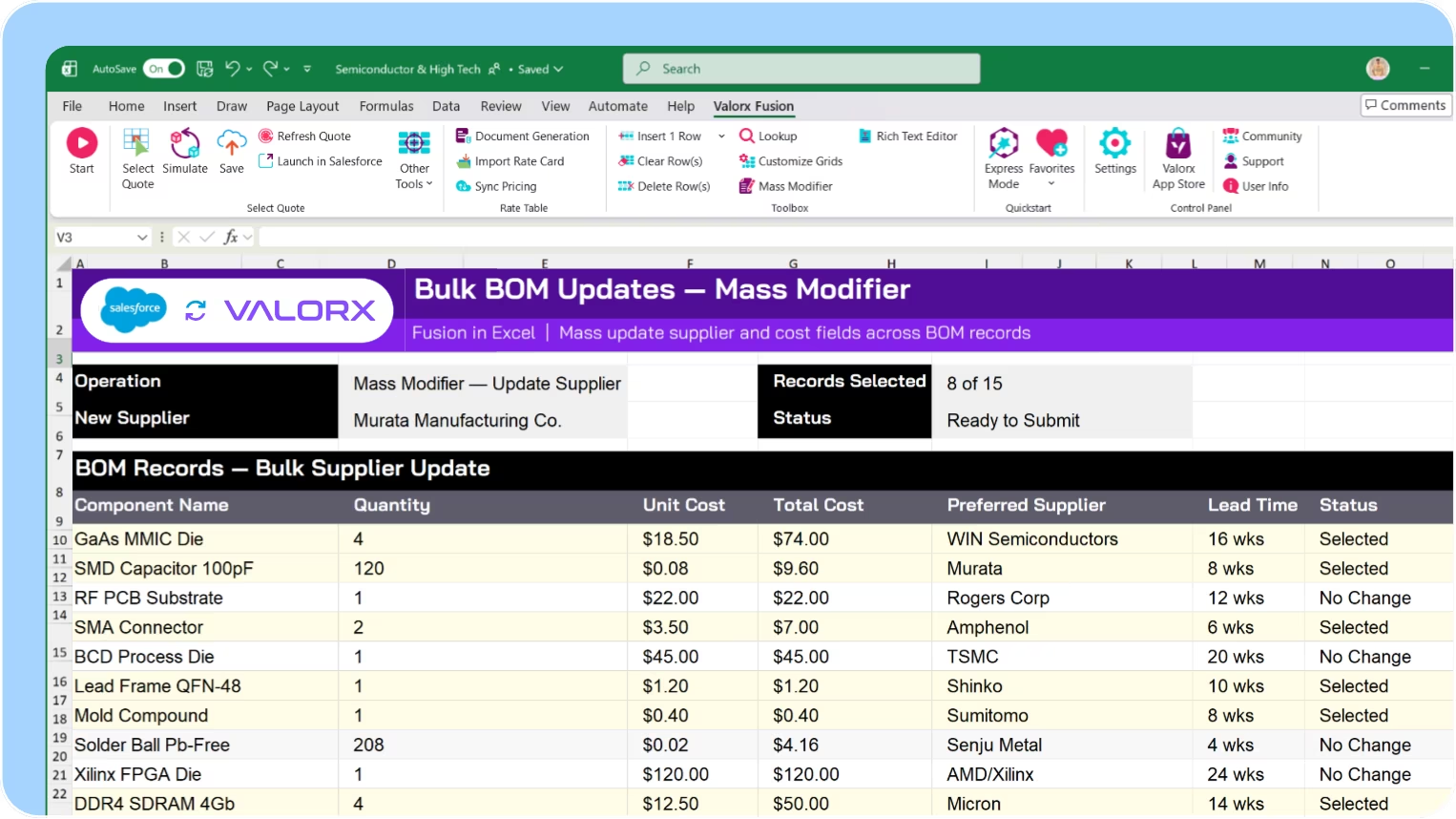
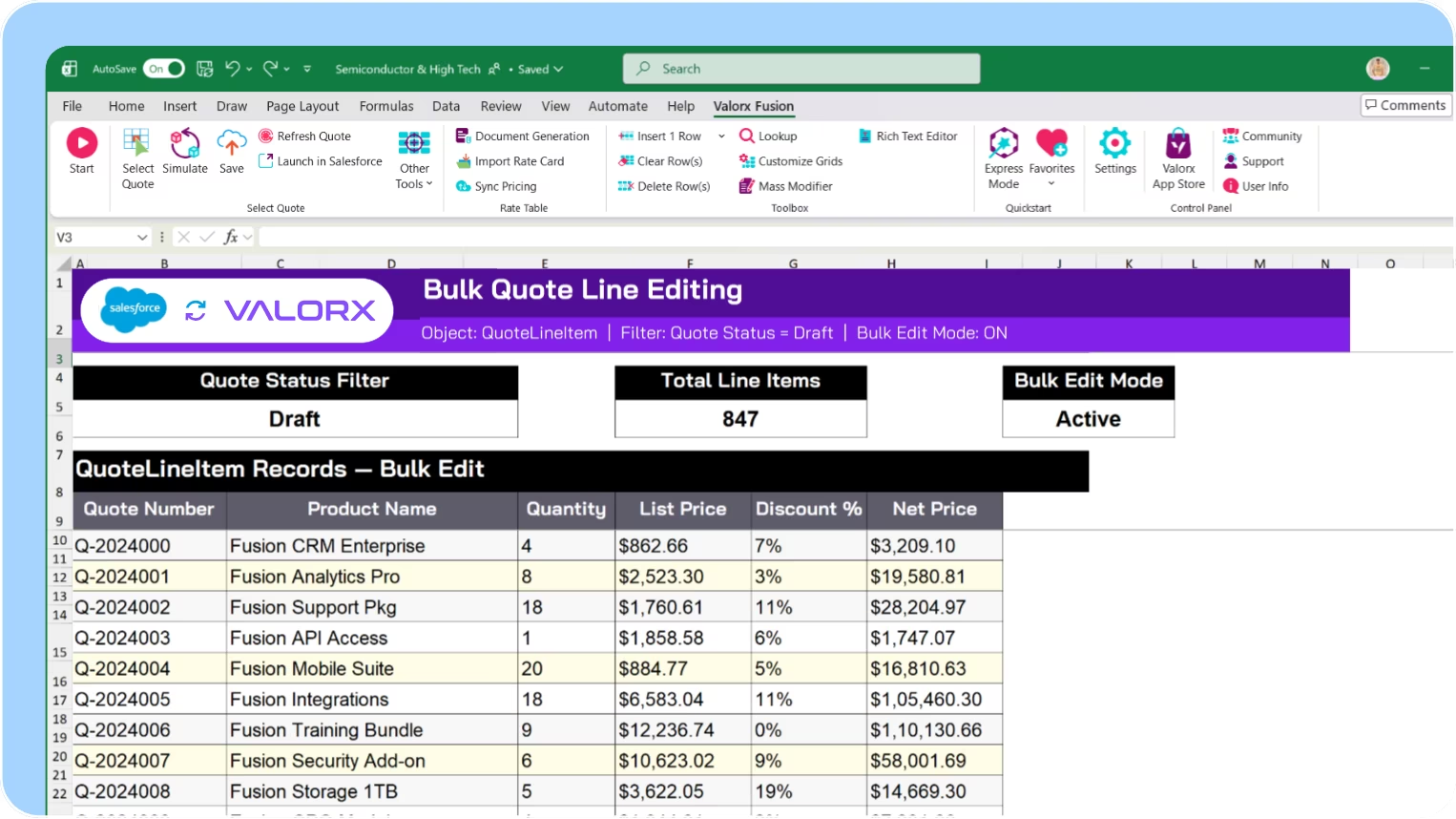
Bulk update quantities, costs, and sourcing

Update component quantities across multiple products at once. Adjust costs when suppliers change pricing. Reassign sourcing without editing records one by one.

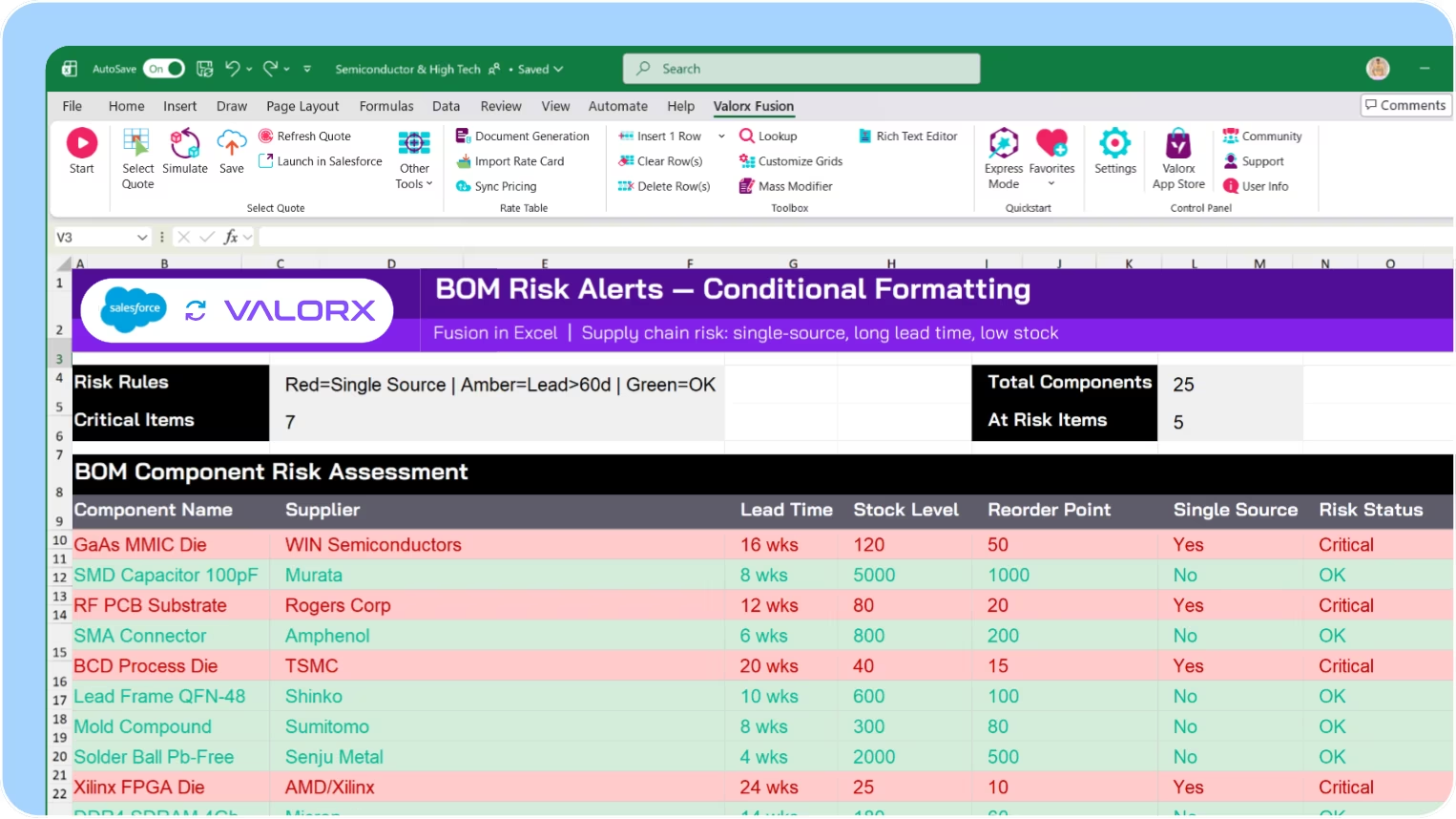
Spot at-risk components before they impact production

Conditional formatting highlights long lead times, single-source dependencies, and low stock levels. See supply risks across your entire product portfolio.

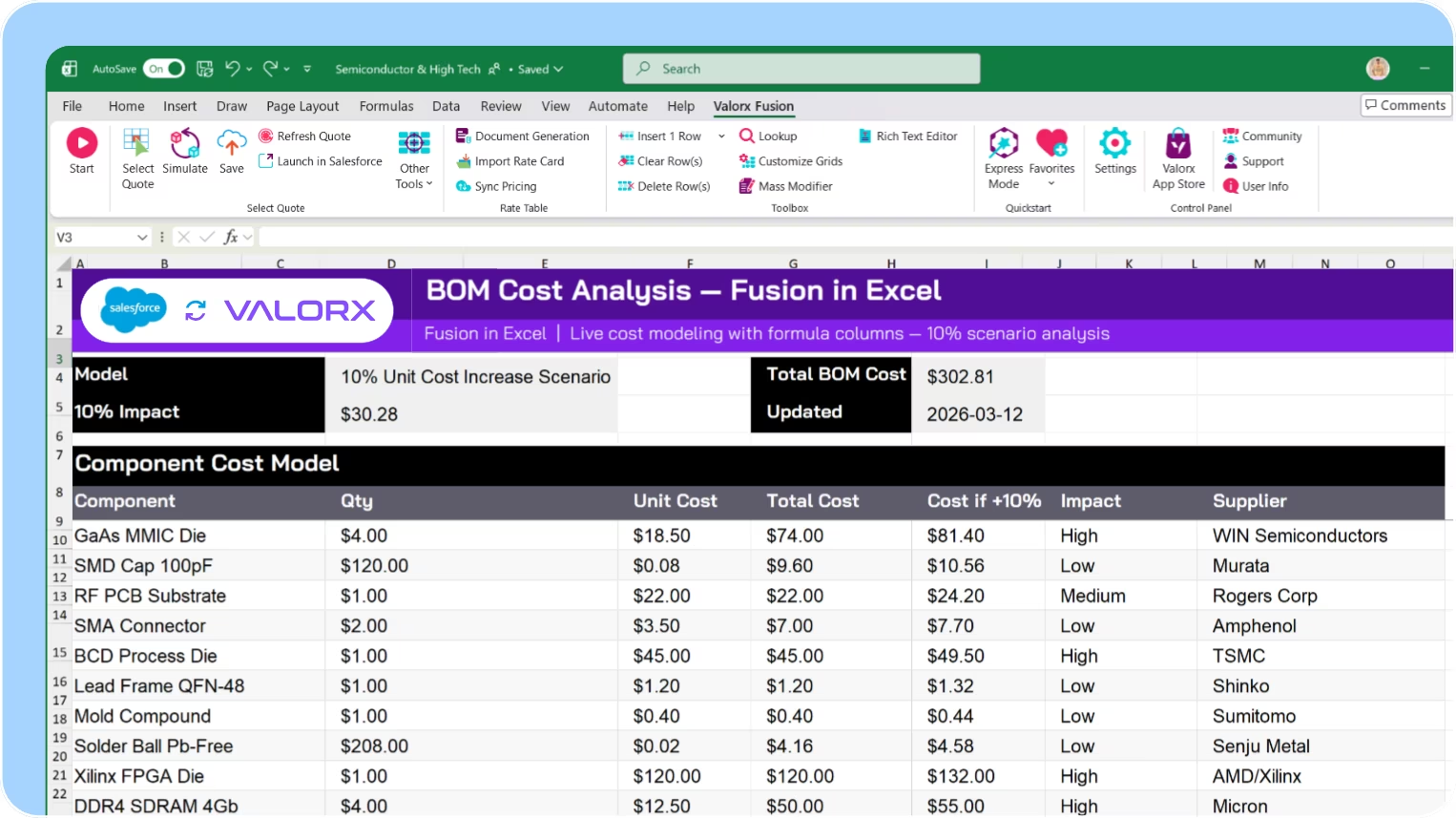
Build complex BOM calculations in Excel with live data

Use Fusion to connect existing BOM spreadsheets to Salesforce. Calculate rolled-up costs, component requirements, and what-if scenarios—then push updates back.
Push-Out

Cancel & Push-Out management

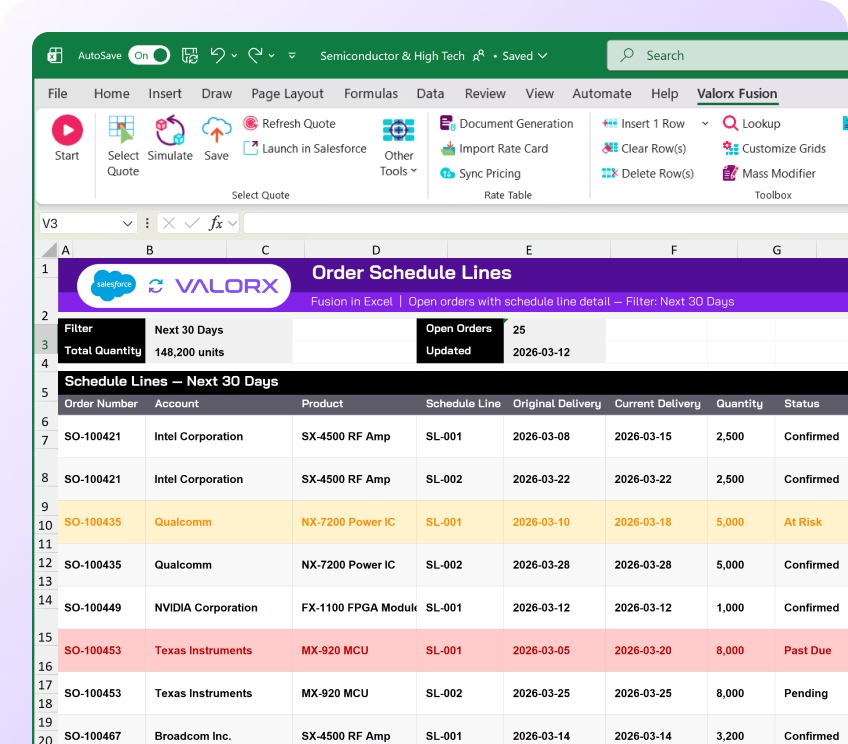
Semiconductor demand is volatile. Valorx helps you manage schedule changes across thousands of order lines—without record-by-record updates.

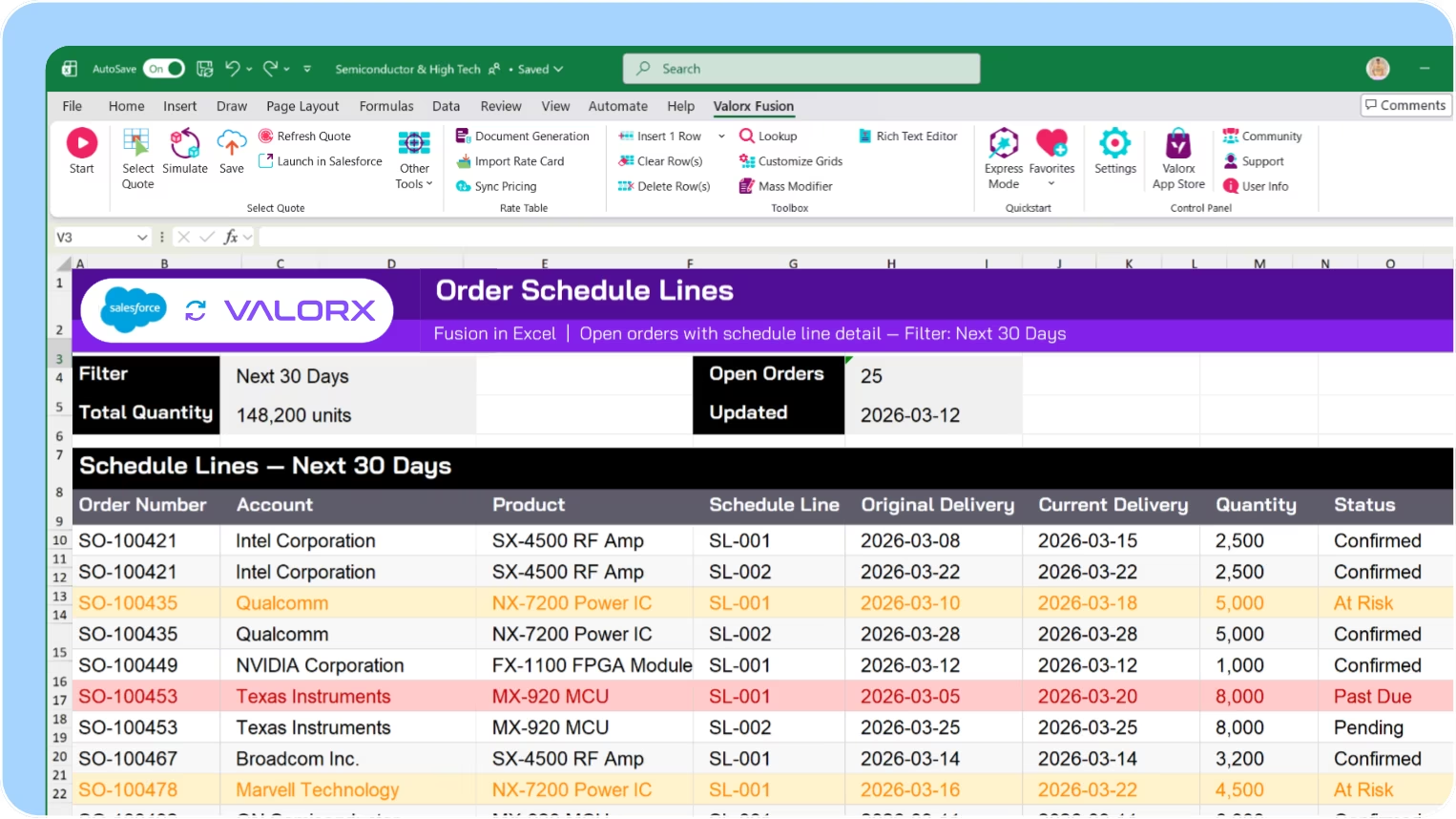
View all orders and schedule lines in one grid
See orders with their schedule lines, delivery dates, quantities, and status in a single view. Filter by customer, product, or date range to focus on what needs attention.

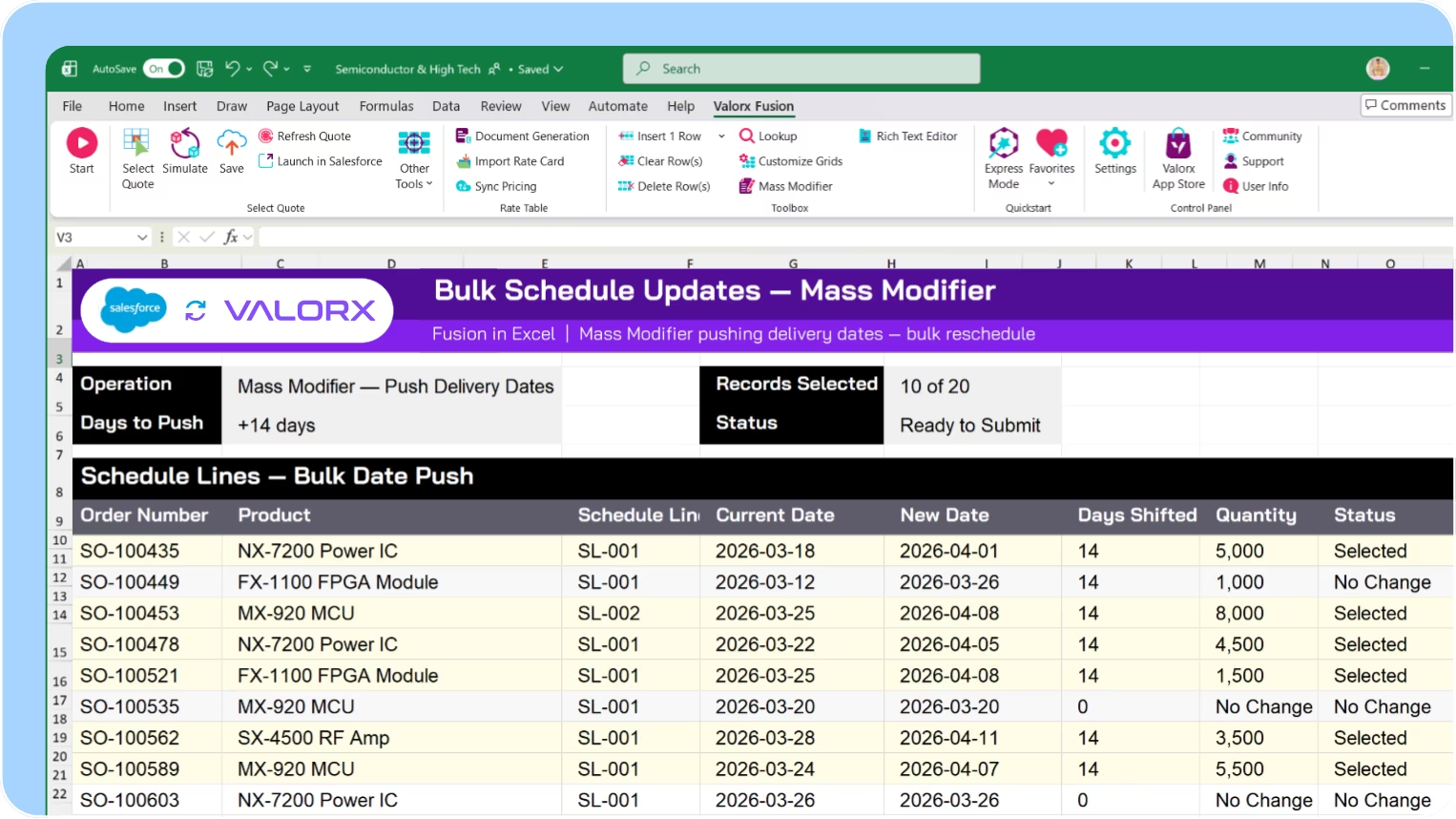
Bulk update delivery dates and quantities

Select schedule lines across multiple orders and update delivery dates at once. Adjust quantities, change status, or apply push-outs across the board.

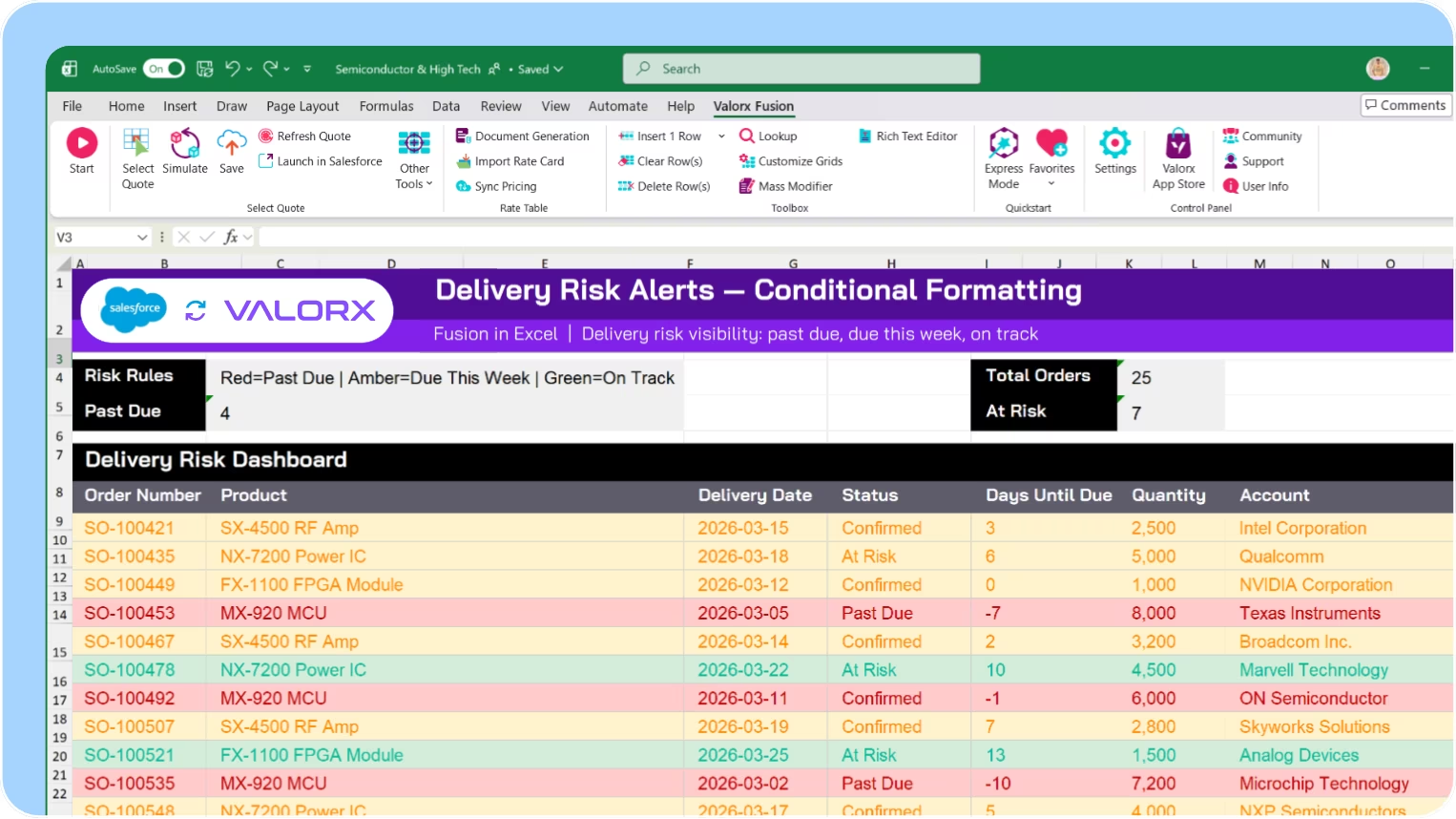
Highlight overdue and at-risk deliveries

Conditional formatting shows past-due schedules, upcoming deadlines, and orders requiring attention. Spot problems across your backlog without running separate reports.

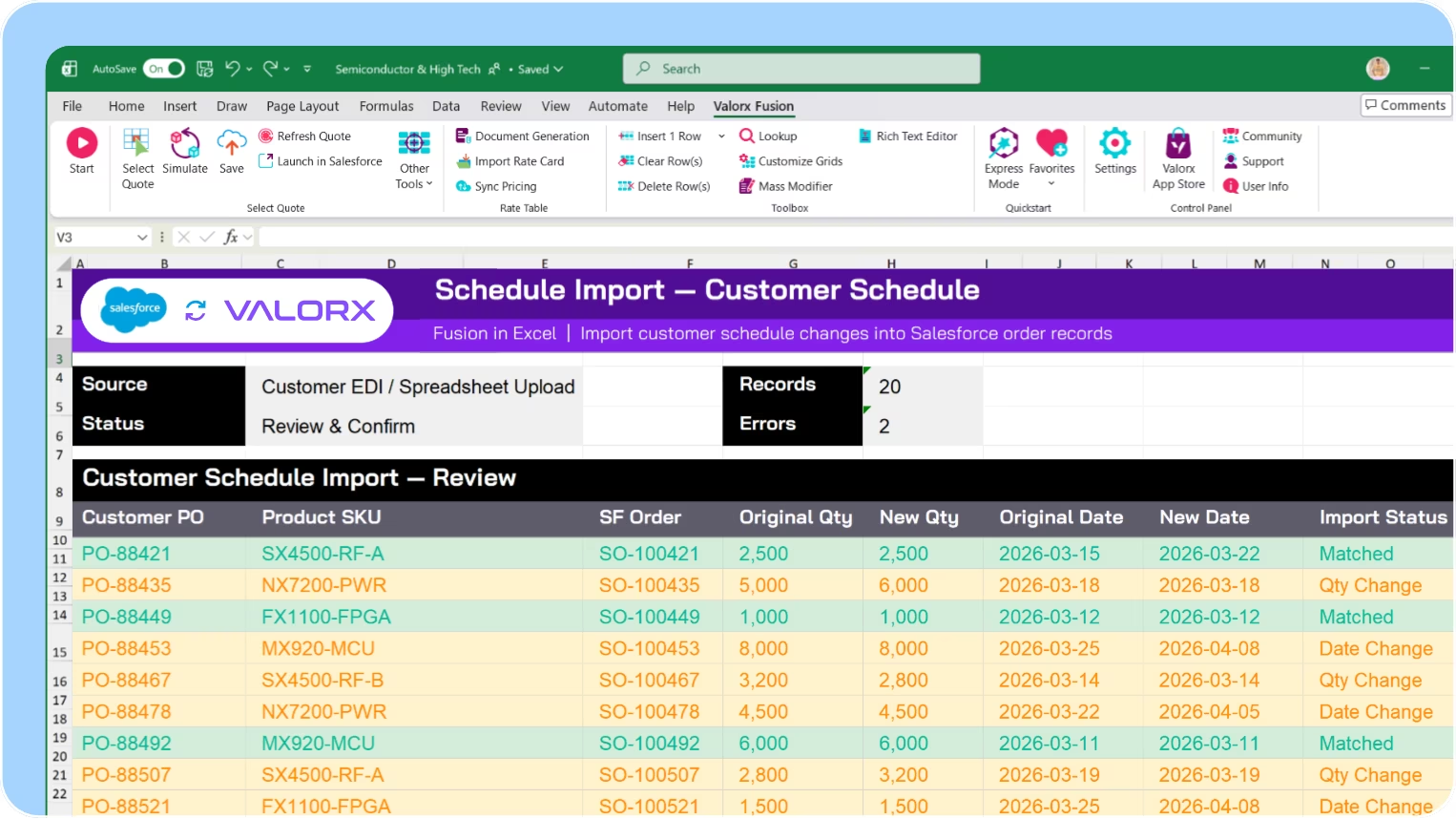
Import schedule changes from customer files

Use Fusion to import schedule change requests from customer spreadsheets. Match against existing orders, apply updates, and sync back to Salesforce.
EOL

EOL (End of Life) management

750,000+ components go obsolete every year. Valorx helps you track lifecycle status across products, coordinate Last-Time Buys, and manage customer transitions.

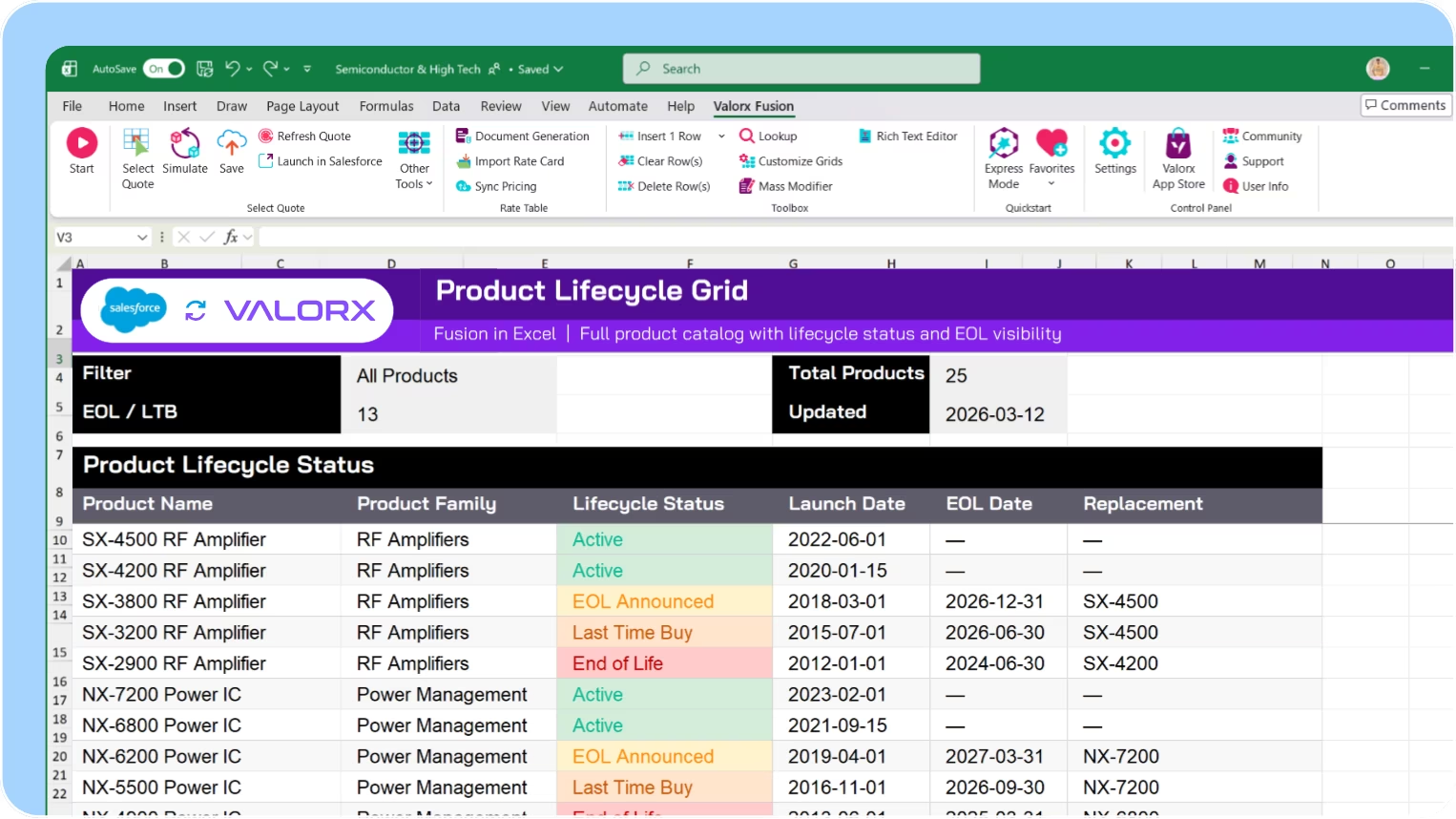
View lifecycle status across all products

See all products with their lifecycle stage—Active, EOL Announced, Last-Time Buy, Discontinued—in a single grid. Filter by status to focus on products requiring action.

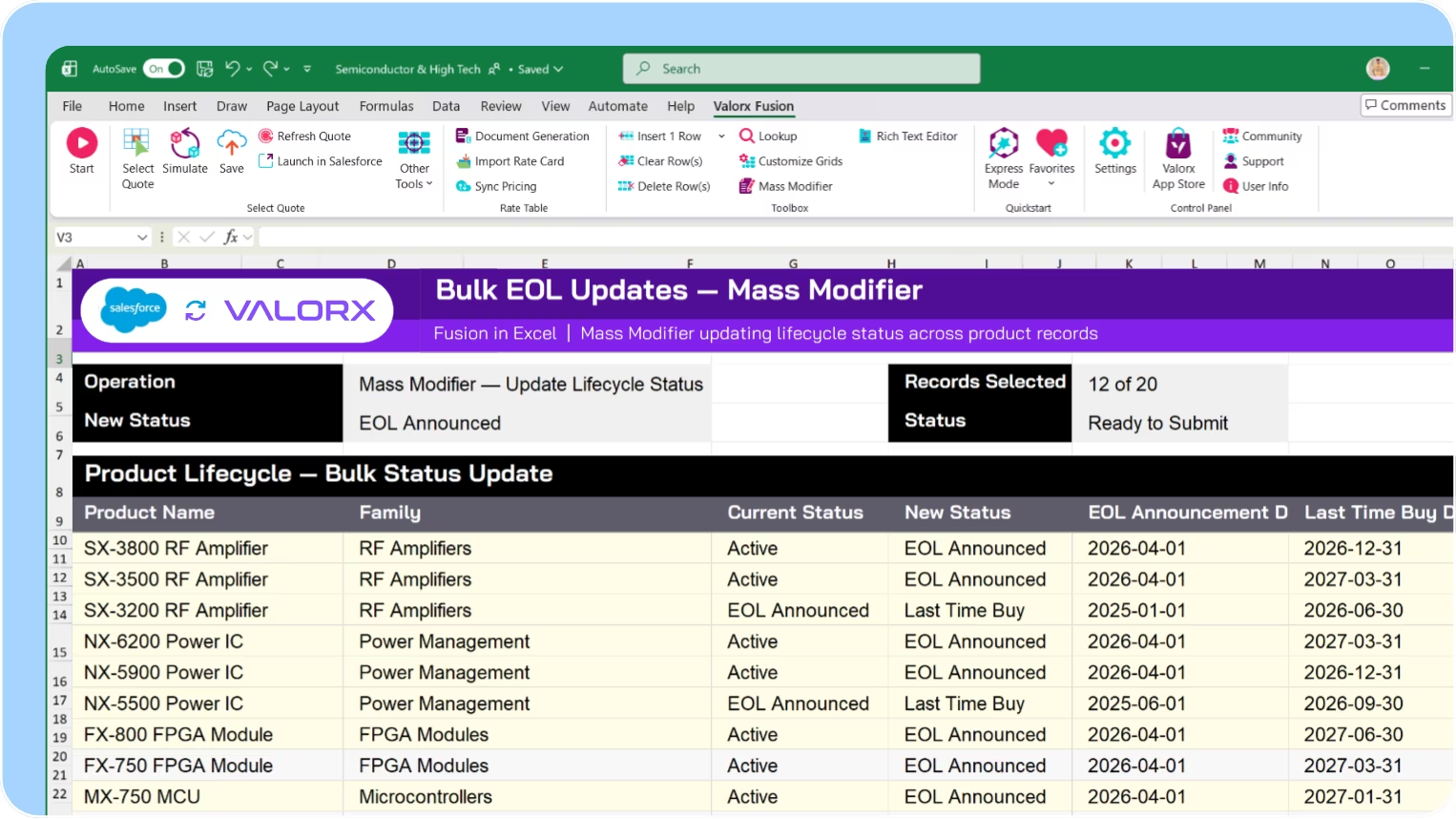
Bulk update EOL dates and status

Update lifecycle status across product families at once. Set EOL announcement dates, LTB deadlines, and last ship dates without editing records one by one.

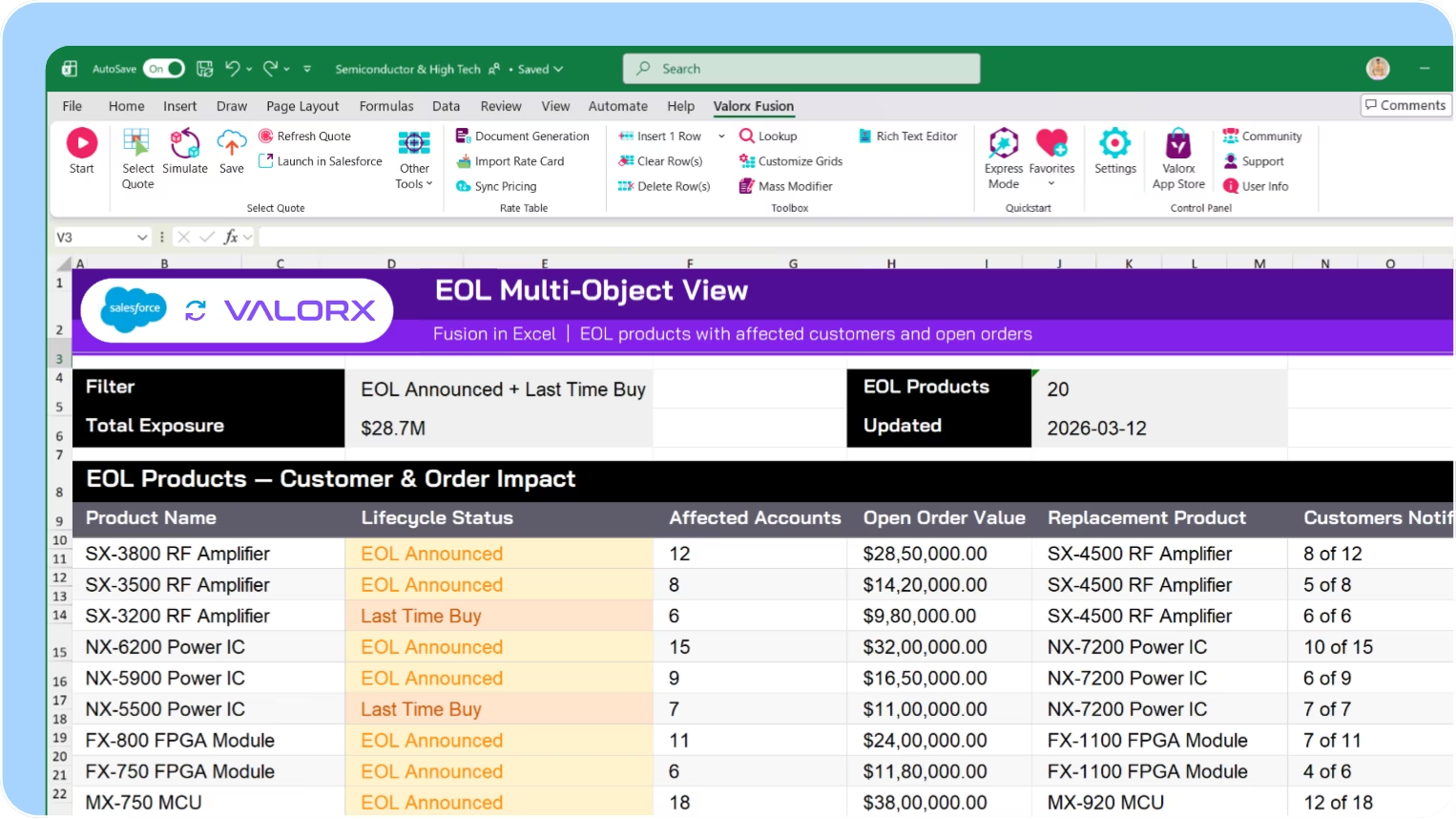
See products with affected customers and open orders

Multi-object views show EOL products alongside the customers who use them, open orders, and recommended replacements. Assess impact without jumping between records.

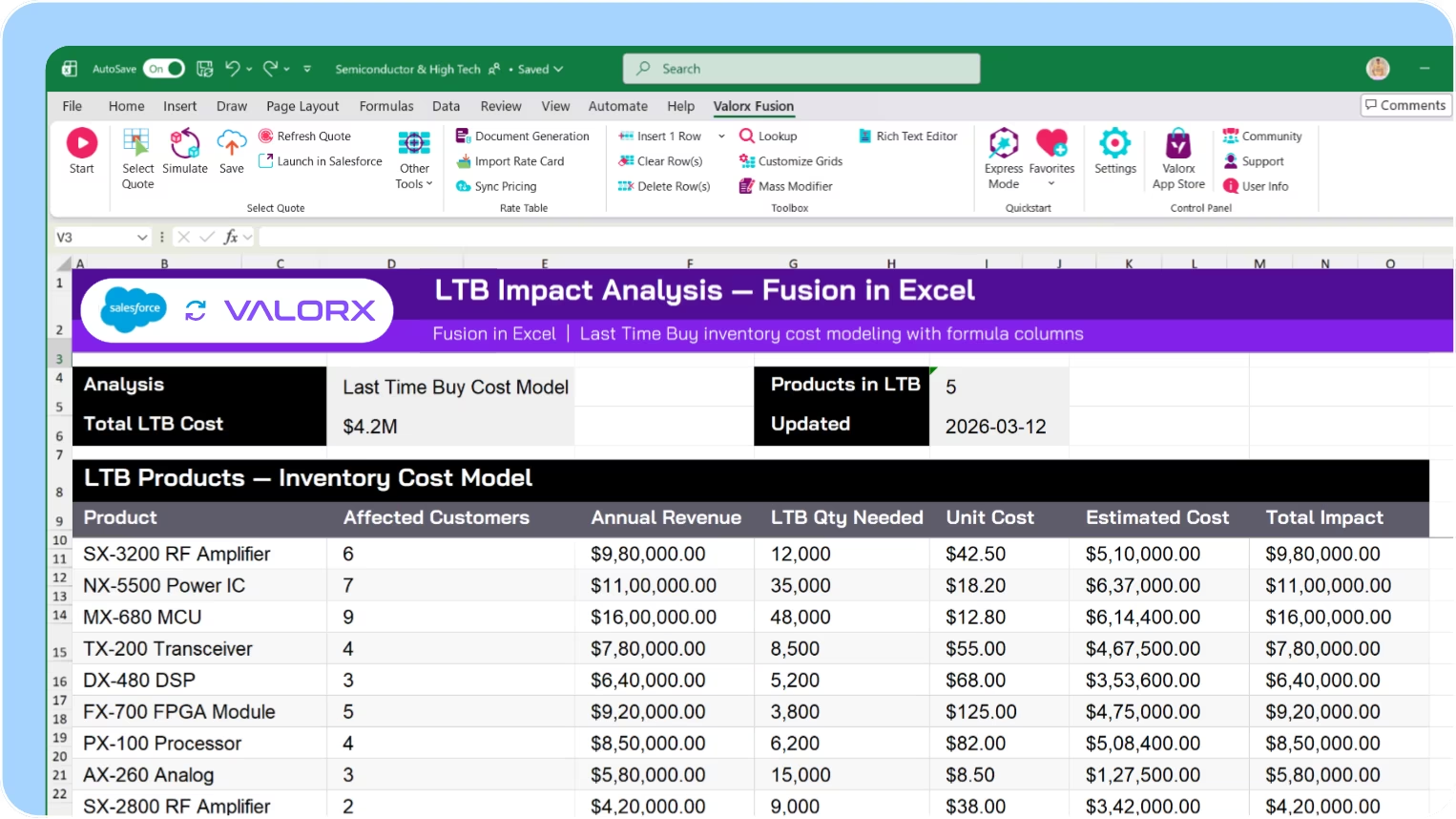
Build LTB impact analysis with live Salesforce data

Use Fusion to analyze Last-Time Buy requirements in Excel. Calculate customer exposure, revenue impact, and inventory needs—with live data from Salesforce.
Product Transition

Product transition management

Product lifecycles are getting shorter—18 months is typical. Valorx helps you coordinate phase-outs and phase-ins, track migration status, and keep forecasts aligned.

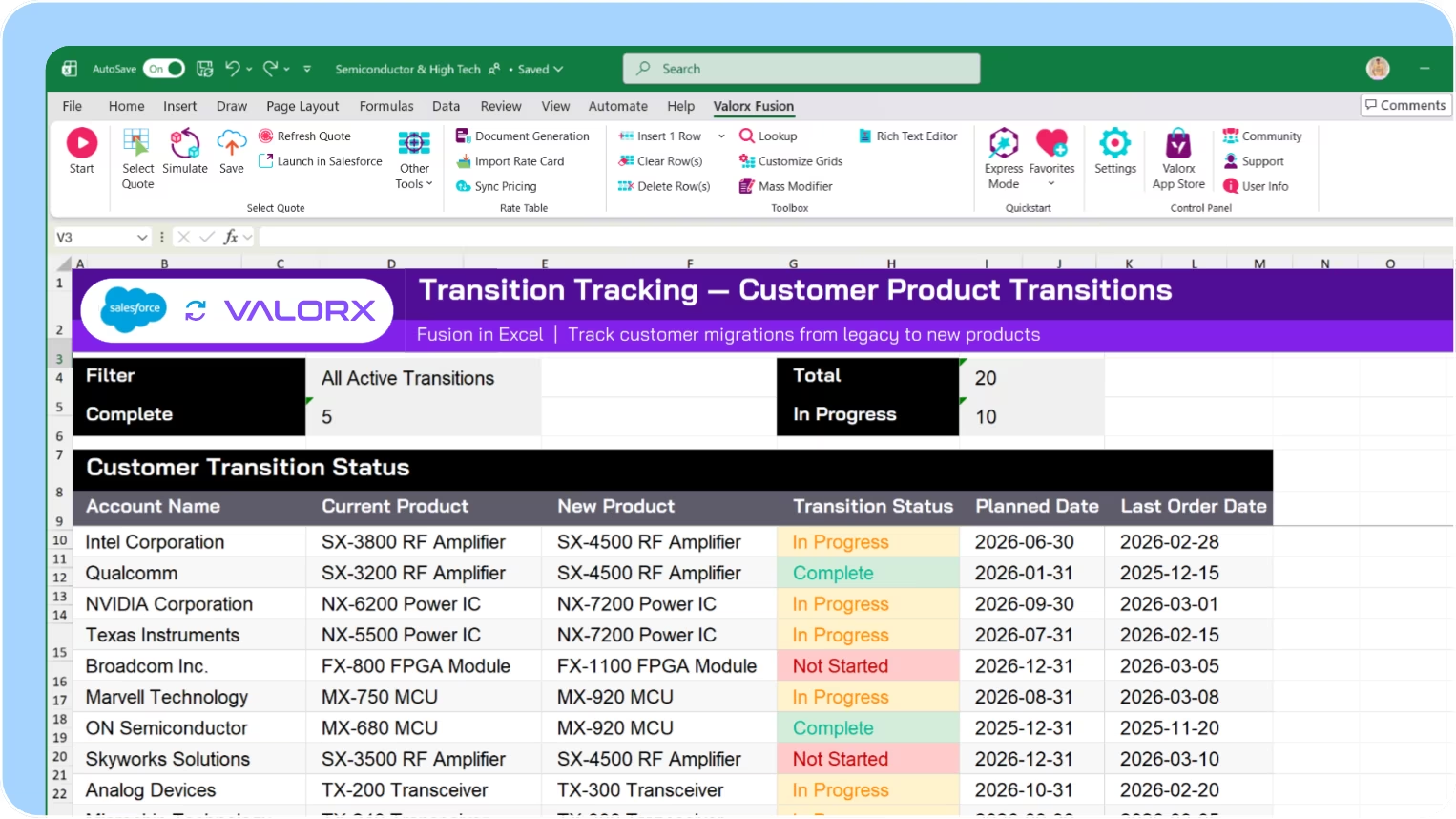
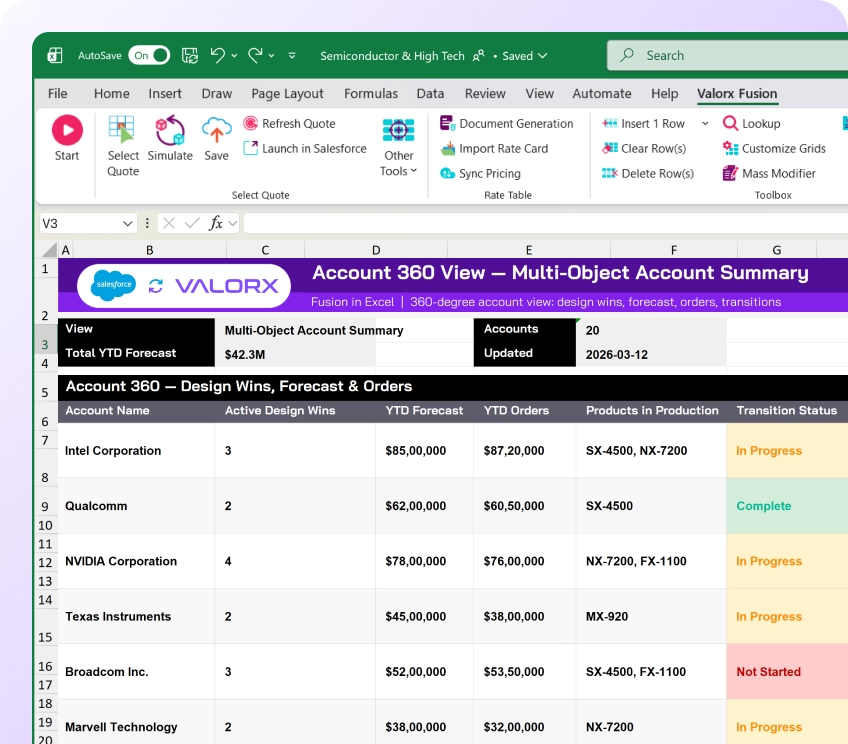
Track transition status across products and customers

See which customers are on which product version, their planned transition date, and migration status—in a single view. Filter by product family, region, or phase.

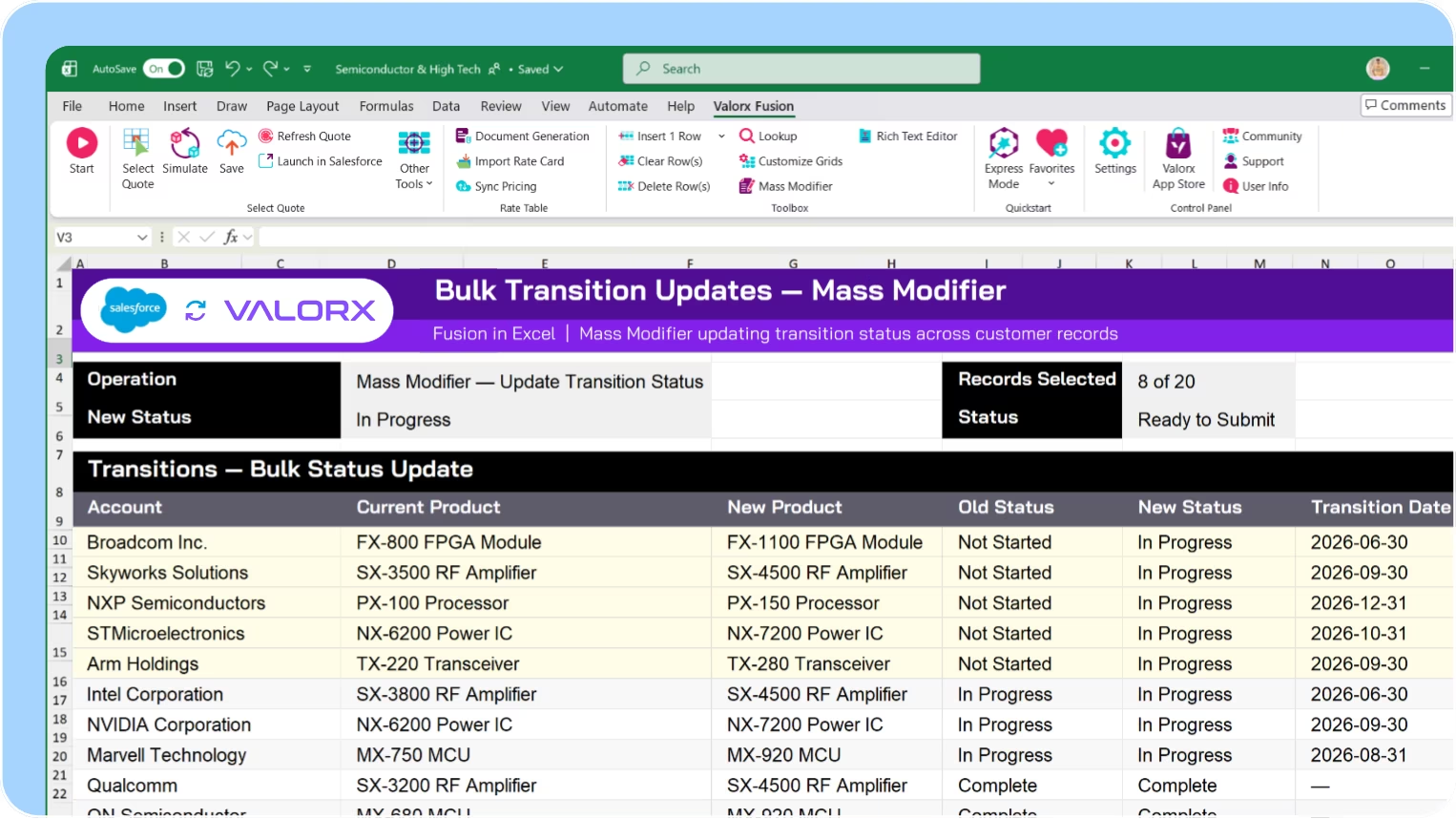
Bulk update customer product assignments

Update product assignments across customer groups at once. Move customers from legacy to new products, update transition status, and adjust timelines.

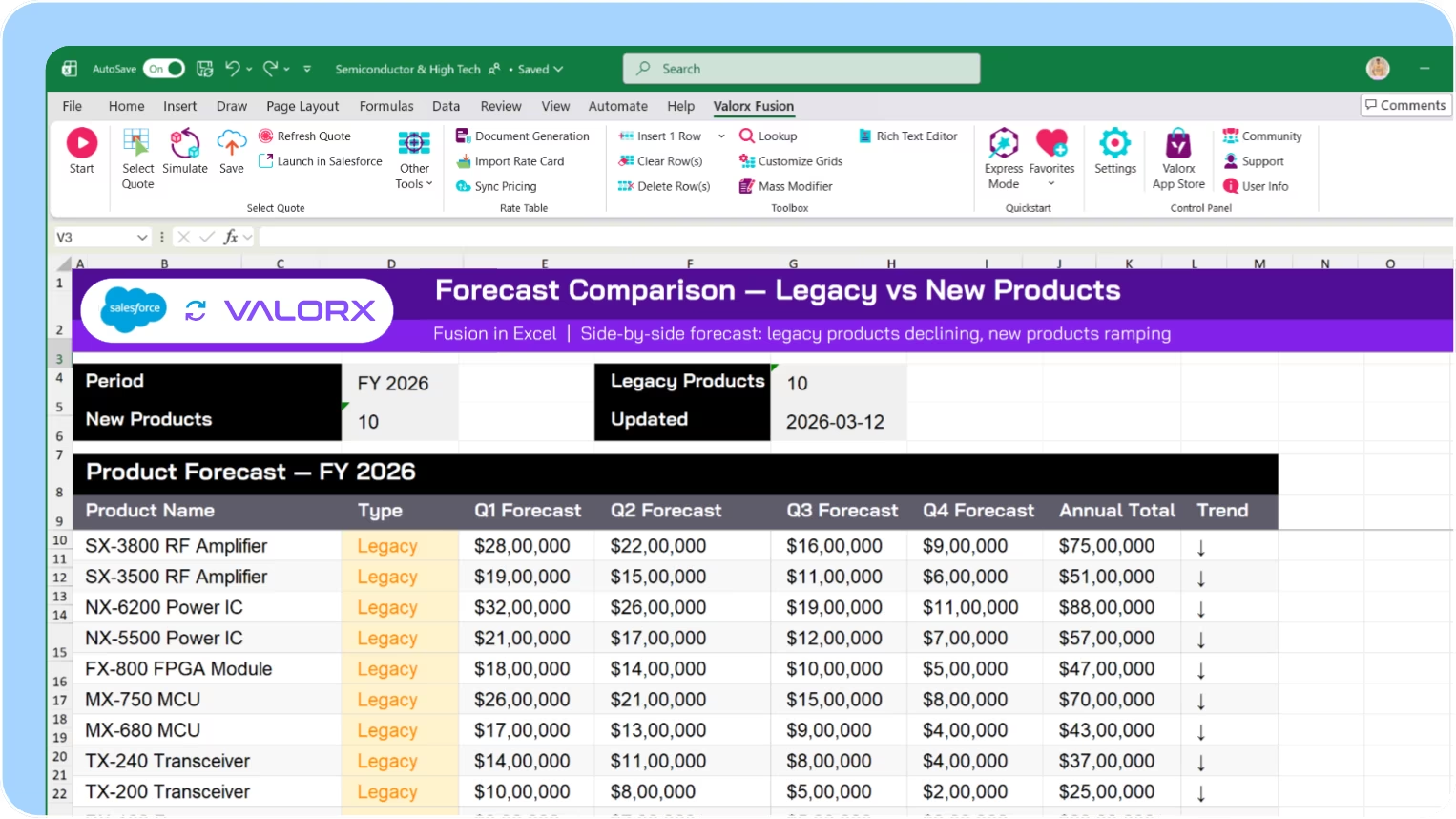
Compare old vs. new product forecasts side-by-side

View declining forecasts for legacy products alongside ramping forecasts for new products. Spot imbalances before they become inventory problems.

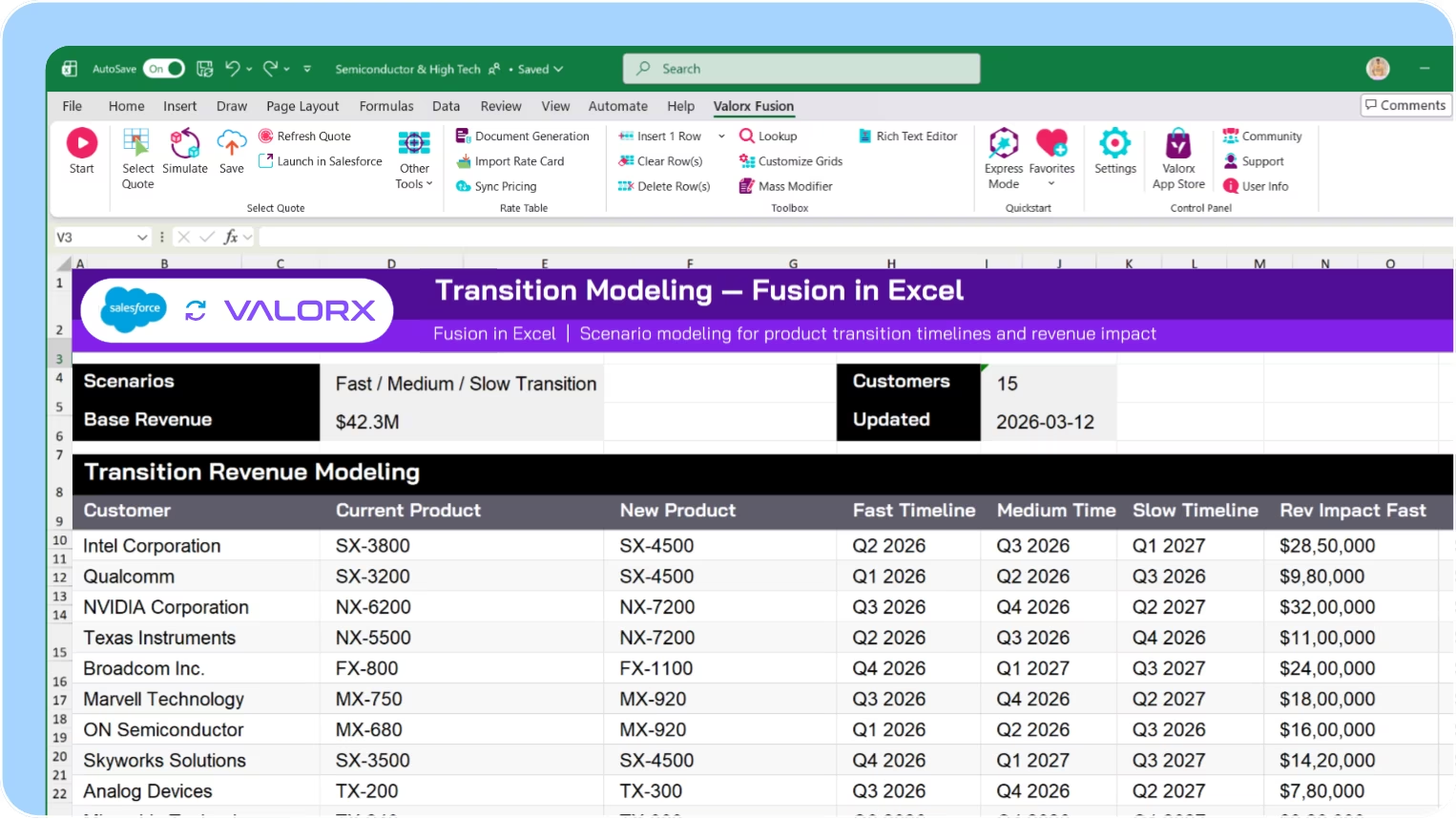
Model transition scenarios in Excel

Use Fusion to build transition planning models with live Salesforce data. Test different timelines, calculate inventory implications, and model revenue impact
Design

Design win pipeline

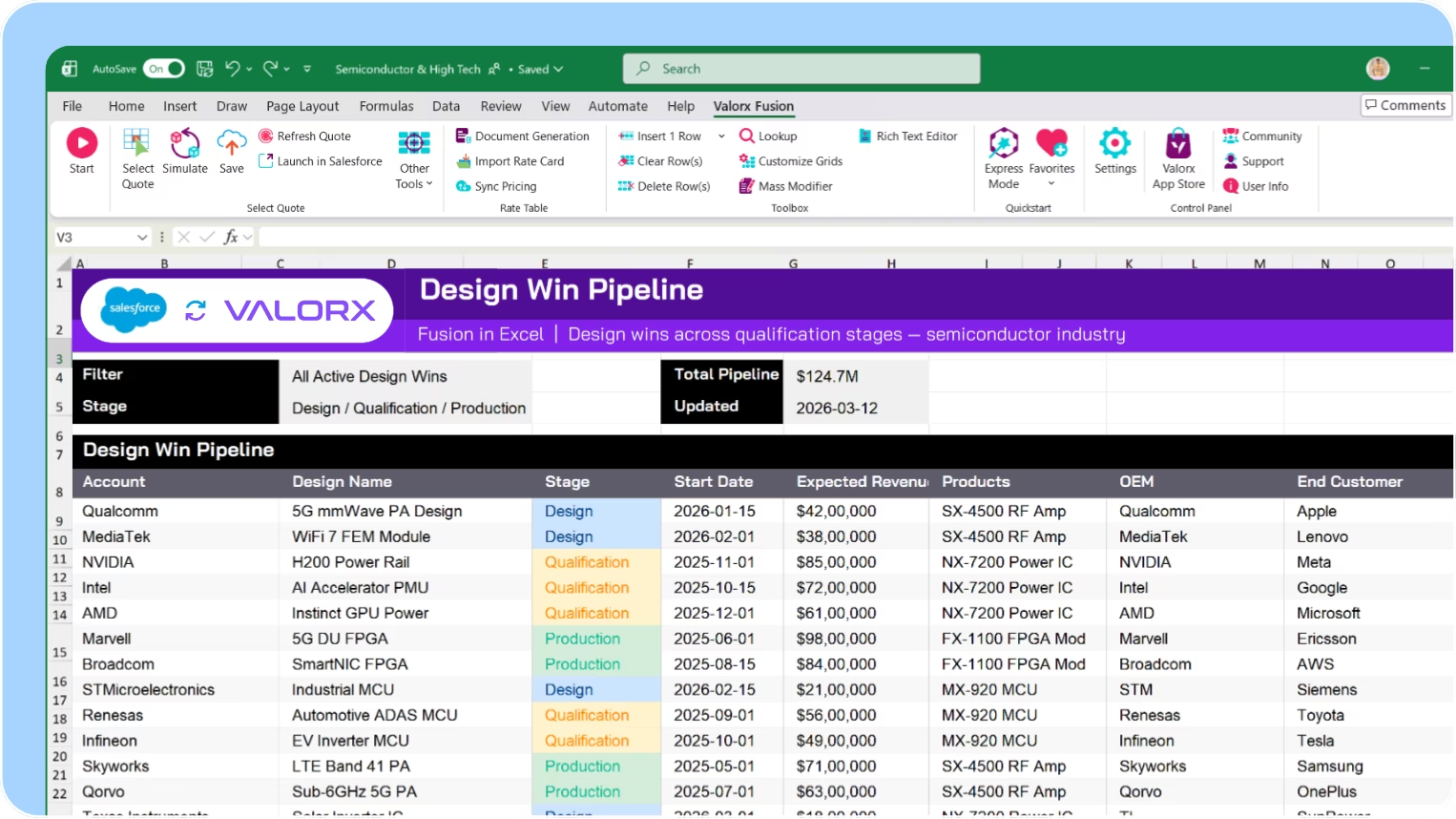
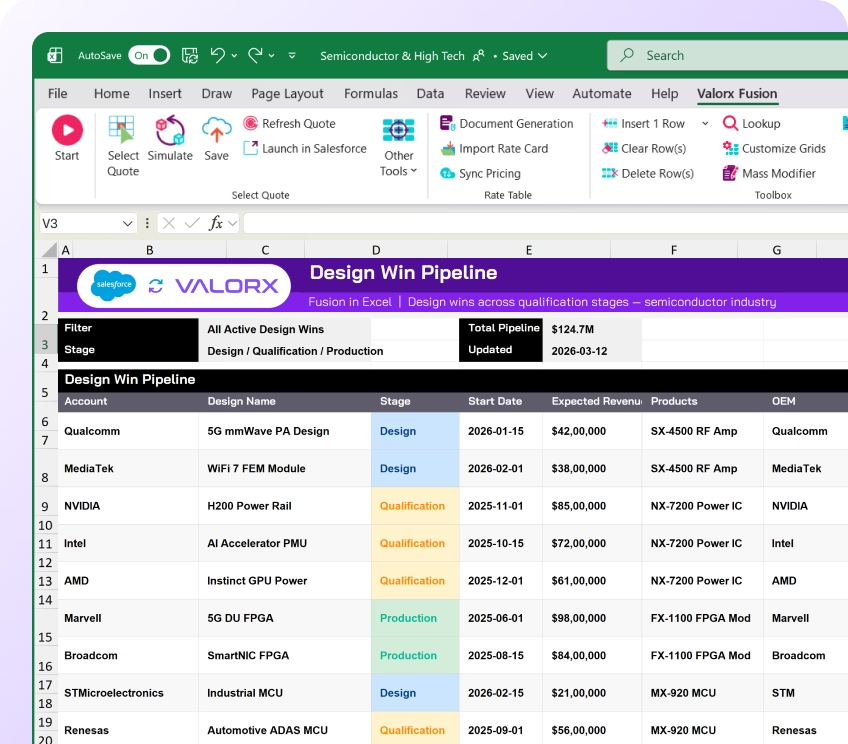
Semiconductor design wins take 8-10 years from initial engagement to production. View opportunities across stages—design, qualification, production, EOL—with forecasts in one grid.

Track design wins across multi-year sales cycles

View opportunities across stages—design, qualification, production, EOL—with related accounts, products, and forecasts in one grid. Multi-year visibility at a glance.

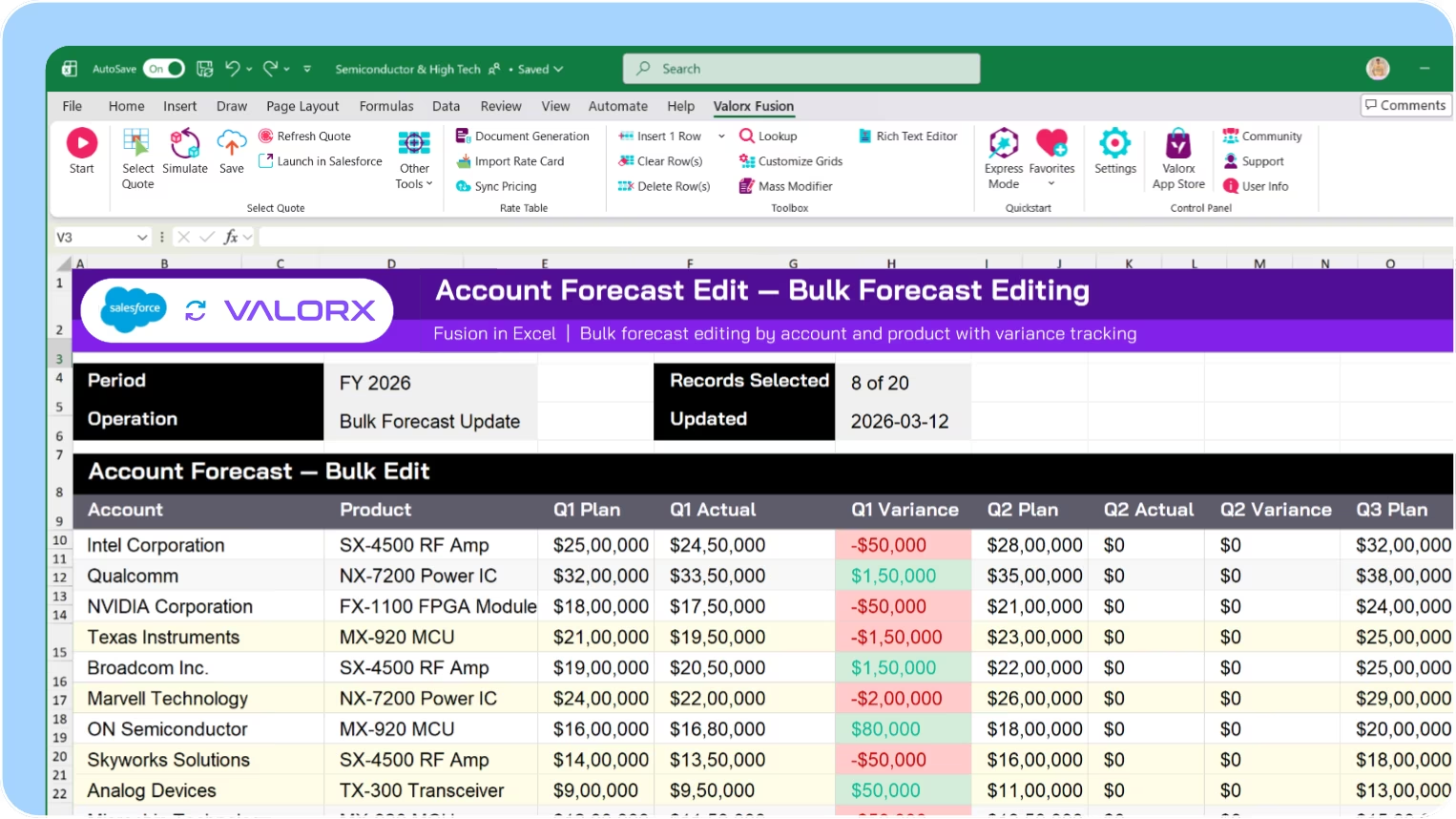
Bulk edit forecasts across accounts and products

Update Account Forecast records in bulk—by account, product, region, or time period. See planned vs. actual with variance calculated. Stop exporting to spreadsheets.

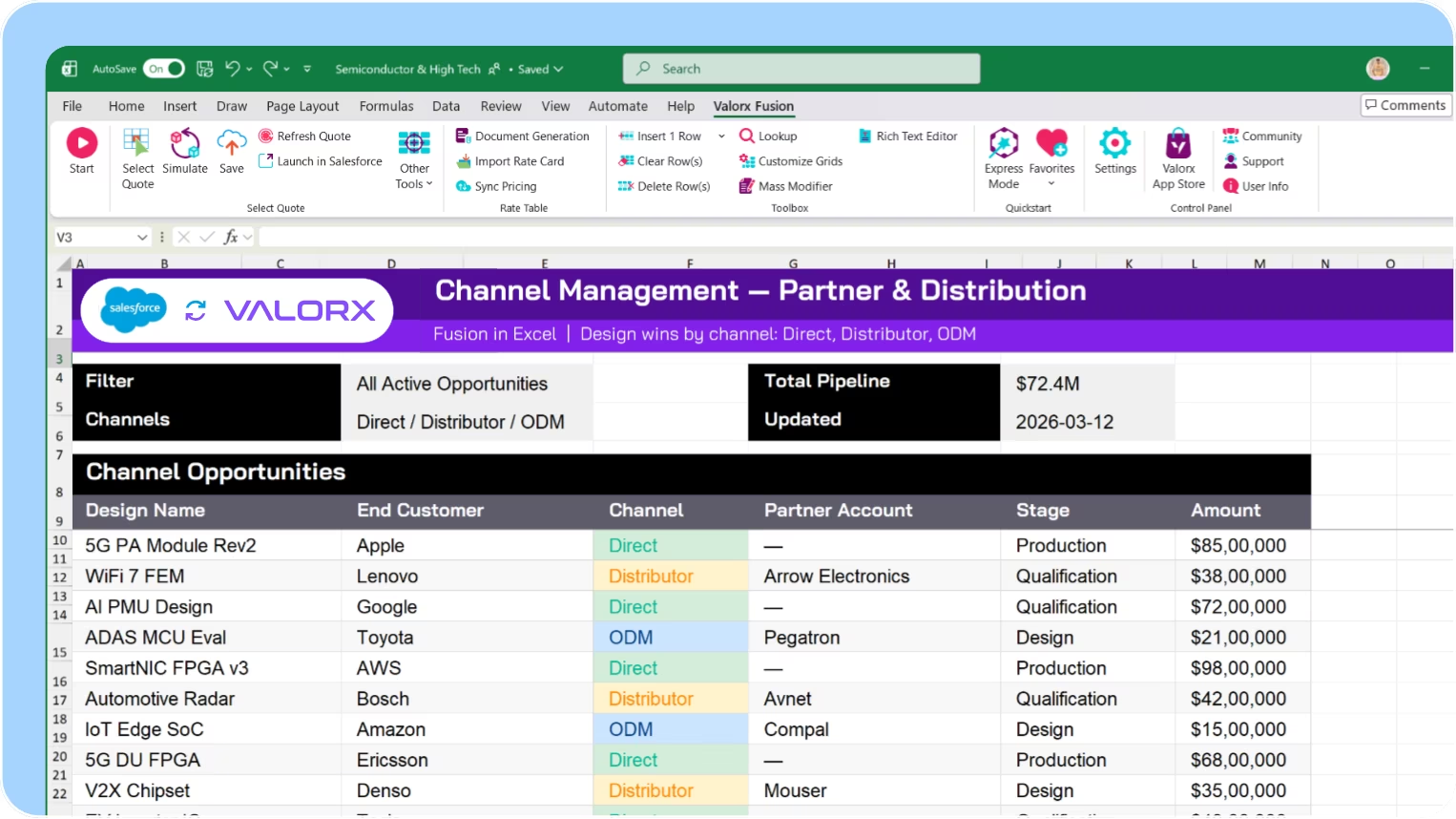
Manage partner and channel complexity

Same design, different paths—through distributors, OEMs, ODMs, CMs. View opportunities across channels, spot duplicate designs, and aggregate forecasts.

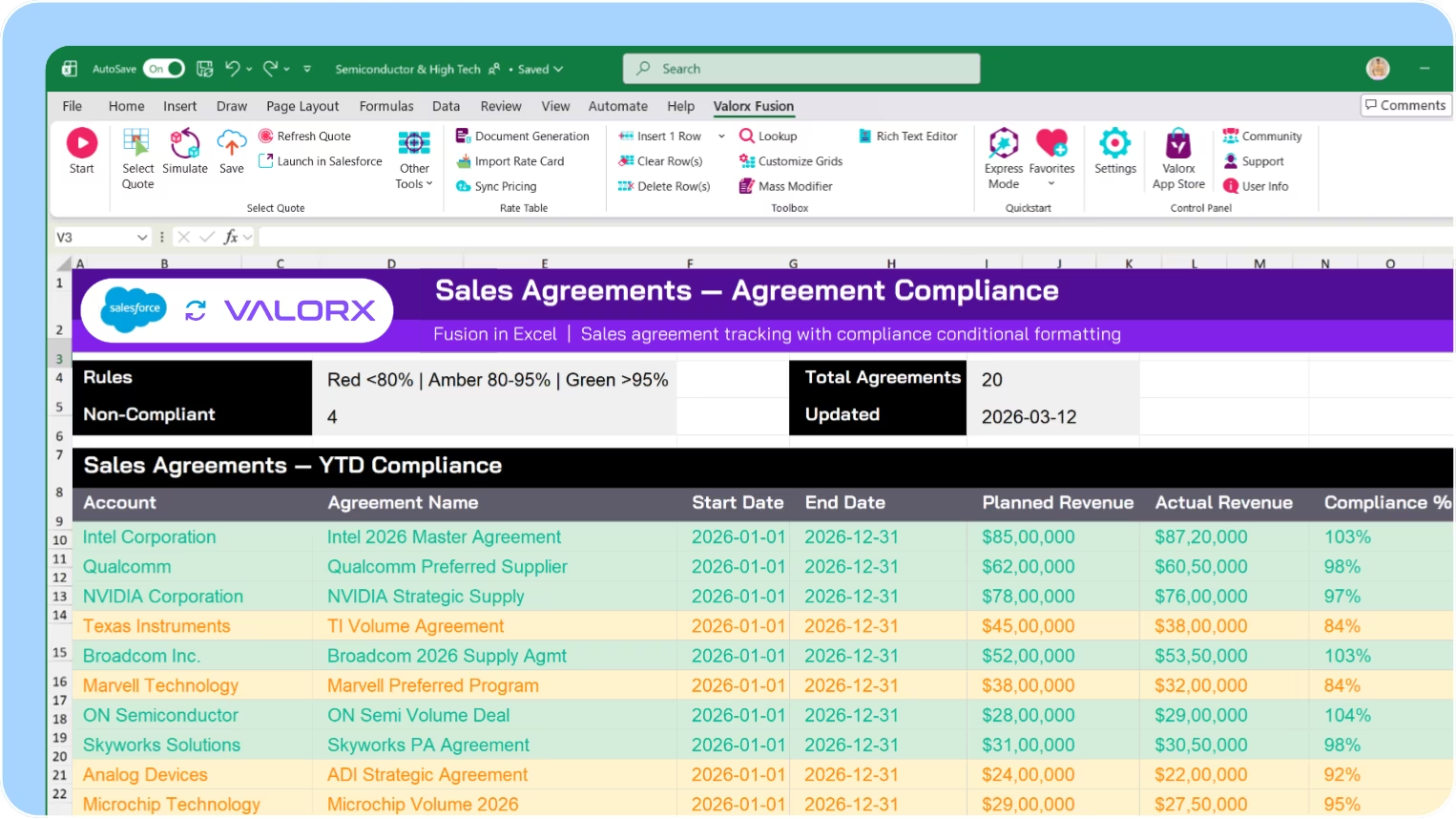
Track sales agreements and compliance

View all sales agreements with planned volumes, actual orders, and compliance status. Spot under-performing agreements before quarterly reviews.
Quoting

Complex quoting

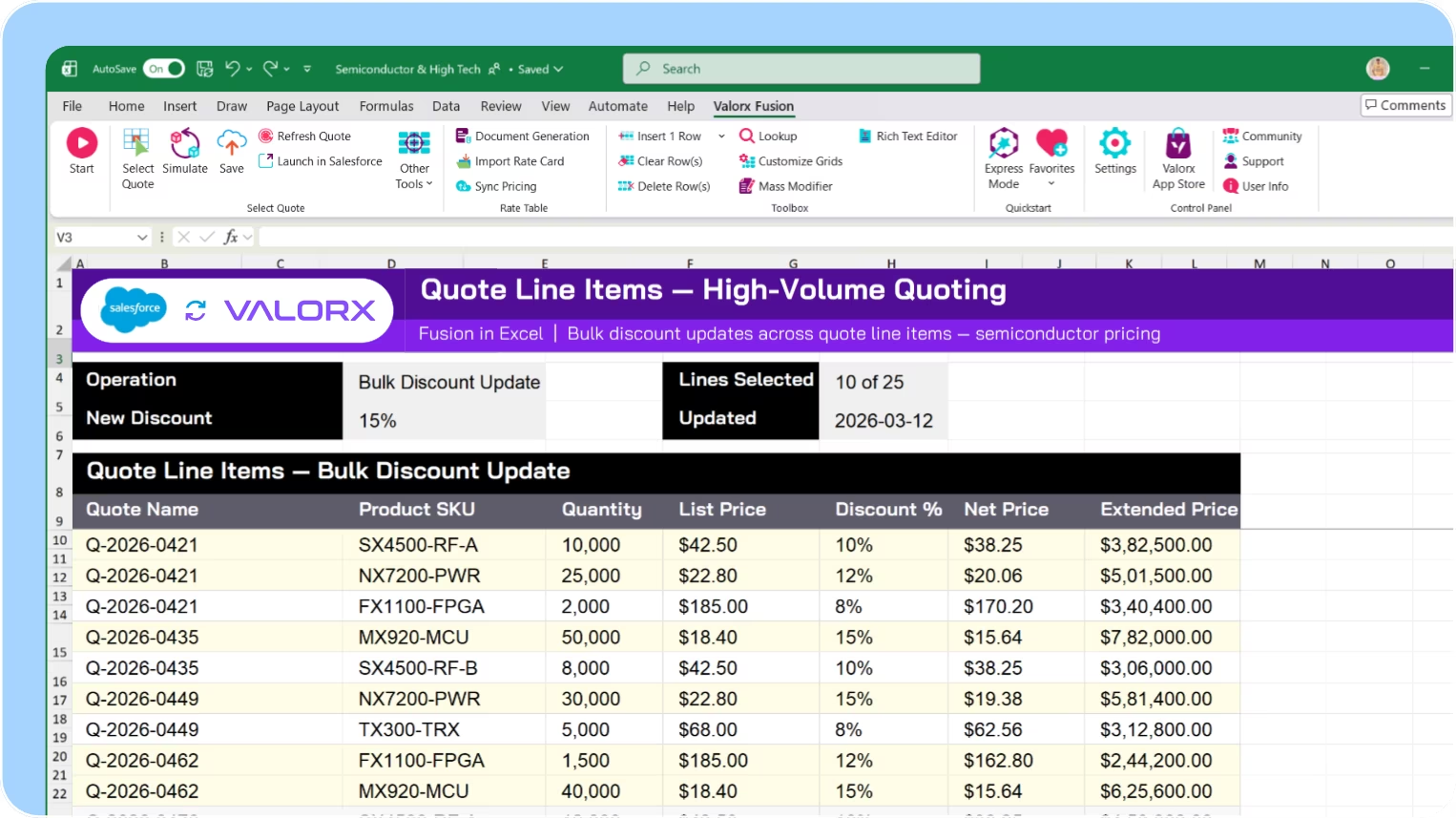
Semiconductor quotes can have hundreds of line items. Standard CPQ editors time out. Valorx handles large quotes smoothly—edit pricing, quantities, and discounts across all lines at once.

Quote complex configurations without timeouts

Handle quotes with 500+ line items that crash standard CPQ. Edit pricing, quantities, and discounts across all lines—with the speed of a spreadsheet.

Apply bulk discounts and pricing updates

Select multiple line items and apply discount percentages, adjust unit pricing, or update quantities in a single action. No record-by-record clicking.

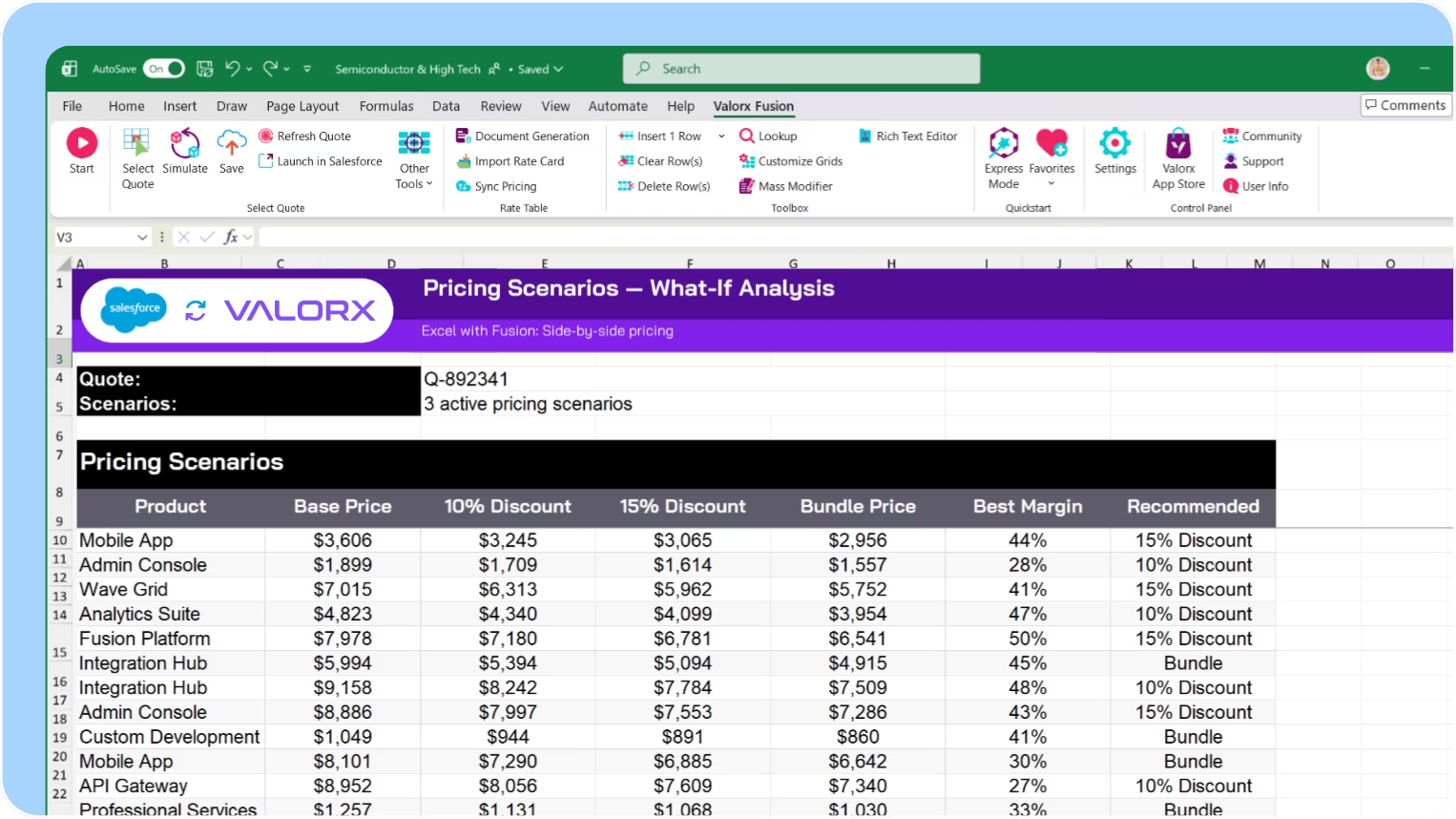
Compare pricing scenarios side-by-side

View multiple quote versions or pricing scenarios together. See how different discount structures impact margins. Make informed pricing decisions faster.

Build pricing models in Excel with live CPQ data

Use Fusion to analyze CPQ data in Excel. Build complex pricing models, calculate margin impacts, and push approved pricing back to Salesforce quotes.

See how fast Salesforce
can actually feel.

If you can do it in spreadsheet,
you can do it in Valorx.
Book a demo

<00 days

to production

00x

faster forecasts in Salesforce

000%

CPQ efficiency gains

Abstract soft pastel-colored gradient background with blurred lavender, blue, and pink hues.

Built for semiconductor & high-tech teams using Salesforce

Valorx works across different verticals using Salesforce
Abstract hexagonal molecular structure in purple and blue tones representing a chemical or scientific concept.
Blue and purple stylized automotive wheel icon with five spokes.

IDM

BOM management, EOL tracking, product transitions for integrated device manufacturers.
Abstract hexagonal molecular structure in purple and blue tones representing a chemical or scientific concept.
Illustration of a purple and blue microchip with circuit lines extending outward.

Fabless

Design win tracking, demand forecasting, channel management for fabless companies.
Abstract hexagonal molecular structure in purple and blue tones representing a chemical or scientific concept.
Icon with a gear and a wrench crossed, symbolizing machinery or tools.

Equipment

Complex quoting, sales agreements, field service for equipment manufacturers.
Abstract hexagonal molecular structure in purple and blue tones representing a chemical or scientific concept.
Abstract 3D cubes stacked with a gradient of pink and blue hues inside a white circular frame.

Distributors

Cancel/push-out management, inventory coordination, supplier management.

Work in Salesforce like you work in a spreadsheet.
See what Valorx adds to Salesforce

Salesforce connects your value chain. Valorx makes the data manageable.
Without Valorx
Edit BOM components one by one
Update each order line individually
Edit forecasts one record at a time
CPQ times out at 100+ lines
With Valorx
Bulk update in one grid
Bulk update delivery dates
Grid editing with auto variance
Handle 1000+ lines, bulk edit pricing

Smiling young man with glasses and a beard wearing a black shirt on a light gray circular background with a small purple circle in the top right.
Eric Winston
Service Supervisor
Book a demo
Soft gradient background fading from light gray to pale blue and white.

Why teams choose Valorx

Valorx has made complicated data uploads quick and easy, saving valuable time. The implementation was quick and the support simply top notch!
Dawn Jamieson
Business Operations Manager, Nvidia
Besides the efficiency gains, Valorx has helped us mitigate data leakage and improve accuracy. I highly recommend Valorx to anyone who works with Salesforce data.
Ben Wong
Sales Operations Manager, Adobe
We use Valorx for sales forecasting. Very powerful, highly recommend the product. Excellent customer service and exceptionally fast turnaround time.
Karthik Dosapati
Data Analyst, Western Digital
When it comes to data migration, I see a limitless potential to migrate CPQ master data between orgs to maintain configuration, pricing, and quoting processes without the need for lengthy data loader processing.
Ian Jones
Senior Revenue Cloud Consultant, Globant

Frequently asked questions

Does Valorx work with Manufacturing Cloud?
Yes. Valorx works with all Manufacturing Cloud objects including Sales Agreements, Account Forecasts, and Warranty Claims.
Can I use Valorx with Salesforce CPQ?
Yes. Bulk edit quote line items, update pricing across products, and compare quotes side-by-side.
How does Wave help with forecasting?
Wave lets you edit Account Forecast records in bulk—update planned quantities across accounts, products, and time periods in one grid. Conditional formatting highlights variances between planned and actual.
When should I use Fusion instead of Wave for forecasting?
Use Fusion when you need complex calculations, seasonal adjustments, or what-if scenarios that require Excel's formula capabilities. Fusion syncs live with Salesforce, so your models stay connected to Manufacturing Cloud data.
Does Valorx respect Salesforce security?
Yes. All permissions, sharing rules, and validation rules are enforced. Users only see and edit data they have access to.
How fast can we deploy?
Wave deploys in minutes as a managed package. Fusion requires Excel add-in installation. Most teams are live within 14 days.

Abstract purple outline of four connected circles inside a rounded square frame on a black background.
Abstract geometric logo featuring a circle above layered semicircles within a rounded square border.
Venn diagram with three overlapping purple circles on a black background.
Purple crescent shapes forming a circle on a black square background with rounded corners.
Purple outline icon of a briefcase inside a rounded square border on a black background.
Abstract black and purple geometric design with layered squares and rounded corners.
Green spreadsheet file icon representing an Excel document on a light background.
Abstract black and purple geometric design with layered squares and rounded corners.
Smiling young man with glasses and a beard wearing a black shirt on a light gray circular background with a small purple circle in the top right.
Eric Winston
Service Supervisor
Book a demo
Icon with three nested rectangles inside a rounded square outline, representing a scaling or resizing concept.
Microsoft Excel app icon with an overlapping white X on a green abstract background.
Purple geometric icon with three nested diamond shapes on a black background.
Three purple abstract human figures representing a group or team on a light background.
Icon with three stacked rounded rectangles in purple outline on a black background.
Abstract purple outline of four connected circles inside a rounded square frame on a black background.
Icon showing four interconnected circles forming a square with a horizontal line extending from the right circle.
Google Chrome web browser logo.
Salesforce logo with white text inside a blue cloud shape.
Abstract geometric design with multiple rounded squares outlined in purple on a black background.
Purple circular abstract icon with overlapping partial rings on a black square background with rounded corners.
Three overlapping purple circles forming a triangular Venn diagram on a black background.
Abstract geometric logo featuring a circle above layered semicircles within a rounded square border.