Salesforce CPQ for complex products: bundles, rules and large quotes
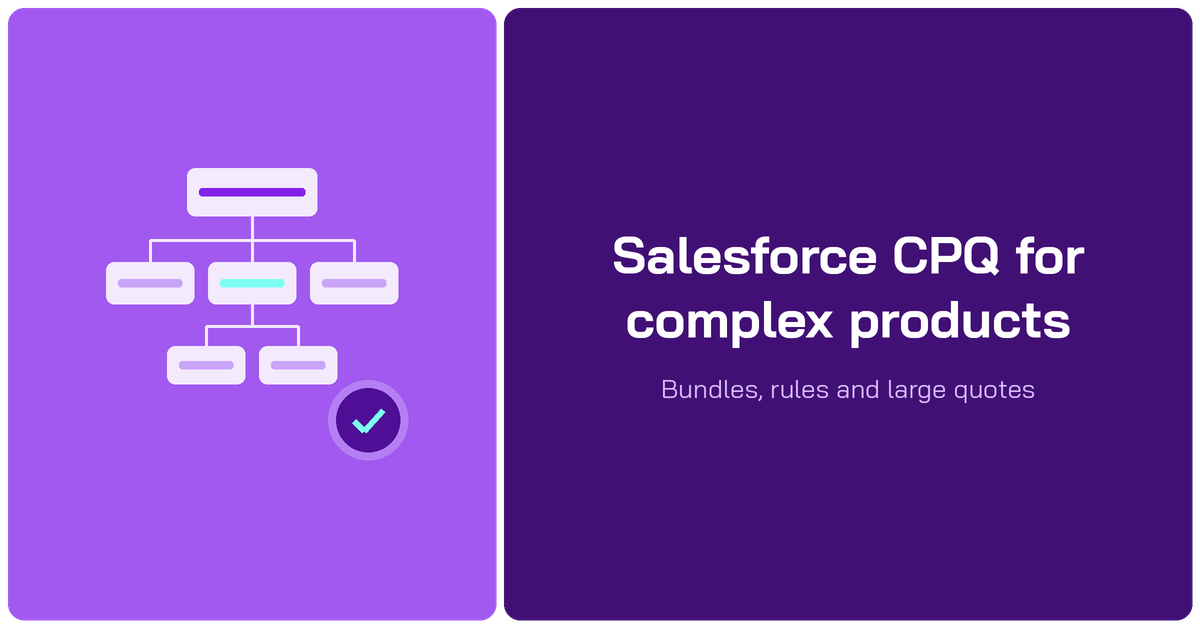
Salesforce CPQ handles complex products with four native tools: bundles, product rules, price rules and configuration attributes. They work well until quotes run to hundreds of lines, multiply across dimensions or include services that do not fit a catalog. At that point most teams add a spreadsheet layer on top of CPQ rather than replace it.
This guide covers each kind of complexity, how to handle it natively in Salesforce CPQ, where the native approach runs out, and what manufacturing and services teams do about it.
Key takeaways
- Complexity in CPQ comes in seven kinds: deep bundles, dependencies, pricing variety, shared settings, multiple dimensions, line volume and services.
- Native CPQ tools cover the first five well when they are kept simple: shallow bundles, few overlapping rules, a manageable number of segments.
- Line volume and services are where native CPQ struggles most, through slow quote editing and catalogs that cannot describe every engagement.
- A spreadsheet layer such as Valorx Fusion keeps CPQ as the system of record while reps build large or unusual quotes in Excel or Google Sheets.
- BP cut quote cycles from 4 days to 4 hours this way, and Genpact builds quotes 3x faster across 600 users.
What makes a quote complex
A quote is complex when getting it right depends on more than picking products from a list. The table maps each kind of complexity to the Salesforce CPQ feature built for it.
| Kind of complexity | Example | Native CPQ tool |
|---|---|---|
| Deep bundles | A machine with modules, each with its own options | Bundles, features and product options |
| Dependencies | Option B requires A and cannot ship with C | Product rules |
| Pricing variety | Volume tiers, partner rates, regional surcharges | Price rules and discount schedules |
| Shared settings | One voltage or color applied to every component | Configuration attributes |
| Multiple dimensions | Five annual segments or three delivery sites | Multi-dimensional quoting (MDQ) |
| Line volume | Quotes with hundreds or thousands of lines | Large Quote Threshold and quote line groups |
| Services | Roles, rates, hours and locations that change per deal | No close native fit |
Swipe the table to see all columns
New to CPQ? Start with our guide to what CPQ is and how it works.
How Salesforce CPQ handles complex products
Bundles and options
A bundle is a parent product with features and product options beneath it. Options can be required, optional or selected by default, and an option can itself be a bundle, which gives you nested bundles.
Nesting is powerful but costly. Every level adds lines to the quote and calculation work to the Quote Line Editor. Keep bundles one or two levels deep where you can, and use option constraints rather than extra levels to control what can be combined.
Product rules
Product rules control which combinations are allowed. Salesforce CPQ has four types:
- Validation rules block a configuration or quote that breaks a condition.
- Alert rules warn the rep but let them continue.
- Selection rules add, remove, show or hide options automatically.
- Filter rules limit which options appear in a dynamic search.
Rules are where complex catalogs live, and also where they get fragile. Each new rule interacts with the others, so document why every rule exists and review the set when products change.
Price rules and discount schedules
Price rules set or adjust field values on quote lines when conditions are met, often using lookup tables so pricing data stays out of the rule itself. Discount schedules apply volume or term tiers, and block pricing sets a fixed price per quantity range.
Together they let every rep price the same deal the same way. They also add calculation load, so consolidate overlapping rules and keep lookup tables current. Our guide to Salesforce CPQ discount management covers discounting in detail.
Cross-sell and upsell
Complex catalogs also make it easy to miss what else the customer needs. Salesforce CPQ gives you three ways to put the right add-ons in front of the rep:
- Optional products in bundles show relevant add-ons, such as installation, training or an extended warranty, while the rep configures.
- Selection rules add or show related options automatically when a condition is met, for example adding a mounting kit when a specific model is chosen.
- Guided selling asks the rep questions about the customer’s needs and narrows the catalog to products that fit.
Keep suggestions few and relevant. A configurator that offers twenty add-ons gets ignored; three that match the configuration get quoted. For subscriptions, upsells after the sale run through amendments on the contract.
Configuration attributes
Configuration attributes capture a choice once at the bundle level, such as voltage, color or region, and can push it down to every option in the bundle. They save reps from setting the same value line by line and keep the configuration consistent.
Multi-dimensional quoting
Multi-dimensional quoting (MDQ) splits a product into segments, such as years, quarters or sites, so each can be priced separately. It suits ramp deals and multi-year subscriptions. The cost is volume: CPQ stores each segment as its own quote line, so 40 products over five years become 200 lines.
Large quotes
On quotes with several hundred lines, every change in the Quote Line Editor triggers a slower calculation round trip. The Large Quote Threshold improves performance by sending only essential lines during editing and skipping quote-scoped product rules. Quote line groups help reps navigate long quotes. We cover the trade-offs in Salesforce CPQ limitations.
Where native CPQ runs out
None of these tools is the problem on its own. The strain shows when several stack up on one quote, and reps have to build and edit it through a screen designed for dozens of lines. Use this table to decide what to keep native and when to add a layer on top.
| Complexity | Handle it natively when | Add a spreadsheet layer when |
|---|---|---|
| Bundles and rules | Bundles are one or two levels deep and rules are stable | Reps need to see and change the whole structure at once |
| Pricing | Pricing follows a small set of rules and tiers | Pricing depends on rate cards, models or formulas kept in a workbook |
| Multiple dimensions | A few segments per product | Segments multiply lines into the hundreds |
| Line volume | Quotes stay under a few hundred lines | Quotes regularly run to hundreds or thousands of lines |
| Services | Services are sold as fixed packages | Every engagement is priced differently |
| Working location | Reps always quote at a desk, online | Reps quote at customer sites or offline |
Swipe the table to see all columns
The usual workaround, rebuilding the quote in an offline spreadsheet and re-keying it, solves the editing problem and creates a governance one. The rest of this guide covers the alternative.
Complex quoting in manufacturing
Manufacturers are among the heaviest CPQ users because their quotes combine every kind of complexity: configure-to-order and engineer-to-order products, long bills of materials, regional and commodity-linked pricing, and multi-site delivery.
BP's commercial team is a typical example. A single quote ran to 150 to 300 lines with more than 50 attributes per line, covering commodity pricing, volume tiers, regional surcharges and currency conversions. 40% of the quoting work had moved into disconnected spreadsheets. With Valorx Fusion, account managers edit the full quote in a spreadsheet grid with every CPQ rule enforced, and quote cycles fell from 4 days to 4 hours across more than 15,000 quotes a year. Micron saw a similar shift, cutting quote build time from 3.5 hours to under 10 minutes.
For the full list of manufacturing quoting challenges and how to solve them, see our guide to CPQ challenges in manufacturing, or how teams handle custom orders in Salesforce CPQ.
Complex quoting for professional services
Services are the hardest fit for any product catalog. Roles, rates, hours, locations, ramp schedules and transition costs change from one engagement to the next.
Genpact met this head on. Its Salesforce CPQ pilot stalled at 100 licenses because service quotes regularly ran past 200 lines, priced by role, location and tier, and reps could not quote offline. With Valorx Fusion, Genpact's admins built 900 quoting templates without code, covering every service line. Quotes are now built 3x faster across 600 users, saving 750,000 hours a year, with every quote still following CPQ pricing rules and approvals. Read more in our guide to professional services quoting in Salesforce CPQ.
Adding a spreadsheet layer without replacing CPQ
Both stories follow the same pattern. CPQ keeps the product catalog, rules, approvals and records. The editing moves to an interface built for volume.
- Valorx Fusion connects Excel and Google Sheets to Salesforce CPQ. Reps load full quotes into a workbook, model margins with formulas, see segments as columns, work offline and save back with CPQ rules applied. Admins build quoting templates per deal type without code.
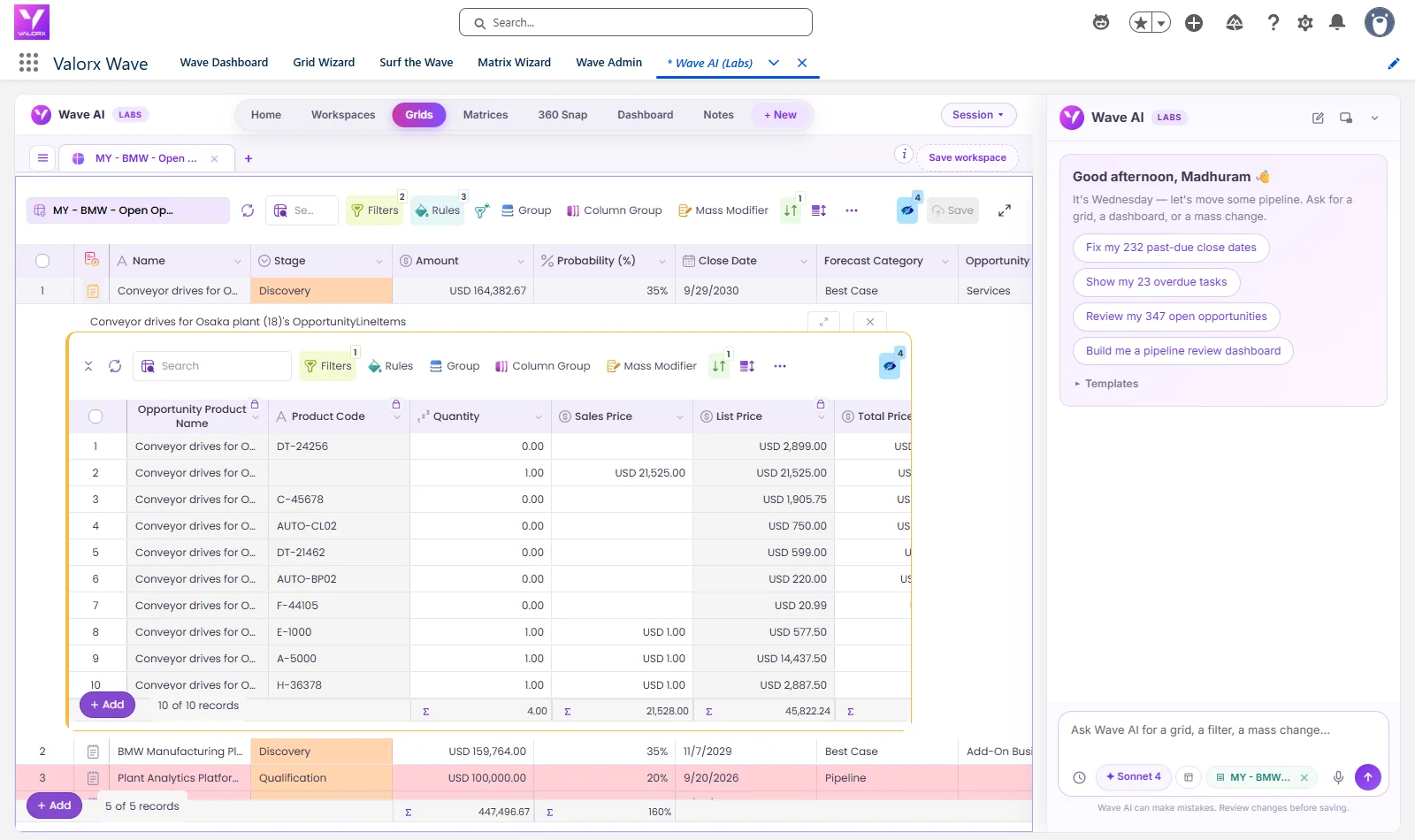
- Valorx Wave puts a spreadsheet-style grid inside Salesforce for bulk updates to quotes, products and price books, with no add-in to install.
Click through the interactive tour above to see how Fusion connects Excel to Salesforce. For a step-by-step walkthrough on quote lines, see how to bulk and inline edit Salesforce CPQ quote lines in Excel, or estimate the time your team would save with the CPQ ROI calculator.
Frequently asked questions
What makes a quote complex in Salesforce CPQ?
A quote is complex when it involves deep bundles, product dependencies, varied pricing, shared configuration settings, multiple dimensions such as years or sites, hundreds of lines, or services priced per engagement.
How does Salesforce CPQ handle complex products?
Through bundles with features and options, product rules that control valid combinations, price rules and discount schedules for pricing, configuration attributes for shared settings, and multi-dimensional quoting for segments.
What is a nested bundle in Salesforce CPQ?
A nested bundle is a bundle used as an option inside another bundle. It models multi-level products, but each level adds quote lines and calculation work, so keep nesting shallow.
How do you cross-sell and upsell in Salesforce CPQ?
Add relevant add-ons as optional products in bundles, use selection rules to add or show related options when a condition is met, and use guided selling to narrow the catalog to products that fit the customer’s needs. Upsells on existing subscriptions run through contract amendments.
What is the difference between product rules and price rules?
Product rules control which products and options can be combined. Price rules set or adjust prices and other field values on quote lines when conditions are met.
Can Salesforce CPQ handle professional services quoting?
Only partly. Services priced by role, rate, location and hours rarely fit a product catalog. Teams such as Genpact add a spreadsheet layer like Valorx Fusion so services quotes follow CPQ rules without forcing every engagement into a product.
Do we need to replace Salesforce CPQ to handle complex quotes?
Usually not. Most teams keep CPQ for the catalog, rules and approvals, and add an Excel or in-Salesforce grid interface for building large or unusual quotes.



Choose the workflow you need:
Try Wave in browser Extension

Try Wave in Salesforce

Try Fusion In Excel

Enhancing Salesforce for industry leaders