Salesforce CPQ adoption: why it stalls and how to fix it

Salesforce CPQ adoption stalls when building a quote in CPQ is slower than building it in a spreadsheet. Reps then quote offline and re-key the result, and the system you paid for becomes a final step instead of the place where quoting happens. Most adoption problems start during implementation and show up as interface friction on large or complex quotes.
This guide covers the phases of a Salesforce CPQ implementation, the six challenges that hold adoption back, how to measure adoption honestly and how to recover a stalled rollout without replacing CPQ.
Key takeaways
- Adoption is decided during implementation. Scope, rule design and testing with real deals all shape whether reps use CPQ later.
- The most common reason reps avoid CPQ is speed: large quotes are slow to build and edit line by line.
- Measure adoption by the share of quotes built in CPQ, not by logins.
- Shadow spreadsheets are a symptom. Connecting the spreadsheet to live CPQ data removes the reason for them.
- Genpact grew from a stalled 100-license CPQ pilot to 600 users building quotes 3x faster.
Why Salesforce CPQ adoption matters
CPQ only delivers its benefits, such as consistent pricing, protected margins and faster quotes, when the quotes are actually built in it. When reps work around it, the business pays for licenses and administration but still runs quoting on offline files, with no visibility over what was quoted or why. If you are new to the category, start with what CPQ is and how it works.
Implementation and adoption are now closely linked for another reason. Salesforce stopped selling CPQ to new customers in March 2025, according to its CPQ end-of-sale page. Existing customers can keep using and expanding it, so most CPQ projects today are rollouts to new teams, re-implementations of tangled orgs, or recovery of stalled adoption. The same lessons apply to Revenue Cloud Advanced.
The phases of a Salesforce CPQ implementation
Every phase carries an adoption risk. This table shows where it comes from and who owns it.
| Phase | What happens | Who is involved | Adoption risk if rushed |
|---|---|---|---|
| 1. Assess | Map current quoting, pain points, products, pricing and integrations | Sales and finance leadership, RevOps, IT | Building for the old process instead of the one reps need |
| 2. Scope and plan | Agree goals, scope, owners, timeline and what is out of scope | Project manager, RevOps, implementation partner | Scope creep that delays go-live and drains budget |
| 3. Configure and integrate | Build the catalog, rules, pricing and approvals, and connect ERP and billing | Salesforce admins, partner, IT | Rules nobody can maintain and data that drifts between systems |
| 4. Test | Test pricing against real deals, then user acceptance testing with reps | QA, admins, a group of real reps | Reps meet large-quote performance problems for the first time in production |
| 5. Train | Role-based training, documentation and quick reference guides | Enablement, admins, sales managers | Training on features rather than on the deals reps actually quote |
| 6. Roll out | Launch in waves, with support on hand for the first weeks | Sales leadership, admins, partner | A single big-bang launch with no time to fix early problems |
| 7. Measure and improve | Track adoption metrics, gather feedback and fix friction | RevOps, sales leadership, admins | Shadow spreadsheets that nobody sees until the data is wrong |
Swipe the table to see all columns
The single biggest predictor of trouble is unclear scope at the start. It leads to rework, delays and a system configured for edge cases nobody uses. Plan a test phase with real reps and real deals, including your largest quotes, before go-live.
6 Salesforce CPQ adoption challenges and how to fix them
1. Scope that keeps growing
When the scope is not agreed up front, every stakeholder adds requirements during the build. Timelines slip, budgets run out before training, and reps receive a system that was never finished properly.
How to fix it: write down what is in and out of scope before configuration starts, and evaluate every change request against it.
2. Rules and configuration only one person understands
Price rules, product rules and approvals grow over time. Without documentation, simple pricing changes become change requests, and every new rule slows the Quote Line Editor down.
How to fix it: document why each rule exists, review the rule set every quarter and consolidate overlapping rules. Our guide to Salesforce CPQ for complex products covers how to keep bundles and rules manageable.
3. Disconnected systems
If costs, part numbers and orders live in ERP and do not sync with CPQ, reps check two systems and re-key data. Every manual step is a reason to keep a spreadsheet on the side. See Salesforce ERP integration for the main patterns.
How to fix it: decide which system owns each piece of data and sync it on a schedule, so reps see current costs and availability on the quote.
4. Slow editing on large quotes
This is where most adoption is lost. The Quote Line Editor edits one line at a time and recalculates as reps work, so a change across hundreds of lines takes far longer than it would in a spreadsheet. We cover the causes in Salesforce CPQ limitations.
How to fix it: give reps a way to bulk update quote lines on live CPQ data, so they get spreadsheet speed and CPQ still applies its rules. Our guide to bulk editing CPQ quote lines in Excel compares the options.
5. Training that ends at go-live
Training often covers features in a demo org, then stops. Reps meet their real, messy deals after launch, with nobody to ask.
How to fix it: train on your own deal types, by role, and keep office hours running for the first months. Quick reference guides for common tasks such as discounts and amendments help more than long manuals. See Salesforce CPQ discount management for the discount side.
6. No honest measure of adoption
Logins say little. A rep can open CPQ every day and still build every quote in a spreadsheet. Without the right metric, leadership assumes adoption is fine until reporting breaks.
How to fix it: track the share of quotes built in CPQ and the other metrics below, and review them monthly with sales leadership.
It’s a bit of a chicken-and-egg scenario. You need to prove to your users the meaningful improvements to productivity, but can’t do so until you get user adoption up.
Source: Kelvin Tan, Valorx co-founder and Head of Professional Services, in Is Salesforce CPQ still worth it in 2026?
How to measure Salesforce CPQ adoption
These six metrics show whether CPQ is where quoting actually happens. Most can be reported from quote and user data you already have in Salesforce.
| Metric | What it shows | Healthy direction |
|---|---|---|
| In-system quote rate | Share of quotes built and sent from CPQ, not rebuilt offline | Rising toward all quotes |
| Active users vs licensed users | Whether the licenses you pay for are used | Close to 100% |
| Quote cycle time | How long it takes to produce a correct quote | Falling |
| Quotes reworked offline | How often reps export to a spreadsheet and re-key | Falling toward zero |
| Discount exceptions | How often quotes fall outside pricing policy | Stable or falling |
| Time to first quote | How quickly new reps become productive in CPQ | Falling |
Swipe the table to see all columns
Faster, in-system quoting also shortens the rest of the sales process. Our guide to the Salesforce quote-to-cash process shows how quote speed affects every stage after it.
How to recover a stalled CPQ rollout
- Find where quotes are really built. Ask reps, and compare quote counts in CPQ with deals closed.
- Pick the worst friction point first. It is usually large quotes, revisions or a specific deal type.
- Remove the reason for the side spreadsheet. Connect it to live CPQ data rather than banning it.
- Retrain on real deals, with the people who struggled most in the room.
- Review the metrics monthly and keep fixing the next friction point.
How Valorx drives CPQ adoption
We keep Salesforce CPQ as the system of record and change where reps do the work.
- Valorx Fusion connects Excel and Google Sheets to live Salesforce data. Reps build and bulk edit full quotes with the spreadsheet tools they already know, and save back with CPQ rules and permissions applied. Admins can turn existing workbooks into quoting templates without code.
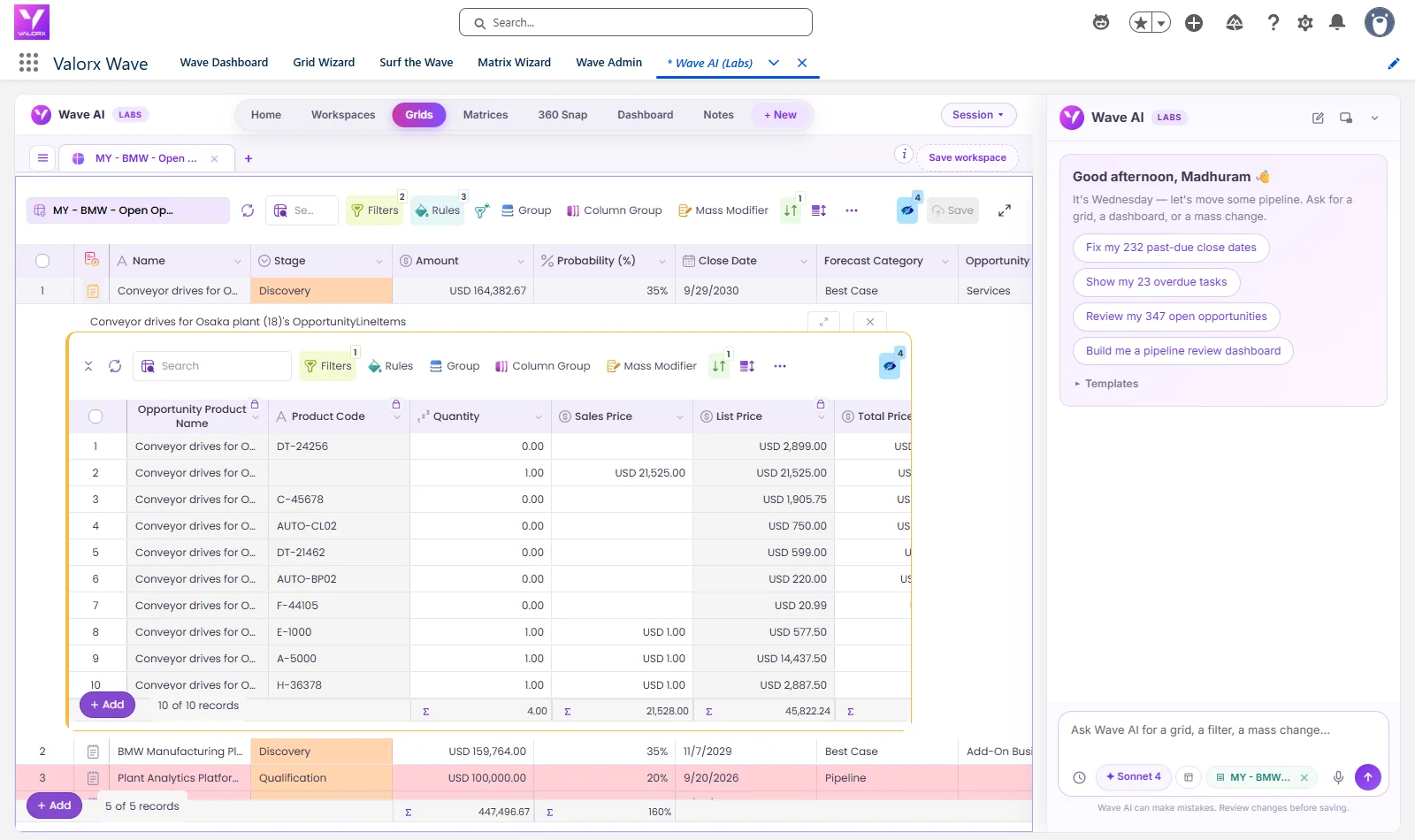
- Valorx Wave puts a spreadsheet-style grid inside Salesforce for bulk updates to quotes, products and prices.
Genpact's Salesforce CPQ pilot stalled at 100 licenses because service quotes ran past 200 lines and reps could not quote offline. With Fusion, admins built 900 quoting templates and the rollout grew to 600 users, building quotes 3x faster and saving 750,000 hours a year. Teladoc Health cut data management time by 70% across three CPQ orgs.
Click through the interactive tour above to see how Fusion connects Excel to Salesforce. Planning a move instead? Our guide to choosing a Salesforce Revenue Cloud partner covers the migration, and Fusion and Wave work on Revenue Cloud too.
Frequently asked questions
Why does Salesforce CPQ adoption stall?
Usually because building quotes in CPQ feels slower than the spreadsheet it replaced, especially for large or complex deals. Reps then build quotes offline and re-key them, so CPQ is used for the final step rather than the work.
How do you measure Salesforce CPQ adoption?
Track the share of quotes built and sent from CPQ, active users against licensed users, quote cycle time, how often quotes are reworked offline, discount exceptions and how long new reps take to send their first quote.
What are the phases of a Salesforce CPQ implementation?
Most implementations move through seven phases: assess, scope and plan, configure and integrate, test, train, roll out, and measure and improve. Adoption risk exists in every phase, not only at go-live.
How long does a Salesforce CPQ implementation take?
It depends on catalog size, pricing complexity and integrations. Implementations range from a few months to a year or more, and adoption work continues after go-live.
Can new customers still implement Salesforce CPQ?
No. Salesforce stopped selling CPQ to new customers in March 2025 and offers Revenue Cloud Advanced instead. Existing customers can keep using, expanding and renewing CPQ, and the same implementation and adoption lessons apply to Revenue Cloud.
How do you improve adoption without replacing CPQ?
Fix the friction reps feel. Keep CPQ as the system of record for products, rules and approvals, and give reps a faster way to build and bulk edit quotes, such as a connected spreadsheet or a grid inside Salesforce.






Choose the workflow you need:
Try Wave in browser Extension

Try Wave in Salesforce

Try Fusion In Excel

Enhancing Salesforce for industry leaders