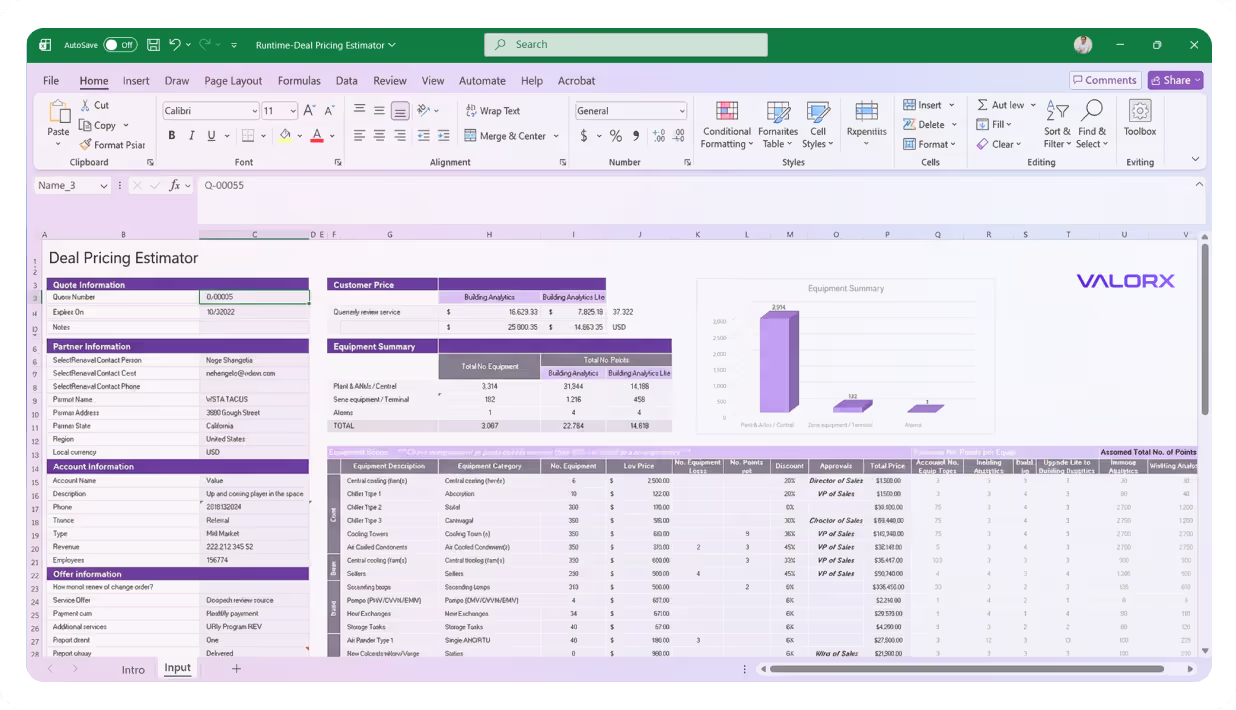
Edit a thousand records before you finish this sentence

Valorx Wave brings a true spreadsheet UI to Salesforce, making complex data management intuitive and lightning fast.
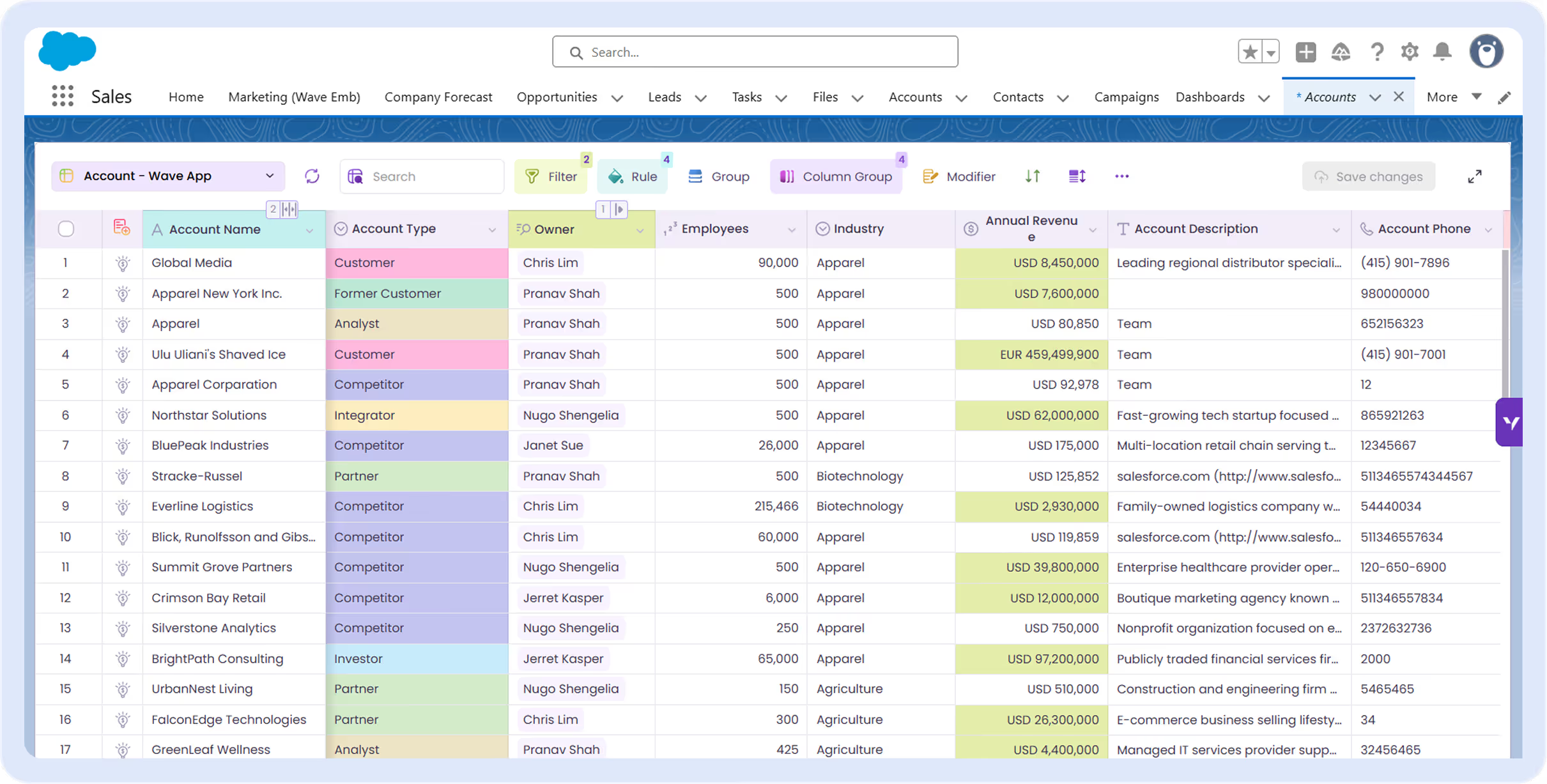
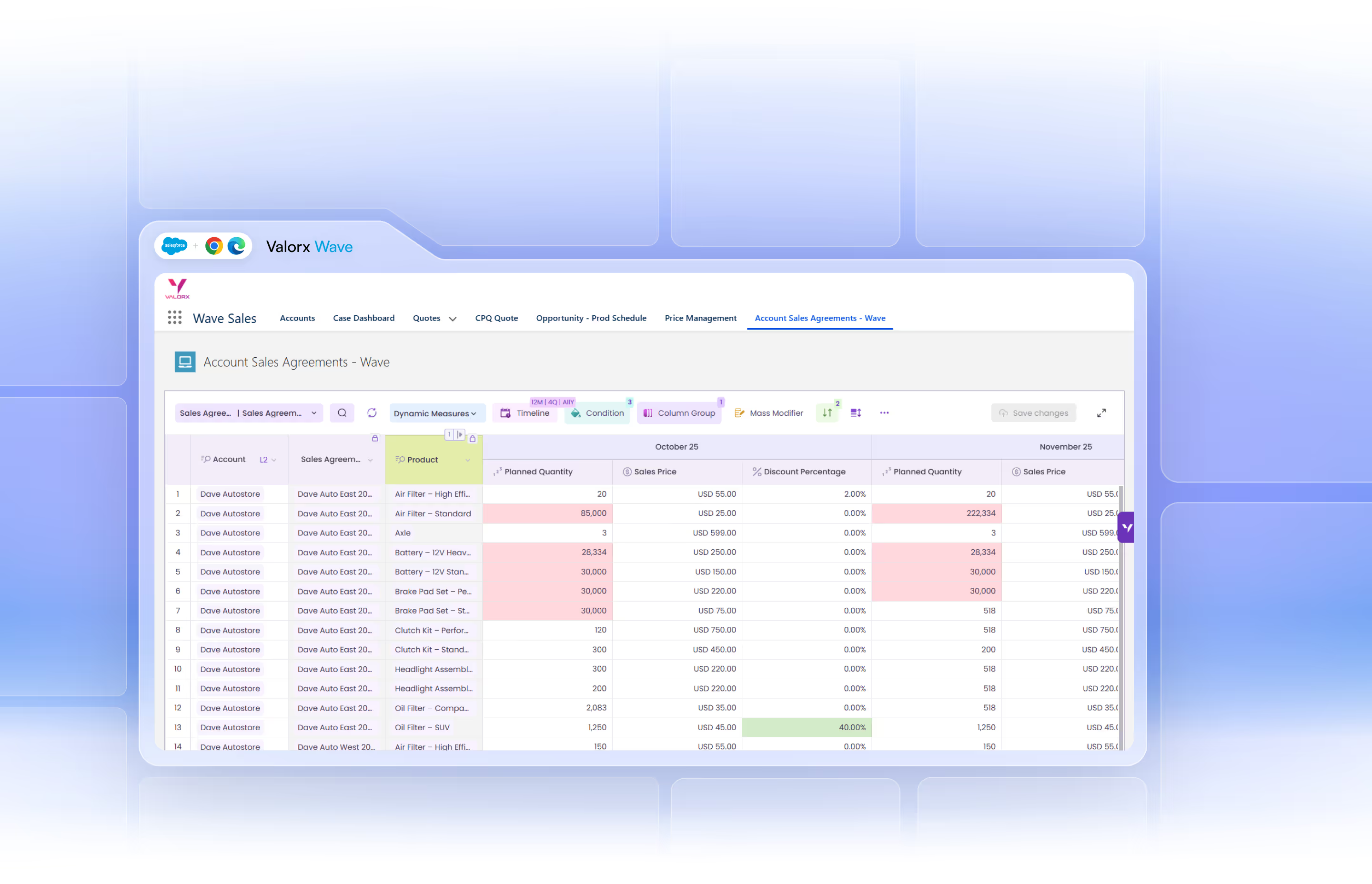
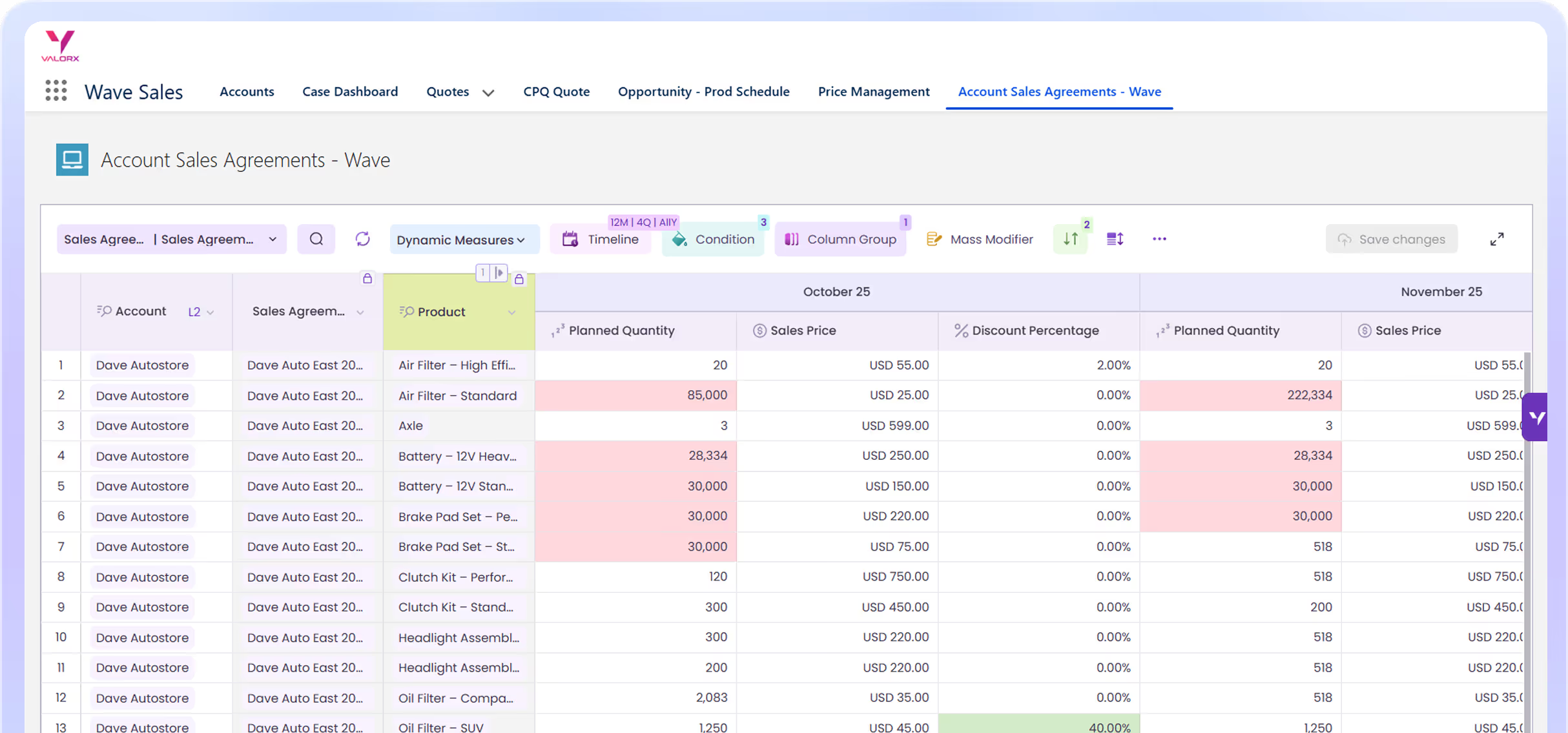
Screenshot of Valorx Wave sales dashboard showing account sales agreements with columns for product, planned quantity, sales price, and discount percentage for October 25 and November 25.
USE CASES

Why Wave?

Salesforce data management that’s faster and more flexible than your favorite spreadsheet.
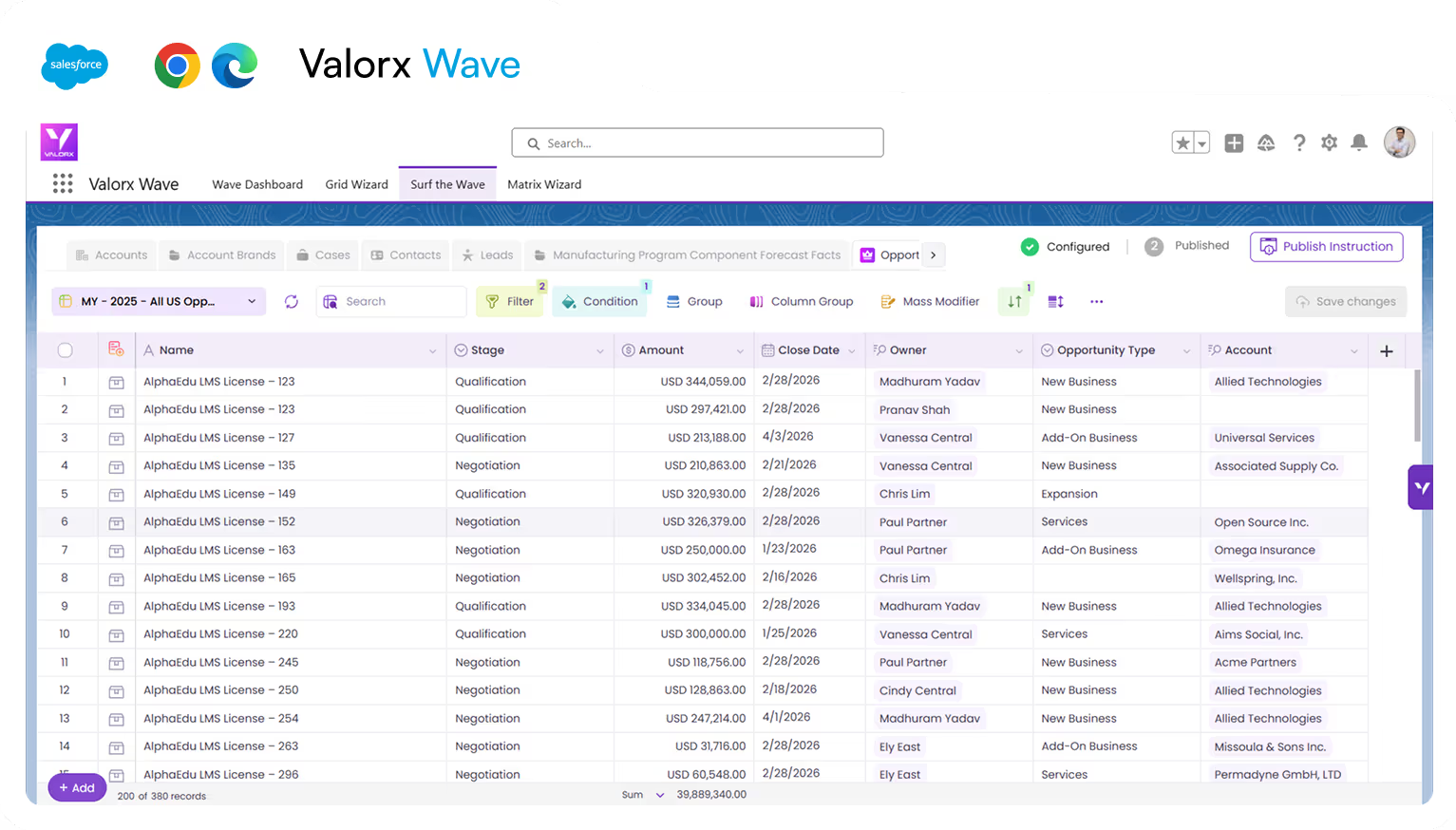
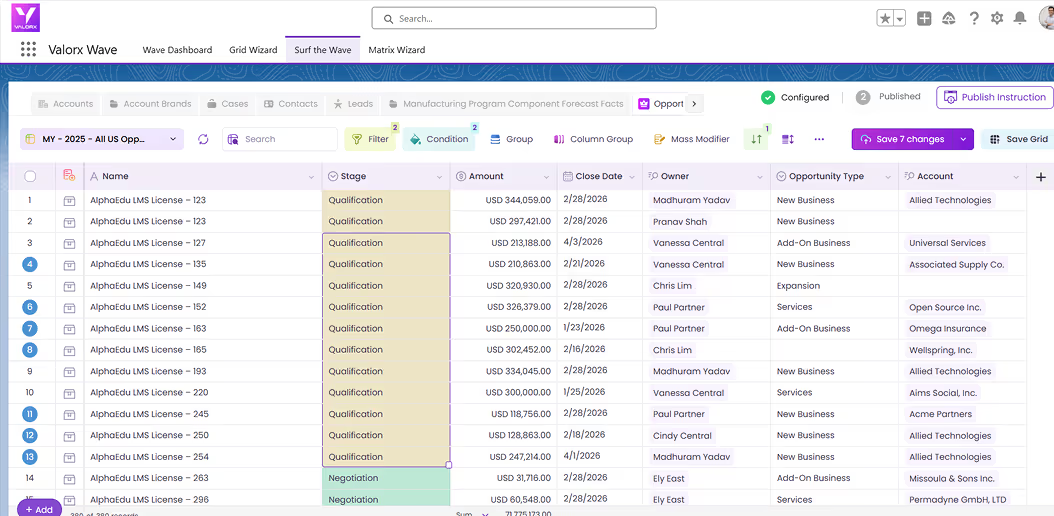
Valorx Wave dashboard displaying a table with sales opportunity data including name, stage, amount, close date, owner, opportunity type, and account.

Excel inside Salesforce

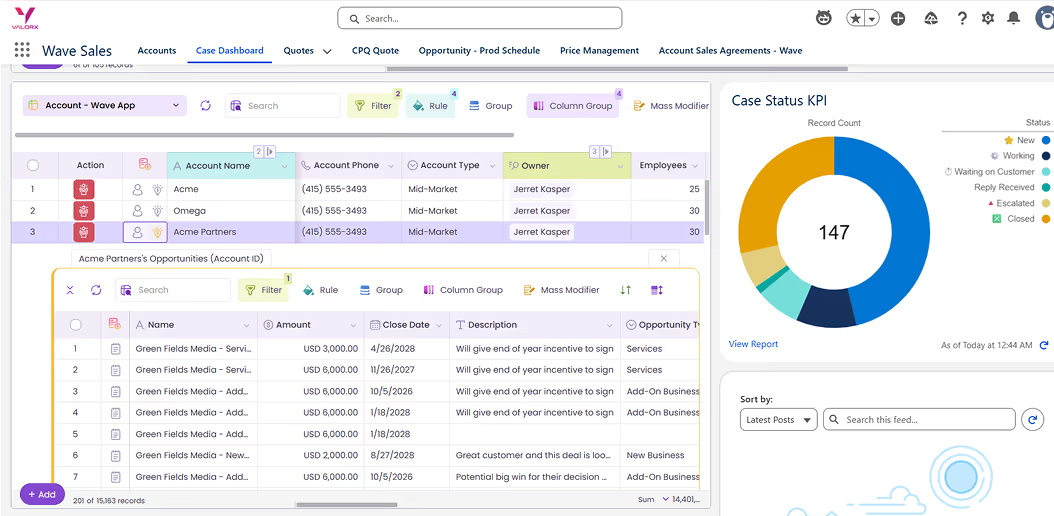
Update records across related Salesforce objects—parent-child or side-by-side. Wave's smart grid manages complex relationships and nested data with instant changes.
Learn more
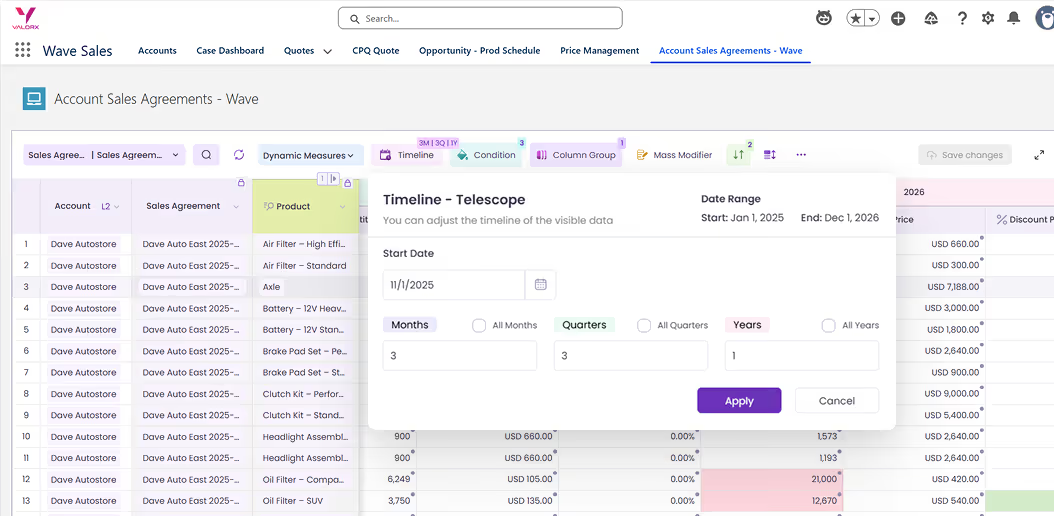
Sales agreement table for Dave Autostore in Valorx Wave app showing products, planned quantities, sales prices, and discount percentages between October 25 and November 25.

Cross-object data editing

Update records across related Salesforce objects—parent-child or side-by-side. Wave's smart grid manages complex relationships and nested data with instant changes.
Learn more
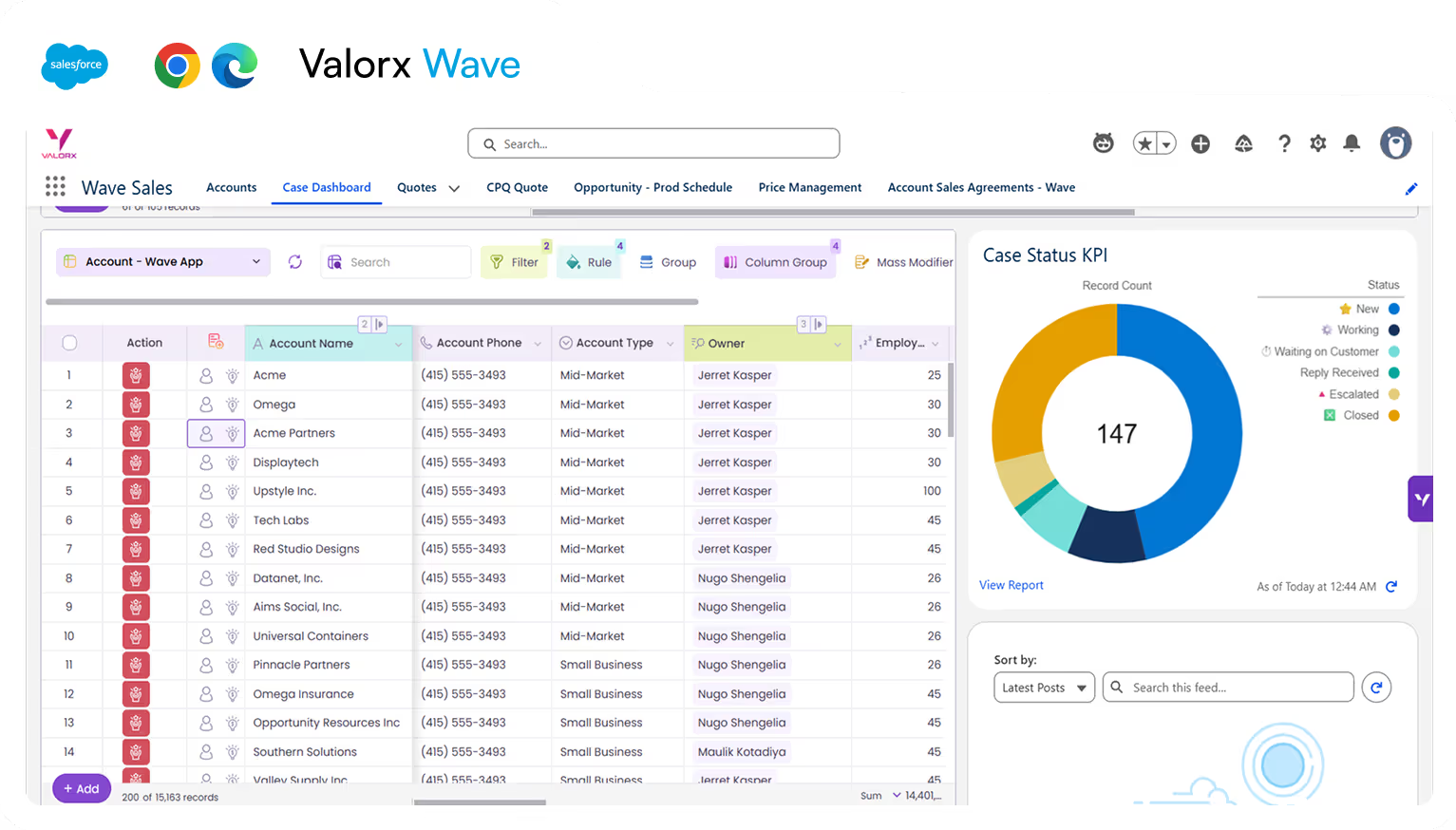
Valorx Wave dashboard showing a Wave Sales table with accounts, phone numbers, types, owners, and employee counts alongside a Case Status KPI donut chart displaying 147 records with status color codes.

Reveal insights instantly

Update records across related Salesforce objects—parent-child or side-by-side. Wave's smart grid manages complex relationships and nested data with instant changes.
Learn more
Valorx Wave CRM dashboard displaying a table of opportunity records with columns for Name, Stage, Amount, Close Date, Owner, Opportunity Type, and Account.
Sales agreement table in Valorx Wave showing account details, products, planned quantities, sales prices, and discount percentages for October 25 and November 25.
Valorx Wave sales dashboard showing account details like name, phone, type, and owner, alongside a circular KPI chart with case status breakdown and 147 record count.
WAVE MATRIX

Dynamic matrix UI

An editable, multi-object pivot table. For Salesforce.
Screenshot of Valorx Wave sales dashboard showing account sales agreements with product details, planned quantity, sales price, and discount percentage.

Matrix for forecasting

Transform complex, siloed forecasting data into actionable insights.
Wave Sales Price Management dashboard showing product list with columns for active status, product family, and list prices from zCPQ Products and zCirrus Price Book for Battery, High Capacity, Small Turbine, and Large Turbine.

Unified views

Streamline your process by working with live data across multiple timescales and dimensions in an interface your team already knows.
Wave Sales Price Management dashboard showing product list with columns for active status, product family, and list prices from zCPQ Products and zCirrus Price Book for Battery, High Capacity, Small Turbine, and Large Turbine.

Powerful bulk editing

Get more quotes out the door by handling unlimited line items and complex calculations in familiar spreadsheets while keeping all data secure in Salesforce.
Wave Sales Price Management dashboard showing product list with columns for active status, product family, and list prices from zCPQ Products and zCirrus Price Book for Battery, High Capacity, Small Turbine, and Large Turbine.

Telescoping

Get more quotes out the door by handling unlimited line items and complex calculations in familiar spreadsheets while keeping all data secure in Salesforce.
Get a demo

Let us fix your workflow

Smiling young man with glasses and tousled dark hair wearing a black shirt on a light background.
Eric Winston
Service Supervisor
Book a demo
FEATURES

Work smarter with powerful grid capabilities

Bring spreadsheet efficiency to Salesforce data management.
Bulk edit
Matrix
Copy/Paste
Custom views
Smart import
Edit multiple fields across numerous records simultaneously.
Transform Salesforce data with an editable, multi-object pivot table.
Select, copy, and paste across hundreds of records instantly.
Improve analysis by highlighting critical information with customizable formatting.
Catch and fix errors before they enter your system.
Editing

Instantaneous
bulk editing

Save time and frustration by editing thousands of records in milliseconds with seamless save and revert capabilities.

A new way to bulk edit

Bulk edit 100s or 1000s of records in seconds

Review, save and revert

Review the changes you’ve made to your data and revert or save them

Formatting & grouping

Format and group your data to make it easier to work with in your grids
Productivity

Spotlight data that drives smarter decisions

Transform complex datasets into clear insights with customizable formatting, grouping, and filtering.

Filter & sort

Filter & sort your grid so you only see the data you need to work with

Search & organize

Search globally within all data in your grid and customize your row & column view
Import

Effortless data quality

Keep your Salesforce data clean by editing before importing, validating fields, and fixing errors in real time.

Edit, add & cleanup

Edit or add data to your import before uploading to Salesforce

Real-time error validation

See errors in real-time & quickly fix them in Wave before importing

Access all your favorite Excel features

From simple drag-and-drop to powerful formulas, enjoy all your go-to spreadsheet tools while working directly with your Salesforce data.

Copy and paste

Quickly copy and paste data between Wave, Excel, and other sources using familiar shortcuts, while staying fully synced with Salesforce.

Filter columns

Apply fast, column-level filters to zero in on exactly the records you need without leaving the grid.

Drag and drop

Reorder columns, move fields, and organize your grid layout intuitively with simple drag-and-drop.

Global grids

Standardized, reusable grid templates that can be shared across teams and orgs for consistent Salesforce data views.

Custom grids

Personalized grids tailored to specific roles or workflows with custom columns, filters, and logic.

Sort columns

Sort by one or multiple columns to surface top priorities—ascending or descending—in just a click.

Column group

Visually group related columns under a single header to keep complex datasets easy to read and navigate.

Layout

Save and switch between different grid layouts—columns, sorting, grouping, filters—optimized for each workflow.

Freeze columns

Pin key columns (like Account or Opportunity) so they stay visible while you scroll horizontally through the grid.

Global search

Search across all visible columns and records in a grid to instantly find what you’re looking for.

Smart import

Import data with intelligent field mapping, validation, and error handling powered by live Salesforce metadata.

Manage access

Control who can view, edit, or configure grids at object, field, and layout level using role-based permissions.

Plans start at $0.

Valorx Wave brings a true spreadsheet UI to Salesforce, making complex data management intuitive and lightning fast.
Screenshot of Valorx Wave sales dashboard showing account sales agreements with columns for product, planned quantity, sales price, and discount percentage for October 25 and November 25.

Work in Salesforce like you work in a spreadsheet.
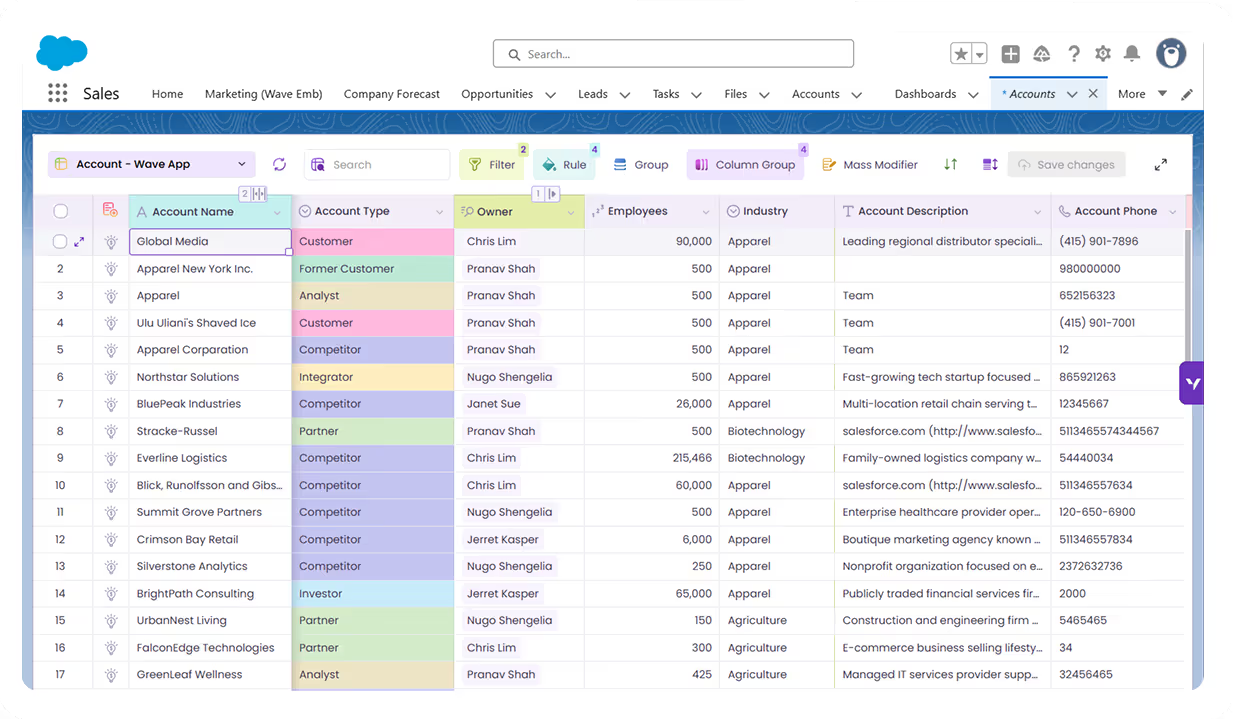
Wondering about Wave?

Everything you need to know about Valorx Wave
What is the difference between Wave and Fusion?
Wave is tailored for lightweight Salesforce data management, offering a spreadsheet-like experience in your browser for fast data editing. Fusion, on the other hand, lets you interface with complex Salesforce data models, ideal for intricate tasks like forecasting and quoting by connecting your existing spreadsheets.
Who uses Valorx Wave?
Valorx Wave is perfect for Salesforce admins, sales reps, operations and IT leaders aiming to swiftly manage data within Salesforce. It streamlines data updates, visualizes relationships, and enables bulk edits without long data load processes. Put simply, anyone who spends a few hours a week in Salesforce can optimize their productivity by adopting Wave.
If I switch to Wave, do I have to stop using my other tools?
Not at all! One of our core values at Valorx is not to reinvent the wheel, but to make it better. Wave seamlessly integrates into your existing Salesforce environment, allowing you to work faster and smarter without having to discard your current tools or workflows.
How does Wave ensure the security of my data?
With Wave, your data never leaves Salesforce. The application maintains a two-way integration, allowing for real-time syncs and updates without the risk of data breaches. You can trust that your information remains secure while benefiting from our enhanced features.
Is Wave actually free?
Absolutely! Wave has a completely free plan available to all users. This means you can experience the efficiency and convenience of using Wave at no cost. The free plan for Wave has some limitations to the number of orgs, records, and custom objects you can manage, which are lifted in paid subscriptions for those who have the need.
With Wave Embedded's spreadsheet-like grid, do I need to be proficient in spreadsheets to use it?
While Wave Embedded mimics a spreadsheet interface for familiarity, you don't need to be a spreadsheet expert to utilize it. Wave Embedded is designed for intuitive use, making data management faster and more accessible for both spreadsheet novices and pros alike.

Abstract purple outline of four connected circles inside a rounded square frame on a black background.
Abstract geometric logo featuring a circle above layered semicircles within a rounded square border.
Venn diagram with three overlapping purple circles on a black background.
Purple crescent shapes forming a circle on a black square background with rounded corners.
Purple outline icon of a briefcase inside a rounded square border on a black background.
Abstract black and purple geometric design with layered squares and rounded corners.
Green spreadsheet file icon representing an Excel document on a light background.
Abstract black and purple geometric design with layered squares and rounded corners.
Smiling young man with glasses and a beard wearing a black shirt on a light gray circular background with a small purple circle in the top right.
Eric Winston
Service Supervisor
Book a demo
Icon with three nested rectangles inside a rounded square outline, representing a scaling or resizing concept.
Microsoft Excel app icon with an overlapping white X on a green abstract background.
Purple geometric icon with three nested diamond shapes on a black background.
Three purple abstract human figures representing a group or team on a light background.
Icon with three stacked rounded rectangles in purple outline on a black background.
Abstract purple outline of four connected circles inside a rounded square frame on a black background.
Icon showing four interconnected circles forming a square with a horizontal line extending from the right circle.
Google Chrome web browser logo.
Salesforce logo with white text inside a blue cloud shape.
Abstract geometric design with multiple rounded squares outlined in purple on a black background.
Purple circular abstract icon with overlapping partial rings on a black square background with rounded corners.
Three overlapping purple circles forming a triangular Venn diagram on a black background.
Abstract geometric logo featuring a circle above layered semicircles within a rounded square border.