Provider, payer and medical device operations on Salesforce
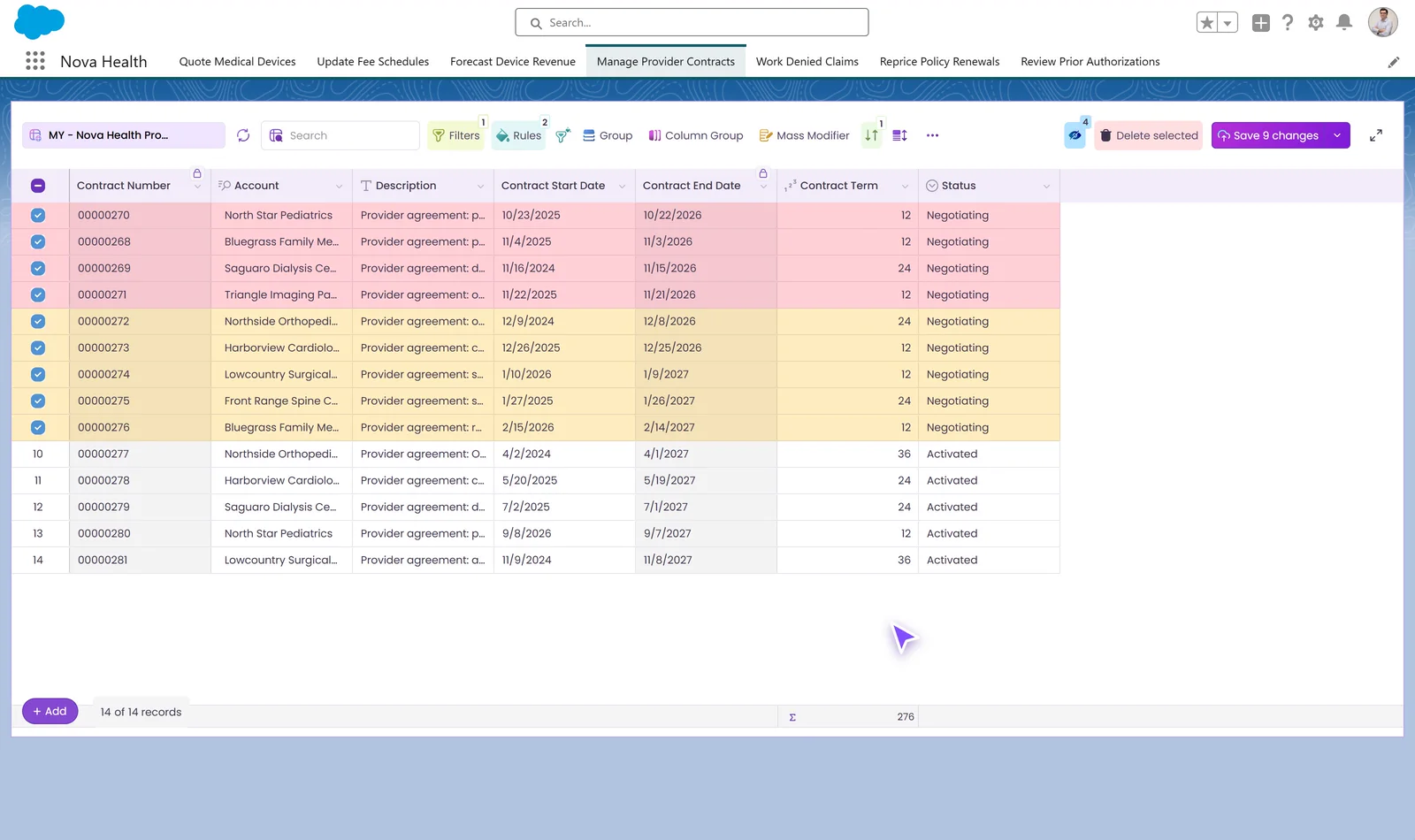
Quote devices, update fee schedules, work denied claims and clear prior authorizations in one Salesforce grid.
Healthcare teams working with Valorx






Customer stories
Healthcare teams already run this in Salesforce
Teladoc HealthValorx Fusion
How Teladoc Health removed manual data errors across three Salesforce CPQ orgs
ZeroManual re-entry errors
70%Less data management time
102M+Members served
SwoopValorx Wave
How Swoop went from Google Sheets to full Salesforce adoption in 21 days
21 daysFrom setup to full production
10xFaster mass edits than native Salesforce
80Sales users live
See how fast Salesforce
can actually feel.
If you can do it in spreadsheet,
you can do it in Valorx.
Book a demo
<00 days
to production
00x
faster updates than one record at a time
0+
departments aligned on one Salesforce view

Built for healthcare teams in Salesforce
Valorx works on the Salesforce objects your teams already use, from quotes and price books to claims, policies and cases.
Hospitals and health systems
Fee schedules, contracts

Payers and health plans
Claims, prior authorization
Medical devices
Quotes, forecasts
Physician groups
Provider agreements
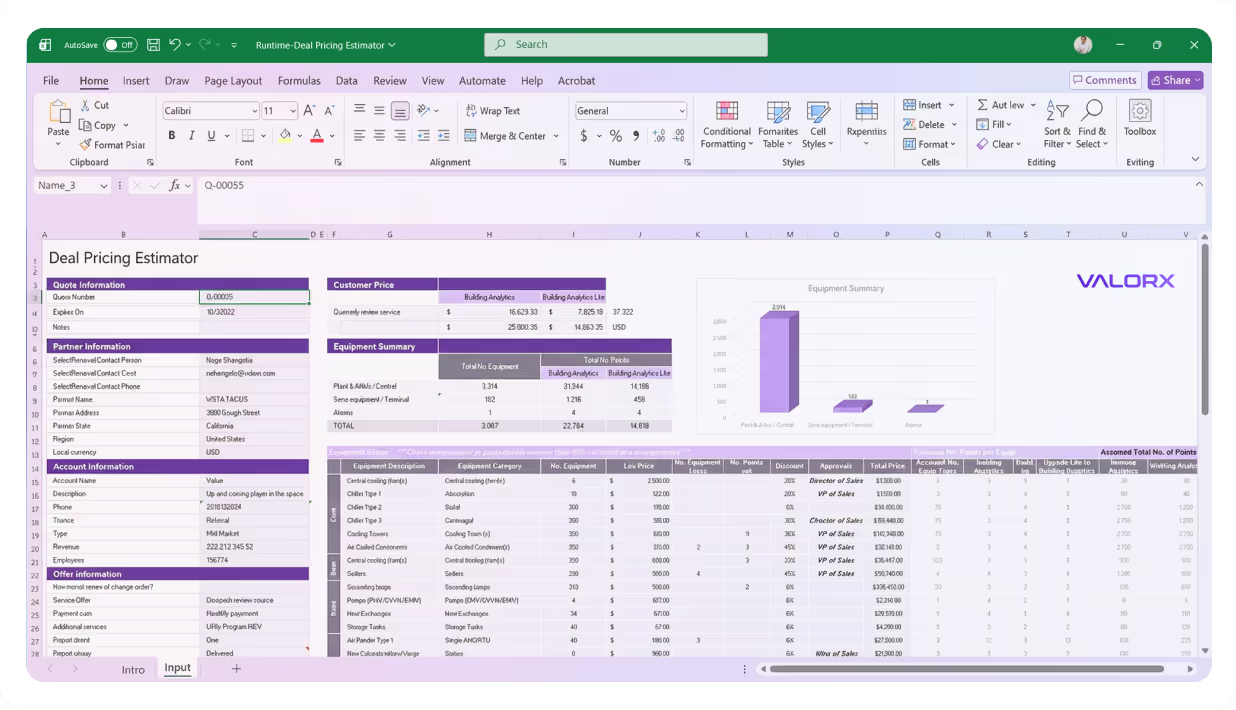
Access all your favorite Excel features
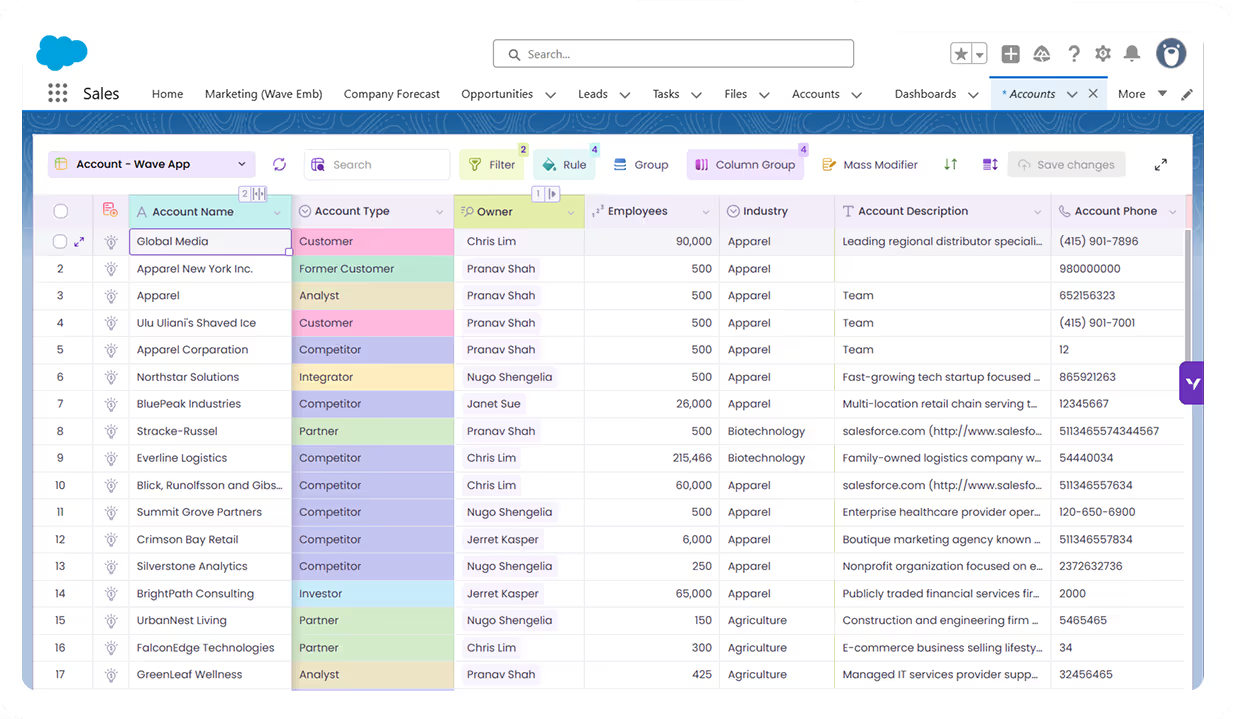
From simple drag-and-drop to powerful formulas, enjoy all your go-to spreadsheet tools while working directly with your Salesforce data.











Work in Salesforce like you work in a spreadsheet.
See what Valorx adds to Salesforce
The same work, before and after Valorx.
Without Valorx
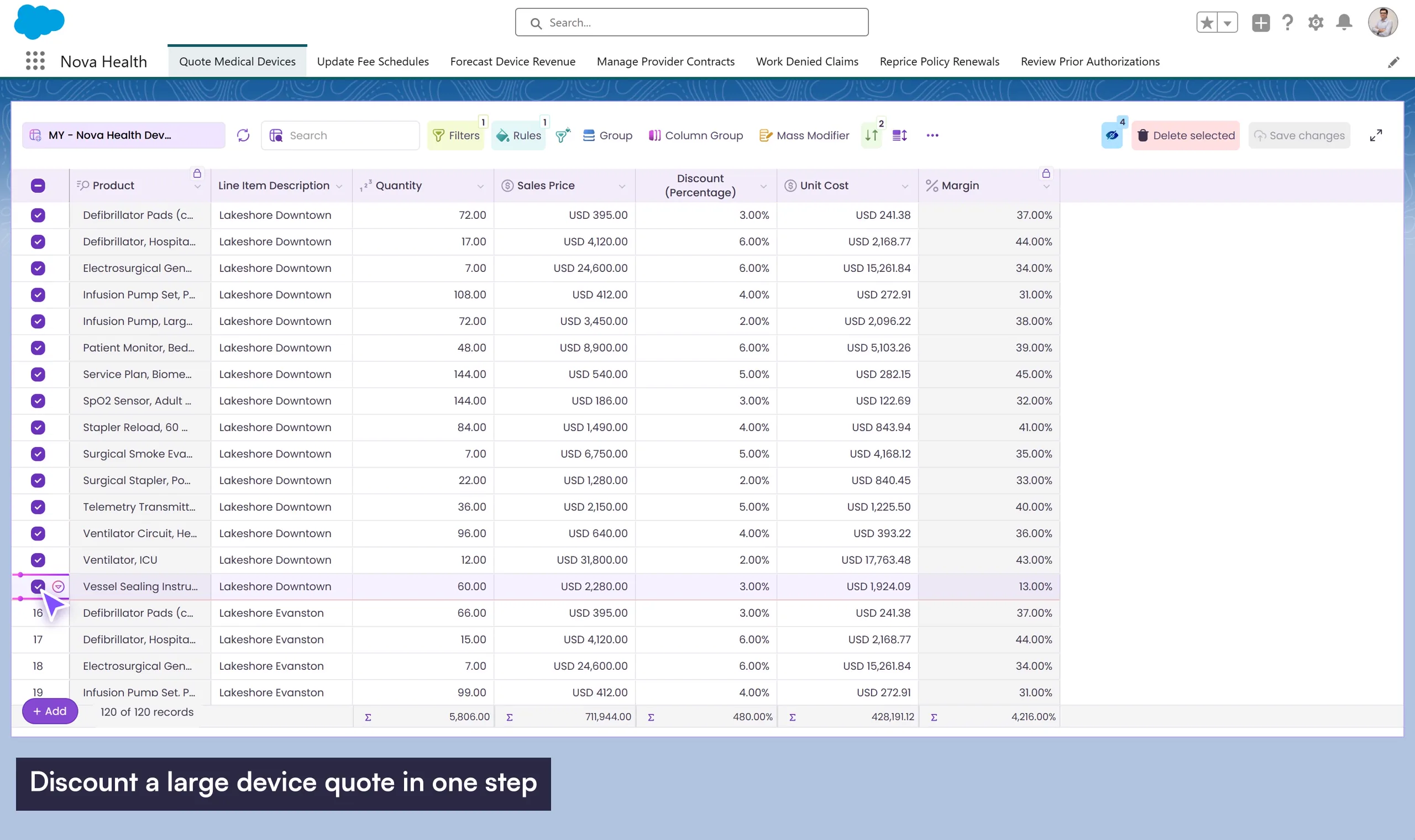
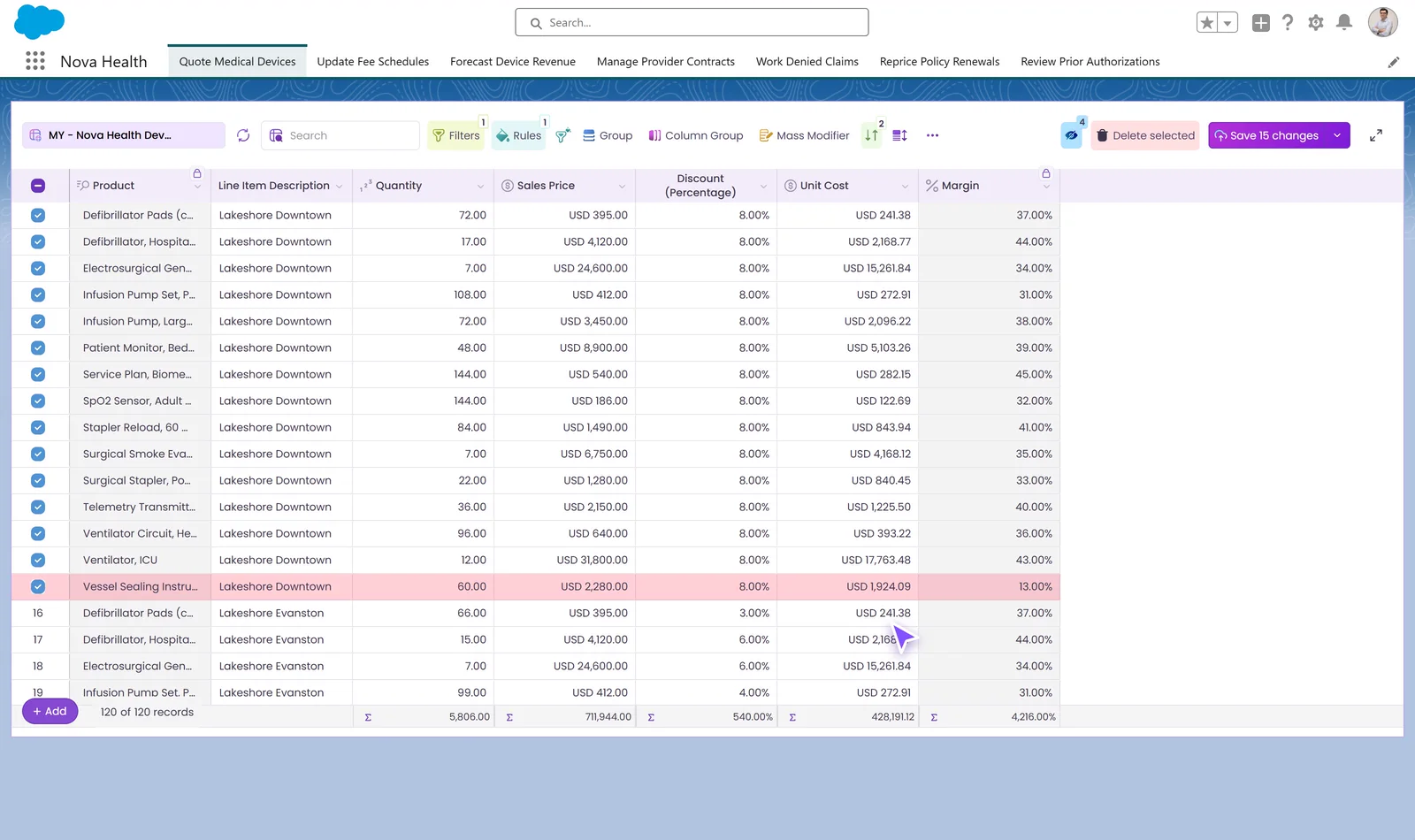
Large device quotes edited line by line
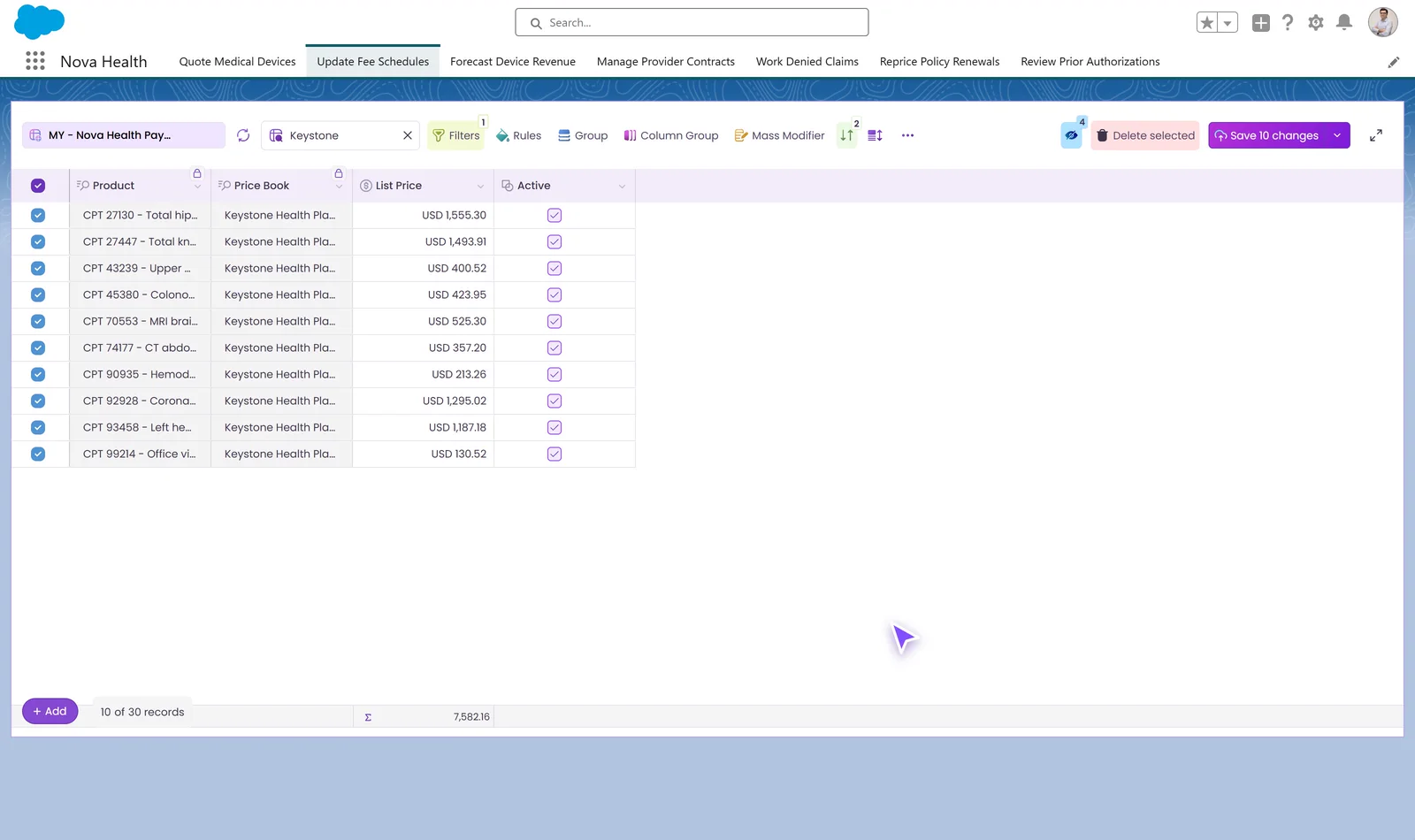
Fee schedule changes typed code by code
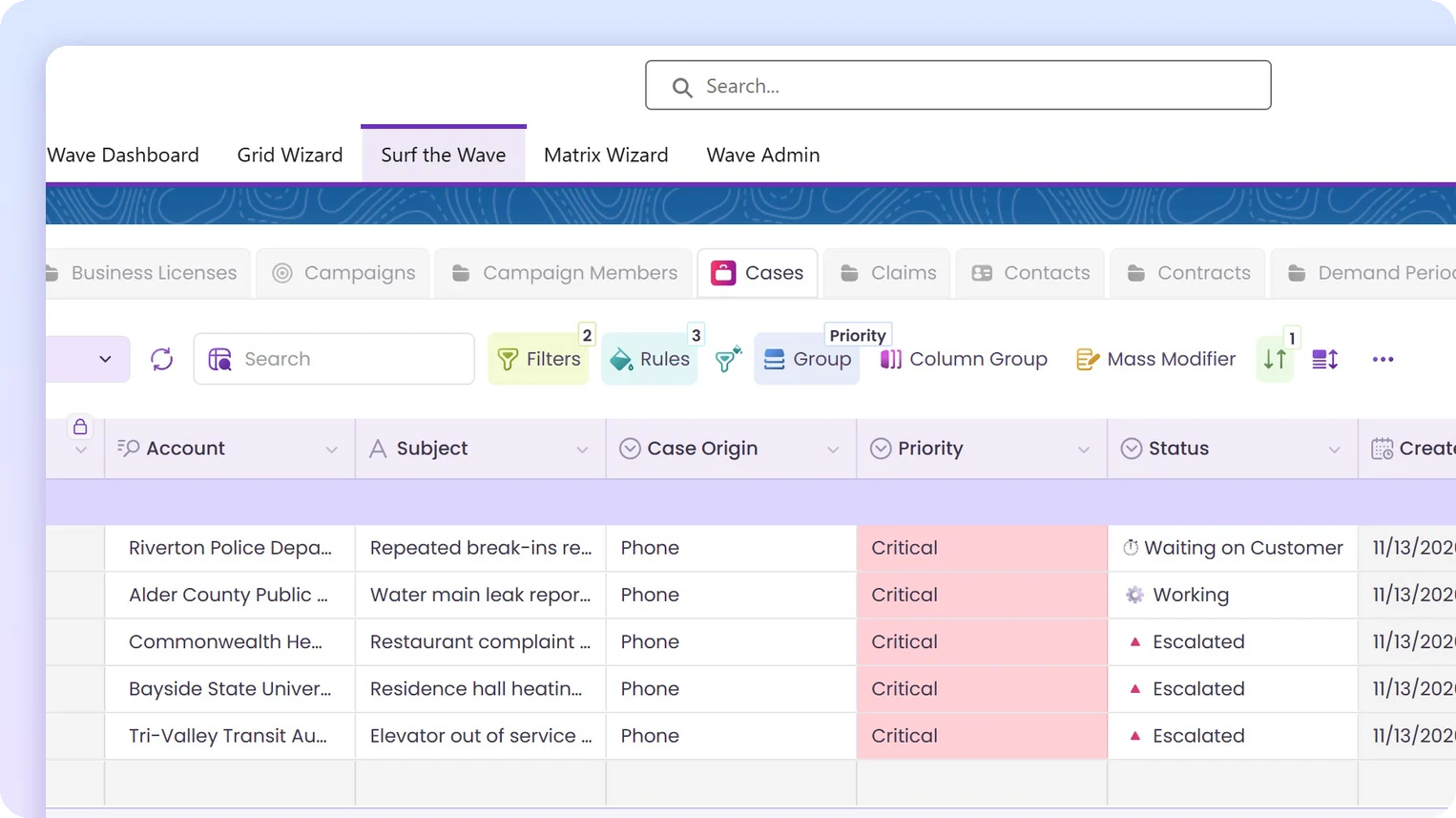
Denied claims found by scrolling
Routine prior authorizations approved one at a time
With Valorx
Every line of a quote discounted in one step
A payer schedule raised at once
Denied claims in red, resubmitted together
Routine requests approved in one step

Frequently asked questions
Can we edit a large medical device quote in one step?
Yes. Open the quote's line items in a Wave grid, select the lines for one facility or the whole quote, and set the discount, quantity or price on all of them with Mass Modifier. Lines under your margin floor show in red, and you review every change before you save it to Salesforce.
How do we update a payer fee schedule?
Keep each payer's contracted rates as price book entries by procedure code. Search for one payer, select its codes and raise or lower every rate by an amount or a percentage in one step, then save.
Can our team work denied claims in bulk?
Yes. Claims show in one grid with denied ones in red, along with the denial reason. Select the claims you have corrected and move them to the next status together instead of opening each record.
Which Salesforce objects does Valorx work with for healthcare?
The ones your team already uses, including quotes, price book entries, opportunities, contracts, claims, insurance policies and cases, plus Health Cloud objects such as care programs, providers and member plans when your org has them. Valorx works on standard and custom objects alike.
When should our team use Fusion instead of Wave?
Use Wave when your team works inside Salesforce. Use Fusion when a fee schedule, pricing model or revenue plan already lives in Excel: Fusion connects that workbook to Salesforce, so the same rates and plans update from Excel.
Does Valorx respect our Salesforce security?
Yes. Valorx runs inside your org on your existing profiles, permission sets, field-level security and sharing rules. People only see and edit the records Salesforce already lets them see and edit.













Choose the workflow you need:
Try Wave in browser Extension
Connect Wave directly with your browser

Try Wave in Salesforce
Integrate Wave in Salesforce

Try Fusion In Excel
Easily use Fusion within Excel

Excel
Salesforce
Browser