Salesforce quote-to-cash: process, bottlenecks and how to fix them

Salesforce quote-to-cash is the process of turning an opportunity into revenue on the Salesforce platform: configure, price, quote, approve, contract, order, invoice, collect and renew. In most teams, the slowest and most error-prone stage is the quote itself. When large quotes take days to build and revise, every stage after them waits.
This guide walks through the quote-to-cash process step by step, shows where each stage runs in Salesforce, explains where it slows down and how to fix it, and lists the metrics worth tracking.
Key takeaways
- Quote-to-cash covers eight stages, from opportunity to renewal. CPQ handles the configure, price and quote stages.
- In Salesforce, the process spans Sales Cloud, Salesforce CPQ or Revenue Cloud Advanced, and Revenue Cloud Billing, Salesforce Billing or an ERP.
- Most delays start at the quote: line-by-line editing, revisions, approvals and re-keying into ERP.
- Salesforce stopped selling CPQ to new customers in March 2025, but existing customers can keep running quote-to-cash on it.
- Faster, cleaner quotes shorten every stage after them. BP cut quote cycles from 4 days to 4 hours.
What is quote-to-cash?
Quote-to-cash (QTC) is everything that happens between a buyer showing interest and the money arriving in your account. It starts with configuring and pricing what the customer wants, continues through the quote, contract and order, and ends with invoicing, payment and, for recurring products, renewal.
CPQ (configure, price, quote) is the front of that process. If you are new to it, start with our guide to what CPQ is and how it works. Quote-to-cash is broader: it connects sales, deal desk, finance and operations around the same record of what was sold.
The quote-to-cash process, step by step
Here is how the process maps to Salesforce, and where each stage tends to slow down.
| Stage | What happens | Where it runs in Salesforce | Where it slows down |
|---|---|---|---|
| 1. Opportunity | The deal is qualified and the products of interest are known | Sales Cloud | Missing account or product data carried into the quote |
| 2. Configure | The rep selects products, bundles and options that work together | Salesforce CPQ or Revenue Cloud Advanced | Large bundles and long option lists |
| 3. Price | List prices, volume tiers, contracted prices and discounts are applied | Price rules, discount schedules, price books | Discounts outside policy and stale cost data |
| 4. Quote and approve | The quote document is generated and exceptions go to approvers | Quote templates and advanced approvals | Line-by-line editing, revisions and approval queues |
| 5. Contract | Terms are agreed and the contract is signed | Contracts, e-signature | Redlines that never make it back into the quote |
| 6. Order | The accepted quote becomes an order for fulfillment | Orders, often synced to ERP | Re-keying quotes into ERP |
| 7. Invoice and collect | Invoices are issued and payments collected | Revenue Cloud Billing, Salesforce Billing or ERP | Billing schedules that do not match what was sold |
| 8. Renew and amend | Subscriptions are renewed, upsold or changed mid-term | Renewals and amendments on contracts | Repricing hundreds of existing lines |
Swipe the table to see all columns
The first four stages decide how quickly a deal reaches the customer. The last four decide how cleanly it turns into cash. A mistake in the quote, such as a wrong discount or a missing line, travels through every stage after it.
Salesforce CPQ or Revenue Cloud for quote-to-cash?
Salesforce CPQ entered end of sale in March 2025. Existing customers can keep using it, buy more users, renew and receive support, and there is no forced migration, according to Salesforce's CPQ end-of-sale page. New customers are offered Revenue Cloud Advanced, which covers the product catalog, pricing, quoting, contracting and order management, with Revenue Cloud Billing handling invoicing, payments and collections.
For quote-to-cash, that means two paths. Teams on CPQ can keep improving the process they have, and teams planning a move should treat it as a reimplementation. Our Q&A on whether Salesforce CPQ is still worth it covers the decision, and our guide to choosing a Salesforce Revenue Cloud partner covers the migration.
Where quote-to-cash slows down in Salesforce
1. Building large quotes
The Quote Line Editor works well for a few dozen lines. On quotes with hundreds of lines, every change triggers a recalculation, and edits happen one line at a time. Reps either wait or rebuild the quote in a spreadsheet. We cover the causes in Salesforce CPQ limitations.
How to fix it: give reps a way to edit full quotes in bulk on live CPQ data, so changes still pass through CPQ rules. Our guide to editing CPQ quote lines in Excel shows how.
2. Revisions and rework
Buyers change quantities, swap products and ask for new terms. Each revision restarts pricing and often approvals. When revisions happen in an offline spreadsheet, the version in Salesforce falls behind the version the customer is looking at.
How to fix it: keep every revision on the quote record, track the revision rate, and make bulk changes fast enough that nobody needs a side copy.
3. Discount approvals
Approvals protect margin, but deals stall when every exception goes to the same approver or the approver cannot see why the discount is needed. Clear discount schedules and approval thresholds remove most of the queue. See Salesforce CPQ discount management for how to set them up.
How to fix it: approve by exception, route by threshold, and show margin impact on the quote before it is submitted.
4. The quote-to-order handoff
Accepted quotes often need re-keying into ERP for fulfillment and invoicing. Every manual handoff is a chance for part numbers, prices or dates to change. Our guide to Salesforce ERP integration covers the main patterns, and Salesforce CPQ order management covers the order stage itself.
How to fix it: decide which system owns each piece of data, sync costs and part numbers into CPQ, and push accepted quotes to ERP as orders automatically.
5. Renewals and amendments
Recurring revenue depends on renewals going out on time. Amending a contract with hundreds of subscription lines is the same bulk editing problem as building a large quote, and late renewals put revenue at risk.
How to fix it: generate renewal quotes early, and use the same bulk editing tools for amendments that you use for new quotes.
Quote-to-cash metrics to track
You cannot shorten a process you do not measure. These six metrics show where your quote-to-cash process loses time and money.
| Metric | What it tells you | How to measure it |
|---|---|---|
| Quote cycle time | How long reps take to produce a correct quote | Time from quote created to quote sent |
| Quote revision rate | How often quotes are wrong or change | Quotes with more than one version, as a share of all quotes |
| Approval time | Where deals wait for a decision | Time from submitted to approved |
| Quote-to-order accuracy | Whether orders match what was sold | Orders that need correction after booking |
| Days sales outstanding | How fast cash comes in after invoicing | Average days from invoice to payment |
| On-time renewals | Whether recurring revenue is protected | Renewal quotes sent before the renewal date |
Swipe the table to see all columns
For industry benchmarks to compare against, see our roundup of CPQ statistics. To estimate what a faster quote stage is worth, try the CPQ ROI calculator.
How Valorx speeds up the quote stage
Most quote-to-cash delays start with how long it takes to build and change a quote. Valorx works on that stage, on top of Salesforce CPQ today and Revenue Cloud if you move, while CPQ stays the system of record.
- Valorx Fusion connects Excel and Google Sheets to live Salesforce data. Reps load full quotes, edit them in bulk with formulas and fill-down, and save back with CPQ rules applied.
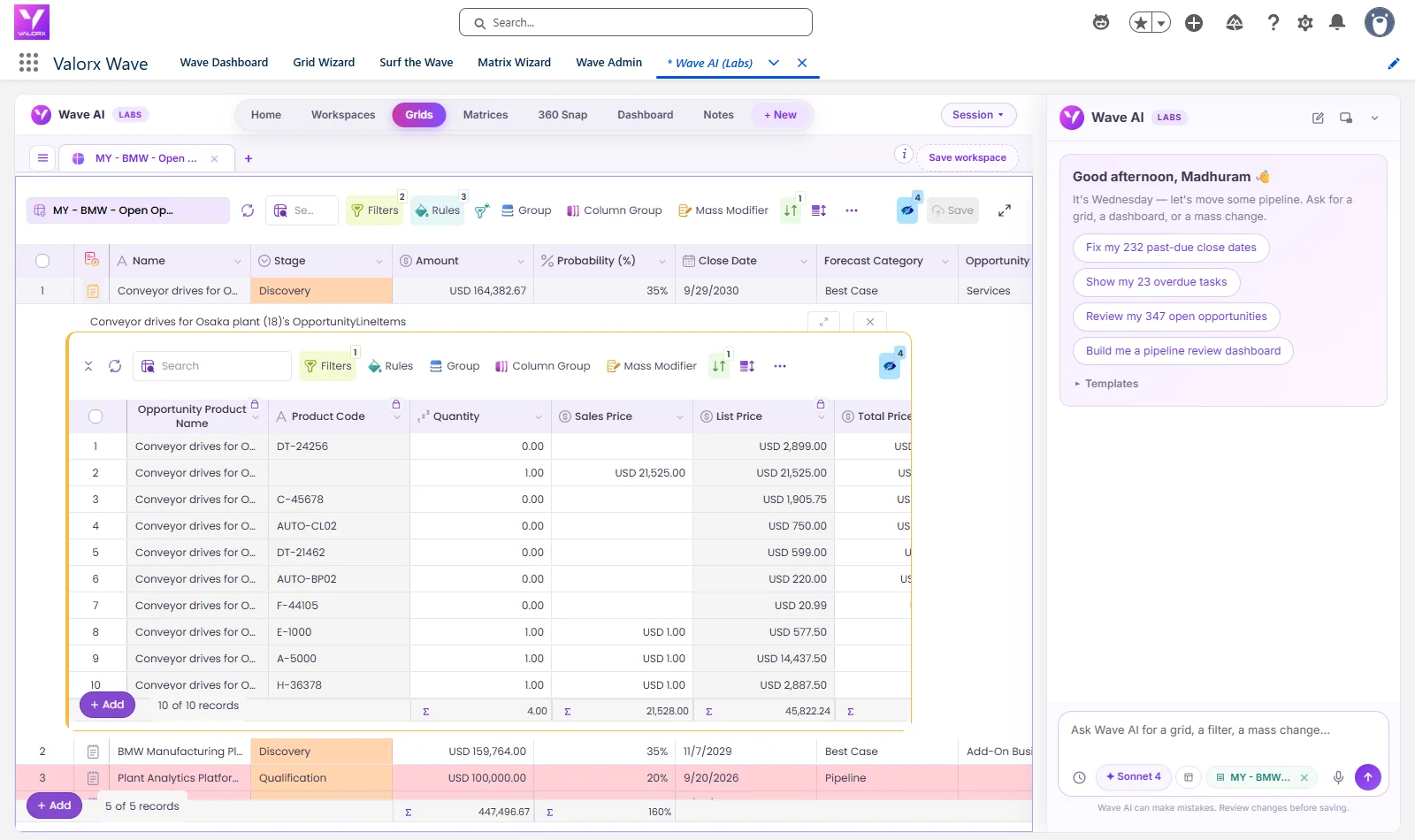
- Valorx Wave puts a spreadsheet-style grid inside Salesforce for bulk updates to quotes, products and prices.
BP cut quote cycles from 4 days to 4 hours across more than 15,000 quotes a year, and Genpact builds quotes 3x faster across 600 users.
Click through the interactive tour above to see how Fusion connects Excel to Salesforce.
Frequently asked questions
What is quote-to-cash?
Quote-to-cash is the end-to-end process that turns a sales opportunity into revenue. It covers configuring products, pricing, quoting, approvals, contracts, orders, invoicing, payment and renewals.
What are the steps in the quote-to-cash process?
Most teams work through eight stages: opportunity, configure, price, quote and approve, contract, order, invoice and collect, and renew or amend. CPQ covers the configure, price and quote stages.
What is Salesforce quote-to-cash?
Salesforce quote-to-cash runs the process on the Salesforce platform: opportunities in Sales Cloud, configuration, pricing and quoting in Salesforce CPQ or Revenue Cloud Advanced, and invoicing in Revenue Cloud Billing, Salesforce Billing or a connected ERP.
What is the difference between CPQ and quote-to-cash?
CPQ is one part of quote-to-cash. It handles configure, price and quote. Quote-to-cash continues through contract, order, billing, payment and renewal.
Where does quote-to-cash usually slow down?
Most delays happen at the quote stage: building and revising large quotes, waiting for discount approvals and re-keying accepted quotes into ERP. Fixing quote speed and accuracy shortens every stage after it.
Does Revenue Cloud Advanced replace Salesforce CPQ for quote-to-cash?
For new customers, yes. Salesforce stopped selling CPQ to new customers in March 2025 and offers Revenue Cloud Advanced instead. Existing CPQ customers can keep using, renewing and expanding it, and there is no forced migration.





Choose the workflow you need:
Try Wave in browser Extension

Try Wave in Salesforce

Try Fusion In Excel

Enhancing Salesforce for industry leaders