What is CPQ? Configure, price, quote explained

CPQ (configure, price, quote) is sales software that helps reps build accurate quotes for complex products and services. It checks that a product configuration is valid, applies the right prices and discounts, and generates the quote document, so quotes go out faster and with fewer errors.
This guide explains how CPQ works, what a CPQ system includes, who needs one, and where Salesforce CPQ stands in 2026.
Key takeaways
- CPQ stands for configure, price, quote: the three steps of turning a customer's needs into an accurate, approved quote.
- CPQ sits between your CRM and your billing or ERP system. It is part of the quote-to-cash process, not a CRM itself.
- Companies need CPQ when they sell many products, configurable bundles or negotiated pricing. With a short price list, spreadsheets and CRM quotes are often enough.
- Salesforce CPQ entered end of sale in March 2025. Existing customers keep support, and new customers are offered Revenue Cloud Advanced instead.
- Many teams still build complex quotes in Excel alongside CPQ. Connecting the two keeps spreadsheet speed with CPQ's controls.
What does CPQ stand for?
CPQ stands for configure, price, quote. Each word is one step in building a quote:
- Configure. The rep selects the products, services and options the customer needs. Rules check that the combination is valid, can be delivered and fits the contract terms.
- Price. The system applies list prices, volume tiers and any discounts the customer qualifies for. Discounts outside policy are flagged for approval instead of slipping through.
- Quote. A complete, standardized quote or proposal is generated with all required details, so orders placed from it are valid and are not rejected later.
The purpose is to simplify complex pricing and shorten the quote-to-cash cycle. Sales teams configure offerings, enforce pricing rules, manage discounts and margins, and produce correct quotes from one system.
How CPQ works
A CPQ system runs the same five steps on every deal. The first three are CPQ itself; the last two connect it to the rest of the sales process.
- ConfigurePick products and options. Rules allow only valid combinations.
- PriceList prices, volume tiers and allowed discounts are applied automatically.
- QuoteA branded quote or proposal is generated from the same data.
- ApproveDiscounts or terms outside policy go to the right approver.
- OrderThe signed quote becomes an order, contract and invoice.
Steps 1 to 3 are CPQ itself. Steps 4 and 5 connect it to the wider quote-to-cash process.
Because each step reads from the same product, price and rule data, a quote built by a new rep follows the same policy as one built by a ten-year veteran. For how the later steps connect, see our guide to the quote-to-cash process in Salesforce CPQ.
What a CPQ system includes
Most CPQ products share the same core capabilities. They differ in how much they automate and how they handle large or unusual deals.
| Capability | What it does | Why it matters |
|---|---|---|
| Product catalog and bundles | Holds products, options and packages in one place | Reps sell from one current list, not old PDFs |
| Product rules | Allow, require or block combinations of products | Stops orders that cannot be built or delivered |
| Price rules and discount schedules | Apply list prices, volume tiers, partner and term discounts | Every rep prices the same deal the same way |
| Approvals | Route discounts or terms outside policy to a manager or deal desk | Protects margin without slowing standard deals |
| Quote documents | Generate branded quotes and proposals from quote data | No retyping into Word or PDF templates |
| CRM integration | Ties each quote to its account, opportunity and contacts | Forecasts and pipeline reflect what was actually quoted |
| Renewals and amendments | Reprices existing contracts and add-ons | Expansion revenue is quoted as easily as new deals |
Swipe the table to see all columns
Discount schedules and approvals are where CPQ protects margin most directly. We cover them in detail in Salesforce CPQ discount management.
Benefits of CPQ
- Faster quotes. Reps assemble quotes from rules and templates instead of hunting for price sheets, so responses go out in minutes rather than days.
- Fewer errors. Invalid configurations and wrong prices are caught before the customer sees them, which means fewer revised quotes and rejected orders.
- Protected margins. Discount limits and approvals stop deals from being priced too generously or too quickly.
- Room to scale. New reps ramp faster on a guided process, and a growing catalog does not mean a growing pile of spreadsheets.
- Better revenue data. Every quote is recorded against the opportunity, so finance and RevOps can see what was quoted, at what price and why.
For benchmark figures on quote times and adoption, see our roundup of CPQ statistics.
Who needs CPQ?
Not every business does. If you sell a small number of products with simple, fixed pricing, CRM quotes or a spreadsheet are usually enough.
CPQ earns its cost when at least one of these is true:
- You sell a wide or fast-growing catalog, or products with many options and dependencies.
- Pricing varies by volume, region, term, partner or customer, and discounts are negotiated.
- Quotes need approvals, and mistakes cost margin or deals.
- Your sales team is large or growing quickly.
That is why CPQ is most common in mid-size and large companies, and in industries such as manufacturing, high-tech, SaaS and professional services. Each brings its own quoting problems, from multi-level bundles to services quotes that resist standardization. For the problems manufacturers run into most, see our guide to CPQ challenges in manufacturing.
Which teams own the decision
Buying a CPQ is usually led by one of these teams, with the others closely involved.
| Team | What they get from CPQ |
|---|---|
| Revenue operations | One governed quoting process across sales, account management and customer success, with clean data for reporting |
| Sales | Faster, accurate quotes with less admin, so reps spend more time selling |
| Finance | Pricing and discount policies enforced on every quote, and more reliable revenue numbers |
| Deal desk | Exceptions arrive with context, so approvals take minutes rather than days |
Swipe the table to see all columns
Is CPQ a CRM?
No. A CRM manages accounts, contacts and opportunities. CPQ handles the quote for a specific opportunity: the configuration, the price and the document. The two work together, with CPQ usually built on or connected to the CRM so every quote stays tied to its deal. Billing, invoicing and fulfillment then sit in an ERP or billing system downstream.
What is Salesforce CPQ?
Salesforce CPQ is Salesforce's configure, price, quote product, a managed package (originally Steelbrick) that adds product configuration, price rules, discounting, approvals and quote documents to Sales Cloud.
In March 2025, Salesforce moved Salesforce CPQ into an end-of-sale phase. New customers can no longer buy it, while existing customers can renew, add licenses and keep full support. Salesforce describes this as end of sale, not end of life, and its newer quoting product is Revenue Cloud Advanced.
If you run Salesforce CPQ today, our guide to Salesforce CPQ limitations covers the gaps teams hit most and how to work around them. If you are planning a move, see how to choose a Salesforce Revenue Cloud partner.
CPQ vs spreadsheets
Spreadsheets are still where a lot of quoting happens, especially for large or unusual deals. The trade-off looks like this:
| Spreadsheet quoting | CPQ software | |
|---|---|---|
| Getting started | Free and familiar | License, setup and training |
| Pricing accuracy | Depends on the right file and formulas | Rules applied the same way every time |
| Discount control | Honor system | Policy limits and approvals |
| Large or complex quotes | Fast to edit, easy to break | Governed, but can be slow to edit at scale |
| Connection to CRM | Manual re-entry | Quotes live on the opportunity |
Swipe the table to see all columns
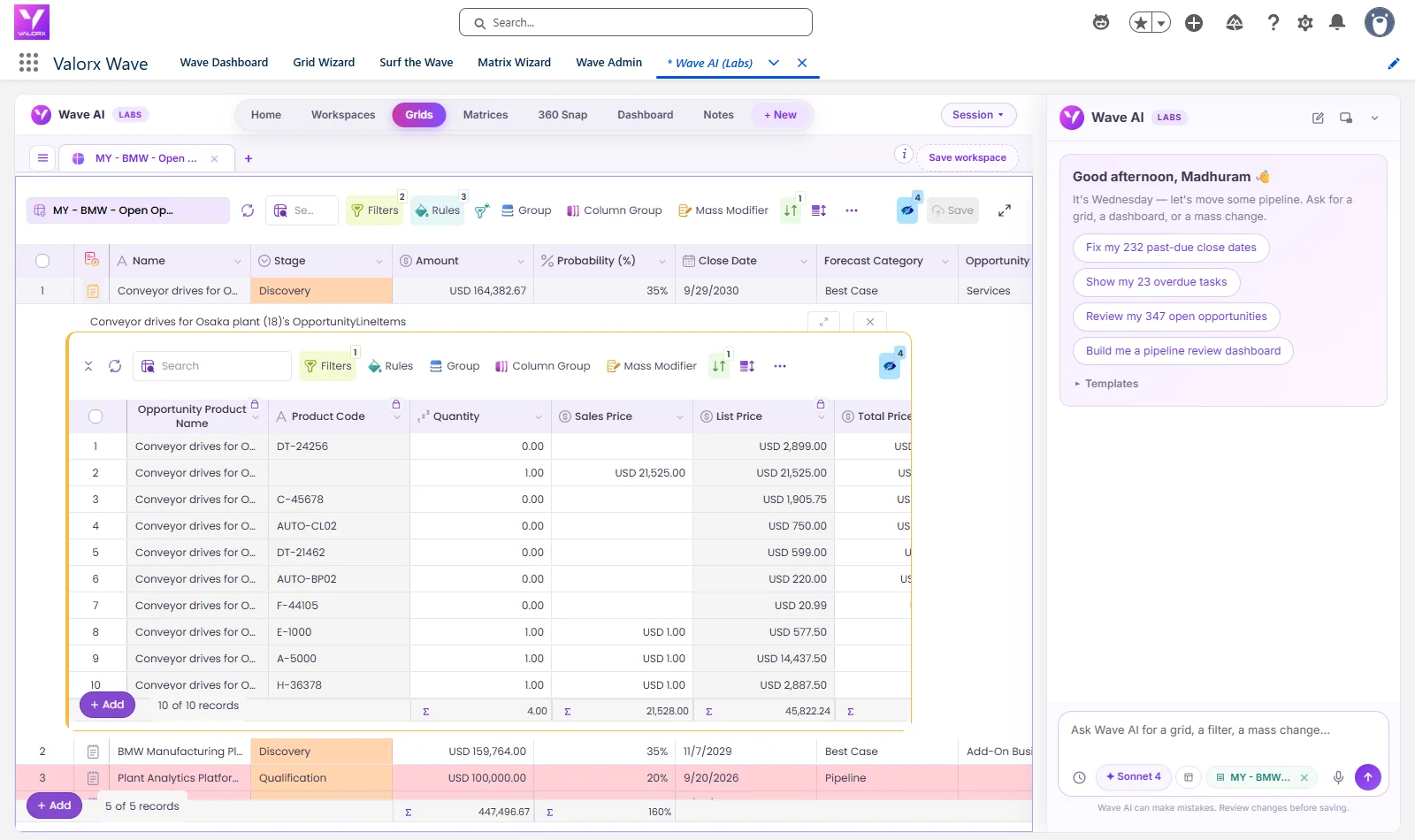
The two do not have to compete. With Valorx Fusion, teams edit live Salesforce CPQ quote lines in Excel or Google Sheets, in bulk, and save back with CPQ rules still applied. With Valorx Wave, they get the same spreadsheet-style editing inside Salesforce. Our guide to editing Salesforce CPQ quote lines in Excel shows how it works, and the complex quoting guide covers deep bundles and large catalogs.
To estimate what faster quoting is worth to your team, try the CPQ ROI calculator, or see how this works on our Salesforce CPQ page.
Frequently asked questions
What does CPQ stand for?
CPQ stands for configure, price, quote. It is software that builds valid product configurations, applies pricing and discount rules, and generates quotes.
What is CPQ in simple terms?
CPQ is a tool that helps salespeople put together a correct quote quickly. It makes sure the products fit together, the price follows company policy and the quote document is complete.
Is CPQ a CRM?
No. A CRM tracks customers and deals, while CPQ builds the quote for a deal. CPQ is usually connected to or built on the CRM.
What is CPQ in Salesforce?
Salesforce CPQ is Salesforce's configure, price, quote product for Sales Cloud. It adds product configuration, pricing rules, discount approvals and quote documents to Salesforce opportunities.
Is Salesforce CPQ being phased out?
Salesforce CPQ entered end of sale in March 2025, so it is no longer sold to new customers. Existing customers can keep using it, renew and receive support. Salesforce's newer quoting product is Revenue Cloud Advanced.
What is the difference between CPQ and quote-to-cash?
CPQ covers configuring, pricing and quoting. Quote-to-cash is the full process from quote through approval, contract, order, billing and payment, so CPQ is the first part of it.
Does a small business need CPQ?
Usually not, if it sells a handful of products at fixed prices. CPQ pays off when catalogs, pricing rules or approval steps get complex enough that quoting errors cost margin or deals.
Can you use Excel for CPQ?
Many teams quote in Excel, but a standalone spreadsheet has no pricing controls or CRM connection. Connecting Excel to Salesforce CPQ, for example with Valorx Fusion, keeps spreadsheet speed while CPQ rules still apply.





Choose the workflow you need:
Try Wave in browser Extension

Try Wave in Salesforce

Try Fusion In Excel

Enhancing Salesforce for industry leaders