Salesforce License Management

Track, manage, and renew software licenses faster with spreadsheet-style editing inside Salesforce.
Spreadsheet dashboard titled License Management showing key performance indicators including total licenses 648, 28 expiring in 30 days, utilization rate 74%, annual license value $3,247,800, and 40 pending renewals, with a license summary by vendor listing Microsoft, Salesforce, Adobe, Atlassian, ServiceNow, Okta, Zoom, and others with their products, license counts, utilization, and status.
Licenses
USE CASES

Assign and manage licenses directly from Salesforce

Spreadsheet-style editing that makes license tracking faster and audit-ready
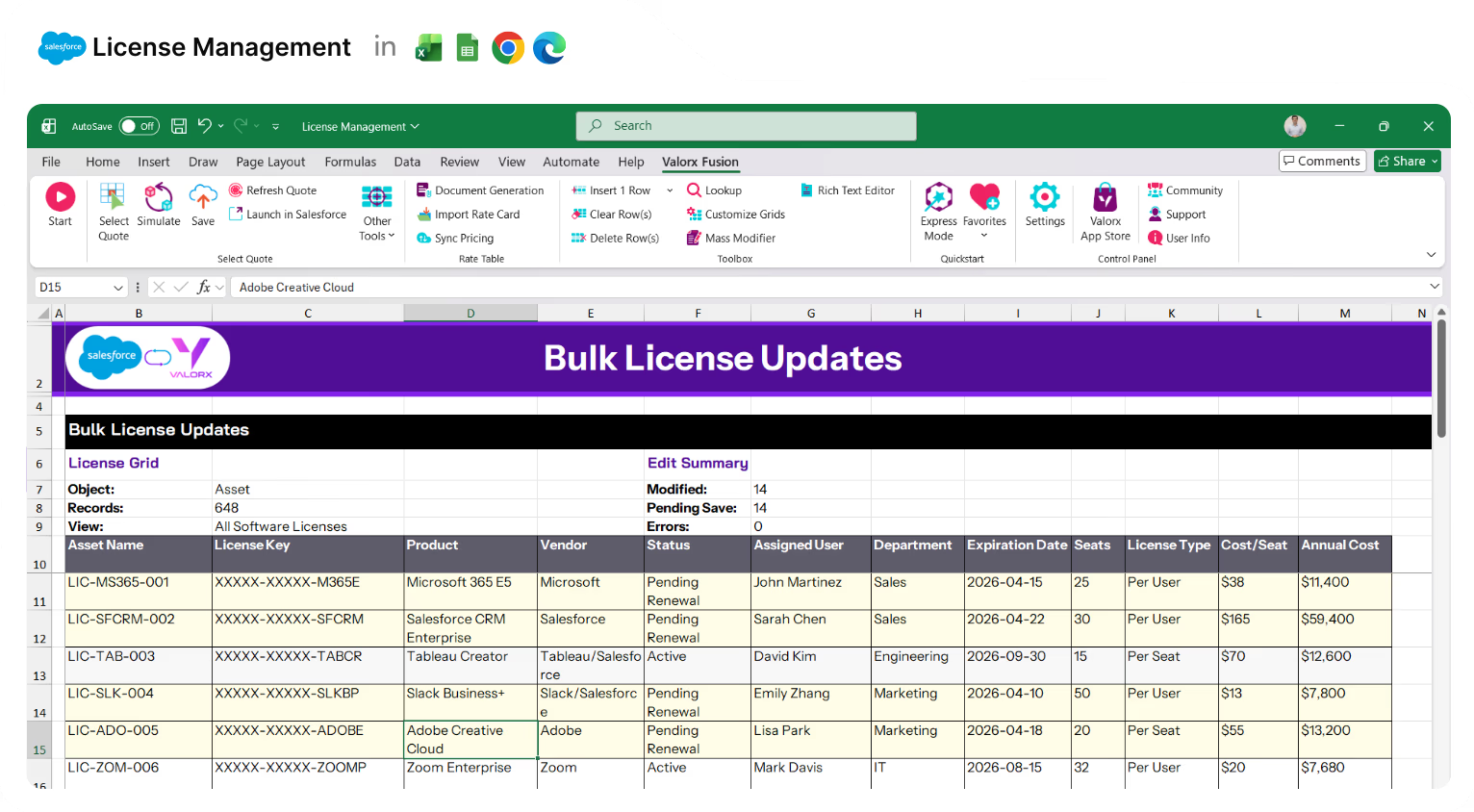
Excel sheet titled Bulk License Updates showing license keys, products, vendors, status, assigned users, departments, expiration dates, seats, license types, cost per seat, and annual costs for software licenses.

Update license records in bulk

Edit status, assigned users, and renewal dates across hundreds of records. Copy/paste, drag/fill, and mass modify.
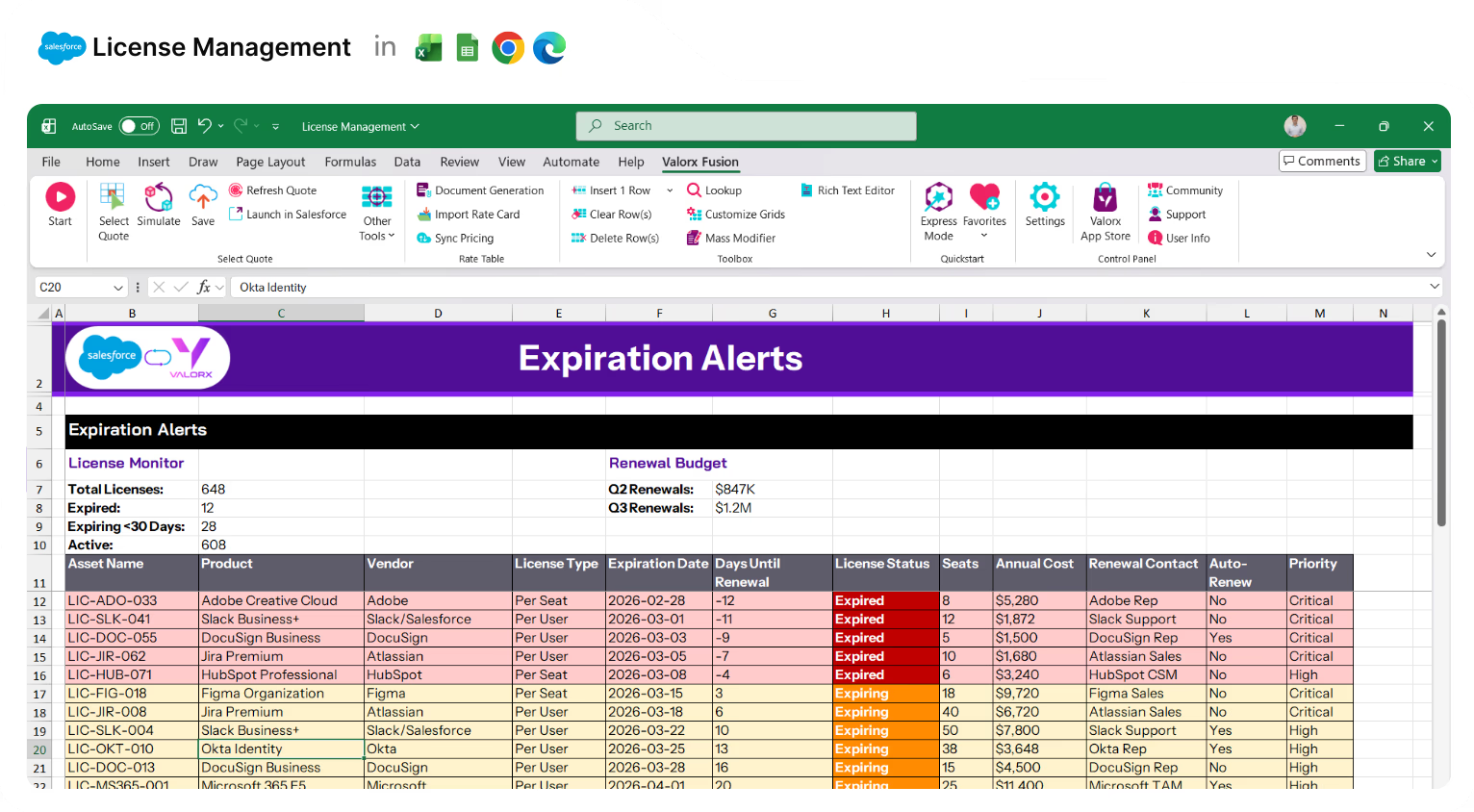
Spreadsheet titled Expiration Alerts showing license details including product names, vendors, license types, expiration dates, days until renewal, license status color-coded from expired to expiring, seat counts, annual costs, renewal contacts, auto-renew status, and priority levels.

Spot expiring licenses instantly

Conditional formatting highlights licenses approaching renewal or already expired.
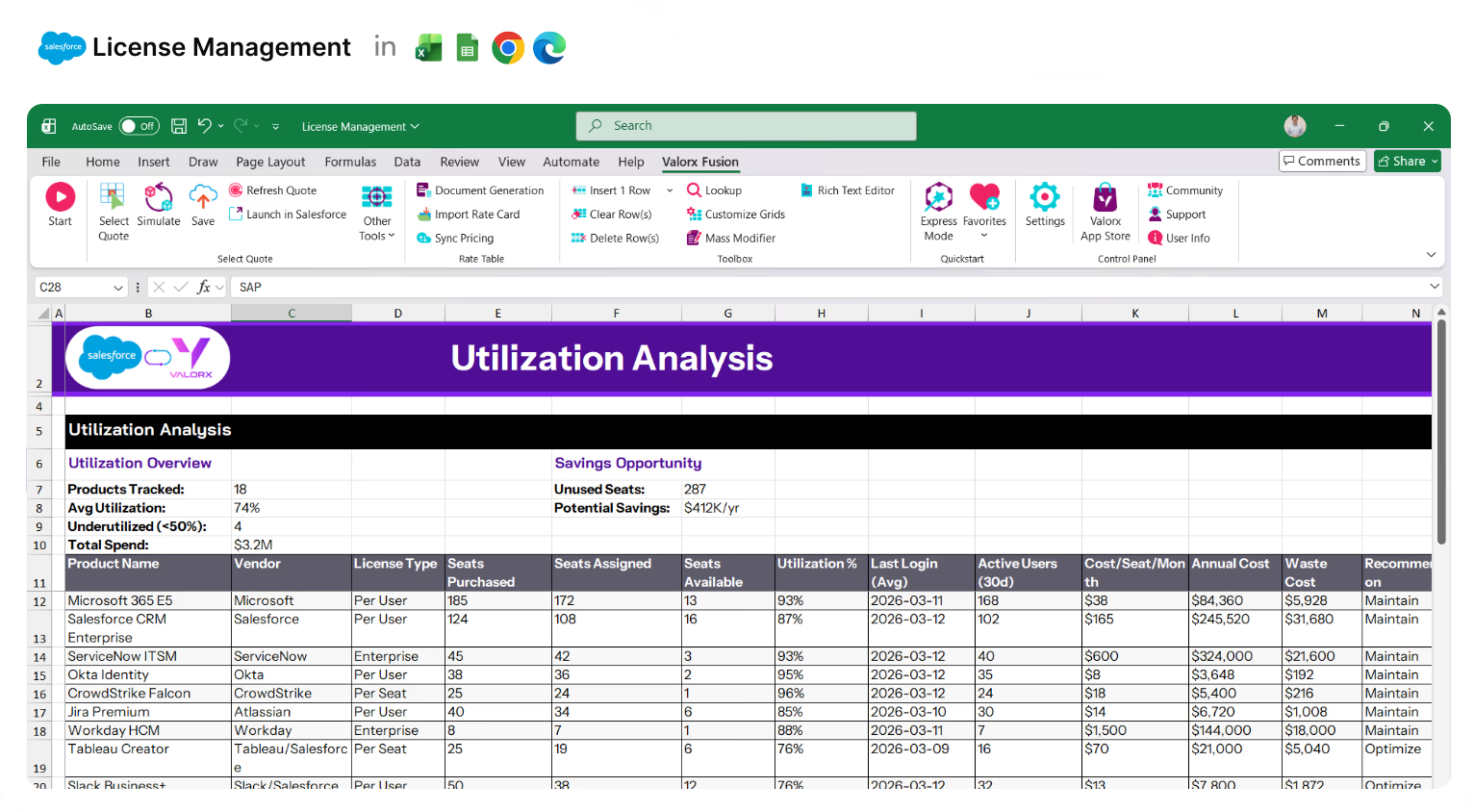
Excel spreadsheet titled Utilization Analysis showing license management data including product names, vendors, license types, seats purchased/assigned/available, utilization percentage, last login, active users, cost per seat per month, annual cost, waste cost, and recommendations.

View entitlements vs. usage side-by-side

Compare purchased seats to assigned users. Identify underutilized licenses at a glance.
Excel spreadsheet showing a multi-object view of license management with columns for asset name, product, contract number, account name, vendor, contract start and end dates, contract value, license count, seats active, and annual cost.

View related data in one place

Assets + Contracts + Accounts + Vendors together in a single grid.
Spreadsheet showing license reassignment details from Marketing to Sales including product names, current users, license types, expiration dates, and status with one conflict highlighted in red.

Reassign licenses across users or departments

Select licenses, change assignments, done. Reallocate seats in seconds.
Spreadsheet titled 'Renewal Actions' showing license management data including asset names, products, vendors, expiration dates, days left, annual cost, renewal types, assigned users, last actions, action dates, and status.

Trigger renewal workflows from the grid

Initiate renewals, send notifications, or run Flows on selected licenses from the grid.
Valorx Wave CRM dashboard displaying a table of opportunity records with columns for Name, Stage, Amount, Close Date, Owner, Opportunity Type, and Account.
Sales agreement table in Valorx Wave showing account details, products, planned quantities, sales prices, and discount percentages for October 25 and November 25.
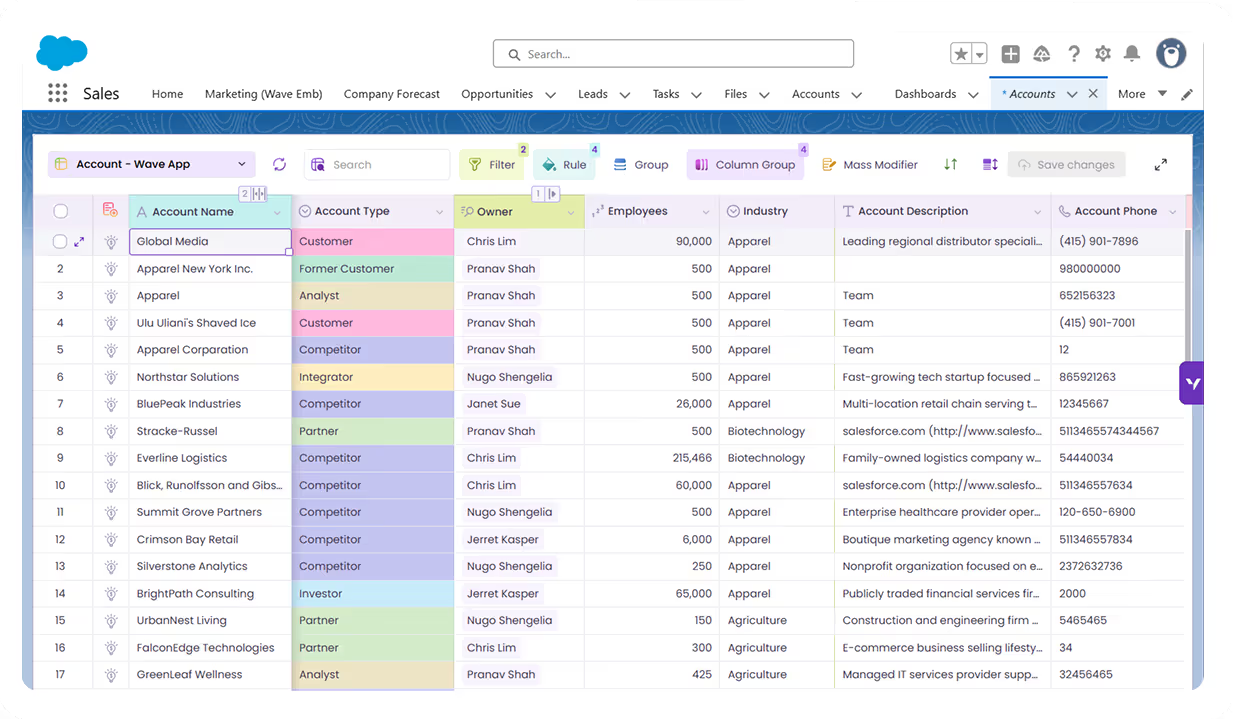
Valorx Wave sales dashboard showing account details like name, phone, type, and owner, alongside a circular KPI chart with case status breakdown and 147 record count.

Real results from enterprise teams   

Book a demo

1000 %

data stays in Salesforce

10 x

faster license updates in Salesforce

30%

potential savings on spend

Abstract soft pastel-colored gradient background with blurred lavender, blue, and pink hues.

See what Valorx adds to Salesforce license management

Without Valorx
Edit license records one at a time
Expiration dates on individual records
Usage data in separate reports
Related data across tabs
With Valorx
Bulk update hundreds of records at once
Expiring licenses highlighted in the grid
Entitlements vs. usage side-by-side
Assets + Contracts + Accounts in one grid

Smiling young man with glasses and a beard wearing a black shirt on a light gray circular background with a small purple circle in the top right.
Eric Winston
Service Supervisor
Book a demo
Soft gradient background fading from light gray to pale blue and white.

Built for teams managing licenses in Salesforce

Icon of a translucent cloud with a glowing server stack inside, symbolizing cloud computing or cloud storage.

Technology & SaaS

Customer subscriptions, seat tracking, and renewal management.

Circular silicon wafer with a grid pattern, displaying a gradient of colors from purple to green.

Financial Services

Vendor compliance, audit trails, and regulatory requirements.

Three stylized human figures standing side by side, with gradient blue and green colors on a rounded square white background.

Healthcare

Medical software licensing, HIPAA compliance, audit readiness.

Icon of a robotic arm with a gradient blue, purple, and green color on a rounded white square background.

Manufacturing

CAD/CAM licenses, ERP seats, production software tracking.

Two ways to manage licenses in Salesforce

Choose the approach that fits your workflow.
Abstract purple outline of four connected circles inside a rounded square frame on a black background.
Abstract geometric logo featuring a circle above layered semicircles within a rounded square border.
Venn diagram with three overlapping purple circles on a black background.
Purple crescent shapes forming a circle on a black square background with rounded corners.
Purple outline icon of a briefcase inside a rounded square border on a black background.
Abstract black and purple geometric design with layered squares and rounded corners.
Green spreadsheet file icon representing an Excel document on a light background.
Abstract black and purple geometric design with layered squares and rounded corners.
Smiling young man with glasses and a beard wearing a black shirt on a light gray circular background with a small purple circle in the top right.
Eric Winston
Service Supervisor
Book a demo
Icon with three nested rectangles inside a rounded square outline, representing a scaling or resizing concept.
Microsoft Excel app icon with an overlapping white X on a green abstract background.
Purple geometric icon with three nested diamond shapes on a black background.
Three purple abstract human figures representing a group or team on a light background.
Icon with three stacked rounded rectangles in purple outline on a black background.
Abstract purple outline of four connected circles inside a rounded square frame on a black background.
Icon showing four interconnected circles forming a square with a horizontal line extending from the right circle.
Google Chrome web browser logo.
Salesforce logo with white text inside a blue cloud shape.
Abstract geometric design with multiple rounded squares outlined in purple on a black background.
Purple circular abstract icon with overlapping partial rings on a black square background with rounded corners.
Three overlapping purple circles forming a triangular Venn diagram on a black background.
Abstract geometric logo featuring a circle above layered semicircles within a rounded square border.