How to Watch a Dreamforce Demo
Dreamforce
The short answer. When you evaluate a Salesforce AI demo, ask how long each step actually took, what was configured beforehand, whether the data was real, and where the human approval step sits. One Dreamforce 2026 presenter disclosed that a build demo had been sped up and that the real time was about twenty minutes.
The most useful thing said at Dreamforce 2026 was an admission. In the middle of an impressive build demo in the admin keynote, the presenter stopped and told the room the truth:
Now, this ran really fast. You're like, wow, it's an amazing performance. No, it takes about 20 minutes, give or take, to build a real app. But we wanted to show you the whole flow today, so we sped it up a little bit.
Source: Admin Keynote: Bring the Agentic Enterprise to Life, Dreamforce 2026
We want to be clear that this is good behavior, not a gotcha. Speeding up a demo is completely normal, and saying so out loud is rarer than it should be. Twenty minutes to build a working app is genuinely impressive. We looked at what that pace means for admins in Delegate the Work, Not the Judgment. This post is about how to watch the demo itself.
Now hold that number next to one from the main keynote, where AIforce was introduced as the new live interface for Salesforce.
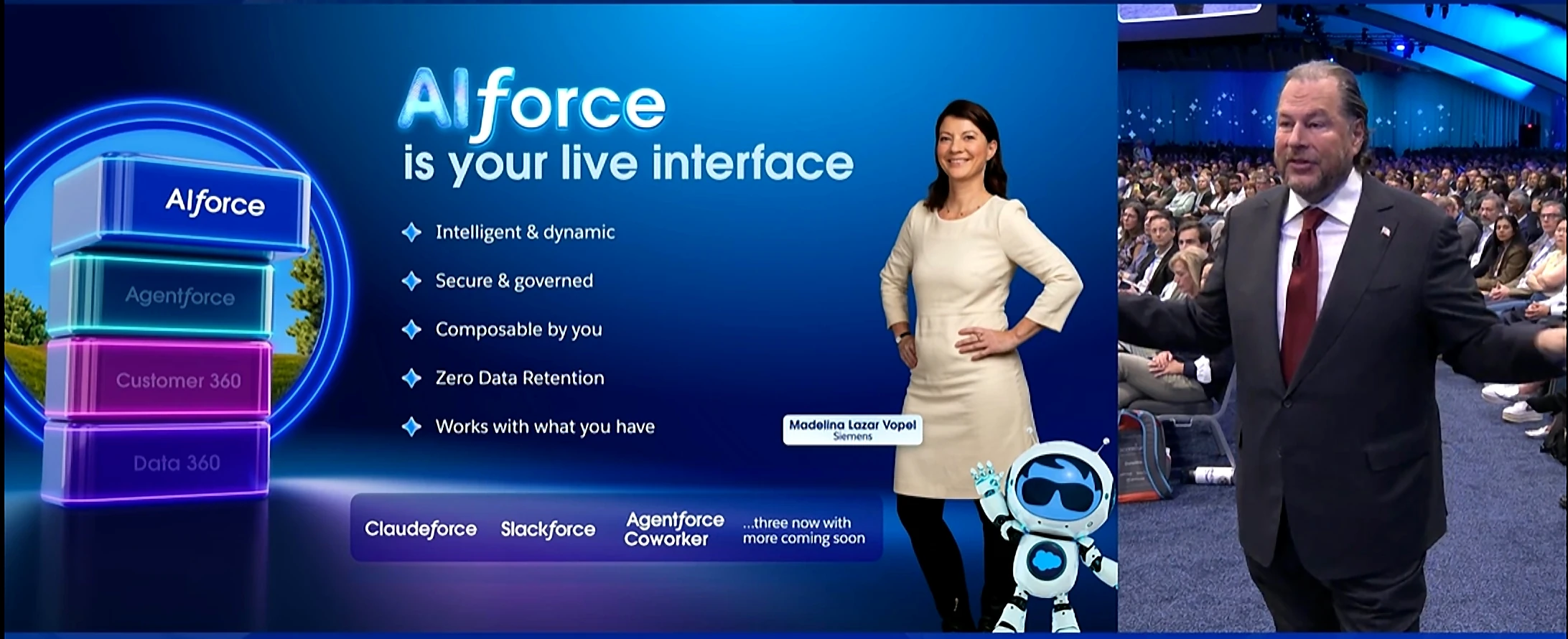
The pitch for getting up and running on it:
You get up and running on these interfaces, I'm not kidding, in like six to eight minutes, and then you have a few days worth of back and forth as you iterate.
Source: Dreamforce Main Keynote 2026, Dreamforce 2026
Six to eight minutes, and then a few days of back and forth. Both halves of that sentence are true, and only the first half survives into the summary anybody repeats.
A checklist for watching any Salesforce AI demo
This is not cynicism. These are the questions we ask in every vendor meeting, and the ones we expect to answer about our own product when somebody sensible is asking.
- How long did that actually take? Real time, not edited time. Good presenters will tell you.
- What was set up before the demo started? A demo often begins after the hard part. Ask what existed in the org at minute zero.
- Is this real data or demo data? Demo orgs are clean, small and consistent. Yours is none of those.
- What happens when it is wrong? Ask them to show you a failure. The answer tells you more than the happy path.
- Where is the human approval step, and what does it show? If the answer is a count of affected records, that is a dialog, not a review.
- How many rows have you done in production? Not in a demo. In somebody's live org.
- What happens to my automation? Flows, triggers and roll-ups fire on save. If a vendor has not thought about that, they have not done this at scale.
The tell that the demo was honest
Live demos stall. With hundreds of sessions running at once on conference wifi, some always do. When one hesitates and the presenter talks through it, that is a good sign.
We trust those sessions more than the flawless ones. A live demo that occasionally hesitates is a live demo. A demo that never hesitates is a recording, and a recording is an argument rather than evidence.
The one question that sorts vendors fastest
If you only ask one, ask this: show me what happens when your product is wrong.
Good answers have a specific shape. Here is the review screen. Here is how you revert a change before it saves. Here is the error report naming which rows failed and why. Here is the permission that stops it doing the thing you are worried about.
Weak answers move to a different subject, usually the model.
Applying it to us
It would be poor form to write this and not answer our own questions, so here are our answers for Valorx Wave.
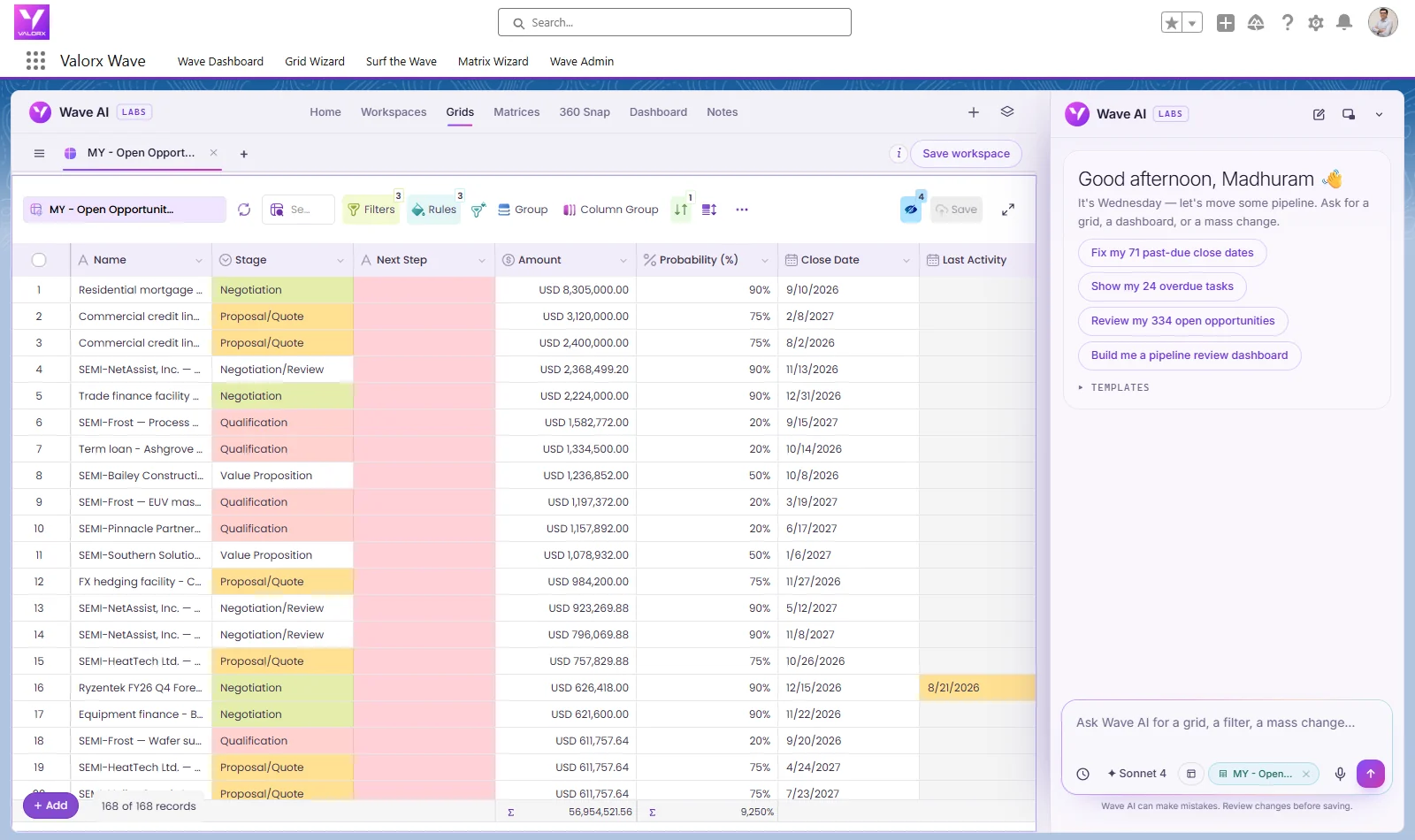
In our demo org, Wave AI builds a working view from one sentence in about eighteen seconds, and it shows its own time estimate on screen before it starts. That estimate is the number to trust over ours.
It is wrong sometimes. When it is, you see the mistake before anything is written: every change is staged and shown old value beside new, and you revert what you disagree with before saving. There is no one-step undo after you save, which is exactly why the review comes first. Validation rules and field-level security apply, and automation fires on save exactly as it would for a person.
And in a real org, with real data, the first build is usually not the one you keep. That is the part no demo shows, including ours.
Frequently asked questions
How long does it really take to build an app with AI in Salesforce?
In the Dreamforce 2026 admin keynote, the presenter disclosed the demo had been sped up and that building a real app takes about twenty minutes. Getting up and running on the new AI interfaces was described as six to eight minutes, followed by a few days of iteration.
What should I ask in a Salesforce AI demo?
The questions to ask AI vendors are: how long each step really took, what was configured before the demo began, whether the data is real, what happens when it is wrong, where the approval step is, how many records they have processed in a customer production org, and what happens to your automation on save.
Are sped-up demos misleading?
Only when undisclosed. Speeding up a long step is normal production practice. Saying so is what separates an honest demo from a misleading one.
Sources
Quotes are verbatim from the session captions, with punctuation and capitalization added for readability, and link to the Salesforce+ recordings. The eighteen-second figure for Valorx Wave is from our demo org and is not a benchmark for yours.
- Admin Keynote: Bring the Agentic Enterprise to Life, Dreamforce 2026, Salesforce+
- Dreamforce Main Keynote 2026, Dreamforce 2026, Salesforce+
.svg)

.png)


Choose the workflow you need:
Try Wave in browser Extension

Try Wave in Salesforce

Try Fusion In Excel

Enhancing Salesforce for industry leaders