Dreamforce 2026 Recap: 53,000 People, and the One Question Nobody Answered
Dreamforce
Quick answer: Dreamforce 2026 drew 53,000 people to San Francisco. Salesforce made Claude the centrepiece of the sales keynote. In another hall, a partner keynote deliberately put an AI on screen reporting the wrong revenue number. Both happened the same week, and the distance between them is what the conference was actually about: every track agreed that agents should act, and none of them settled who checks the work.
.png)
How big Dreamforce 2026 actually was
Fifty-three thousand people came to San Francisco, and ten million more watched online. Marc Benioff gave the numbers from the stage during the main keynote, looking out at a room holding ten thousand of them: “We have 10,000 people in this room, and we have 10 million people online, 53,000 people here at Dreamforce with us this year.”
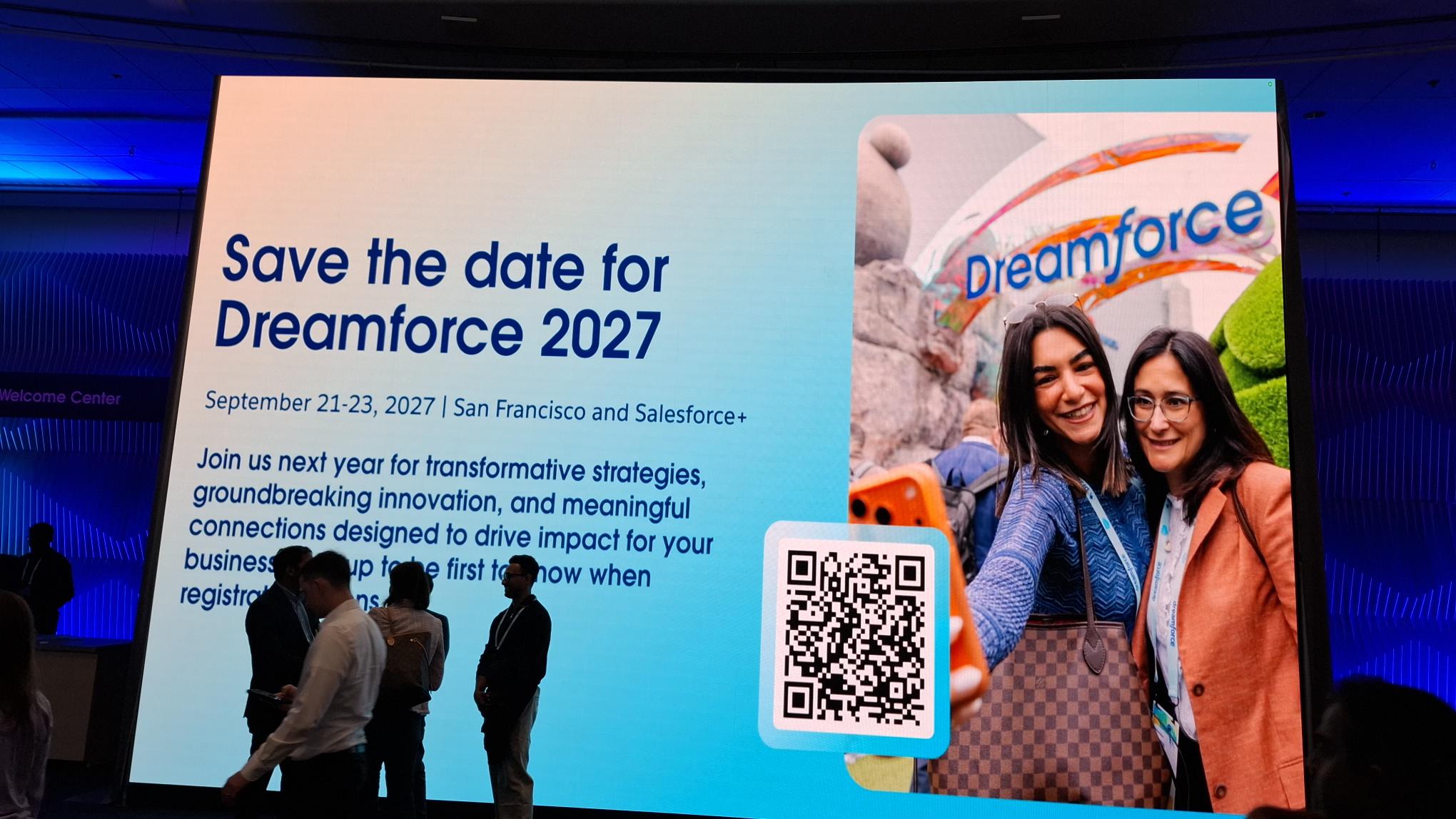
Valorx was there for all three days, across two booths, Campground #541 and Trailblazer Forest #27, demonstrating AI-assisted grids in Wave for the first time in public.
But a booth gives you a narrow view of a week that size. So after we got home, we went back through 89 recorded sessions on Salesforce+: the main keynote, the sales, service, platform, Tableau, Data 360, admin, architect and developer tracks, and the partner keynotes. What follows is what we found, and it is not the story we expected to write.
“Claude is really the star of the show”
The biggest announcement for anyone who sells was the Anthropic partnership. In Sales Keynote: Welcome the #1 CRM and Claude to Your Team, Salesforce was blunt about the hierarchy: “We have that ChatGPT integration. We also have Gemini. But we’re going to take a beat here, because Claude is really the star of the show.”
The mechanism underneath it matters more than the headline. Salesforce explained on stage that the integration runs through MCP, an open standard for connecting AI assistants to systems, and, critically, that it is scoped to the person using it: “it’s actually giving Claude the ability to go look at the environment for that person, what they actually have access to.”
That is the right design. An assistant that can see everything in your org is a liability. An assistant that can see exactly what you can see is a colleague.
Kate Jensen, Anthropic’s head of Americas, described where the partnership started, and it was not a grand vision. Anthropic’s own sellers live in Slack, and the first problem worth solving was getting their notes out of Slack and into Salesforce: “How do we just help our sellers to fill out Salesforce?”
The biggest AI partnership announced at Dreamforce 2026 began with data entry. Hold that thought.
The demo that should have stopped the room
The sharpest warning of the week came from a partner, on a Dreamforce stage, and its subject was an AI getting revenue wrong.
In Informatica Keynote: AI-Readiness Starts with Trusted Data, the presenter ran a live demonstration. He pointed Claude at a repository of spreadsheets, connected it to a database, and asked a question any finance team asks every quarter: what was Q2 revenue?
It worked. That was the problem.
“It comes back with this beautiful dashboard. It got all of that data, and it created this visualisation for me. Now, this is great, but the question is, can you trust it?”
Then he took it apart. Four failures, in his own words:
- The model did not know what the organisation means by “Q2” or by “revenue” — “the context behind it, what are the policies in which we should look at all of these numbers, it gets those wrong.”
- It could not tell which data to use. “It found 40 different tables in the warehouse with revenue in them, and it still picked up a spreadsheet which was not the certified source.”
- The arithmetic was wrong. “The numbers don’t even add up to the number that we were looking at earlier.”
- Nothing verified any of it. “There was no check on quality itself — whether the pipeline that was putting this information in the data set, whether that ran last night successfully, none of that grounding ever happened.”
None of that was visible on the dashboard. It looked finished. It looked confident. It was wrong.
This is worth sitting with, because it happened in the same week Salesforce called Claude the star of the show. Both things are true, and neither contradicts the other. A capable model pointed at ungoverned data produces a confident, wrong answer very quickly. The model is not the variable. The data underneath it is.
The same answer, from four different stages
Once you notice it, you cannot stop noticing it. Four tracks that share no speakers and no product line arrived at the same conclusion.
A note on who was speaking, because it changes the weight. The Informatica keynote was given by Informatica. The manufacturing session quoted later was a partner session. Several admin-track sessions were led by community MVPs and consultants rather than Salesforce staff. This is not “Salesforce admits” — it is something more useful: the people who implement this work, presenting on a Salesforce stage, describing what actually happens.
And underneath all four answers is the same instruction. Before anything writes to a record, a person has to be able to see what is about to change, and stop it.
The week made that case thoroughly for agents. It said much less about the other half, the person who has just found four hundred broken records and now has to fix them by hand. That gap is what we were demonstrating two floors down.
What we were demonstrating while all this was being said
We did not plan our booth demo around this argument. It just turned out to be the same one.
.jpg)
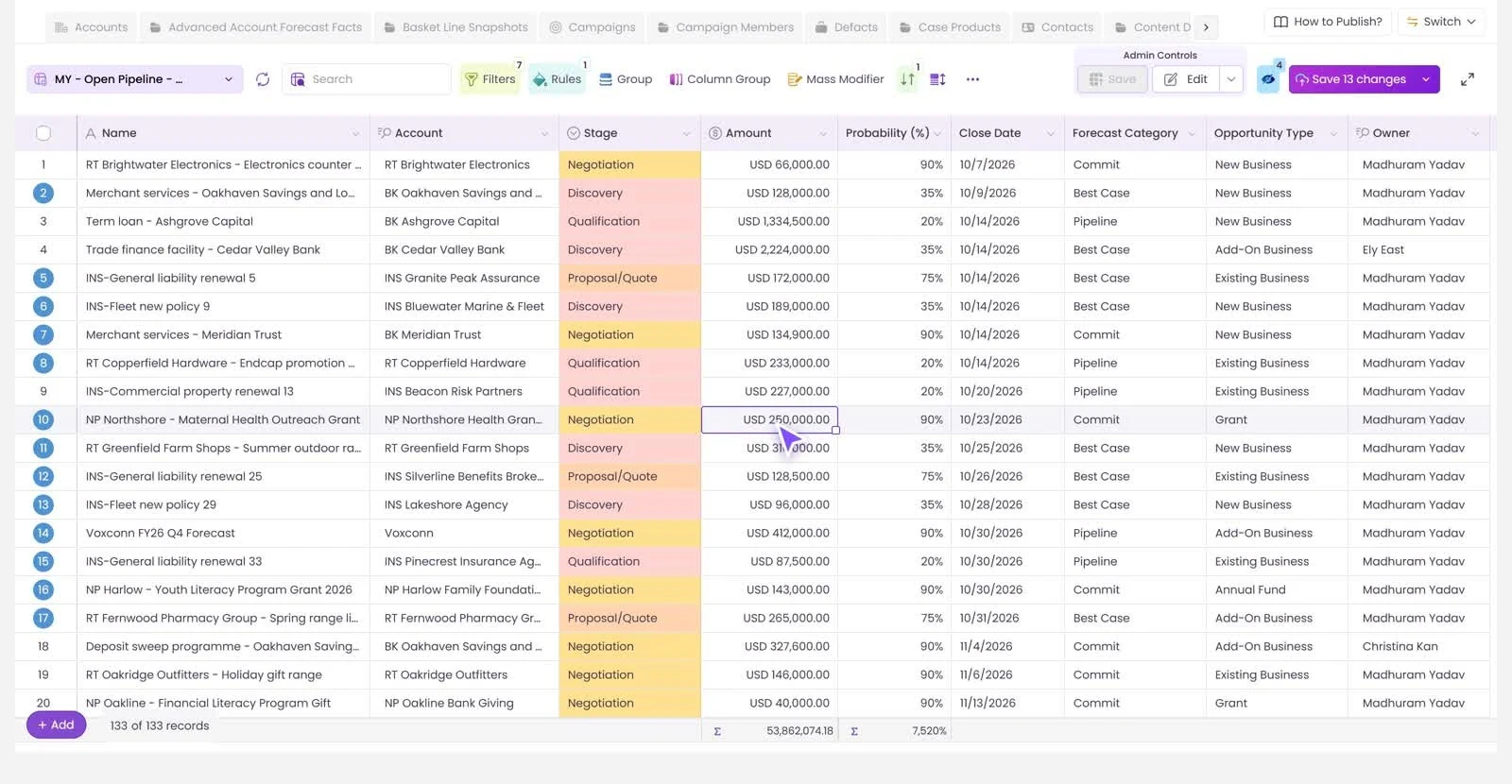
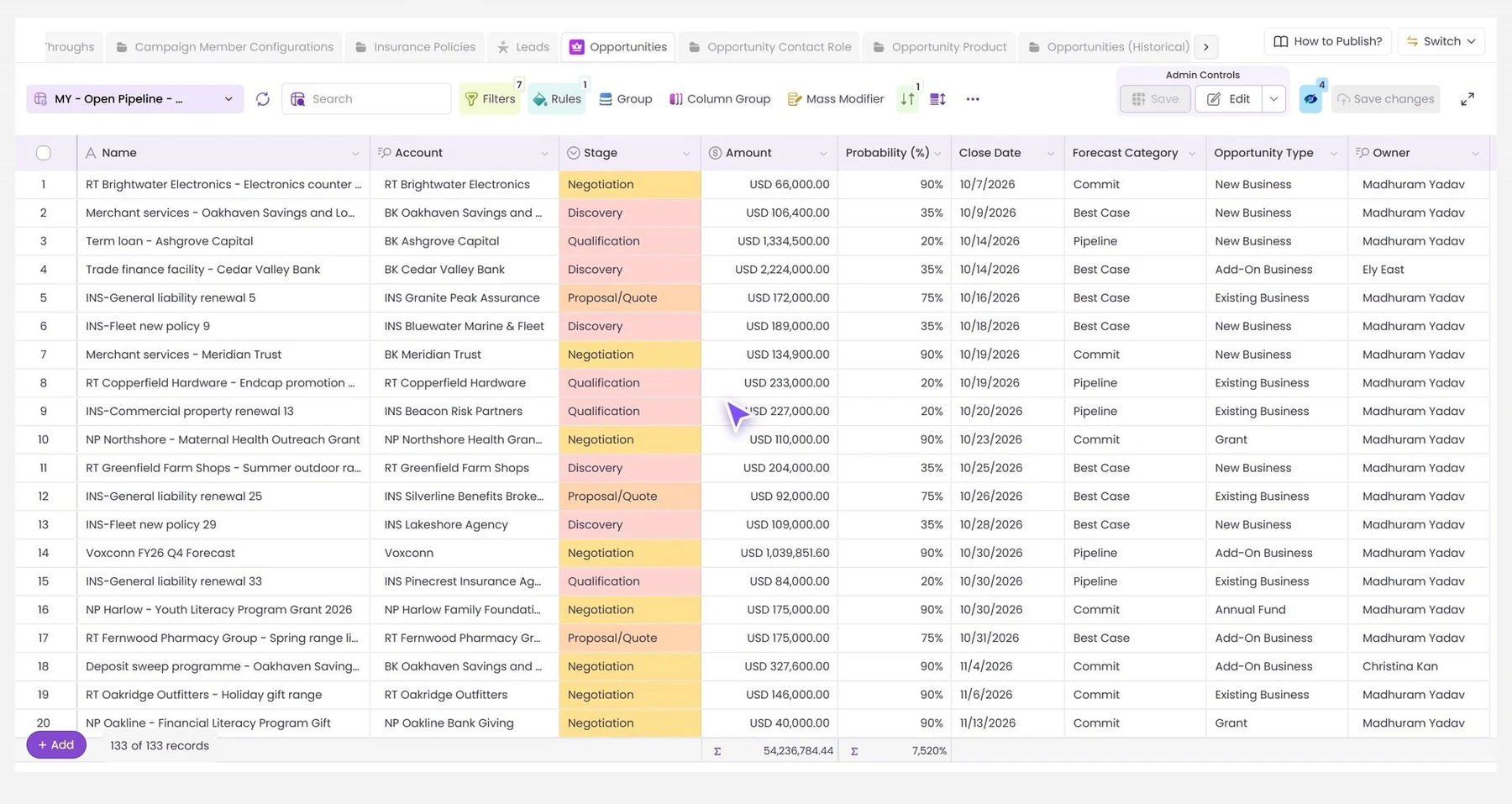
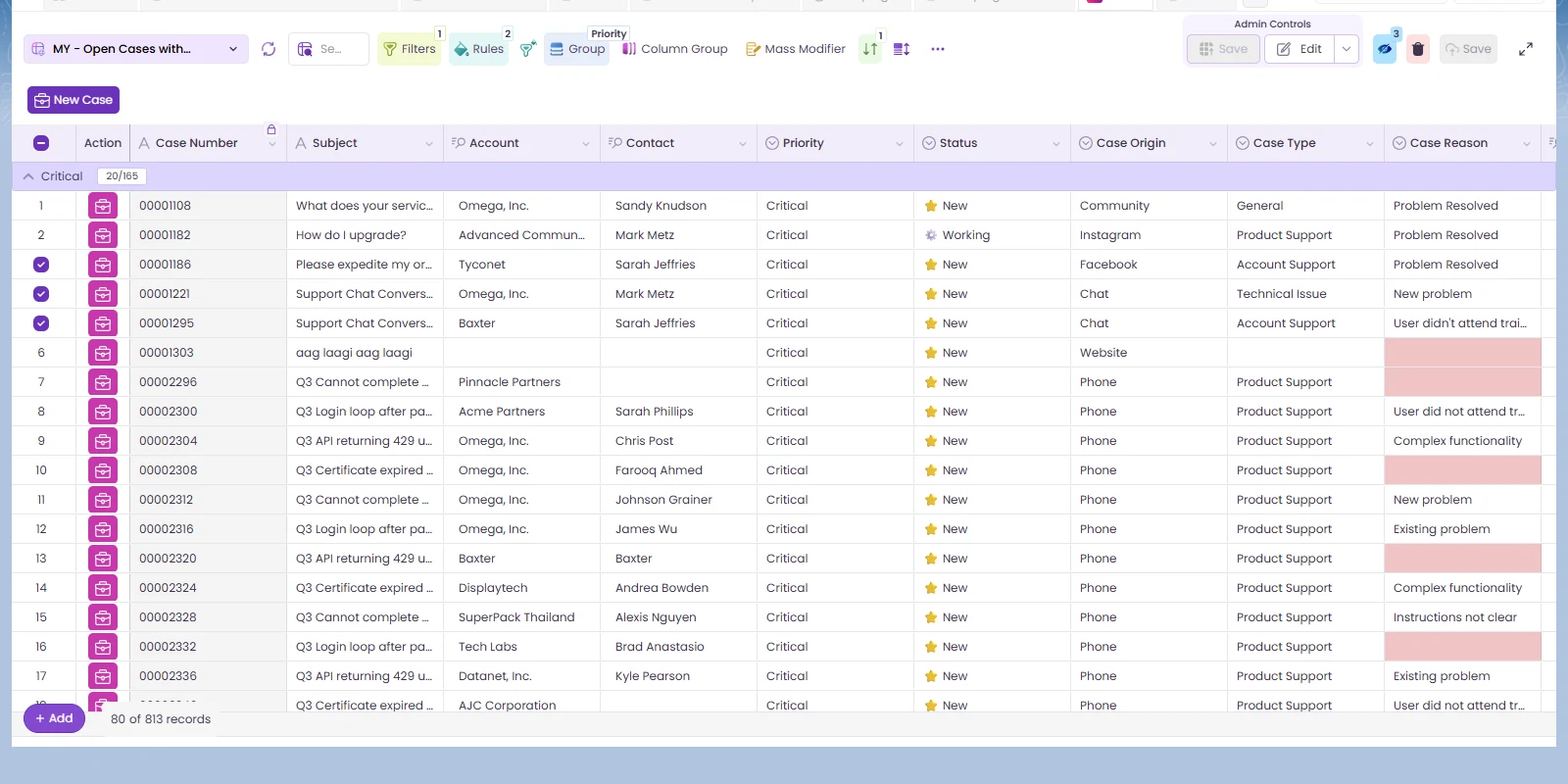
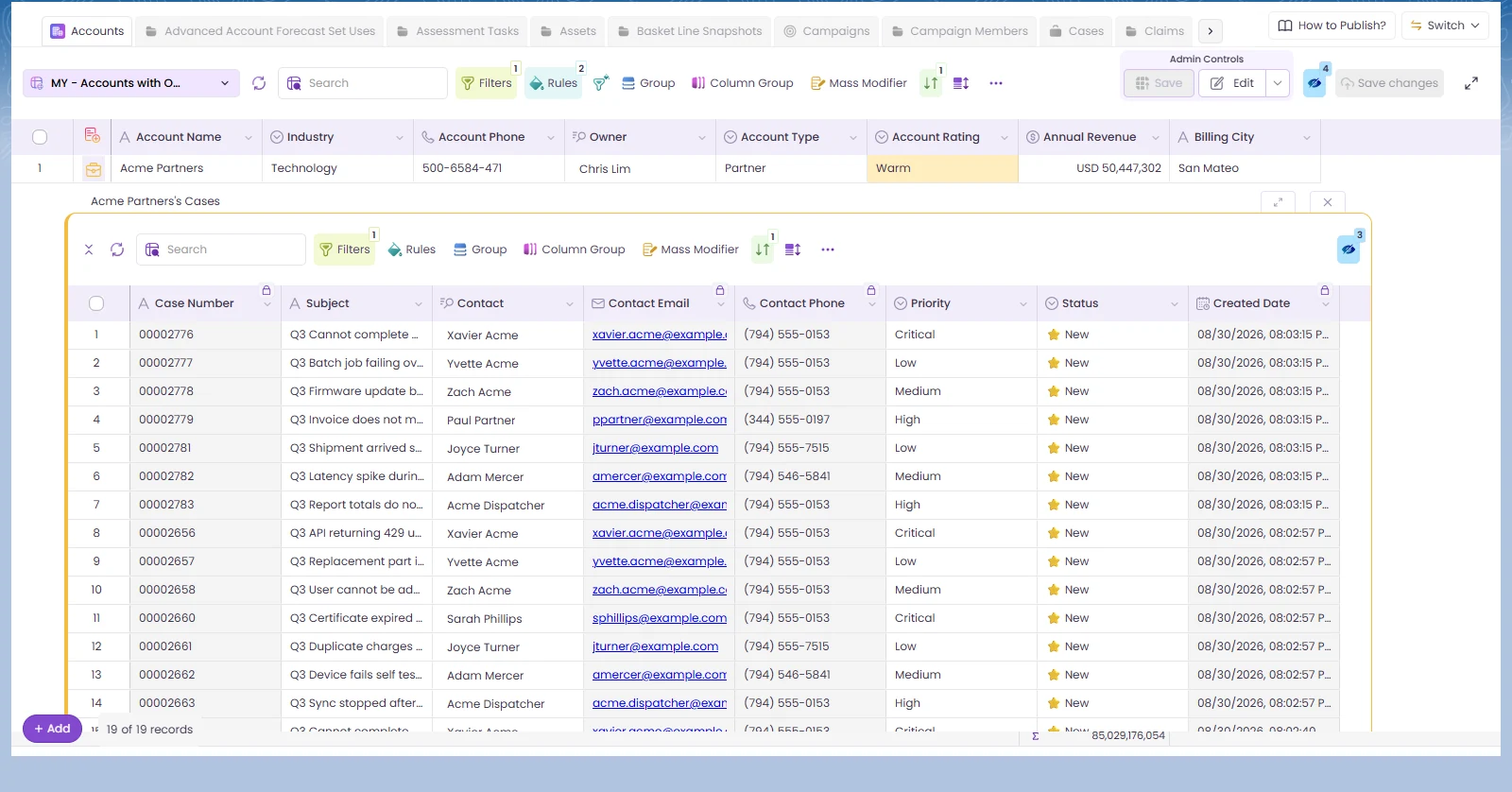
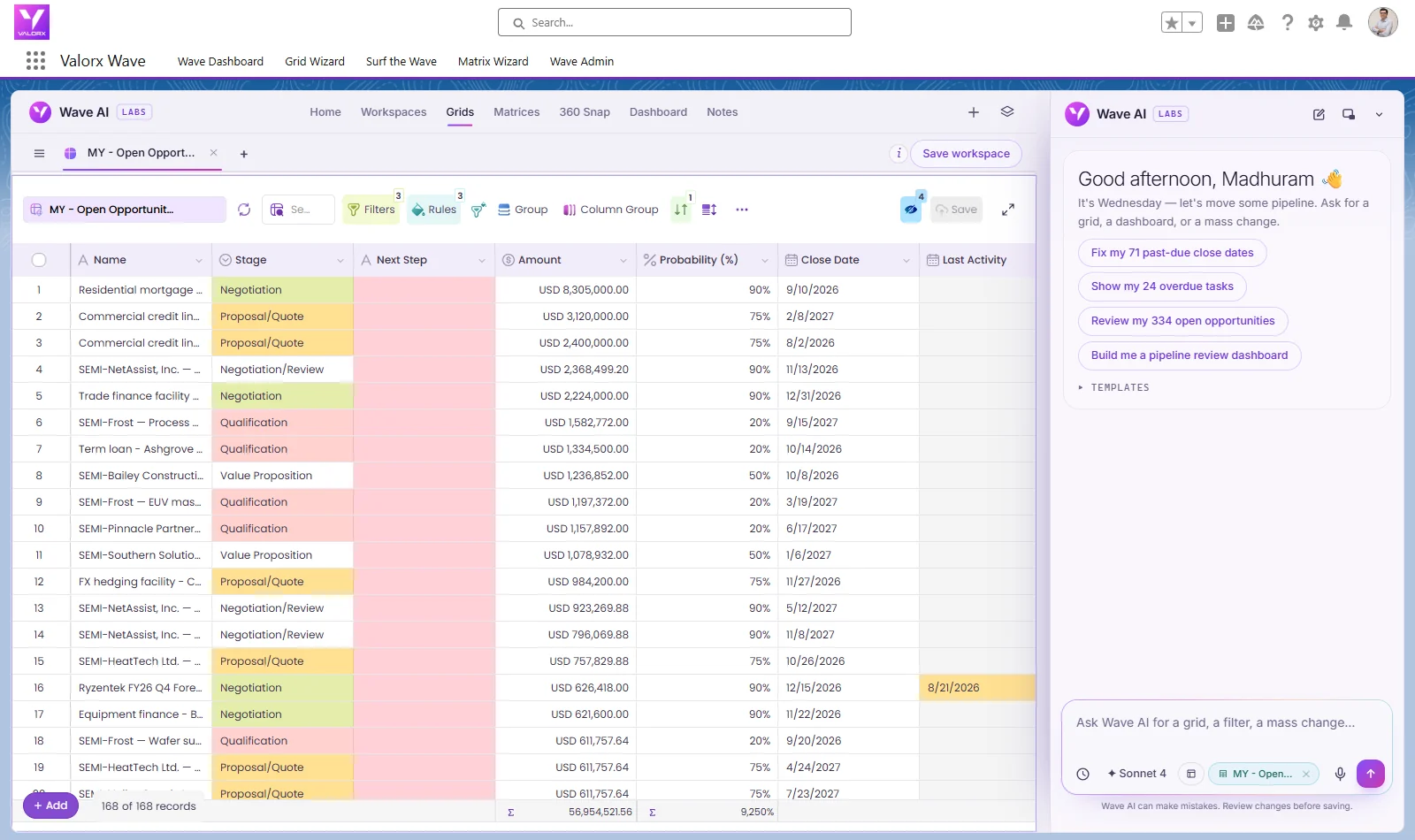
At Campground #541, people typed a request in plain language, “show stalled opportunities with no activity in 30 days”, and watched Wave AI build a working grid against their own Salesforce data: the right object, the right fields, the right filters, editable, in the org.
The part that drew the questions was not the building. It was what happens next.
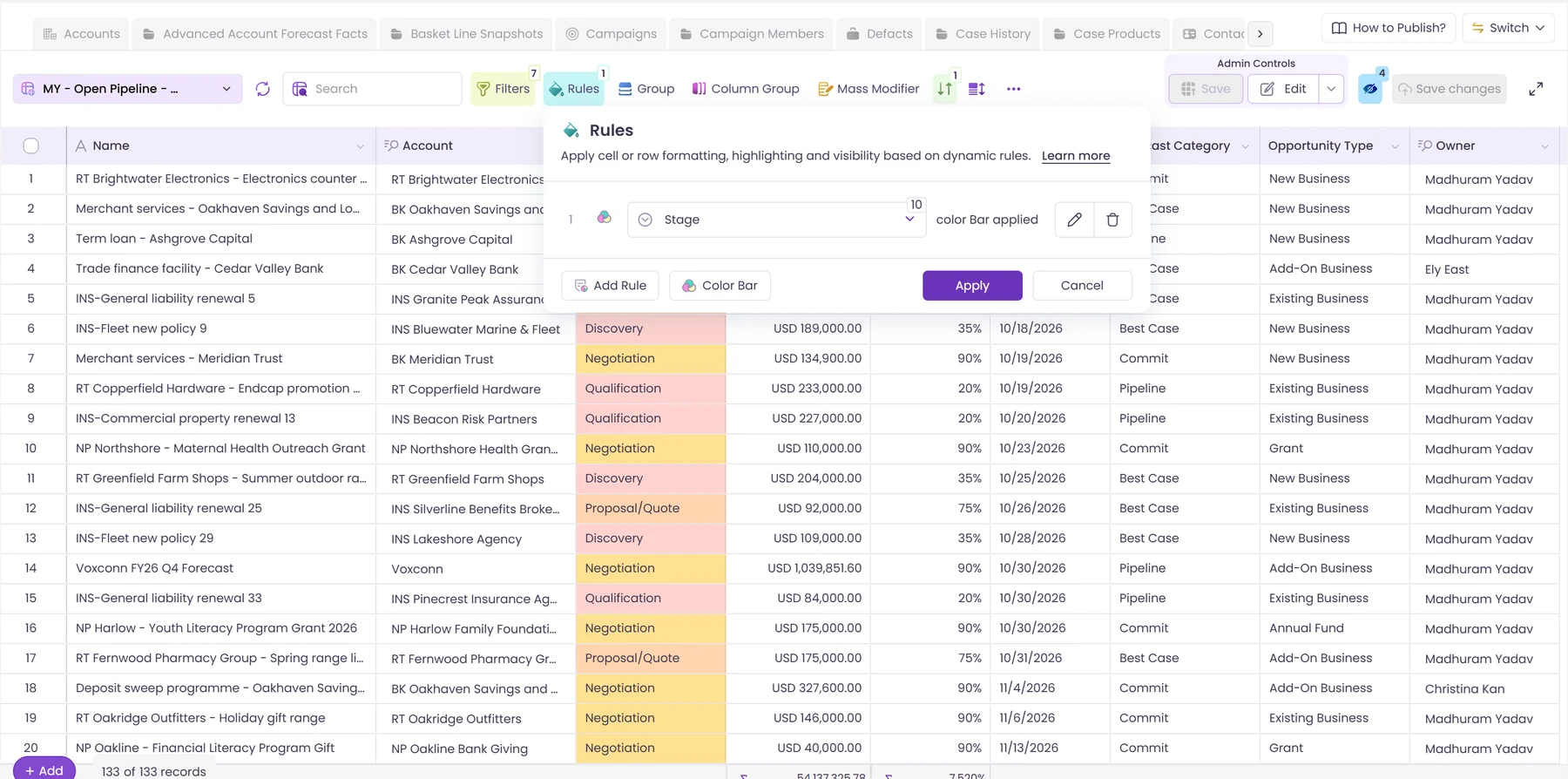
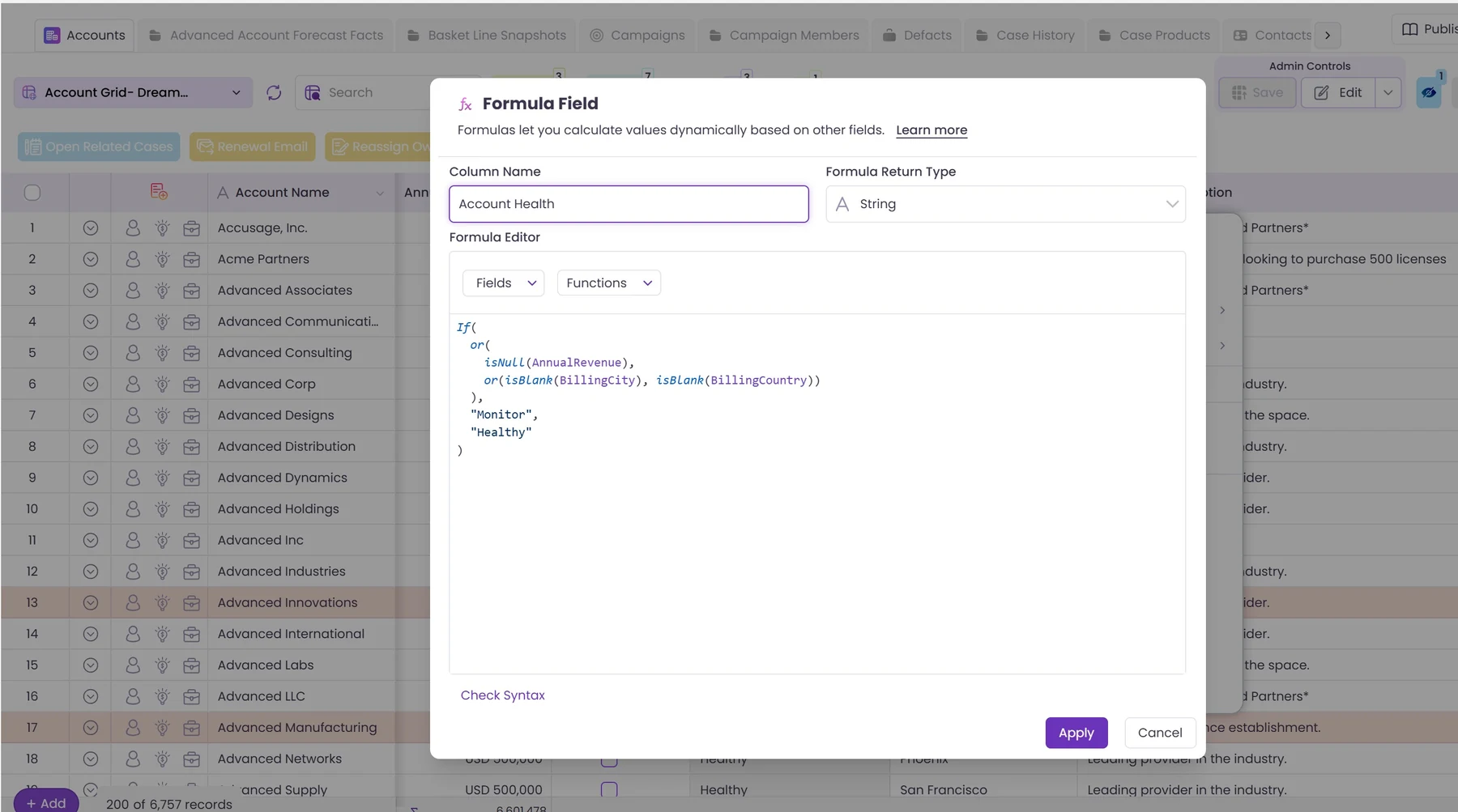
You edit in the grid the way you would edit a spreadsheet: fill down a column, paste from Excel, sort the blanks together, fix four hundred rows in a few minutes. Every change stages. You see the new value next to the old one before anything is written. Then you approve, and it saves, as you, under your own permissions, with your org’s validation rules and sharing model applying exactly as they always do.
Nothing commits without a person approving it. That is a deliberate design choice, and it is the same principle the Trust Map argues for, applied to a person’s own work instead of an agent’s.
Find it, fix it, save it
Three steps, and the whole loop runs in under a minute.
Empty screen to saved records takes about 48 seconds. Nothing is exported. No file leaves the org, no spreadsheet goes stale in a downloads folder, and no re-import can overwrite the wrong column.
.jpg)
This is not a competitor to anything announced at Dreamforce. Profiling tools find broken records. Identity resolution stitches duplicates together. Enrichment fills in firmographics. Agentforce acts in conversations. None of them changes a field value on four hundred existing records, because that was never their job. It is ours.
Nobody killed the spreadsheet
The most honest sentence of the week came from a manufacturing operations leader in How Manufacturers are Taking Back Control of Their Processes, explaining why their rollout worked where earlier ones had not:
“So here’s the big news. We’re not killing Excel. We’re going to keep it.”
His reasoning was about adoption, not nostalgia. “We’re going to let people work in the systems they’re comfortable working in.” Their cost model lived in a spreadsheet. Rather than fight that, they built around it.
The same session named the cost of pretending otherwise: processes are “inconsistent because people have to constantly rekey data, send spreadsheets back and forth, duplicate spreadsheets, so suddenly you have three different versions of the truth.”
The CPQ sessions told the same story from another angle. One customer described a product catalogue and price book living in a spreadsheet while the sales team tried to reproduce those calculations inside CPQ, and called it “almost impossible.”
Years of being told to get out of Excel, and the spreadsheet is still holding the numbers that matter. That is not a discipline failure. It is a signal about the interface. People reach for a grid because a grid is how humans edit data at volume, which is exactly why we put one inside Salesforce rather than trying to talk anyone out of the habit.
Three things worth doing before your next agent goes live
Drawn from the sessions, not from us.
- Fix the records the agent will read, not all of them. The admin track’s advice was to profile first and fix what matters, rather than attempting a full cleanup. Placeholder values in required fields and duplicate records were named as the two things most likely to make an agent fail.
- Simplify the dashboards you want AI to read. From the Tableau track, a genuinely non-obvious tip: “if your dashboard is extremely complicated, if you have multiple charts and whatnot, AI will struggle.” The speaker suggested maintaining a separate, simpler set of views specifically for AI, and noted those are easier for people to read too.
- Ask where the certified source is, and whether anyone can tell. The Informatica demo failed because nothing distinguished the real revenue table from the other thirty-nine. Before you connect an assistant to your data, find out whether that distinction exists anywhere a machine can see it.
Wave AI is in free beta now, and launches in October
Three questions came up at the booth more than any others: how is this different from Agentforce, what would I actually use it for, and can I install it today. The first two are most of this post. Here is the third.
Wave AI is in free beta right now, and launches as a managed package on the AppExchange in October. Everyone who signs up during the beta gets priority access when the package goes live.
If you would rather see it on your own data first, book a demo and we will build a grid against your org while you watch. Bring the quarter-end that hurts most.
The people behind the booth
Twelve of us staffed three zones for three days: the Campground booth, the Trailblazer Forest booth, and a meeting table in between. Thank you to Pranav, Jerret, Maulik, Richa, Jay, Maddy, Garrett, John, Christina, Nugo, Drashtee, and Kinjal for the early starts and the miles walked. Thank you also to the Salesforce events team, the Semiconductor Advisory hosts, and everyone who stopped by, asked a hard question, or brought their own workflow to test.
We also ran a cable car across San Francisco for three days, which turned out to be the most popular thing we have ever done at a conference.
And if we missed you this year, we will be back. Same questions, hopefully better answers.
Frequently asked questions
How many people attended Dreamforce 2026?
53,000 people attended in person in San Francisco, with 10 million more joining online. Marc Benioff gave both figures from the stage during the Dreamforce 2026 main keynote, noting 10,000 people were in the keynote room itself.
What was the biggest announcement at Dreamforce 2026?
For sales teams, the Anthropic partnership. Salesforce said in the sales keynote that while ChatGPT and Gemini integrations both exist, “Claude is really the star of the show.” The integration runs through MCP and is scoped to what each individual user already has permission to see.
Can AI be trusted to report on Salesforce data?
Only as far as the data underneath it is governed. The Informatica keynote at Dreamforce 2026 demonstrated this directly: an AI pointed at a repository of spreadsheets produced a polished revenue dashboard that was wrong, because it could not identify the certified source among 40 tables containing revenue, did not know the organisation’s own definition of “Q2”, and had no quality check on what it read.
Do I need to clean my Salesforce data before deploying Agentforce?
The Dreamforce 2026 admin track argued yes, with an important qualification: profile first and fix what matters, rather than attempting to clean everything. Placeholder values in required fields and duplicate records were named as the most common causes of agent failure.
Is Excel still necessary if you use Salesforce?
Based on what customers said on stage at Dreamforce 2026, yes, and fighting it backfires. One manufacturing leader put it plainly: “We’re not killing Excel. We’re going to keep it.” The same session described the cost of ignoring that reality, rekeyed data and “three different versions of the truth.”
What did Valorx show at Dreamforce 2026?
The first public demonstration of AI-assisted grids in Wave. You describe what you need in plain language, Wave AI builds an editable grid against your own Salesforce data, you edit it with spreadsheet mechanics, and every change is staged for your approval before it writes.
Can I install Wave AI today?
Wave AI is in free beta now, and launches as a managed package on the AppExchange in October. Anyone who joins the beta before then gets priority access when the package goes live.
What is the difference between Wave AI and a Salesforce dashboard?
A dashboard shows you the problem. Wave AI is where you fix it. Clicking a chart in Wave AI opens the records behind it beside the chart, editable, so you can change hundreds of rows and save them back to Salesforce without exporting anything, with every old value shown next to the new one before it writes.
Sources
All quotations are from recorded Dreamforce 2026 sessions on Salesforce+, reviewed after the event. 89 sessions were examined in total; those cited here are listed below.
- Dreamforce Main Keynote 2026, Dreamforce 2026, Salesforce+ — attendance figures
- Sales Keynote: Welcome the #1 CRM and Claude to Your Team, Dreamforce 2026, Salesforce+ — Anthropic partnership, MCP scoping
- Informatica Keynote: AI-Readiness Starts with Trusted Data, Dreamforce 2026, Salesforce+ — the revenue dashboard demonstration
- The Trust Map: Guardrails, Governance & Control You Can See, Dreamforce 2026, Salesforce+
- Tableau Keynote: Beyond BI — Welcome to Agentic Analytics, Dreamforce 2026, Salesforce+
- How Manufacturers are Taking Back Control of Their Processes, Dreamforce 2026, Salesforce+ — the Excel quote
- Prepare Your Data for Agentforce: Governance and Quality, Dreamforce 2026, Salesforce+
Transcripts are machine captions without speaker labels. Quotes are verbatim from the captions and attributed to sessions rather than to individuals. Every session is linked so you can check.
.svg)
Choose the workflow you need:
Try Wave in browser Extension

Try Wave in Salesforce

Try Fusion In Excel

Enhancing Salesforce for industry leaders