Salesforce record-page context
Tools designed primarily to give users richer, editable views within Salesforce pages.
AGrid
RavenApps Grids

Quick answer: The main Salesforce grid editing tools to compare in 2026 are AGrid, Conga Grid, GridBuddy (Validity), GridMate, Insycle, RavenApps, and Valorx Wave. All put a spreadsheet-style editing layer over Salesforce data; they differ on record capacity, multi-object views, validation, and pricing transparency. Wave leads on scale (10,000+ records per view) and has a free tier. The full seven-way comparison is below.
If you work in Salesforce, you already know the friction: native list views and related lists let you see records, but the moment you need to update more than a handful, you’re clicking into each one, waiting for pages to load, or exporting to a spreadsheet and importing back. Editing data — the thing teams do all day — is the thing Salesforce makes slowest.
That’s why grid editing tools exist. They put a spreadsheet-style grid over your Salesforce data so you can filter, edit inline, and bulk-update many records at once, without leaving the platform or round-tripping through CSVs. The category has grown well beyond a single option, and the tools differ more than their listings suggest — some are deep bulk-editing workspaces, some are enhanced related lists, one isn’t even native to Salesforce.
Below we compare seven of the most relevant grid editing tools in 2026 — AGrid, Conga Grid, GridBuddy Connect, GridMate, Insycle Grid Edit, RavenApps Grids, and Valorx Wave — on what each is built for, what it does well, and where it falls short. Then we take a closer look at how Valorx Wave stacks up, and finish with a simple framework for choosing. Each tool is described in the same shape so the comparison stays fair.
The landscape
Two questions separate these seven tools more than any feature list does: whether the work happens primarily inside Salesforce or across CRM systems, and whether the product enhances record-page context or provides a full workspace for bulk operations.
Tools designed primarily to give users richer, editable views within Salesforce pages.
Dedicated working surfaces for changing many Salesforce records from one grid.
Tools designed to work with Salesforce data alongside other CRM systems or external data-management workflows.
Positions represent each product’s primary design intent, not an overall ranking or an exhaustive account of its features. Several tools can be configured for use cases beyond their position on this map.
This comparison focuses on Salesforce grid-editing tools that help teams view, edit, and update CRM data in spreadsheet-like interfaces. We reviewed native Salesforce apps, multi-object grid tools, and external CRM data-editing platforms based on public product pages, AppExchange listings, documentation, and available pricing information, verified as of August 2026. Valorx makes one of the tools compared here (Wave); every price below is sourced from a public listing so you can check it yourself.
Skim this first. The sections below go deeper on each tool.
Compare
Filter by what actually narrows a shortlist — where it runs, what it costs to start, and whether it reaches past Salesforce.
| Tool | Primary job | Editing model | Multi-CRM | Planning | Native | Free tier | Starting price |
|---|---|---|---|---|---|---|---|
| AGrid | Editable related lists | Inline edit | No | No | Yes | Trial only | $10per user / month |
| Conga Grid | Bulk grid editing | Mass edit | No | No | Yes | Trial only | $18per user / month · 10-user minimum |
| GridBuddy Connect | Multi-system grids | Inline, multi-object | Yes | No | Yes | Trial only | $24per user / month · 10-user minimum See availability note |
| GridMate | Broad productivity suite | Inline mass edit | No | AdjacentCalendars, Gantt | Yes | Trial only | $15per user / month · all 30+ components |
| Insycle Grid Edit | Data cleanup | Single-field inline | Yes | No | External app | Trial only | Quoteseparate platform subscription |
| RavenApps Grids | Technical grid building | Inline edit | No | No | Yes | Yes | Freefree tier + Pro |
| Valorx Wave | Bulk editing and planning | Drag-fill, copy-paste, Mass Modifier | No | YesMatrix, telescoping | Yes | YesBrowser extension | FreePro $30 per user / month, billed annually |
Pricing verified against public listings, August 2026.
AGrid is a native Salesforce grid component that turns list views and related lists into fast, editable grids you drop onto record, app, and home pages with the Lightning App Builder. Its signature strength is “intelligent related lists” — surfacing sibling, grandchild, and even unrelated records on a page without schema changes or code.
Best for: teams whose pain is record-page context — admins who want richer, editable related lists and deep related-record visibility without building custom components.
Watch-outs: AGrid is oriented around related lists and record-page grids rather than a spreadsheet-first bulk workspace, and there’s no free tier — Softsquare publishes a standard user license at $10/user/month, with evaluation via free trial.
Conga Grid is an Excel-like grid for Salesforce, part of Conga’s broader suite alongside Composer, CLM, and CPQ. It’s been on the AppExchange since 2014 and lets users view, navigate, and act on large volumes of records from a single screen.
Best for: organizations already invested in the Conga ecosystem that want spreadsheet-style bulk editing alongside Conga’s document, CLM, and CPQ tooling.
Watch-outs: teams should weigh interface fit — especially if they prefer a purely native Lightning experience — performance has historically meant limiting very large batches, and pricing is geared to the Conga suite rather than a simple self-serve plan. There is no free tier: the AppExchange listing starts at $18/user/month with a 10-user minimum, and evaluation is by free trial.
GridBuddy Connect, from Validity, is one of the longest-standing grid tools — the original GridBuddy listing dates to 2010. It presents an editable, spreadsheet-simple view that combines data from multiple objects, and multiple systems, in one place.
Best for: teams that need a single editable view across many objects or across multiple systems, and admins who want to build governed grids for the wider org.
Watch-outs: it’s the most direct competitor to a spreadsheet grid; some reviewers find the newer embedded grid clunkier and more space-hungry than the older version. The AppExchange listing starts at $24/user/month with a 10-user minimum, and there is no free version — only a free trial.
GridMate is a native, 100% Salesforce-managed package — but it’s broader than a grid. It’s a suite of 30+ Lightning components, of which the User Grid is the spreadsheet piece; the rest add calendars, Gantt charts, maps, KPIs, and more.
Best for: teams that want broad Salesforce productivity — grids plus scheduling, project, and mapping — at a low flat per-user price, and orgs explicitly shopping for a cheaper GridBuddy alternative.
Watch-outs: the grid is one component within a wide suite, so if your only need is deep bulk editing you may be buying breadth you won’t use; depth on any single component varies, and it’s a smaller (though well-reviewed) vendor than the incumbents.
Insycle is the outlier here — not a native Salesforce grid but a separate, multi-CRM data-management platform (Salesforce, HubSpot, Pipedrive, and more). Its Grid Edit module lets you filter records and edit field values inline in Insycle’s own table view; saved changes push to your live Salesforce data.
Best for: data-quality and operations teams focused on cleaning and standardizing CRM data — especially across more than one CRM — rather than day-to-day in-Salesforce editing.
Watch-outs: it isn’t native — data is edited in Insycle’s app behind a separate login, not inside Salesforce — editing is one field at a time via a popup rather than spreadsheet drag-fill or bulk cell edits, and the module supports a defined set of objects out of the box (Contacts, Accounts, Leads, Opportunities; others on request).
Grids by RavenApps is a native Salesforce component, built on Salesforce’s Lightning datatable, that you configure with a SOQL query and JSON column definitions — a wizard handles the basics, while advanced features are set directly in JSON. It places editable grids on record pages or as standalone Explorer grids.
Best for: admins and technical teams who want highly configurable, low-cost grids and strong related-record exploration, and don’t mind working in SOQL and JSON for advanced setups.
Watch-outs: the power comes through configuration — advanced grids mean hand-editing JSON and SOQL rather than pure clicks — several capabilities (Flows, filtered pickers, multi-select in production) are gated to Pro, and it’s a younger, smaller vendor than the incumbents.
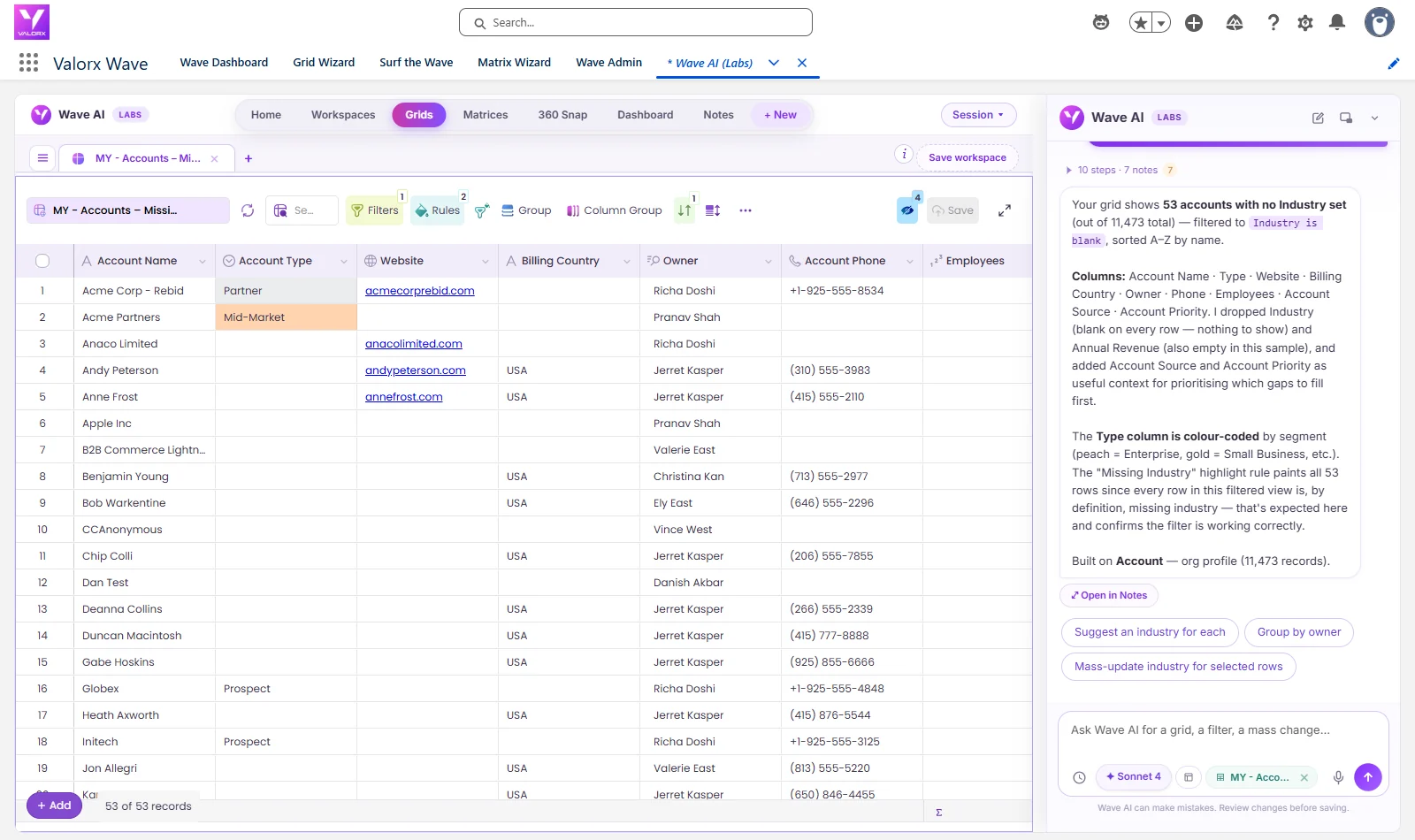
Valorx Wave is a native Salesforce managed package — also available as a browser extension — that brings a true spreadsheet grid inside Salesforce.
Where most tools add inline editing, Wave aims to make Salesforce feel like Excel or Google Sheets: drag-fill, copy-paste, and bulk operations on live records, used by business users and not just admins.
Best for: teams that want everyday bulk editing and planning done by the people who own the data — in a familiar spreadsheet, with guardrails — and who value a free tier to start.
Watch-outs: Wave is purpose-built for Salesforce, so it isn’t the right pick if your core need is editing data across multiple CRMs in a single grid — a multi-system tool fits that better.
Most of these tools clear the same bar — the differences show up in how far past inline editing they go, and who can actually use them. Here’s where Wave sits.
On the table stakes, Wave is on equal footing with the strongest native grids: inline editing, filtering and sorting, conditional formatting, multi-object views in a single grid, CSV import/export, and full respect for your Salesforce profiles, sharing rules, field-level security, and validation rules. If a capability is standard across this category, Wave has it.
How it works
A grid tool is not a second database. Records are read out of Salesforce, edited in the grid, and written straight back through the Salesforce API as the logged-in user — which is why the round trip, not the grid, is the part worth understanding.
Objects, list views, related records, and reports load into the grid. Nothing is copied out or synced to another store.
Drag-fill, copy-paste, and Mass Modifier across a selection — in the browser extension or the managed package inside Salesforce.
Missing required fields and invalid values are flagged in the grid, with a change preview and instant revert — before anything is written.
Where Wave differsSaved through the Salesforce API as the logged-in user, so sharing rules, field-level security, validation rules, and triggers all apply.
Every native tool in this comparison writes back through the Salesforce API with permissions and validation rules intact — that is a property of the platform, not a product feature. What differs is when you find out about a problem: most tools surface validation errors after you save, while Wave flags them in the grid beforehand.
Two of the seven come up far more often than the rest in live evaluations — GridBuddy Connect, the longest-standing grid in the category, and Conga Grid, the one most often already installed. Those are the two worth taking head-on. The other four solve adjacent problems, and the framework further down covers when each of them is the better answer.
GridBuddy is the closest competitor and genuinely strong — especially its multi-object grids and its connectors for Dynamics 365 and Zendesk. The split is clean. On capability, if your data lives across multiple CRMs and you need them in one grid, GridBuddy is the better fit — but see the status note above, which makes it hard to recommend to a team buying today. If your data lives in Salesforce and the job is fast, safe bulk editing and planning your reps can do themselves — with spreadsheet mechanics, pre-save validation, editable reports, and forecasting — Wave is the stronger choice, and it starts free.
Conga Grid makes the most sense for orgs already standardized on Conga’s suite, where the grid sits alongside Composer, CLM, and CPQ. Wave’s spreadsheet UI, validation-before-save, editable reports, and Matrix forecasting reach past Conga Grid’s bulk-edit core, and Wave’s free tier and lighter footprint lower the bar to start. If you’re not already invested in the Conga ecosystem, Wave is the more spreadsheet-native path.
| Criterion | Valorx Wave | GridBuddy Connect | Conga Grid |
|---|---|---|---|
| True spreadsheet editing (drag-fill, copy-paste, Mass Modifier) | Yes | Inline, multi-object | Mass edit |
| Pre-save validation before commit | Yes | On save | On save |
| Editable Salesforce reports (2-way, beyond 2,000 rows) | Yes | No | No |
| Matrix / telescoping forecasting | Yes | No | No |
| Free tier (not just a trial) | Yes | No | NoFree trial only |
| Multi-CRM (Dynamics 365, Zendesk, …) | No | YesSee availability note | No |
GridBuddy Connect multi-CRM support is a product capability; as of August 2026 the product is no longer publicly listed — see status note. Verified August 2026.
The pattern is consistent: where the job is fast, governed bulk editing and planning inside Salesforce that anyone can do, Wave leads; where you need to span multiple CRMs in one grid, GridBuddy is the better fit.
There’s no single best grid — there’s the best fit for your data and your team. A quick way to narrow it:
Want a true spreadsheet for bulk editing and planning that business users can run themselves — inside Salesforce, with a free tier?
Valorx Wave
Need to edit data across multiple CRMs (Salesforce, Dynamics 365, Zendesk) in one grid?
A multi-CRM data platform Not a Salesforce grid. GridBuddy Connect was the strongest answer here — check its availability first. Insycle is the practical alternative for cross-CRM work.
Focused on data cleanup, deduplication, and standardization across CRMs more than daily in-CRM editing?
Insycle
Want a broad productivity suite — grids plus calendars, Gantt, and maps — at a low flat price?
GridMate
Mostly need richer, editable related lists and deep related-record context on record pages?
AGrid
Have technical admins who want highly configurable, low-cost grids and don’t mind SOQL/JSON?
RavenApps Grids
Already standardized on the Conga suite and want bulk grid editing alongside it?
Conga Grid
Only up to a point. Native list views support inline edit on a limited set of fields, and mass update is capped and object-bound; anything larger usually means Data Loader or an export-edit-import round trip through a CSV. Grid editing tools exist to close that gap — filtering, editing, and saving hundreds or thousands of records from one screen, inside Salesforce, with your validation rules and sharing model still enforced.
Of the seven compared here, Valorx Wave and RavenApps Grids offer a free tier rather than a time-boxed trial. Wave Free runs as a Chrome or Edge browser extension with a monthly record-update allowance; the in-Salesforce managed package, unlimited updates, and Matrix views come with Wave Pro. AGrid, Conga Grid, GridBuddy Connect, GridMate, and Insycle are trial-then-paid.
Public listings as of August 2026: AGrid from $10/user/month, Conga Grid from $18/user/month with a 10-user minimum, GridMate at a flat $15/user/month, GridBuddy Connect from $24/user/month with a 10-user minimum, and Valorx Wave at $0 for the free tier or $30/user/month for Pro, billed annually. Insycle is priced as a separate SaaS platform. Enterprise and volume pricing is negotiated in every case.
The native ones should not, and the tools here do not. Profiles, permission sets, field-level security, sharing rules, validation rules, and triggers all continue to apply, because edits are written through the Salesforce API as the logged-in user. What differs is when you find out about a problem: most tools surface validation errors after you hit save, while Wave flags invalid values and missing required fields in the grid beforehand.
Not natively — the report view caps the rows you can work with, and inline report editing is limited. Valorx Wave turns a report into a two-way editable grid past that limit, which is the main reason teams running large pipeline or forecast reviews reach for it. Most other grid tools in this comparison work from list views and objects rather than from the report itself.
It is the closest fit for Salesforce-only teams: both give you a governed, multi-object editable grid, and Wave adds spreadsheet mechanics, pre-save validation, editable reports, and Matrix forecasting, starting on a free tier. The one thing Wave deliberately does not do is span multiple CRMs in a single grid. If Dynamics 365 or Zendesk data has to sit in the same view as Salesforce data, that is a genuinely different requirement. Worth knowing either way: as of August 2026 GridBuddy Connect is no longer publicly listed on AppExchange or featured on Validity's site, so new buyers should confirm its status with the vendor.
Every tool here solves a real version of the same problem, and the honest answer is that the right pick depends on your data and your team. But for the most common need — fast, safe bulk editing that your whole team can do inside Salesforce, with the spreadsheet feel people already know — Wave is built for exactly that. And because there’s a free tier, you can see it on your own data before you commit.
An app that displays Salesforce records in an editable, spreadsheet-like table — bulk edits, copy/paste, drag-fill — instead of clicking into records one at a time.
Valorx Wave handles 10,000+ records per view; several competitors degrade or time out in the hundreds.
Reputable ones operate inside Salesforce's permission model — profiles, permission sets, and field-level security apply to every edit. Verify this before shortlisting any tool.
See it on your own data
Drag-fill a column, paste a range, fix what the grid flags — then save it all back at once. Start on the free tier, no procurement required.


















.svg)
.png)