Inline Editing in Salesforce: How It Works, Limits & Fixes (2026)

Quick answer: Inline editing in Salesforce lets you update field values directly in a list view, record page, or report without opening each record. In Lightning Experience it works out of the box. In Classic you enable it under Setup → User Interface → Enable Inline Editing and Enable Enhanced Lists. The limits are hard: 200 records per list view, no formula, roll-up summary, long text, or rich text fields, and no inline editing on grouped views or list views filtered across multiple record types. For bulk edits past those limits, teams use an Excel-like grid inside Salesforce such as Valorx Wave, which handles 10,000+ records per view, copy/paste, and drag-fill across every editable field type. Setup steps, error fixes, and workarounds below.
You have 400 opportunities to push out a quarter. Salesforce lets you edit 200 of them at a time. So you filter twice, or you export to Excel, fix it there, and load it back.
That is inline editing for most Salesforce teams. It works fine for three records and breaks at exactly the point where accurate data starts to matter. Worse, every export is a moment where your source of truth stops being your source of truth.
Here is what inline editing does, how to turn it on in Lightning and Classic, the errors that stop it working, and what to do when you hit the ceiling.
How do you enable inline editing in Salesforce?
Lightning Experience
Inline editing is already on. There is no setting to flip.
- Open any list view, record page, or report.
- Hover over a field. If it is editable, a pencil icon appears.
- Click the pencil, change the value, then click Save.
- To edit multiple records at once, tick the checkboxes next to the rows you want, click the pencil on one of them, make your change, and choose Apply to all selected items.
If no pencil appears, the field is read-only for you. The errors section below covers why.
Salesforce Classic
- Go to Setup → Customize → User Interface.
- Tick Enable Inline Editing.
- Tick Enable Enhanced Lists. Both are required for list view editing.
- Save, then refresh your list view.
Reports
Lightning report inline editing works on most standard and custom fields for users with edit access. It is not available on joined reports, and formula and roll-up summary fields stay read-only.
Two ceilings apply. You can edit up to 12 fields in a single row, and up to 100 field values across the whole report before saving. Unlike list views there is no apply-to-all action, so each cell is edited individually and the changes are saved together.
Some fields are excluded outright: polymorphic fields such as Owner, the Opportunity Amount field, and columns from junction objects like Campaign Member.
Which Salesforce fields can be edited inline?
Most everyday field types are editable inline where you have edit permission: text, number, currency, percent, date, date/time, checkbox, email, phone, URL, picklist, and multi-select picklist.
Four types are never editable, in any tool: formula, roll-up summary, auto-number, and system audit fields such as Created Date. Salesforce calculates or owns these values. To change a formula result, edit the fields the formula reads from.
Long text area and rich text fields sit in between. They hold editable content, but native inline editing does not support them in list views.
Beyond field type, an edit also needs edit access on the record and the field, a supported list view or report configuration, and no page-layout or security dependency blocking it. The fastest check is the interface itself. A pencil icon means you can edit. A lock icon means you cannot.
What are the limits of inline editing in Salesforce?
Four ceilings catch teams out.
- 200 records per action. Select up to 200 rows, edit one field, apply to all. Record 201 needs a second pass, a new filter, or a different tool. On a list of 3,000 accounts that is fifteen rounds of the same task.
- Field types that will never edit inline. Formula, roll-up summary, and auto-number fields are calculated, so they are read-only by design. Long text area and rich text fields are a different problem: they hold real content people need to update, and inline editing skips them anyway.
- One record type per view. If your list view filter spans more than one record type, mass inline edit is disabled. This is the single most common reason inline editing "stops working" with no error message.
- Related lists. Editing a child record from a parent page means opening the related list, selecting the record, clicking Edit, saving, then going back for the next one. Three clicks and two page loads before you change a single value.
What are the common inline editing errors, and how do you fix them?
A missing pencil icon does not mean inline editing is broken. Salesforce checks several settings before it lets a field be edited inline. Start here.
Four cases are worth more detail.
1. "Inline editing isn't supported for this cell"
Cause: the field is a formula, roll-up summary, auto-number, or system field, or you are on a joined report.
Fix: formula and roll-up fields cannot be fixed, they are calculated values. For long text or rich text, edit the record directly or use a grid tool that supports those field types. For joined reports, switch to a summary or tabular report.
2. Inline editing is not working on my list view
Cause: in order of frequency, the view is filtered on multiple record types, the view is grouped, you lack field-level security on the field, or a validation rule is silently blocking the save.
Fix: filter the view to a single record type first, this resolves most cases. Then check field-level security in Setup for your profile. If the save fails with a red banner, read the validation rule message, it names the field that is non-compliant.
3. Lookup fields will not update
Cause: lookups write a relationship, not a value, so Salesforce has to resolve the target record. Inline editing handles this on many list views but fails where the lookup filter is restrictive or the related object is not accessible to you.
Fix: confirm you have read access to the parent object and that the lookup filter allows the record you are choosing. For bulk lookup updates, native inline editing is not the right tool. Use a grid or Data Loader.
4. No bulk editing across the whole dataset
Cause: this is not a bug, it is the 200-record design limit.
Fix: Data Loader for one-off CSV jobs, or a spreadsheet grid for ongoing work. Comparison below.
When is native inline editing enough?
You do not need another tool if your work involves a small number of records, one Salesforce object, a few supported fields, and occasional updates. Correcting Close Dates on a short Opportunity list or updating the status of 20 Cases is exactly what inline editing was built for.
The experience changes when the job looks more like this:
"Review these 800 Opportunities, find the ones that need attention, update several fields, reassign a subset, fill in what is missing, and save it all back to Salesforce."
At that point the question is no longer whether Salesforce shows a pencil icon. It is a data management problem, and it needs a grid.
How do you bulk edit past the 200-record limit?
Data Loader and import tools handle large volumes, but they move the work outside Salesforce: export or prepare the data, map fields, run the update, review the error file. Fine for a migration, painful as a weekly routine.
The other option is a spreadsheet-style grid connected directly to live Salesforce data.
Valorx Wave: a spreadsheet grid inside Salesforce
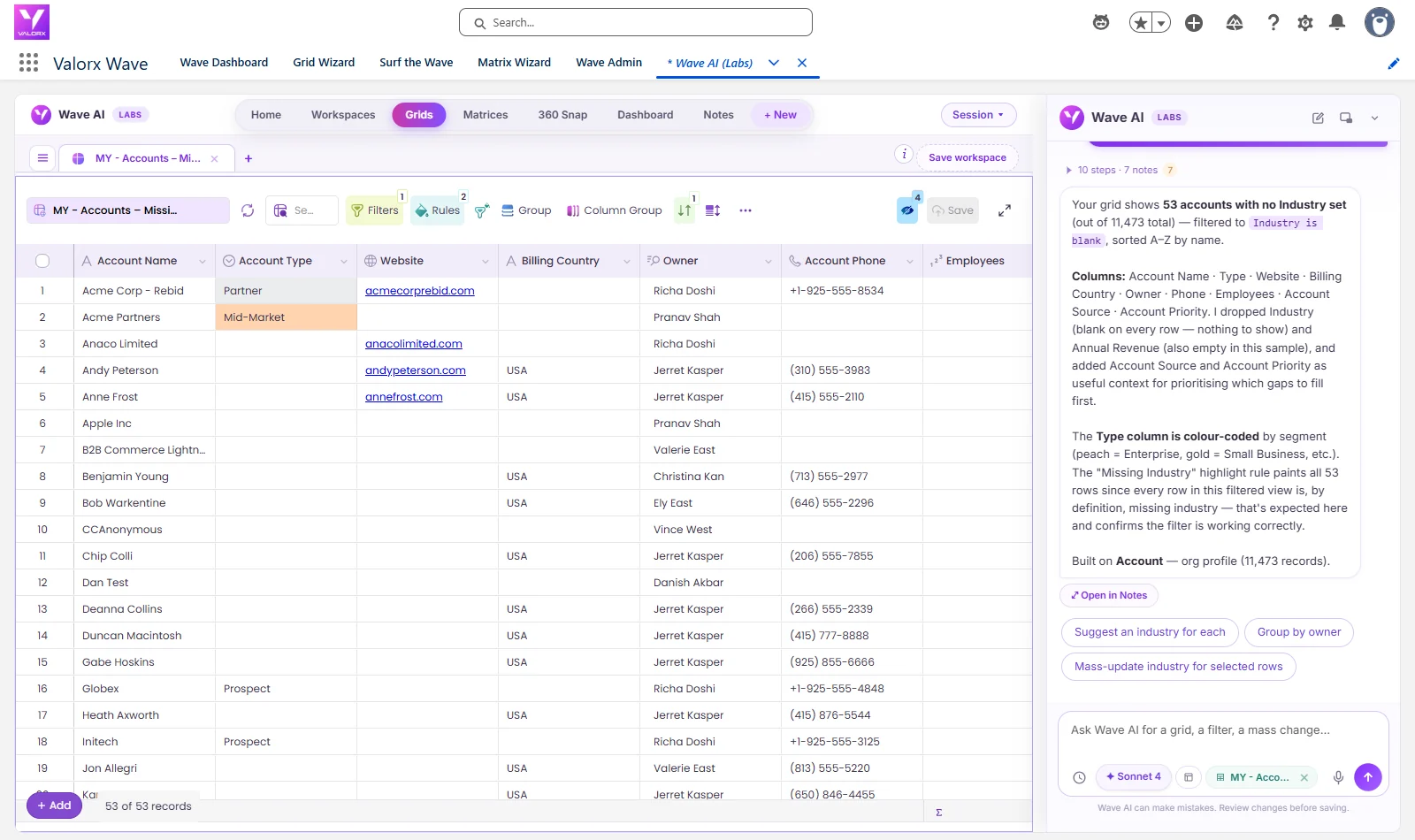
Valorx Wave puts a spreadsheet-style grid over live Salesforce data, inside Salesforce. No export, no reimport, no second system of record.
Edit thousands of records in one view
Load up to 10,000 records, filter them, and change values the way you would in Excel. Copy a cell and paste it down a column. Drag-fill a close date across 300 rows. Every change writes straight back to Salesforce.
Every field type inline editing skips
Long text, rich text, lookups, dependent picklists, and related list fields are all editable in the grid. Formula and roll-up fields stay read-only, because Salesforce calculates them.
Related records without the click trail
Edit child records next to their parent in the same grid instead of opening each related list one at a time.
Your existing governance still applies
Wave runs on your Salesforce permissions, field-level security, validation rules, and flows. Nothing bypasses the rules your admin already set.
Teams use it for pipeline cleanup, owner and territory reassignment, contact hygiene, and case queue triage. NVIDIA went from 2 grids to 70 across its global operations teams with zero custom code. Micron cut CPQ quoting from 3.5 hours to under 10 minutes. Qualcomm, Adobe, and Western Digital run daily sales operations the same way.
Stop working around the 200-record limit
Inline editing was built for small corrections, not for how your team actually works. A grid inside Salesforce removes the ceiling without moving your data anywhere.
See what bulk editing gives back with the Valorx ROI calculator, or book a demo and we will run it against one of your list views.
FAQ: Inline Editing in Salesforce
How do I enable inline editing in Salesforce?
In Lightning Experience it is on by default, just hover over a field and click the pencil icon. In Classic, go to Setup → User Interface, tick Enable Inline Editing and Enable Enhanced Lists, and save.
Why is inline editing not working on my list view?
The usual causes: the list view is filtered on more than one record type, the view is grouped, the field is a formula or long text field, or you lack field-level security on that field. Switching the filter to a single record type fixes the most common case.
How many records can I inline edit at once?
Up to 200 — that is the list-view ceiling. Select the records, edit one field, and apply the change to all selected. Larger jobs need Data Loader or a spreadsheet grid tool.
Can I inline edit more than 200 records?
Not natively. Tools like Valorx Wave put an Excel-like grid over live Salesforce data with 10,000+ records per view, bulk copy/paste and drag-fill, and support for the field types inline editing can't touch.
Does inline editing work on formula fields?
No. Formula and roll-up summary fields are calculated by Salesforce and are read-only in every tool. Inline editing also skips long text and rich text fields, which grid tools do support.
Does inline editing work in Salesforce reports?
Yes, in Lightning, on most standard and custom fields where you have edit access. It is not supported on joined reports, and it is one record at a time with no mass apply.
Is bulk inline editing safe for my org?
Any tool that edits through the Salesforce API still enforces your validation rules, field-level security, sharing model, and flows. Wave runs on your existing permissions, so an editor cannot change anything they could not change in a record page.




.svg)

.png)




Choose the workflow you need:
Try Wave in browser Extension

Try Wave in Salesforce

Try Fusion In Excel

Enhancing Salesforce for industry leaders