How to Inline Edit Related Lists in Salesforce (No Code)
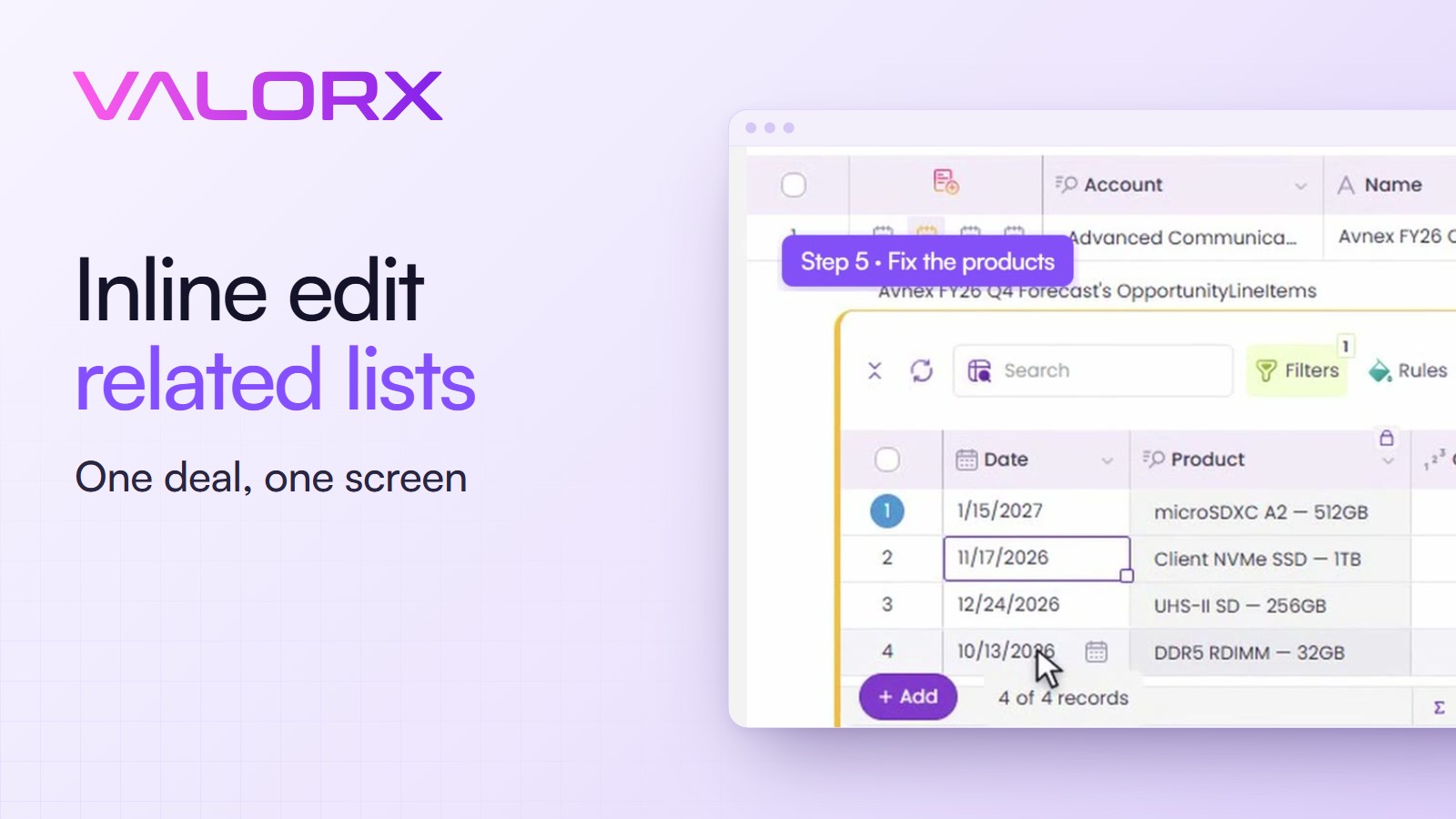
To inline edit related lists in Salesforce, you need the lists and the parent record on one screen. In a Valorx Wave grid, an opportunity's products, quotes, contact roles and tasks open right under the deal row, and you edit them there.
Jump to a chapter
What you'll build
- One deal and its related lists on one screen
- Products, quotes, contact roles and tasks
- Any of them editable in place
- A saved grid you open again next week
- No code
- Video length: 3 minutes
Seven screens for one deal
On the pipeline list, the deal in the video looks fine. Commit, about a million and a half dollars, closing December 15.
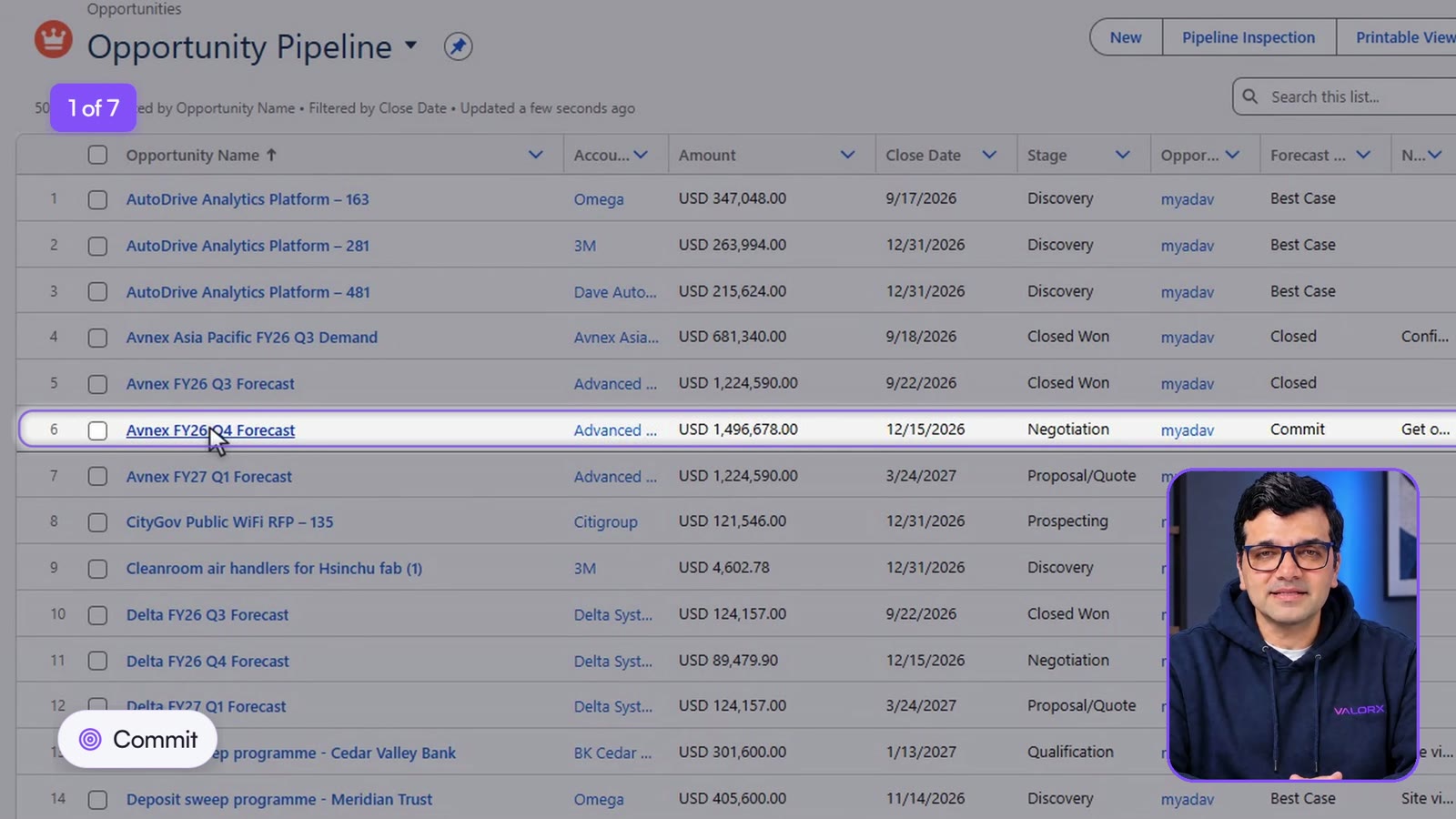
One level down, the same deal says something else.
What the other screens said
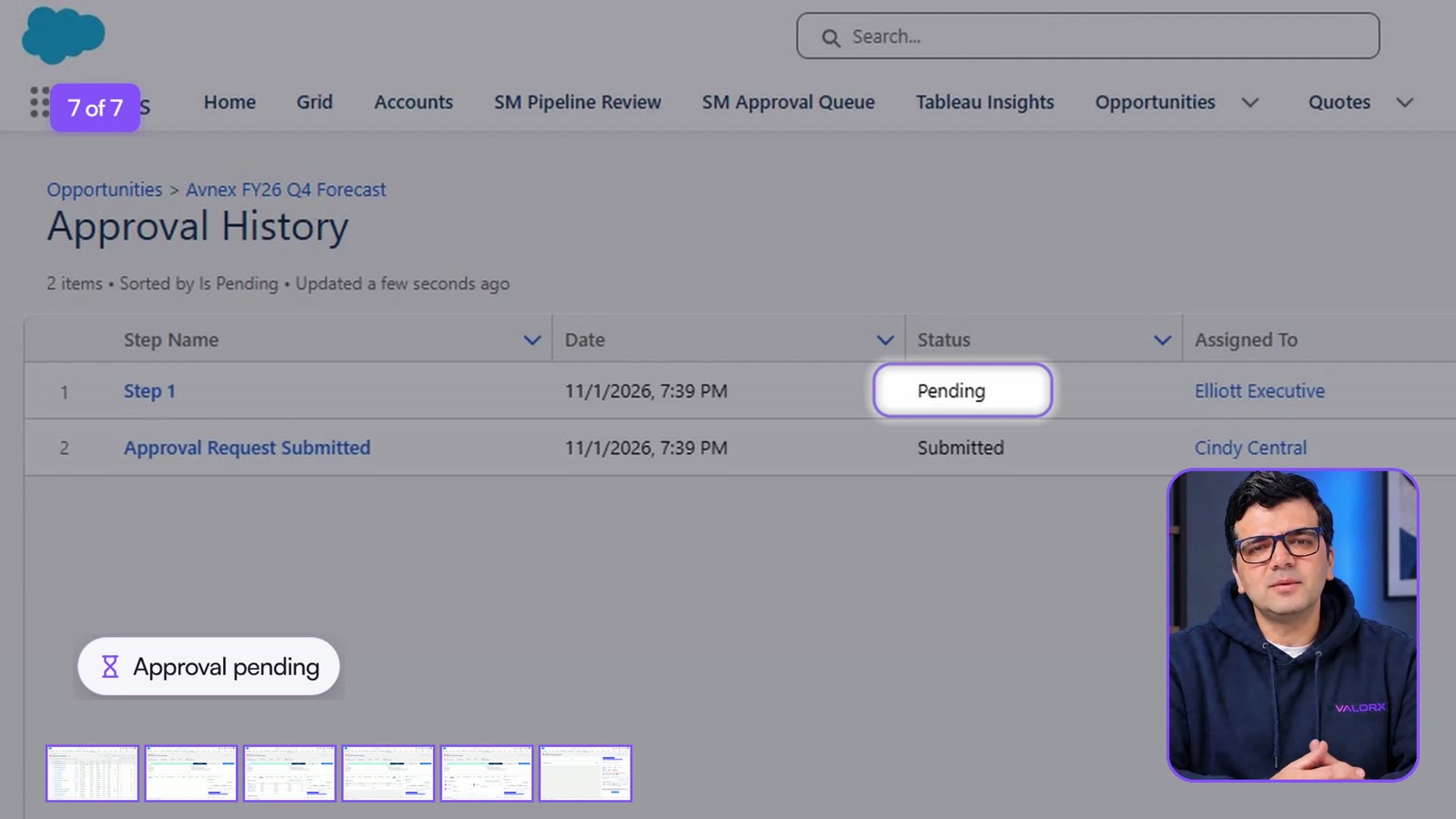
All of it was in Salesforce. None of it was on the list.
Deal, products, quote, contacts, activity, approvals: with the list, that's seven screens to learn whether one Commit deal can be trusted. Your page layout may differ, but the job is the same.
| The usual way | In a Wave grid |
|---|---|
| Seven screens to check one deal | One grid, each list a click away under the deal |
| Edit Products in its own window, then back | Change quantities and dates in the row |
| A separate tab for contact roles, another for tasks | Open the list under the deal and edit it |
| The review trusts the summary | The evidence sits where the review happens |
Bring the related lists into one grid
You need Valorx Wave from the AppExchange and the Wave permission set.
- Find the deal. Open your opportunities grid and search for it.
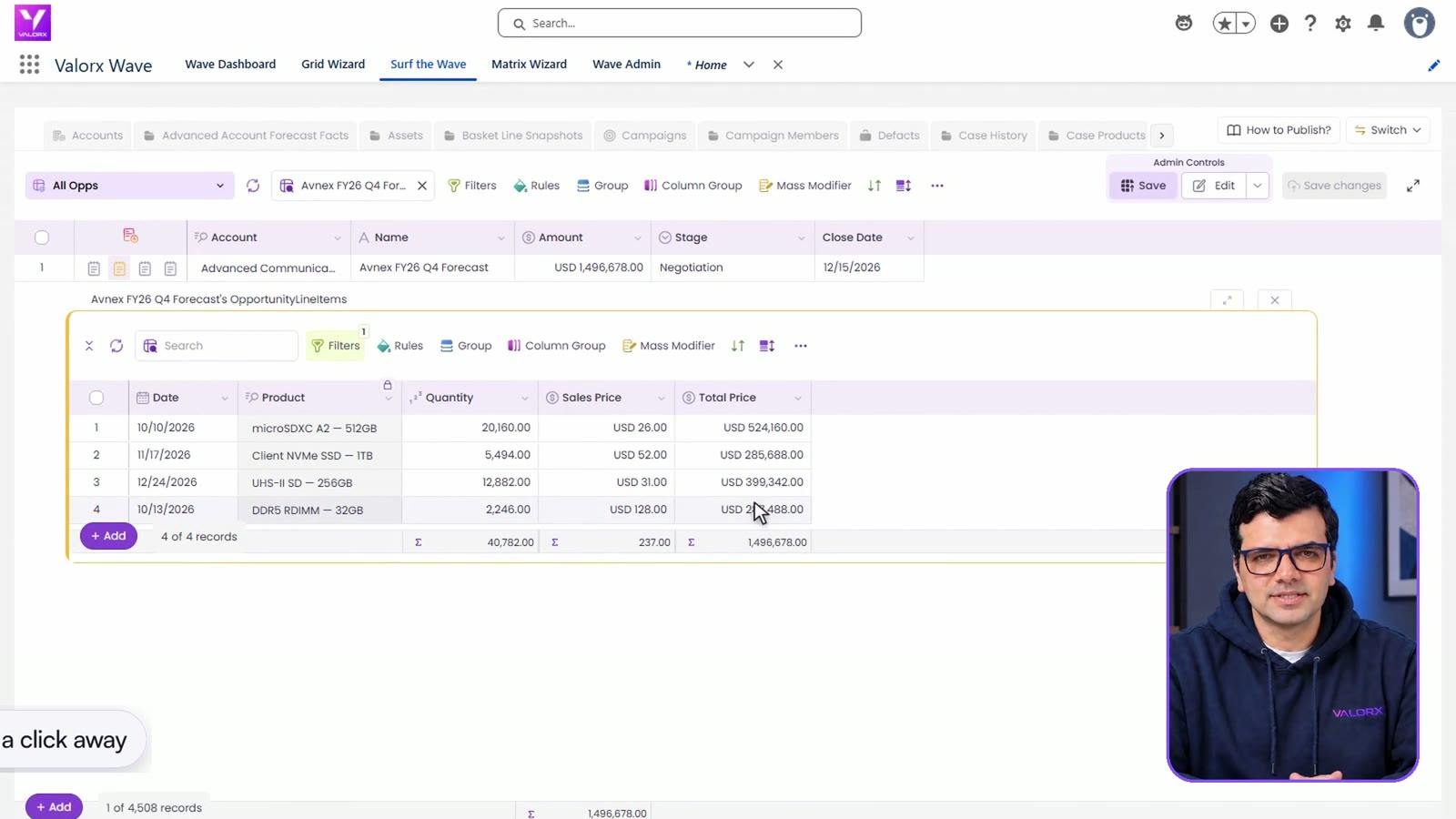
- Add related lists. Click Add, then Related list, and keep the Hierarchical view. Pick the lists you need. The video uses Products, Quotes, Contact Roles and Tasks.

- Open a list. The row now has an icon for each list. Click one and that list opens right under the deal.
- Choose the columns. Click the three dots, then Add Fields, and add what you need to see, such as the date.

- Save the grid. Click Save, and the related lists are still there the next time you open it.
Fix everything in place
The customer moved two shipments to January and cut the DDR5 order to 2,000. Both changes go straight into the products under the deal.
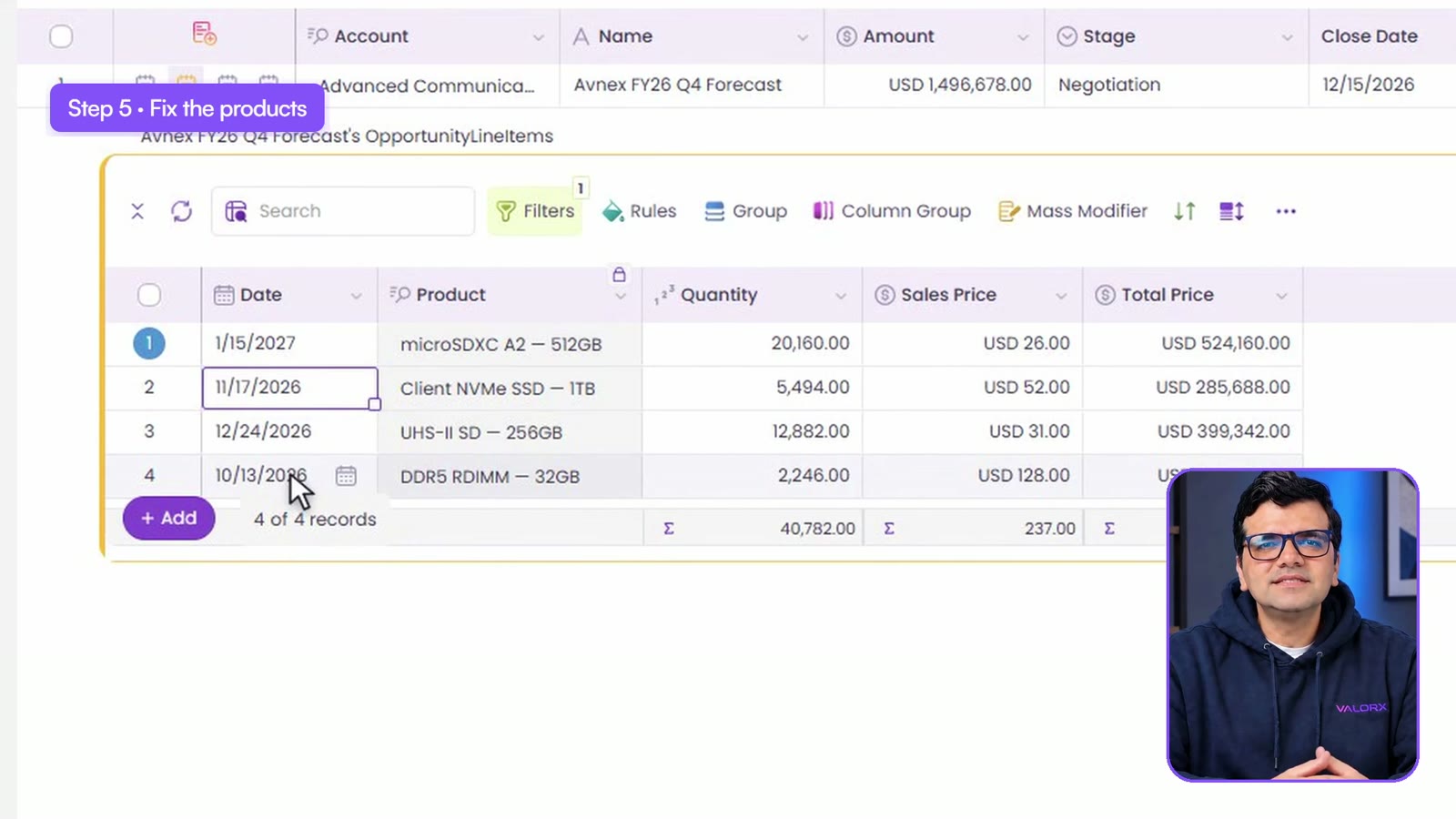
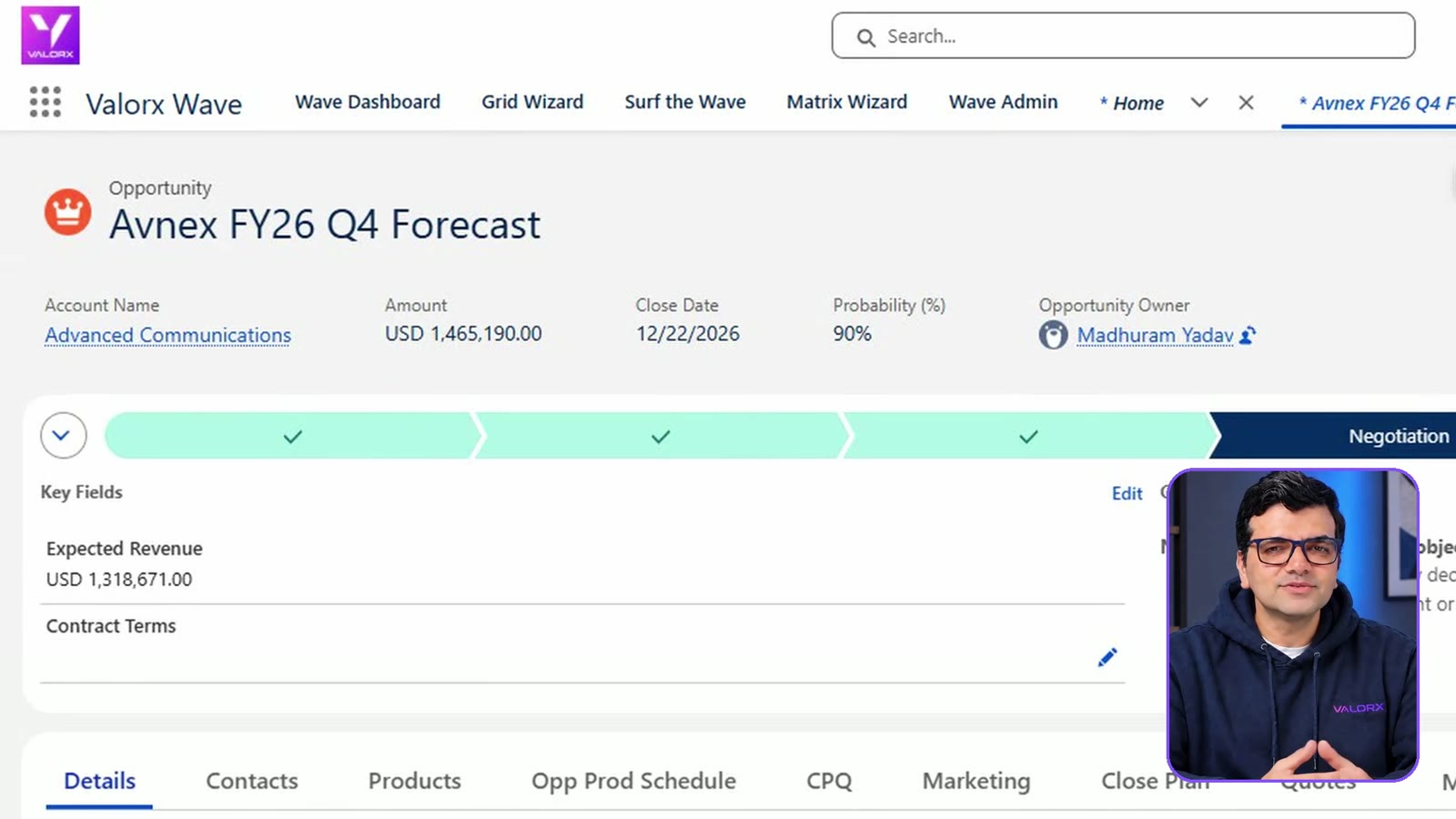
- The deal: close date moved to December 22.
- The quote: new expiration date, December 31.
- The contact role: the person who signs is set as Economic Buyer.
- The task: the overdue follow-up gets a new date.
Back in Salesforce, the amount has followed the products, because Salesforce calculates it from them.
Wave writes through Salesforce, so your validation rules still apply.
Other places this helps
- Account teams can open every contact on an account, under the account row.
- Sales Ops can open a quote and review its lines in the same place.
- Renewal teams can see an account's assets, with their end dates, under the account.
Questions this video answers
Can you inline edit a related list in Salesforce?
In a Valorx Wave grid, yes. Add the related list to the grid, open it under the parent row, and edit its cells in place. Changes are marked until you save.
How do I see an opportunity's products, quotes and contact roles on one screen?
Add each one as a related list on your opportunities grid. Every row then carries an icon per list, and a click opens that list under the deal.
Does the opportunity amount update when I change the products?
Yes. Salesforce calculates the amount from the products. In the video it moved from $1,496,678 to $1,465,190 after the product changes were saved.
Do the related lists stay on the grid?
They do once you save the grid. The next time you open it, the lists are there.
Keep going
- Try it yourself: the Using 360 Snap walkthrough
- Read: Related Lists Beside Your Salesforce Grid and Inline editing in Salesforce
- Previous video: How to Manage Pipeline in Salesforce
Recorded in a Salesforce demo org with demo data. The deal's changes were reset after recording.
Want to see it on your own deals? Book a demo and we'll build the first grid with you on the call.



Choose the workflow you need:
Try Wave in browser Extension

Try Wave in Salesforce

Try Fusion In Excel

Enhancing Salesforce for industry leaders