Keep the Spreadsheet Habit, Drop the Export: XL-Connector and Wave AI
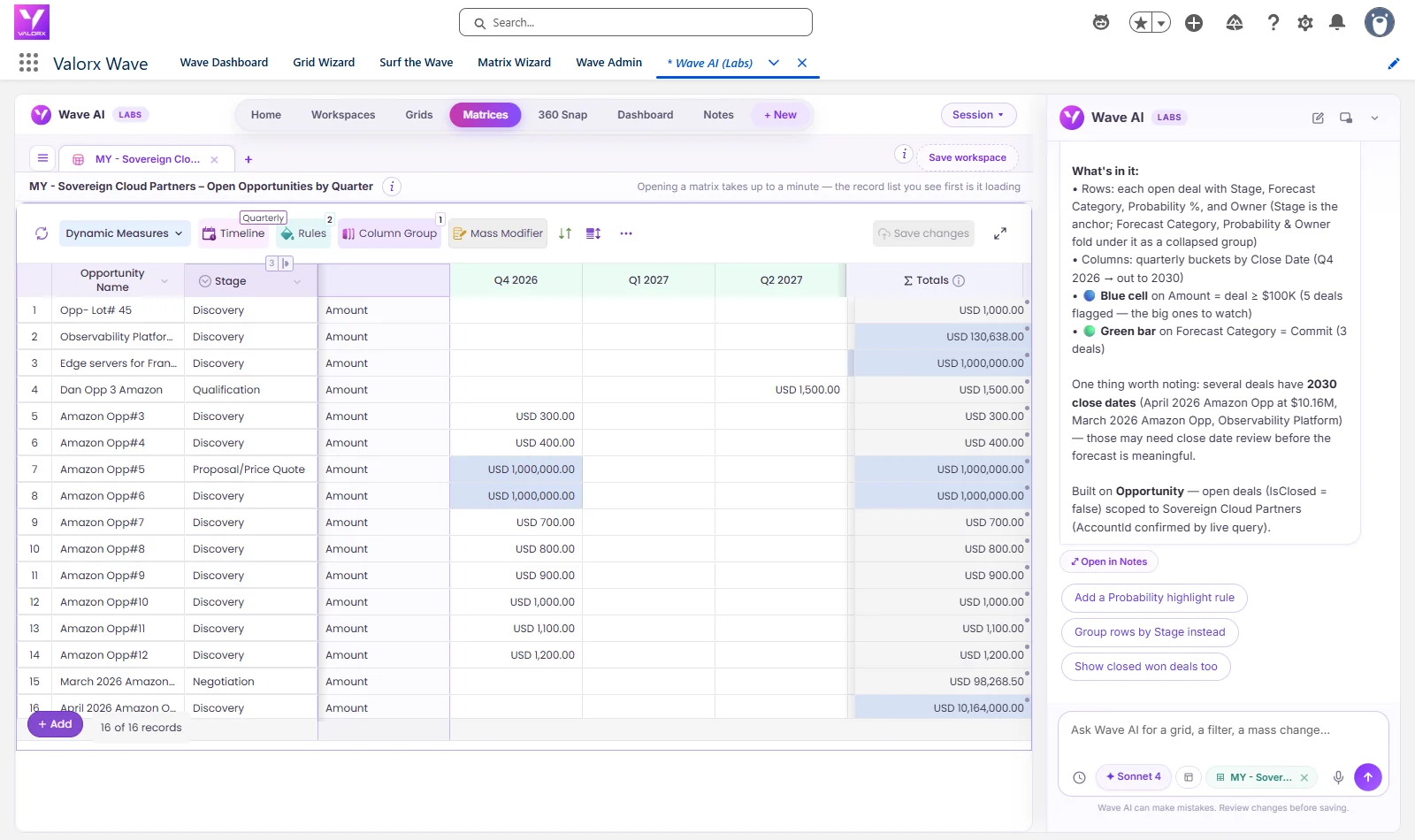
Sovereign Cloud Partners had 16 open deals worth $13.4M, and $10.2M of it sat on one deal with a close date in 2030. That's the kind of thing you'd pull into Excel and pivot by quarter to see. See one sentence build that quarterly pivot inside Salesforce, on the live records, and a second sentence add probability as another measure. Leave with the prompts and Xappex's published pricing. Recorded in a Salesforce demo org with real screens, nothing mocked up.
The short answer
- Looking for an XL-Connector alternative? If your team pulls Salesforce data into Excel to pivot it, check it and push changes back, XL-Connector is built for that. Wave AI does the same work inside Salesforce, so there's no copy to keep in sync.
- The pivot is the records. A matrix by month or quarter, built from a sentence, on live Salesforce data.
- Changes go through a review. Count, current values and a dry run first, then one Yes. One Undo takes it back.
- No file to lose. Nothing is downloaded, so there's no spreadsheet of CRM data on a laptop. Wave AI is free in public beta.
The pivot you would have built in Excel
The spreadsheet habit is a good habit. You want the deals in rows, the quarters across the top and the totals at the end, so you can see where the money lands. So we asked for exactly that:
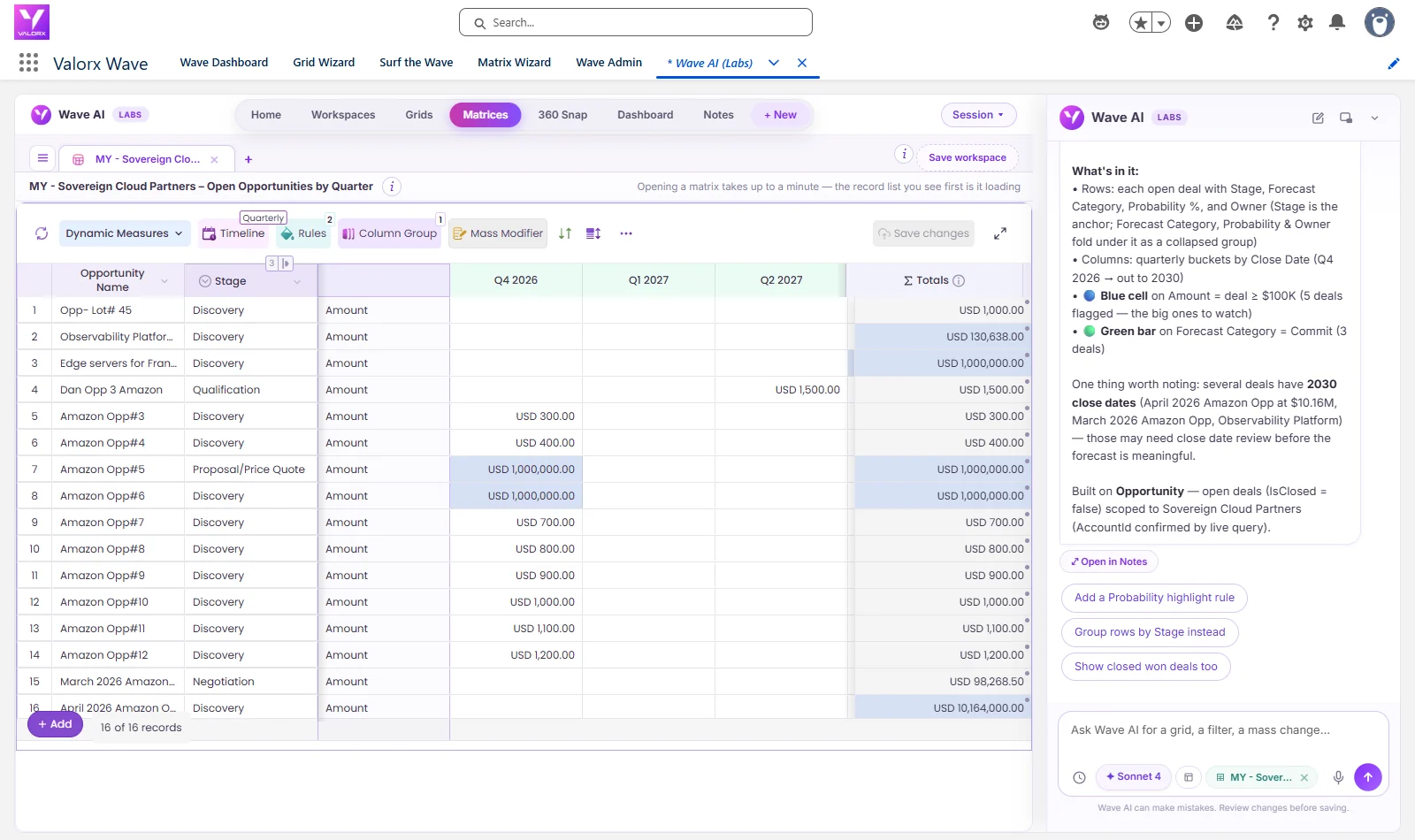
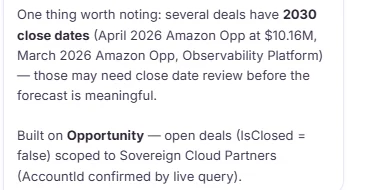
About thirty seconds later the matrix was open: 16 open deals, one row each, amounts in quarterly columns from Q4 2026 out to 2030, and a totals column. It added two highlight rules on its own, blue for deals of $100K or more and a green bar for Commit, and then said what it had noticed: several deals had 2030 close dates, including one at $10.16M, and those might need a close date review before the forecast means much.
Add a measure the way you would add a column
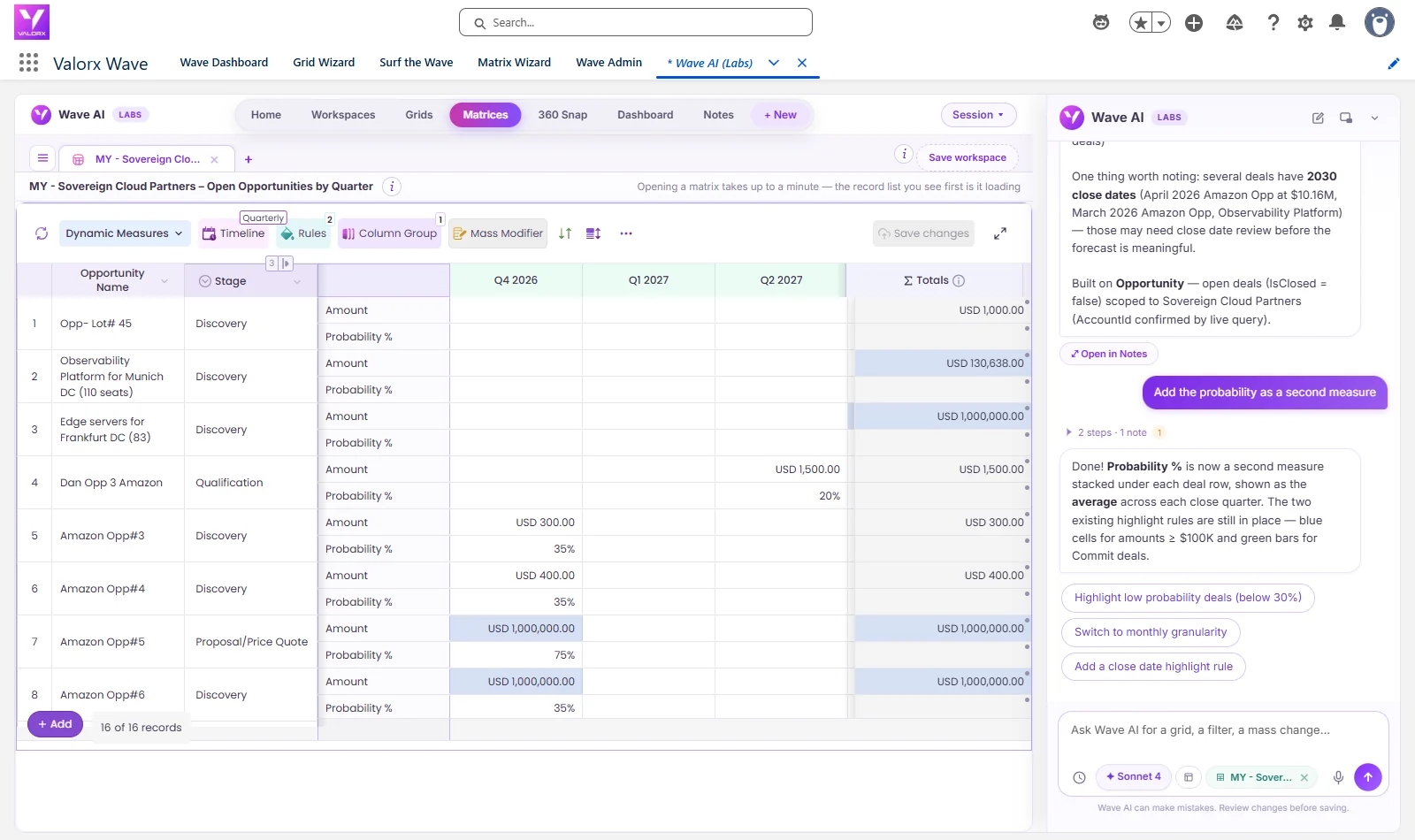
In a spreadsheet you'd add a column and a formula. Here we asked:
Probability appeared under each deal's amount, averaged for each quarter, with the highlight rules still in place. Same records, one more line of meaning, no formula to copy down.
The old way
Export to Excel
Pull the deals, pivot by quarter.
Wave AI
Ask for the pivot
A matrix by quarter, on live records.
Wave AI
Add a measure
Probability, in one sentence.
You, reviewing
Fix what you find
Count, current values, a dry run, then Yes.
Salesforce
Records updated
No file to push back.
16
open deals in one quarterly matrix
$13.4M
of open pipeline, pivoted by close quarter
$10.2M
of it on one deal dated 2030, flagged while building
2
measures: amount and probability
0
spreadsheets exported
XL-Connector and Wave AI: compare the jobs
Xappex makes solid tools for people who work in spreadsheets, and plenty of admins trust XL-Connector for bulk data work. The comparison below is about one question: whether the work needs to leave Salesforce at all. Where we describe Xappex, it's from its own editions and pricing page, linked, as it read on 23 September 2026.
| The job | Xappex XL-Connector | Wave AI |
|---|---|---|
| Where the work happens | In Excel (XL-Connector) or Google Sheets (G-Connector), connected to Salesforce.1 | Inside Salesforce, in a tab. |
| Seeing the data | Query Salesforce data and reports into a sheet. The free edition limits report exports to 2,000 rows.1 | Grids, dashboards and matrices on the live records, from a sentence. |
| Changing records | Update, insert and delete from the sheet, depending on edition.1 | Described in a sentence, with a count, current values and a dry run before one Yes. |
| Undo | Not described on the page above. | One Undo takes the whole change back. |
| The data | A sheet holds the rows that were pulled into it. | No copy. Permissions and sharing rules apply to every view. |
Xappex pricing, and what Wave AI costs
Xappex, as published
XL-Connector Free1$0, report exports up to 2,000 rows
Team Player, billed annually1$10 / user / month
Enterprise Admin, billed annually1$30 / user / month
G-Connector for Sheets: Premium Lite · Full1$10 · $30 / user / month
Free trial114 days
Published prices from xappex.com, read 23 September 2026. Your quote may differ.
Wave AI
Freein beta
- No card
- No seat limit
- Einstein or your own AI key
- Your data never trains a model
Pricing arrives at public launch. Beta members hear first.
What each team gets
Salesforce admins
"I pull it into Excel because it's faster."
Ask for the matrix or grid in a sentence and change the records where they live, with a review and an undo.
Finance and RevOps
"I need it by quarter, with totals."
A matrix by month or quarter, one row per deal, on live data that's never out of date.
Sales leaders
"The forecast spreadsheet is always a week old."
The matrix reads the records as they are right now.
IT and platform owners
"How many CRM exports are sitting on laptops?"
Wave AI doesn't create any. The work happens inside Salesforce, under your sharing rules.
The prompts from this post
These are word for word what we typed. Swap in your own account and period.
In Wave AI
Build a quarterly matrix of the open opportunities of the account named Sovereign Cloud Partners with the amount by close quarter, one row per deal
Then
Add the probability as a second measure
What people ask about Xappex and Wave AI
Is Wave AI an XL-Connector alternative?
For teams that export Salesforce data to pivot, check and fix it, yes: Wave AI does that work inside Salesforce, so there's no file to keep in sync. If your process genuinely needs Excel, XL-Connector is built for that.
How much does XL-Connector cost?
Xappex lists a free edition with report exports up to 2,000 rows, Team Player at $10 per user per month and Enterprise Admin at $30, billed annually, with a 14-day trial. Those are published prices read on 23 September 2026.
Can Wave AI build a pivot table of Salesforce data?
Yes. Ask for a matrix by month or quarter, one row per record, and add measures in plain words. In the run above it pivoted 16 deals by close quarter and added probability.
Can I still export if I need to?
Yes. Wave AI doesn't remove anything. It just means the everyday pivot and fix don't need a file.
Does Wave AI respect our permissions and sharing rules?
Yes. It runs as the signed-in person, under the same permissions and sharing rules as anywhere else in Salesforce.
What's live in the beta today?
Grids and the fix-in-place work are live. Matrices and dashboards are in testing and rolling out to beta members.
What does Wave AI cost?
It's free for the whole beta, with no card and no seat limit. Pricing is published at public launch.
Keep the pivot. Lose the export.
Bring the spreadsheet you rebuild every week. We'll build it as a matrix on live records with you, in the beta.
Wave AI builds it. Valorx Wave runs it for the whole team.
Join the betaSources
- Xappex, XL-Connector editions and pricing.
The recordings were made in a Salesforce demo org on 23 September 2026. Waiting time is cut out of the videos. XL-Connector and G-Connector are products of Xappex. Salesforce is a trademark of Salesforce, Inc. Account and deal names are demo data.

Choose the workflow you need:
Try Wave in browser Extension

Try Wave in Salesforce

Try Fusion In Excel

Enhancing Salesforce for industry leaders