
+

Salesforce Account Management Template
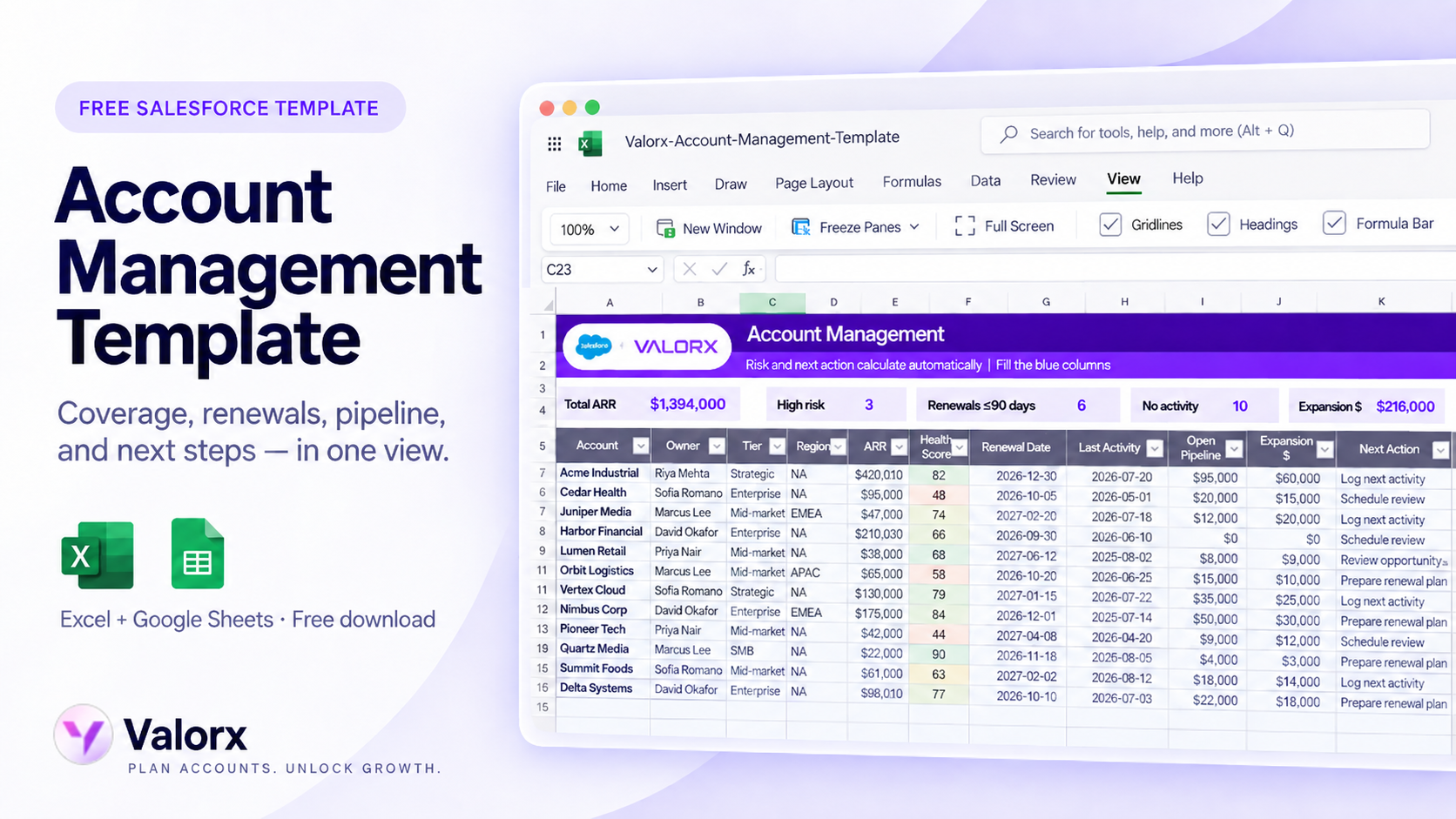
See everything you need to manage an account in one place — coverage, whitespace, renewals, pipeline, contacts, and next steps. Built for account managers and sales teams preparing for account reviews, planning growth, and keeping follow-ups on track.
Free template

Get the template

Bring the Salesforce information you need for reviews and planning into one structured working view.

Best for

Built for teams managing and growing Salesforce accounts

Use the template when you need to understand where an account stands, where the opportunities are, and what needs attention next.

Account reviews

Bring the key account details, pipeline, contacts, risks, and next steps into one view before internal or customer account reviews.

Whitespace planning

See what the customer already has, identify gaps, and capture potential expansion opportunities by product or solution area.

Renewal preparation

Track upcoming renewals, renewal value, risk, and actions needed before important dates approach.

Pipeline review

Keep active opportunities and account-level pipeline visible alongside the wider account picture.

Contact coverage

See the key people involved in the account and identify gaps in stakeholder coverage.

Next-step tracking

Keep important follow-ups, owners, and actions connected to the account instead of scattered across notes and spreadsheets.

What’s inside

One account view. From current business to next opportunity.

Before an account review or planning session, see where the account stands, what could grow, what is at risk, and what needs to happen next:

  • Account details and ownership
  • Current products or business
  • Whitespace and expansion opportunities
  • Renewal dates and renewal risk
  • Open opportunity pipeline
  • Key contacts and stakeholders
  • Recent activity
  • Next steps and action owners

See where every account needs attention

Not every account needs the same action.

The template helps you separate accounts that need attention now from those that are progressing as planned.

Grow

Identify whitespace, cross-sell opportunities, and open pipeline that could expand the account.

Protect

Surface upcoming renewals, risk indicators, and relationship gaps that could put existing business at risk.

Act

Capture the next step, owner, and priority so account reviews turn into clear follow-up.

From account data to an actionable account plan

Use the spreadsheet view to move from Salesforce data to decisions.

Area What to review
Account Account name, owner, segment, region
Current Business Existing products, ARR or account value
Whitespace Products or solutions not yet adopted
Renewals Renewal date, value, status, risk
Pipeline Open opportunities, stage, amount
Contacts Key stakeholders, role, relationship coverage
Activity Recent engagement or last activity
Next Steps Action, owner, target date

Salesforce field mapping

Use common Salesforce fields alongside planning fields that help your team review and manage the account.

Template field Salesforce source Notes
Account name Account.Name Standard Account field
Owner Account.Owner.Name Useful for sales manager reviews
Industry / Segment / Region Account fields Often standard plus custom segmentation fields
Open pipeline Related Opportunities Can be summarized by open opportunity amount
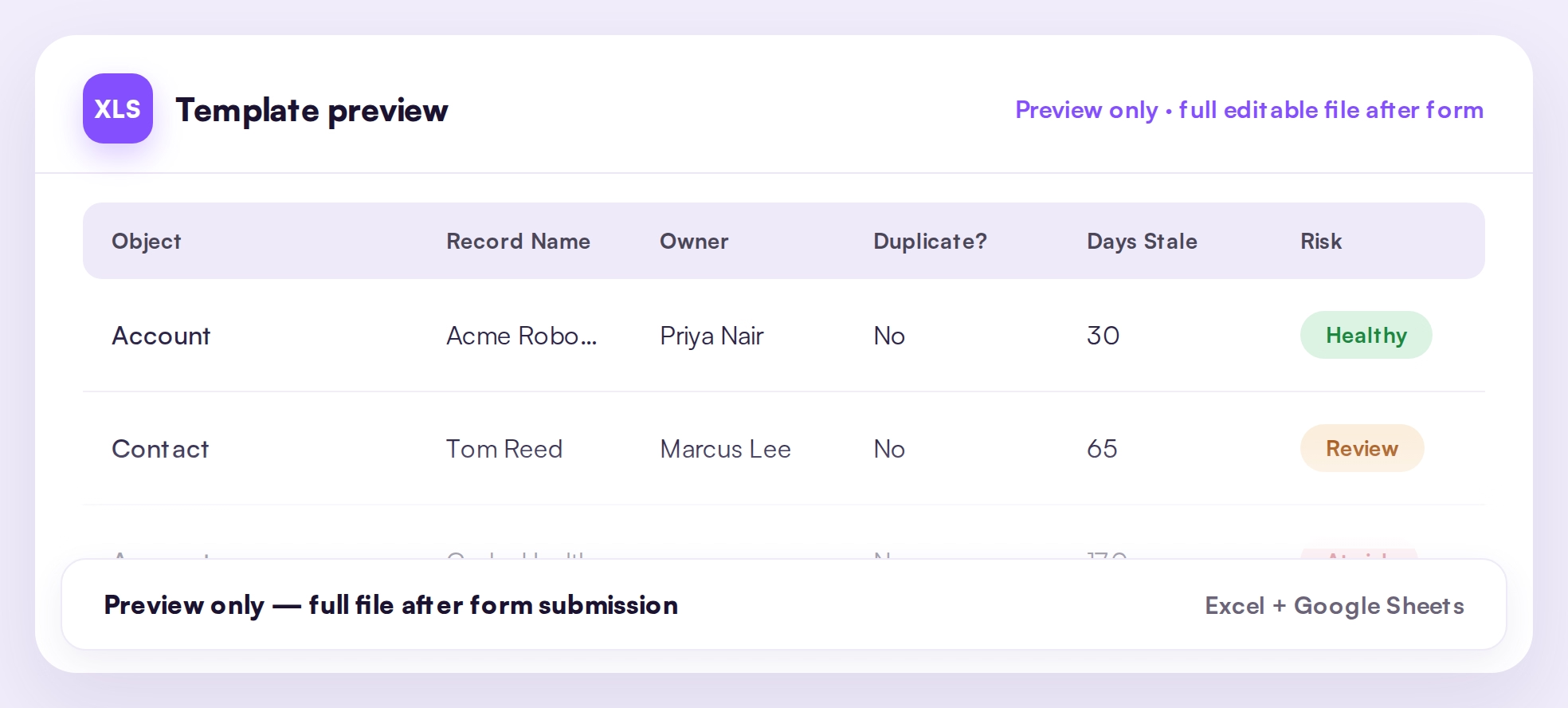
Last activity Account.LastActivityDate Helps flag accounts going stale
Risk flag / Next action Template logic or custom fields Use for account review prioritization
Related templates

More Salesforce templates your team may need

Use these as next downloads on the main Valorx Templates page.

Sales Cloud

Salesforce Account Management Template
Sales Cloud

Territory plan template for Salesforce teams

Turn the template into a live workflow

A spreadsheet template is a good place to start. When the same work happens every week, Valorx lets your team work directly with Salesforce data, with fewer exports, uploads, and stale copies.
Abstract purple outline of four connected circles inside a rounded square frame on a black background.
Abstract geometric logo featuring a circle above layered semicircles within a rounded square border.
Venn diagram with three overlapping purple circles on a black background.
Purple crescent shapes forming a circle on a black square background with rounded corners.
Purple outline icon of a briefcase inside a rounded square border on a black background.
Abstract black and purple geometric design with layered squares and rounded corners.
Green spreadsheet file icon representing an Excel document on a light background.
Abstract black and purple geometric design with layered squares and rounded corners.
Black and white headshot of a smiling man with short swept-back hair in a circular frame with a small purple circle in the top right.
Jerret Kasper
Head of Sales
Book a demo
Icon with three nested rectangles inside a rounded square outline, representing a scaling or resizing concept.
Microsoft Excel app icon with an overlapping white X on a green abstract background.
Purple geometric icon with three nested diamond shapes on a black background.
Three purple abstract human figures representing a group or team on a light background.
Icon with three stacked rounded rectangles in purple outline on a black background.
Abstract purple outline of four connected circles inside a rounded square frame on a black background.
Icon showing four interconnected circles forming a square with a horizontal line extending from the right circle.
Google Chrome web browser logo.
Salesforce logo with white text inside a blue cloud shape.
Abstract geometric design with multiple rounded squares outlined in purple on a black background.
Purple circular abstract icon with overlapping partial rings on a black square background with rounded corners.
Three overlapping purple circles forming a triangular Venn diagram on a black background.
Abstract geometric logo featuring a circle above layered semicircles within a rounded square border.