Policies, claims and brokers on Salesforce
Clear broker submissions, see every policyholder, update rates and assign claims in one Salesforce grid.
Insurance teams working with Valorx


See how fast Salesforce
can actually feel.
If you can do it in spreadsheet,
you can do it in Valorx.
Book a demo
<00 days
to production
00x
faster updates than one record at a time
0+
teams from underwriting to claims on one view

Built for insurance teams in Salesforce
Valorx works on the Salesforce objects your teams already use, from submissions and policies to claims and brokers.
Underwriting
Submissions, quotes
Policy service
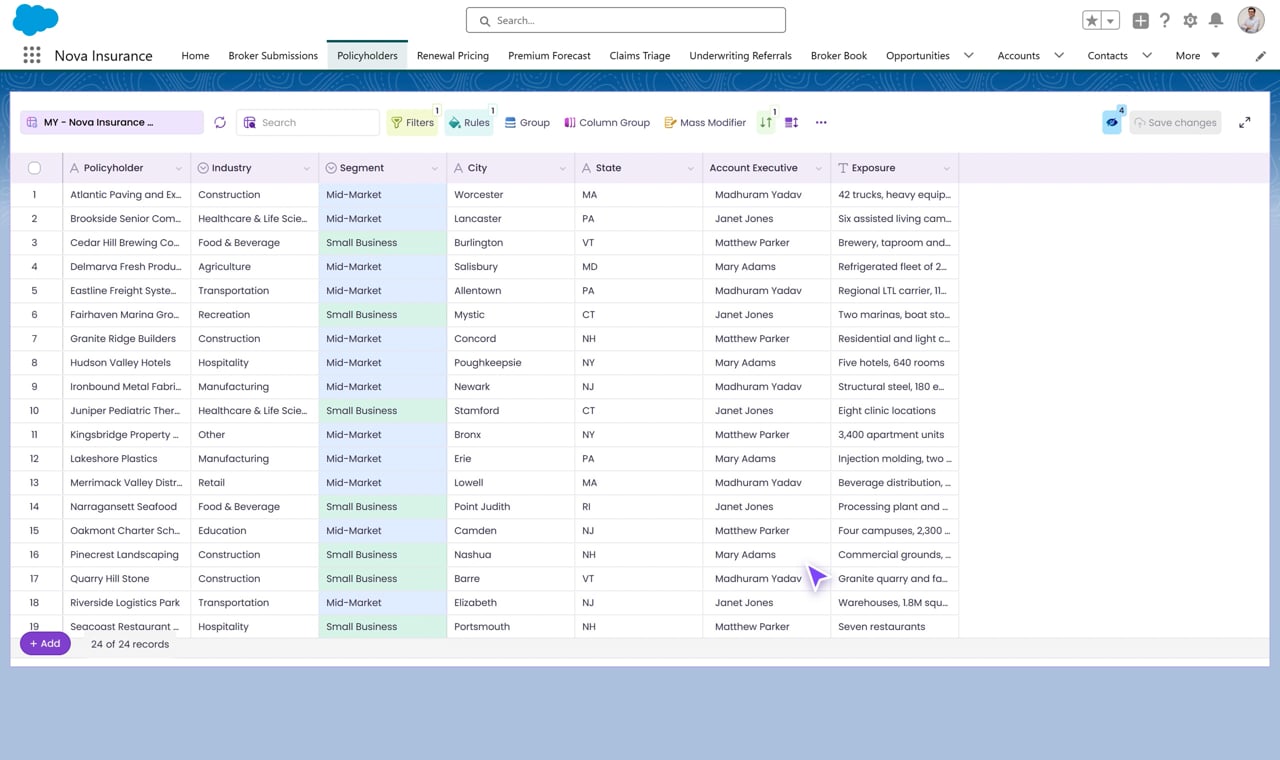
Policyholder 360, renewals
Claims
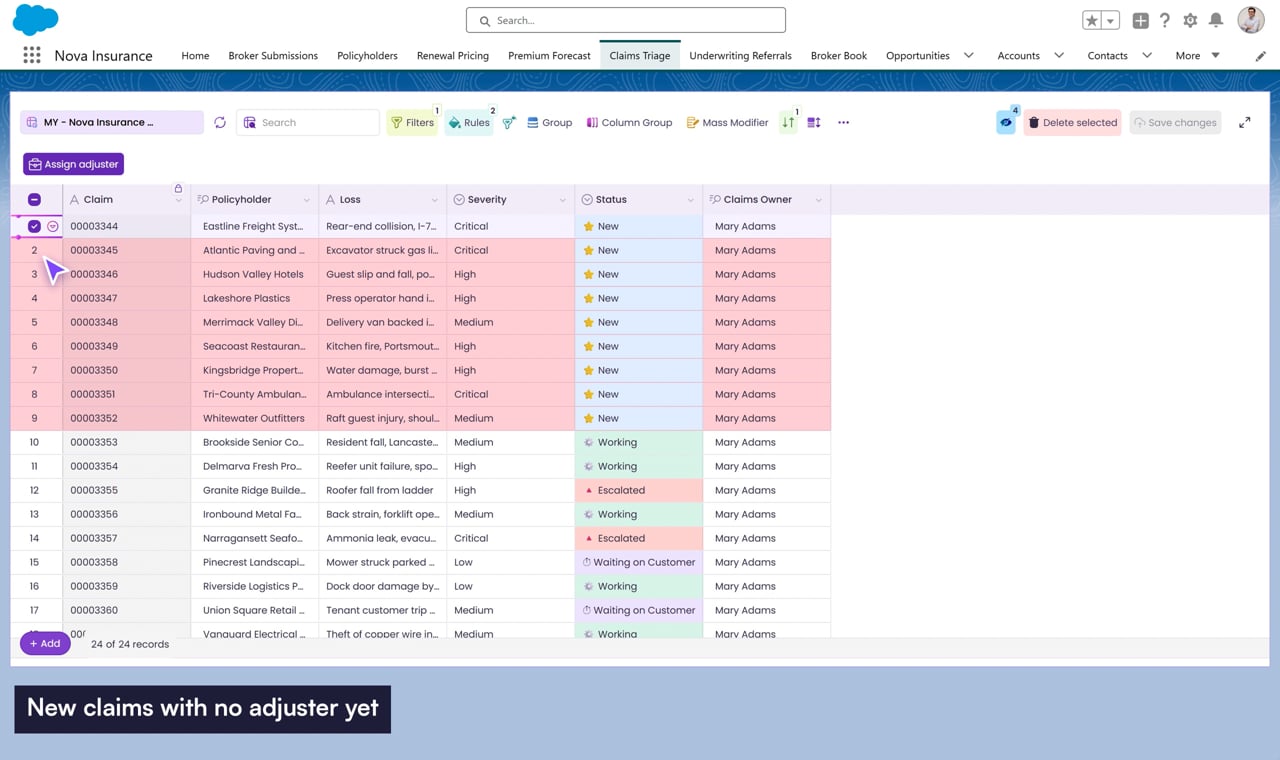
New claims, adjusters
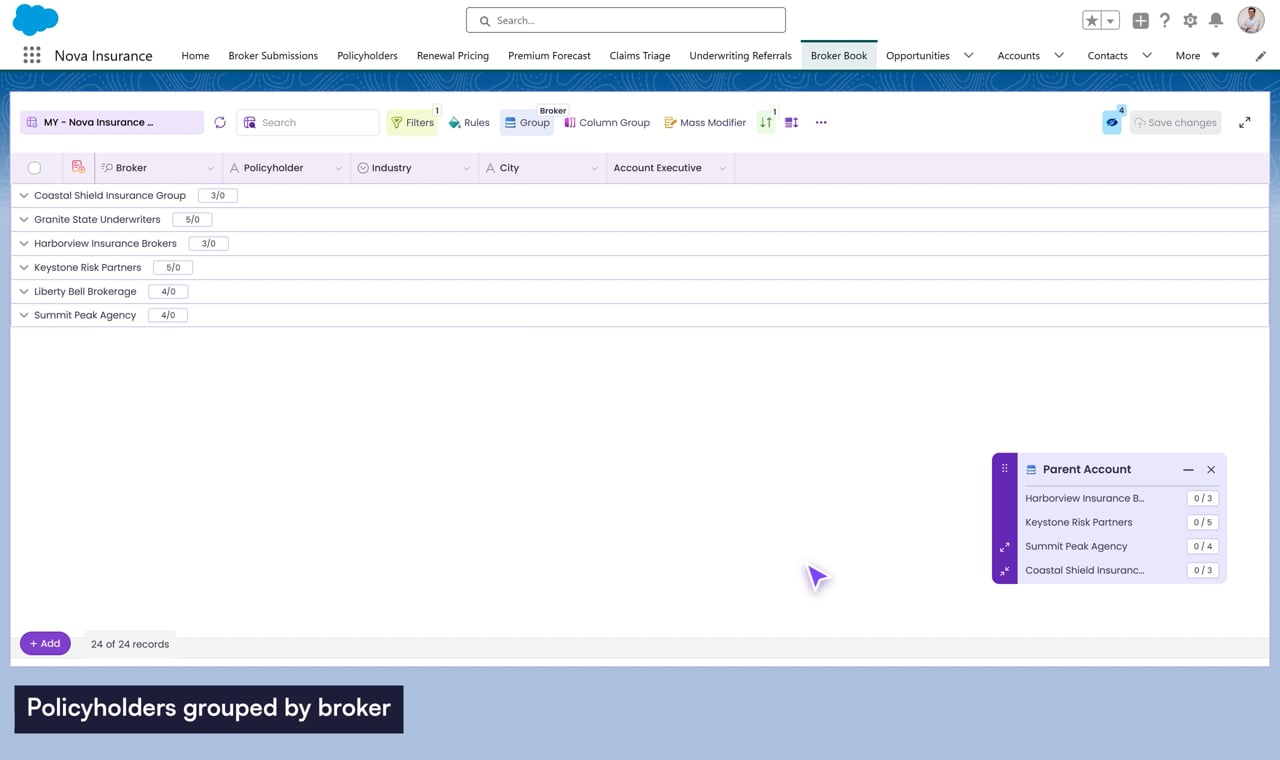
Distribution
Broker books
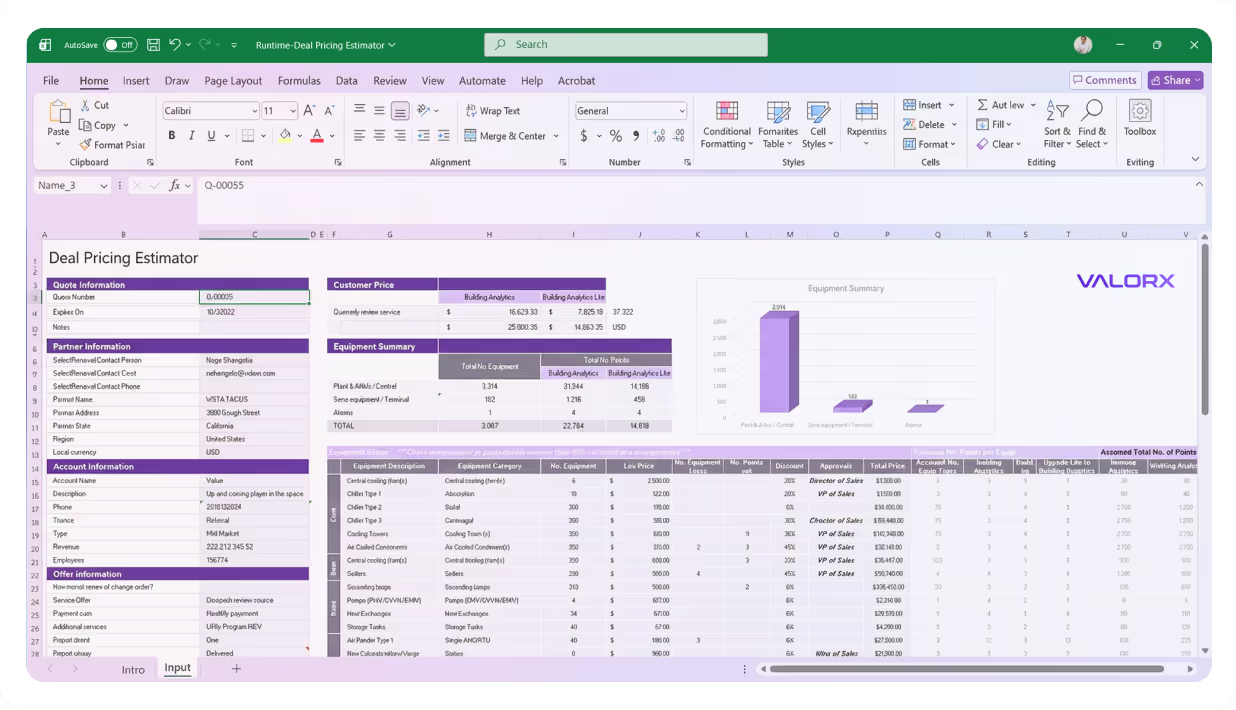
Access all your favorite Excel features
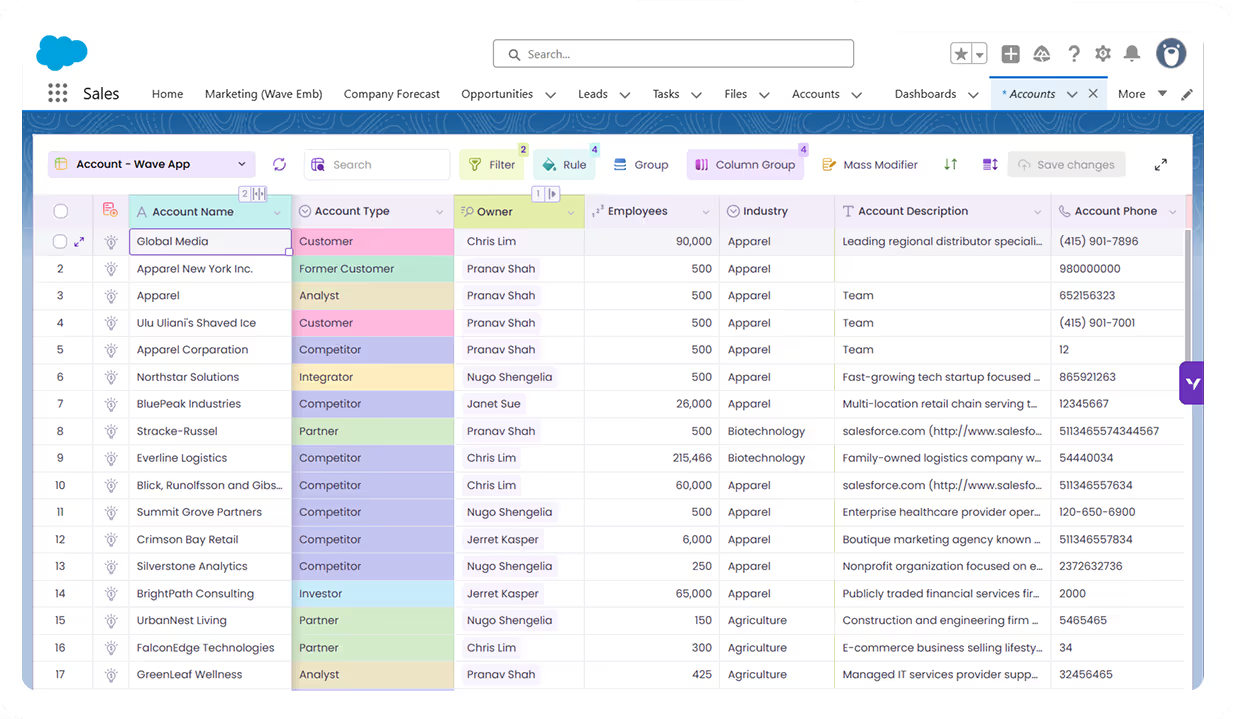
From simple drag-and-drop to powerful formulas, enjoy all your go-to spreadsheet tools while working directly with your Salesforce data.











Work in Salesforce like you work in a spreadsheet.
See what Valorx adds to Salesforce
The same work, before and after Valorx.
Without Valorx
Due submissions found by scanning every record
Policyholder details spread across many tabs
Renewal rates typed in one at a time
New claims assigned to adjusters one by one
With Valorx
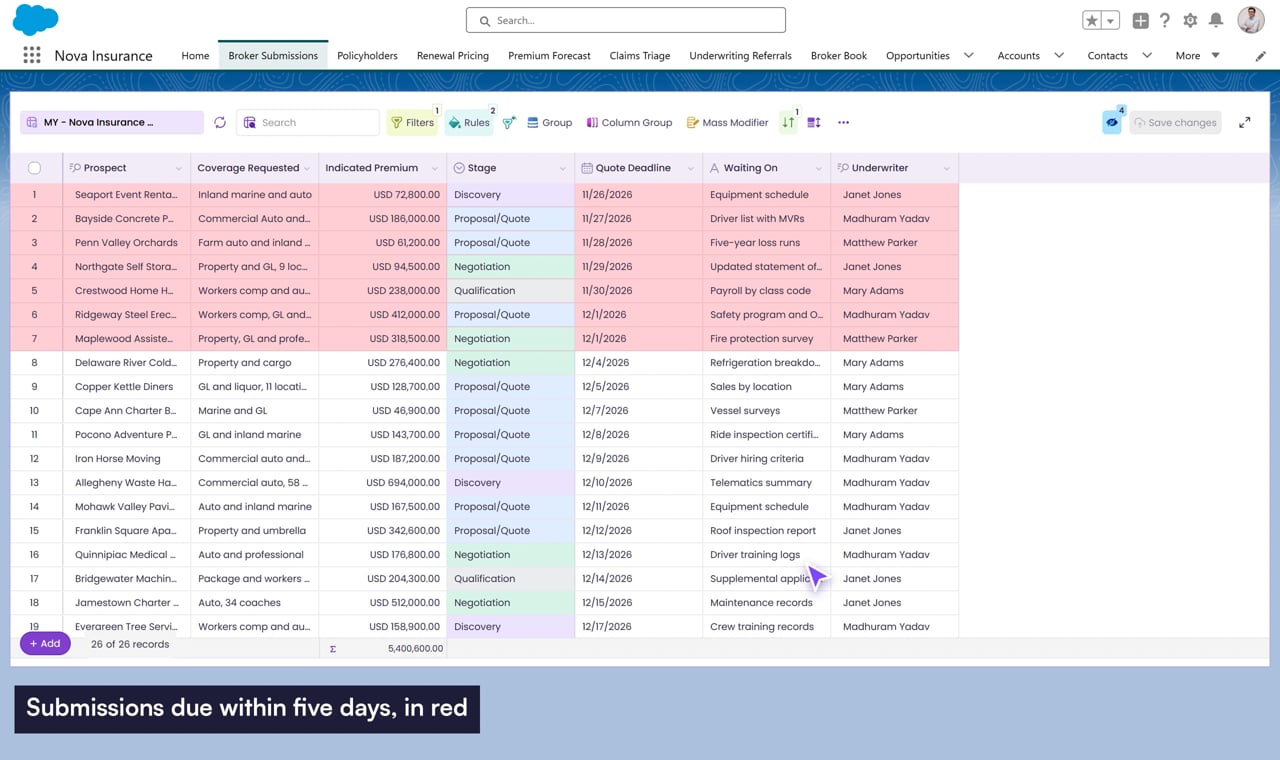
Submissions due soon flagged by a rule you control
Policies, claims and renewals in one 360 panel
A whole line of rates raised in one step
Your assignment flow run on many claims at once

Frequently asked questions
Can underwriters see which broker submissions are due soon?
Yes. Submissions sit in one Wave grid, and a rule you set colors every submission due within five days in red. Fix an indicated premium or a deadline right in the grid and save it to Salesforce.
Can we see a policyholder's policies and claims in one place?
Yes. Open any policyholder from the grid in 360 Snap to see their policies, claims, renewals and referrals in one panel, without opening a single record.
How do we update rates for a whole line of business?
Search the rates for one line, such as commercial auto, select them, and use Mass Modifier to raise them by a percent or a set value in one step. Review the change, then save it back to Salesforce.
Can claims leads assign adjusters to many claims at once?
Yes. New claims with no adjuster show in red. Select them and run your own assignment flow on all of them at once, with a call task created for each claim.
Which Salesforce objects does Valorx work with for insurers?
The ones your teams already use, including accounts for policyholders and brokers, contracts for policies, cases for claims, opportunities for submissions and renewals, tasks, products and price book entries, plus any custom objects.
Does Valorx respect our Salesforce security?
Yes. Valorx runs inside your org on your existing profiles, permission sets, field-level security and sharing rules. Underwriters, adjusters and brokers only see and edit the records Salesforce already lets them see and edit.













Choose the workflow you need:
Try Wave in browser Extension
Connect Wave directly with your browser

Try Wave in Salesforce
Integrate Wave in Salesforce

Try Fusion In Excel
Easily use Fusion within Excel

Excel
Salesforce
Browser