How to Configure Salesforce Manufacturing Cloud for a New Product Launch
To configure Salesforce Manufacturing Cloud for a new product launch, set up the product catalog and Forecast Set, create Sales Agreements for committed accounts, generate Account Forecast Periods for every target account, and link active design win opportunities to forecast upside — ideally 6–8 weeks before commercial release, not one. A new product has no actuals history, so its forecasts start as estimates and are tagged by confidence level until real customer commitments replace them.
This makes new product forecasting fundamentally different from forecasting established products.
Key takeaways
- Plan 6–8 weeks out. Launches expose configuration gaps — missing product families, an un-updated Forecast Set, an unconfigured design-win link — that are far easier to fix before a launch deadline than after.
- Forecast at the product-family level. Account Forecast Periods track the family (e.g. an optical transceiver series); SKU-level demand belongs in the ERP planning system.
- Separate commitments from estimates. A
Forecast Confidencefield (Design Win Stage / Commercial Estimate / Confirmed Commitment) lets Finance include only hard commitments in the official plan and treat the rest as upside. - Create Sales Agreements only for committed accounts. Accounts still in design-win pursuit stay in Sales Cloud opportunities until there's a commercial commitment.
- Gate the launch. A 90-day post-launch review produces the first forecast revision and starts replacing estimates with real sales-team adjustments.
Launch readiness
Manufacturing Cloud configuration timeline
- 1
6–8 weeks before
Configure catalog & Forecast Set, create Sales Agreements, generate Account Forecasts, link design wins.
- 2
1–2 weeks before
QA the config and enable reps so launch-quarter data flows on day one.
- 3
Commercial release
Reps enter forecast data in the standard monthly cycle.
- 4
Q2 next year
Revenue ramp begins; estimates start converting to commitments.
Ramp starts - 5
90 days post-launch
Review gate produces the first forecast revision.
What you'll configure
Manufacturing Cloud launch configuration checklist
The key objects and settings that need to be ready before launch-quarter forecasting begins.
| Object / setting | What it does for the launch |
|---|---|
| Product2 catalog + product family | Registers the new product and connects it to the Forecast Set that decides which products appear in forecasts. |
| Forecast Set | Determines which product families flow into Account Forecast Periods. |
| Sales Agreements | Capture planned volume and revenue for accounts with a commitment or letter of intent. |
| Account Forecasts → Account Forecast Periods | Hold the period-by-period demand estimates for every target account. |
| Design win opportunity linkage | Feeds confirmed design wins into Account Forecast Period upside automatically. |
| Forecast Confidence + Adjustment Category fields | Flag which numbers are commitments vs. estimates so Finance can plan accordingly. |
How the data connects
The Manufacturing Cloud object model
MX-7 family added to the catalog; SKUs sit under one family.
Planned qty & revenue for committed accounts only.
15 active; feeds upside at the Production Ramp stage.
× 40 accounts · 18-month horizon
The scenario
Meridian Photonics (fictional) is launching a new optical transceiver family — the MX-7 series — targeting 40 named accounts in the data center networking segment. Commercial release is in 6 weeks. The MX-7 has been in design-win pursuit at 15 of the 40 accounts for the past 8 months, and revenue is expected to begin ramping in Q2 of next year.
The Manufacturing Cloud configuration has to be in place before commercial release so that:
- Sales reps can enter MX-7 forecast data as part of the standard monthly cycle.
- Design win opportunities can be linked to Account Forecast Period upside.
- Product management has a consolidated view of MX-7 forecast across all 40 accounts.
- Finance can include MX-7 in the revenue plan once it crosses a defined confidence threshold.
This is the concentrated challenge of a new-product launch: standing up commercial infrastructure for a product that has no actuals history, requires design win tracking, and must be forecast into Account Forecast Periods populated with estimates rather than trend extrapolations.
Why New product forecasting is different?
A new product launch is difficult because there is no historical demand to model. Existing products can be forecast using past sales, customer buying patterns, and seasonal trends. New products rely on design wins, customer commitments, commercial estimates, and market assumptions.
That creates three challenges:
- No actuals history exists.
- Design-win timing is uncertain.
- Revenue ramps rarely happen exactly as planned.
Manufacturing Cloud helps by giving teams a structured way to capture estimates, track confidence levels, and gradually replace assumptions with real customer commitments as the launch progresses.
The configuration steps
Step 1 — Set up the product catalog and Forecast Set
Add the MX-7 series to the Salesforce Product2 catalog with the product family designated Optical Transceiver — MX-7. That product-family designation connects to the Forecast Set configuration, which determines which products appear in Account Forecast Periods.
If the MX-7 has multiple SKUs (different data rates, connector types), add them as separate Product2 records within the same product family. Account Forecast Periods forecast at the product-family level. Teams typically forecast at this level because launch demand shifts too quickly for SKU-level forecasts to stay reliable; detailed SKU planning happens downstream in ERP and supply-chain planning systems.
Step 2 — Create Sales Agreements for committed accounts
A Sales Agreement in Manufacturing Cloud is a long-term, negotiated commitment that tracks planned versus actual volumes and revenue for an account over time.
For accounts with confirmed design-win or letter-of-intent status, create Sales Agreements covering the MX-7 product family. Planned volumes are estimates at this stage — the commercial team's view of each account's annual volume potential goes into the Sales Agreement Product planned quantity and revenue fields.
For accounts where design win is still in progress (no commercial commitment yet), do not create Sales Agreements. Track those accounts through Sales Cloud opportunities at the appropriate design-win stage instead.
Step 3 — Generate Account Forecasts and periods
An Account Forecast Period is a time-bucketed (typically monthly or quarterly) record of expected demand for a product family at a specific account.
For all 40 target accounts, create Account Forecasts for the MX-7 product family and let the auto-creation Flow generate Account Forecast Period records for the next 18 months. Then set initial values:
- Q1 of next year → zero (the product ramps in Q2).
- Q2 and beyond → the commercial team's estimate for each account.
Flag these clearly as New Product Estimate in the Adjustment Category custom field. They'll be updated as design-win status firms up and real customer commitments arrive.
Inside one account
Account Forecast Periods at launch
| Period | Planned qty | Upside | Adjustment category | Forecast confidence |
|---|---|---|---|---|
| Q1 ’27 | 0 | — | Ramp not started | — |
| Q2 ’27 | 1,200 | +400 | New Product Estimate | Confirmed Commitment |
| Q3 ’27 | 2,500 | +900 | New Product Estimate | Commercial Estimate |
| Q4 ’27 | 4,000 | +1,500 | New Product Estimate | Design Win Stage |
Illustrative MX-7 forecast for one of 40 target accounts. Near-term ramp quarters firm up first; confidence tapers further out until later commitments land.
Step 4 — Link design win opportunities to forecast upside
Update the 15 active design-win opportunities in Sales Cloud to include the MX-7 product family, and link each to its Account via a custom lookup. Configure the Flow automation that creates Account Forecast Period upside values from confirmed design wins for the MX-7 product family.
As design wins close (reach the Production Ramp stage), the automation updates the Account Forecast Period upside fields for the ramping quarters. Product management watches the aggregate design-win ramp value grow in real time as wins are confirmed.
Process design for new products
The Forecast Confidence flag
New-product forecasts are inherently less reliable than established-product forecasts. A custom Forecast Confidence field on Account Forecast Periods — with values Design Win Stage, Commercial Estimate, and Confirmed Commitment — tells Finance which MX-7 numbers rest on hard commitments versus estimates.
Finance's revenue plan includes only Confirmed Commitment periods in the official forecast. Design Win Stage and Commercial Estimate periods inform scenario planning, and Design Win Stage periods are tracked as upside.
Forecast confidence ladder
A simple way to separate early launch assumptions from numbers Finance can include in the official plan.
| Confidence level | Meaning | Planning treatment |
|---|---|---|
| Design Win Stage | Opportunity is active, but commercial timing is still uncertain. | Track as upside |
| Commercial Estimate | Sales or product team has a reasonable estimate, but no hard commitment yet. | Use in scenario planning |
| Confirmed Commitment | LOI, Sales Agreement, or clear customer commitment exists. | Include in official plan |
The 90-day review gate
A scheduled review at 90 days post-launch evaluates MX-7 forecast performance:
- Which accounts converted from design-win stage to confirmed commitment?
- Which accounts dropped out of the pipeline?
- Does the overall ramp trajectory match the original plan?
This review produces the first forecast revision and begins replacing commercial estimates with the sales team's own adjustments.
What new product launches reveal
Launches expose gaps in a standard Manufacturing Cloud configuration that steady-state operations never surface:
- The product hierarchy may not accommodate a new product category.
- The Forecast Set may not have been updated to include the new product family.
- The design-win-to-Account-Forecast linkage may not be configured for the new product.
Planning the configuration 6–8 weeks before commercial release — rather than one week before — lets these gaps surface and get resolved without launch-deadline pressure.
Planning timeline impact
How early Manufacturing Cloud forecast configuration planning changes launch readiness and forecast confidence.
| Early planning | Late planning |
|---|---|
|
6–8 weeks out Plan the config 6–8 weeks out |
1 week out Plan the config 1 week out |
| Catalog, Forecast Set, and design-win links validated calmly | Gaps discovered under deadline pressure |
| Reps trained and forecasting on day one | Reps blocked from entering launch-quarter data |
| Finance has confidence-tagged numbers for the plan | Estimates and commitments tangled together |
A Center of Excellence's launch-readiness checklist should include Manufacturing Cloud configuration review as a standard pre-launch gate.
Where Valorx fits
The work above is sound — but in native Manufacturing Cloud, launch setup can become click-heavy when teams are managing Account Forecast Periods across dozens of accounts and multiple forecast periods.
Launch setup → Valorx Wave
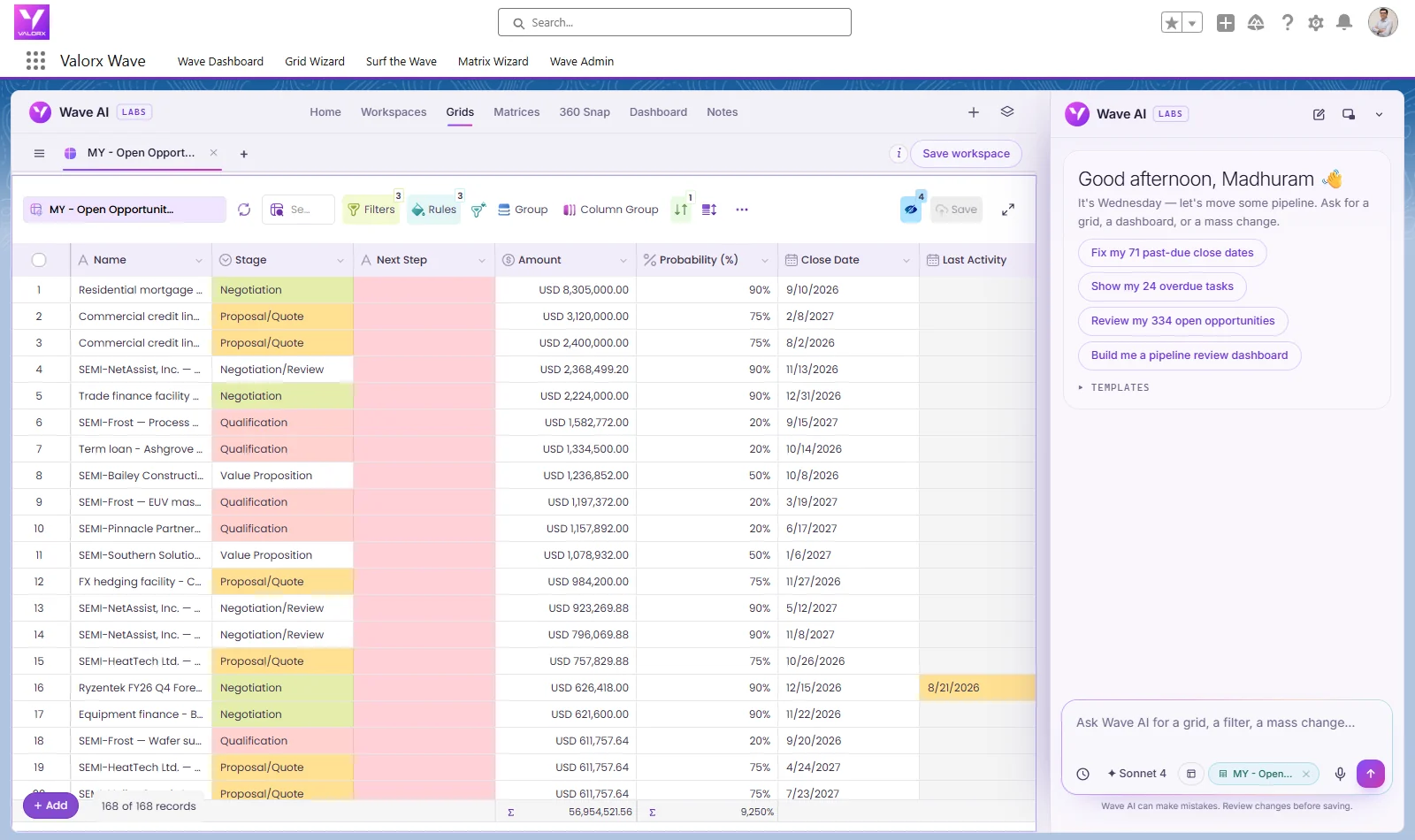
Valorx Wave helps launch owners work across Account Forecast Periods in a spreadsheet-style grid inside Salesforce. Teams can:
- Create and review forecast periods across target accounts
- Set ramp-quarter values and adjustment categories
- Update Forecast Confidence across many records in one view
This helps launch teams keep setup work inside Salesforce without exports, Data Loader, or one-record-at-a-time updates.
90-day revision → Valorx Fusion
After launch, Finance and product teams usually need to revisit the ramp plan. Valorx Fusion connects Excel or Google Sheets to live Salesforce data so teams can:
- Run scenario modeling on launch ramp assumptions
- Analyze ramp performance against the original plan
- Write revised forecast numbers back to Salesforce
Same Salesforce security and data model — just fewer clicks between the launch plan, the forecast, and the 90-day revision.
Preparing a launch in Manufacturing Cloud?
See how Valorx helps teams create Account Forecast Periods, manage design-win upside, and update forecast confidence across hundreds of records without exports or manual updates.
Book a Manufacturing Cloud launch planning demoFrequently asked questions
What is a Sales Agreement in Salesforce Manufacturing Cloud?
A Sales Agreement is a long-term, negotiated commitment between a manufacturer and an account that tracks planned versus actual volumes and revenue over time. During a launch, you create one only for accounts that have a confirmed design win or letter of intent.
What is an Account Forecast Period?
An Account Forecast Period is a time-bucketed record (usually monthly or quarterly) of expected demand for a product family at a specific account. The auto-creation Flow generates these records across the forecast horizon — 18 months in the MX-7 example.
How do you forecast a new product with no historical sales data?
You can't model demand from past sales, so you build the forecast from forward-looking signals instead: the design-win pipeline, customer commitments, and commercial estimates. Load those into Account Forecast Periods, tag each by confidence level, and replace estimates with real commitments as design wins close.
When should you configure Manufacturing Cloud before a product launch?
Plan the configuration 6–8 weeks before commercial release, not one week before. The longer lead time surfaces gaps — an un-updated Forecast Set, an unconfigured design-win link — without launch-deadline pressure.
Should you forecast at the SKU or product-family level?
Forecast at the product-family level in Account Forecast Periods. SKU-level demand (different data rates, connector types) is handled in the ERP planning system, with each SKU added as a separate Product2 record under the same family.
What is design win tracking in Manufacturing Cloud?
Design win tracking links Sales Cloud opportunities at design-win stages to a product family and account. As wins reach the production-ramp stage, automation feeds their value into Account Forecast Period upside fields, giving product management a live view of the ramp.
How does Finance decide which new-product forecasts to include in the plan?
Use a Forecast Confidence field with values like Design Win Stage, Commercial Estimate, and Confirmed Commitment. Finance includes only Confirmed Commitment periods in the official revenue plan, uses Commercial Estimate periods for scenario planning, and tracks Design Win Stage periods as upside.
Valorx helps Salesforce teams run Manufacturing Cloud forecasting, quoting, and data work at the scale operations demand.
How do you forecast a product with no history?
Start from analogous products, design-win pipeline, and committed agreements; tag estimates by confidence level and replace them with actuals as they arrive.
When should launch configuration start?
6–8 weeks before commercial release — late setup means launch demand lands outside the forecast entirely.
What objects are involved?
Product catalog entries, the Forecast Set, Sales Agreements for committed accounts, Account Forecast Periods, and linked design-win opportunities for upside.
.svg)

.png)


Choose the workflow you need:
Try Wave in browser Extension

Try Wave in Salesforce

Try Fusion In Excel

Enhancing Salesforce for industry leaders