Fix hundreds of records in one grid, not one at a time
Prompt Wave AI for the grid, then work your pipeline, accounts and territories in it, inside Salesforce.
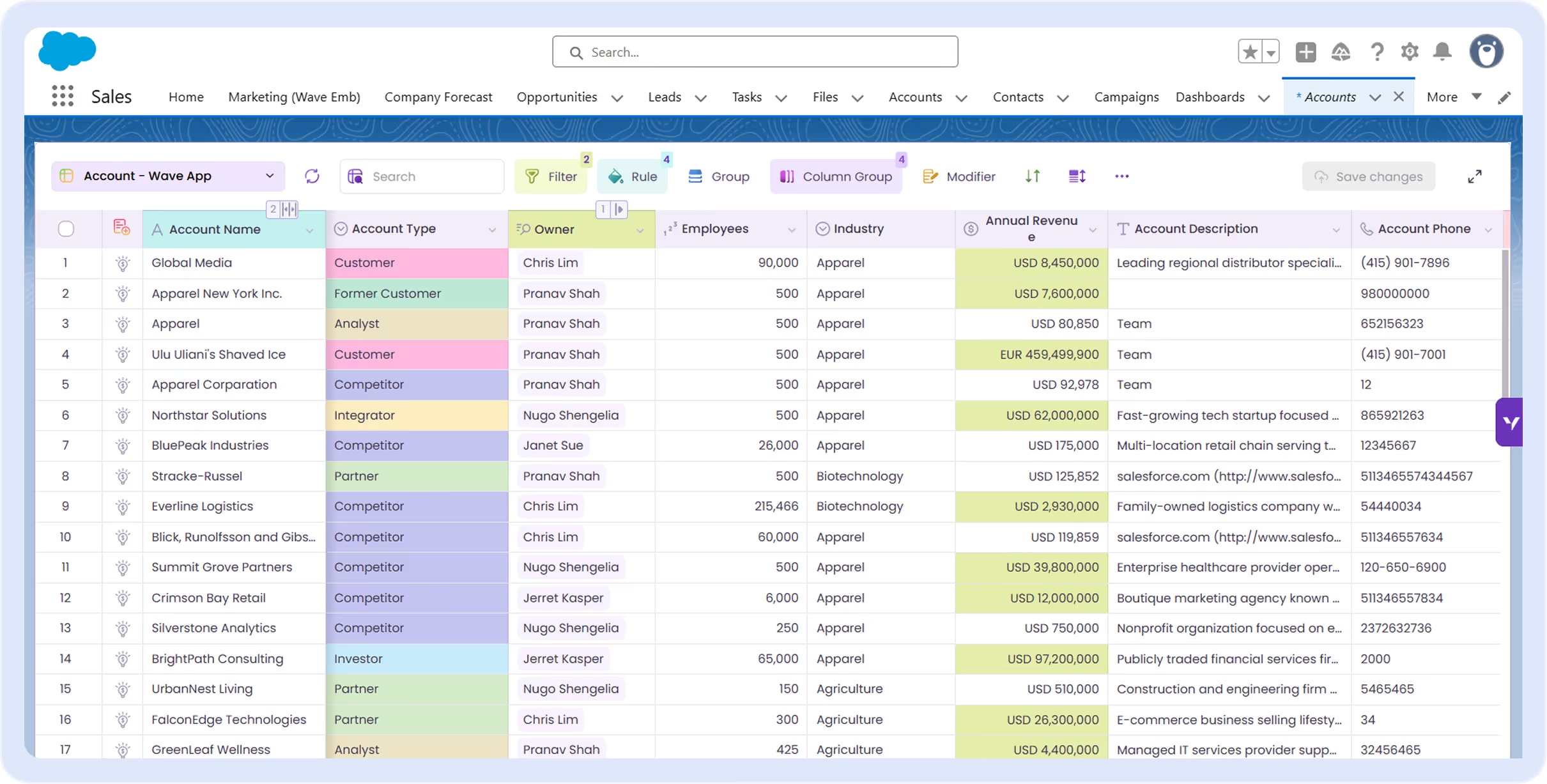
Trusted by teams that live in Salesforce
They edit their Salesforce data where it sits, not in exported files.












PIPELINE MANAGEMENT
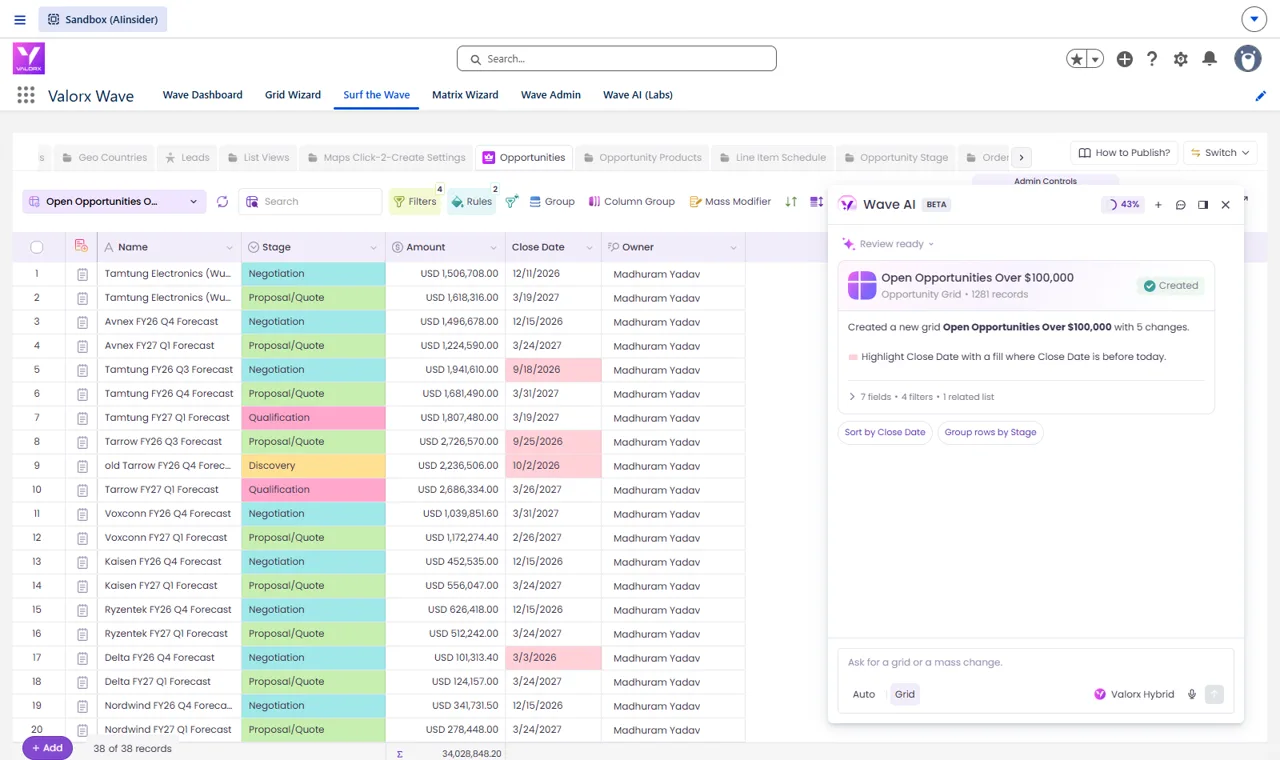
Close the quarter from one grid
Prompt: “Create a grid of my open opportunities over $100,000 that have products, with Opportunity Name, Stage, Amount, Close Date and Owner. Show the opportunity products under each row as a related list, and highlight in red any close date that is already in the past.”
See every product under every deal, in one nested view
Line items open under the deal. Edit quantity and price there.
Try it in the walkthrough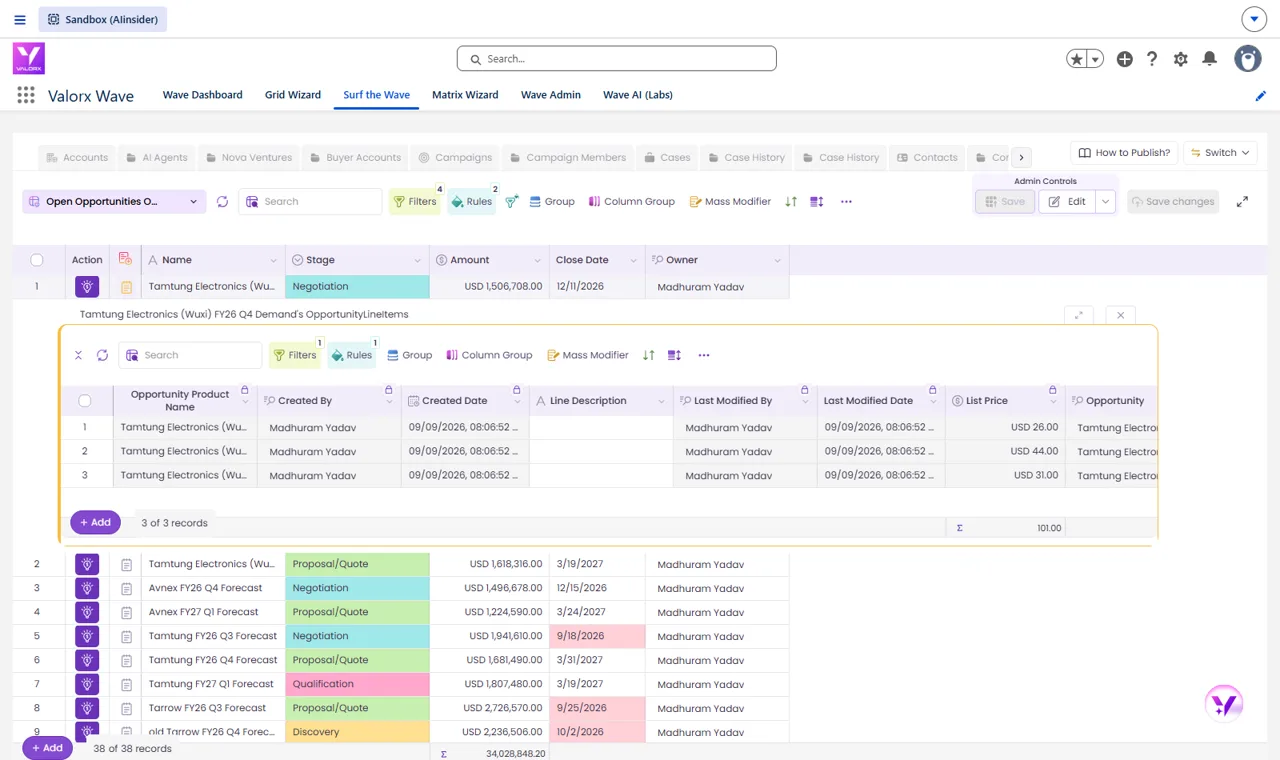
Identify the deals that went stale
Past close dates turn red the moment the grid opens.
Try it in the walkthrough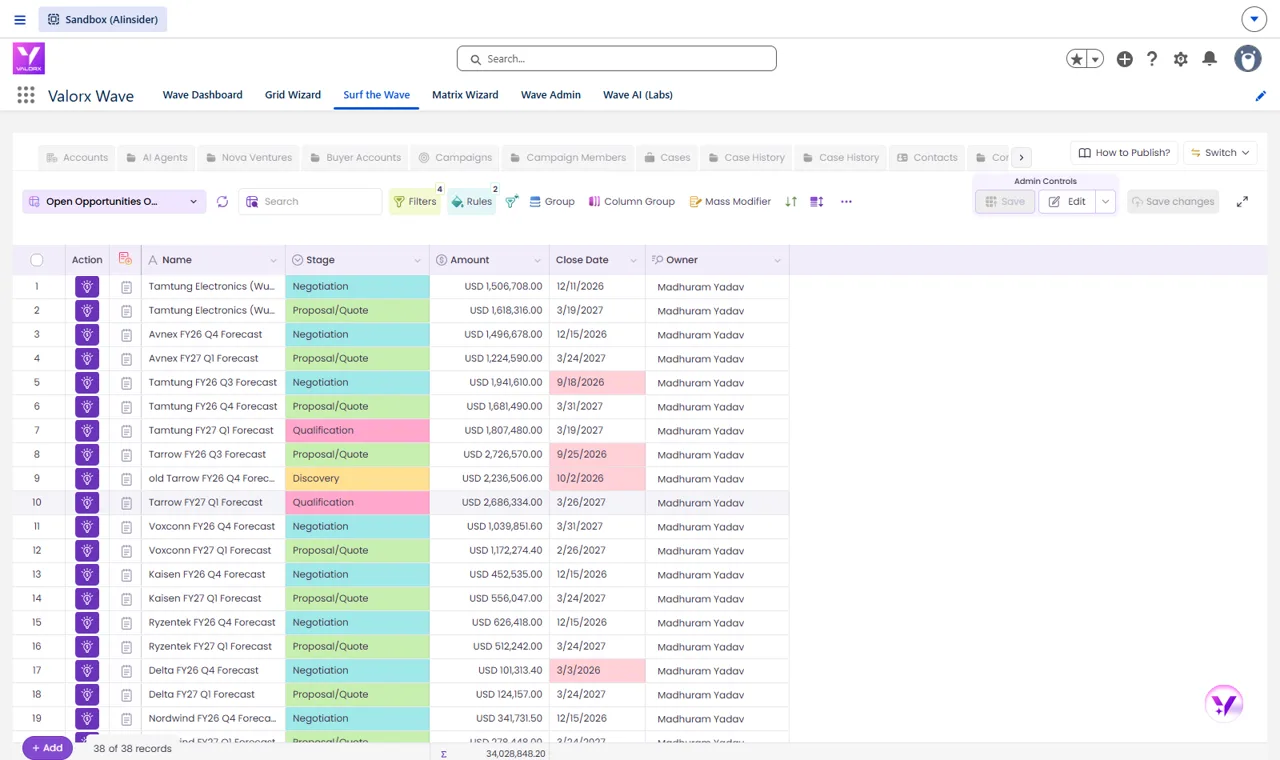
Move 30 close dates in one change
Select the stale deals, set the date, one save.
Try it in the walkthrough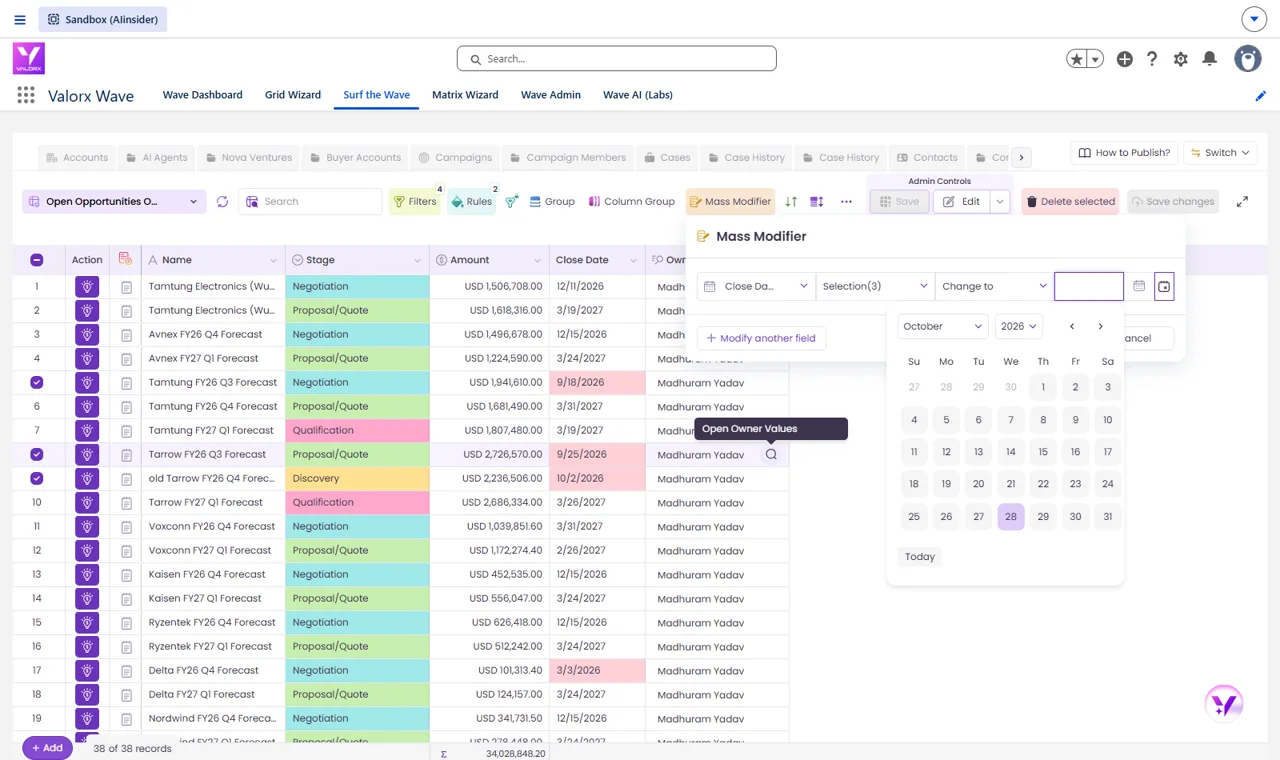
Run next steps, approvals or renewals from the row
Any flow in your org becomes a button on the deal.
Try it in the walkthrough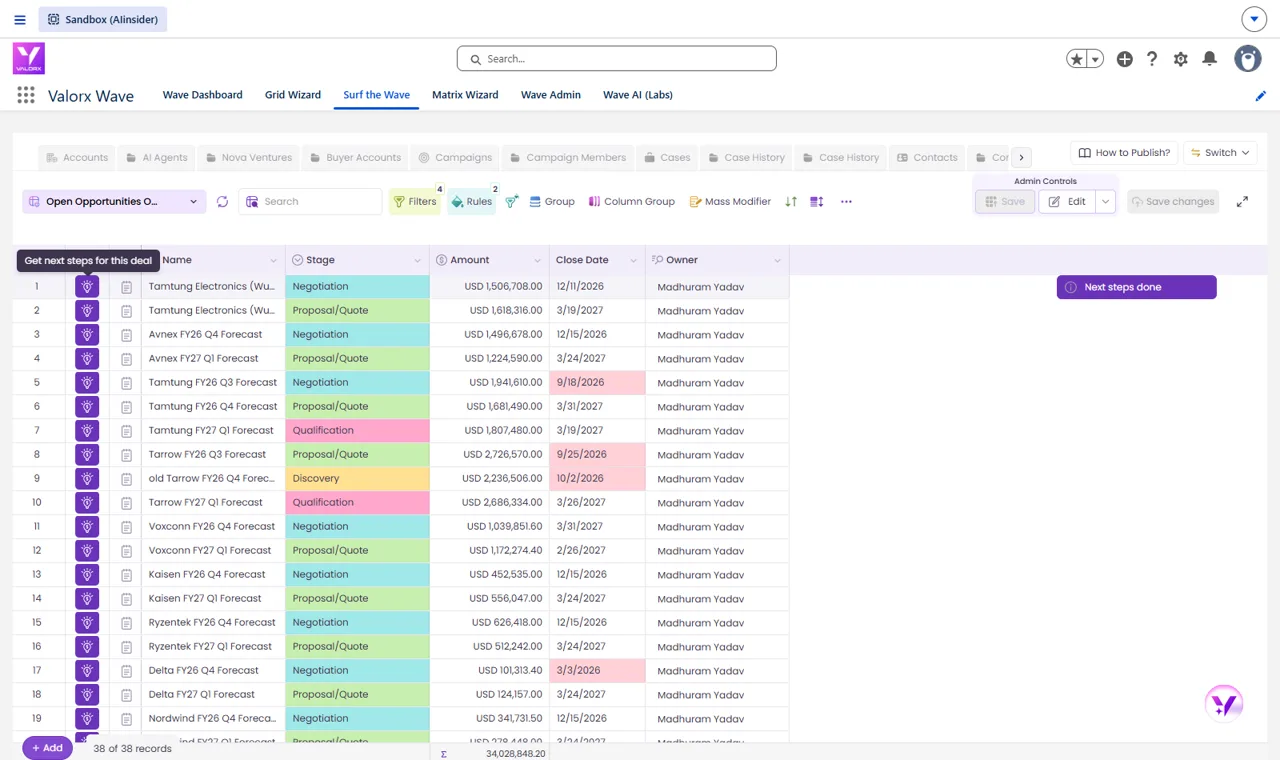
ACCOUNT 360
The whole account on one row
Prompt: “Create a grid of Insurance accounts with Account Name, Billing State, Owner, Annual Revenue and Account Type. Under each account show Contacts, open Opportunities and Cases as related lists.”
Contacts, open deals and cases under the account
Three related lists from one sentence.
Try it in the walkthrough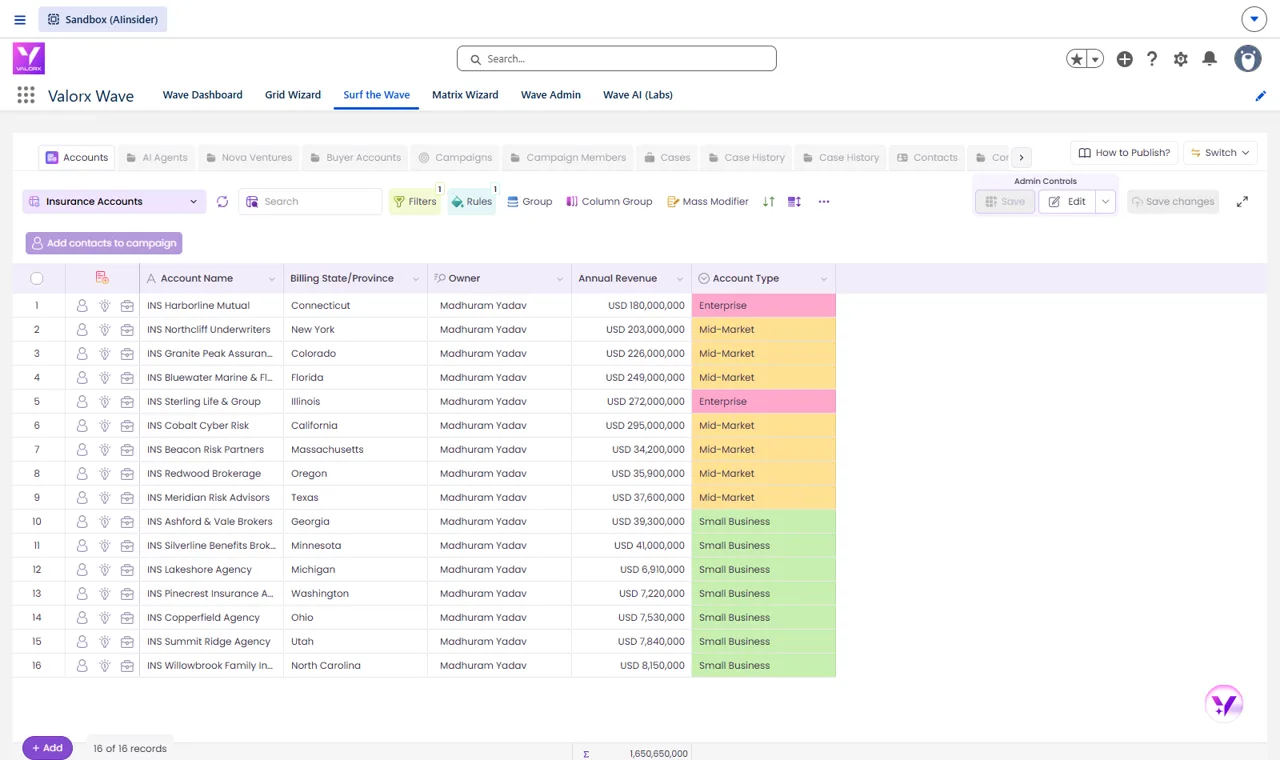
Who you talk to, with title and phone
The contacts panel opens right under the account.
Try it in the walkthrough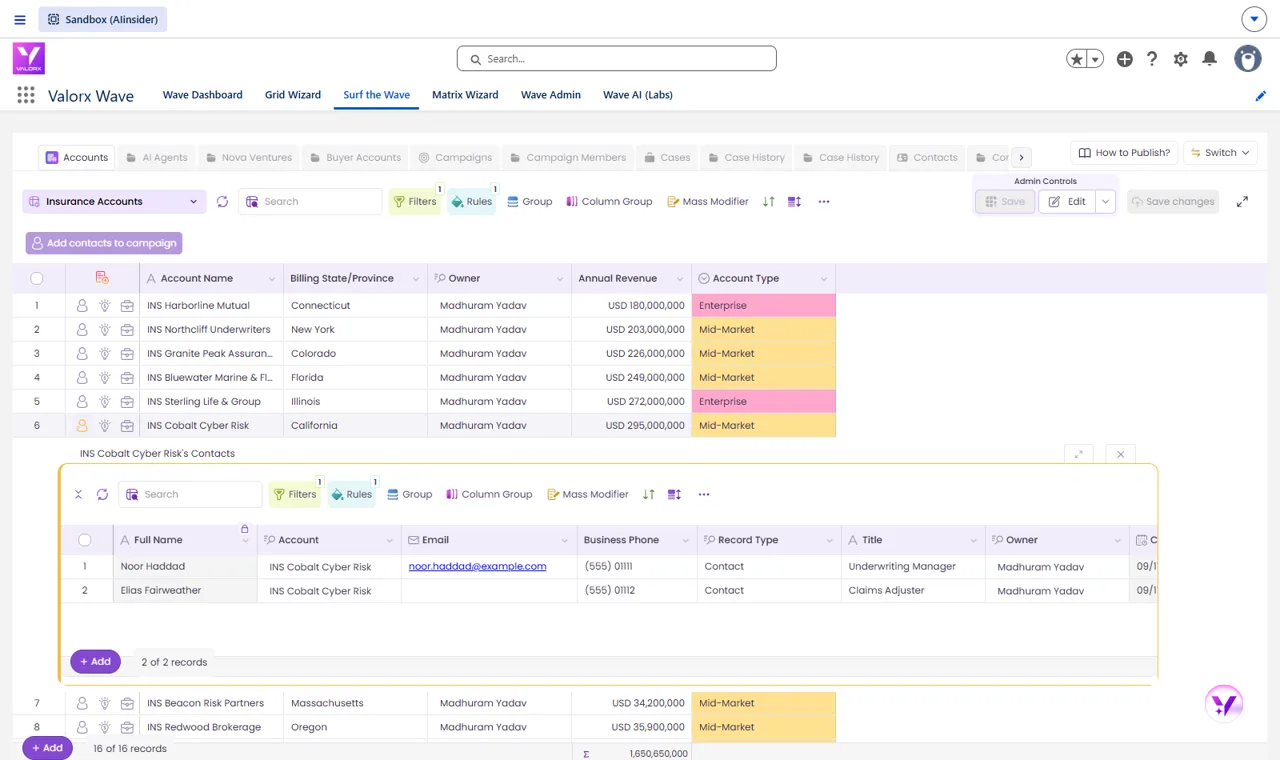
What is open, and what is at risk
Deals with stage and amount, cases with priority.
Try it in the walkthrough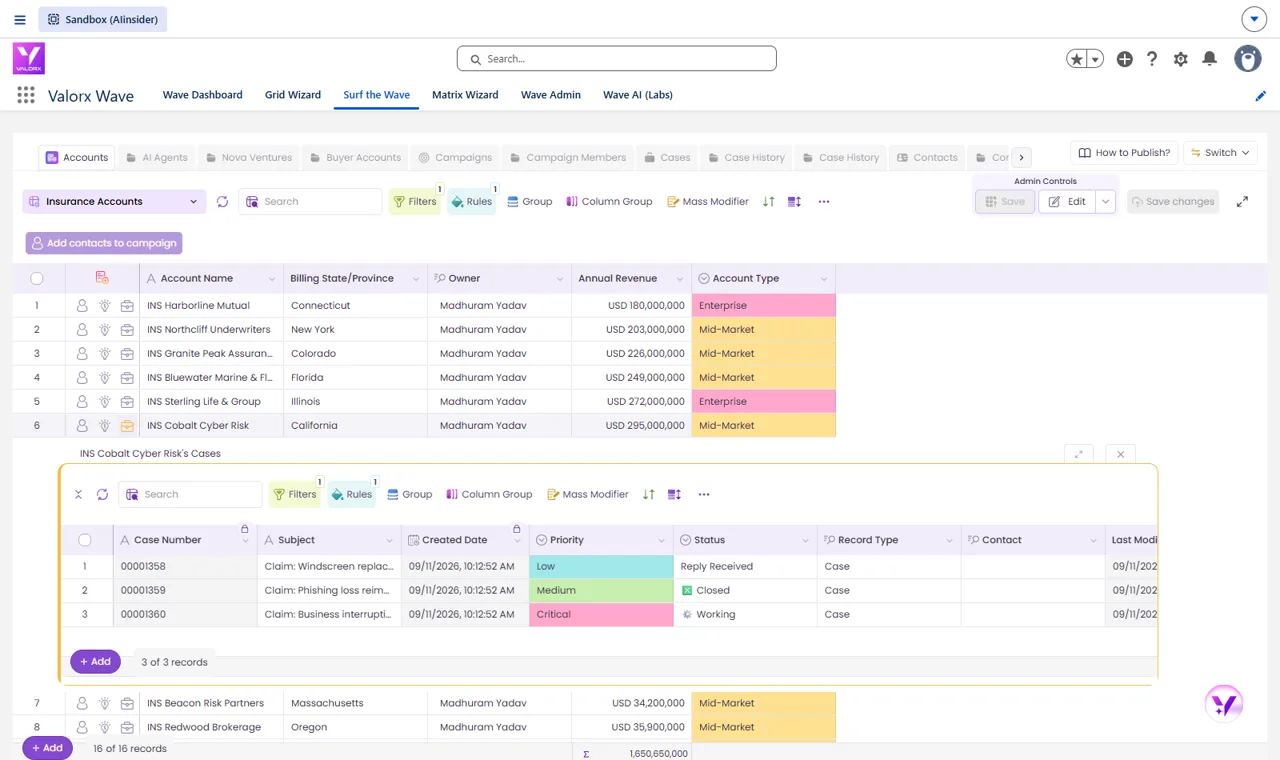
Add a related list to any grid in one click
Pick the object, press OK. Or ask Wave AI.
Try it in the walkthrough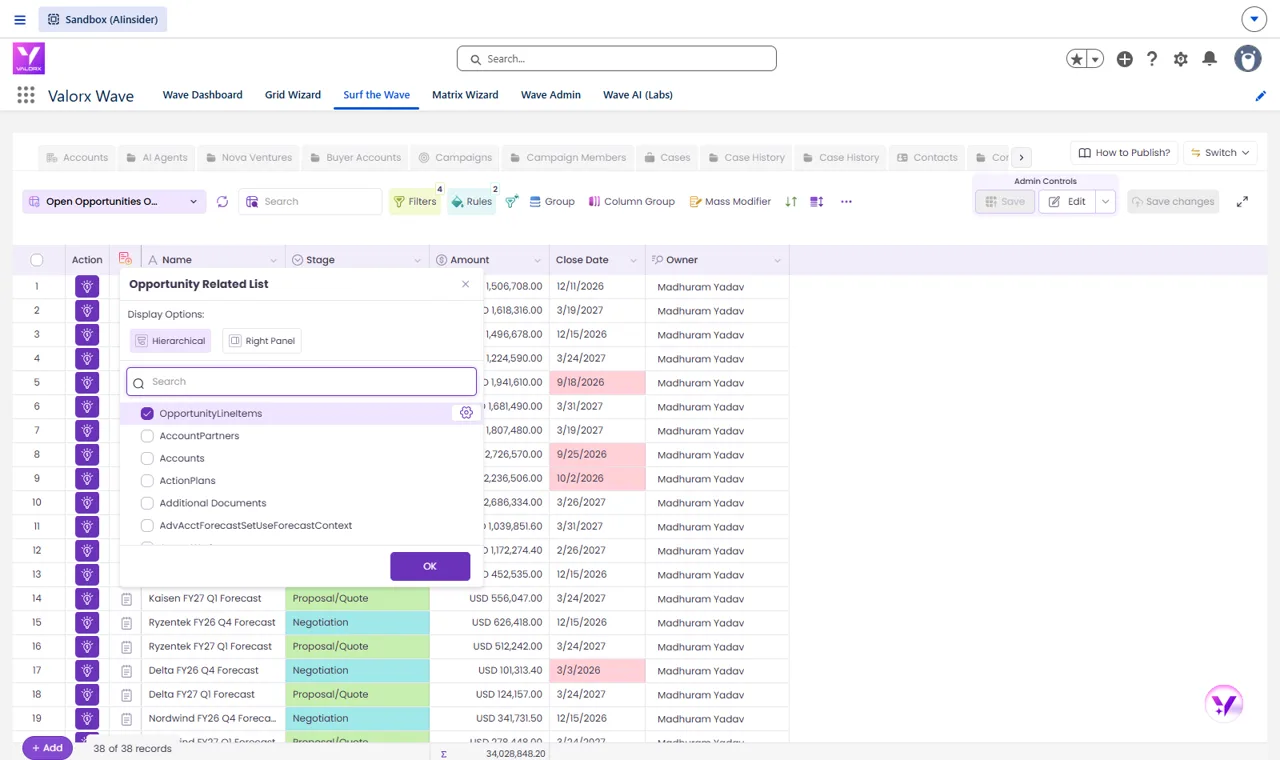
TERRITORY MANAGEMENT
Reassign a region in one pass
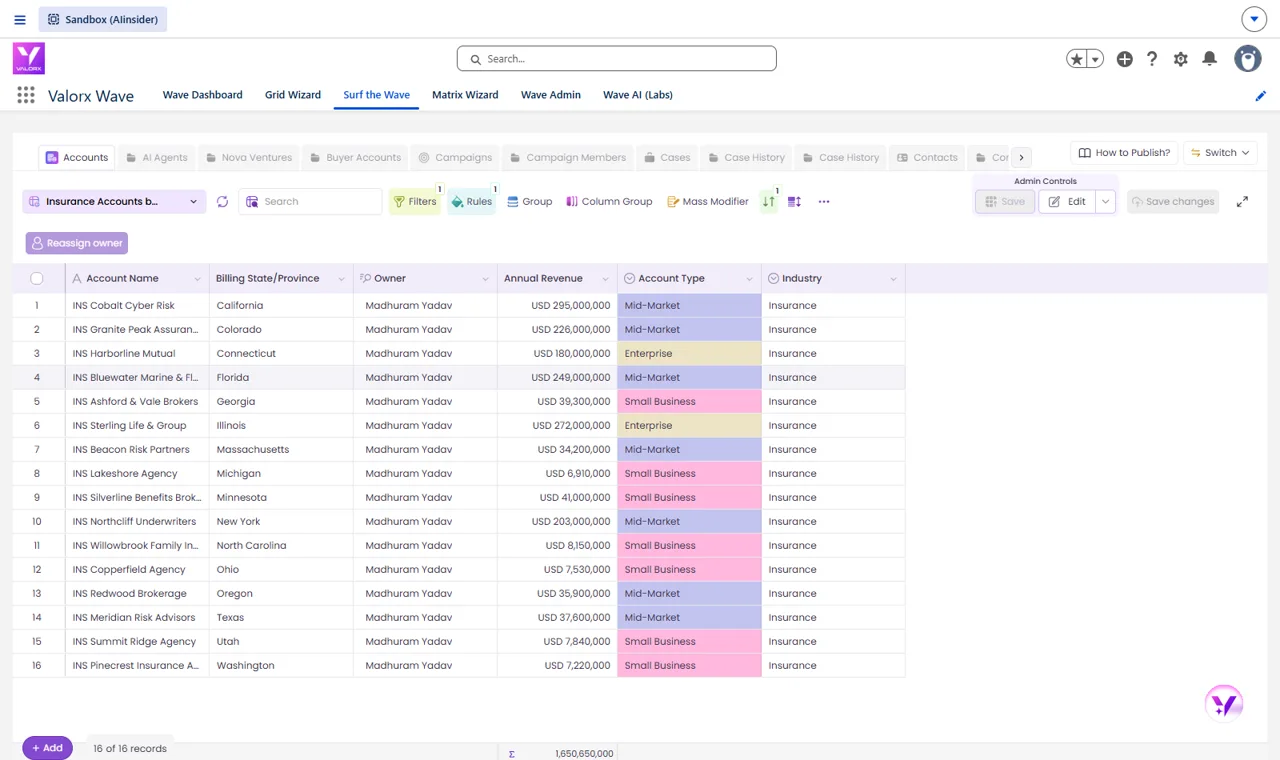
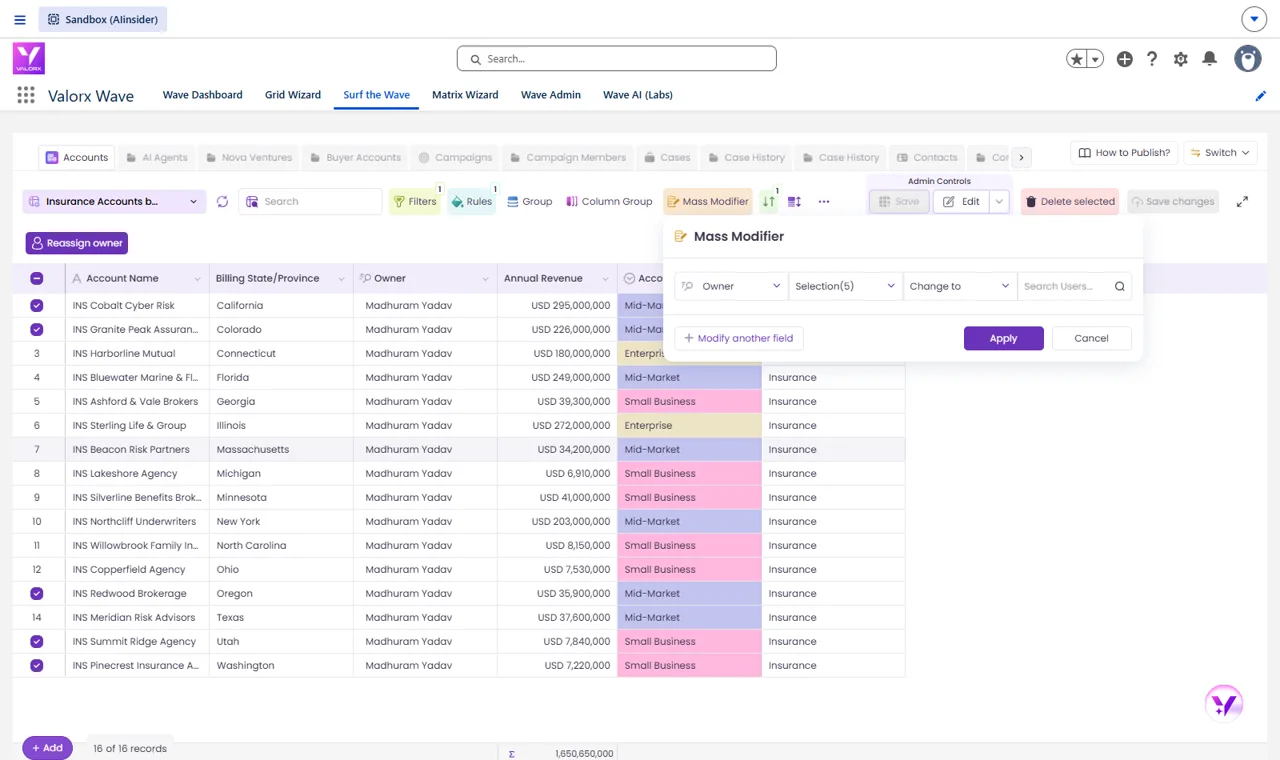
Prompt: “On the standard Account object, create a territory grid of Insurance accounts sorted by Billing State, with Account Name, Billing State, Owner, Annual Revenue and Account Type, and color the Account Type column, so I can reassign owners by state.”
Reassign a whole region with your own flow
Check the West Coast accounts, press Reassign owner.
Try it in the walkthrough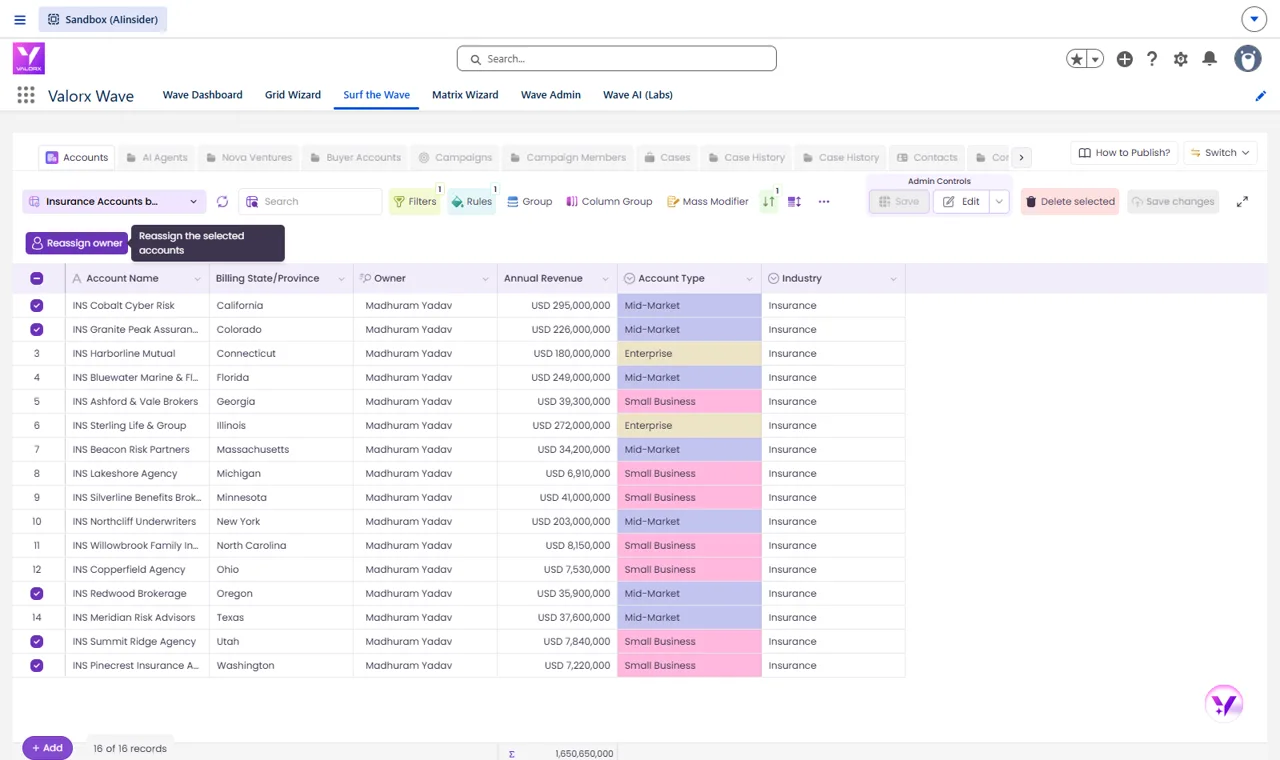
51 s
from prompt to a saved grid with filters, rules and a related list
3
related lists under one account row, from one sentence
1 save
updates every record you changed, in Salesforce

What changes when you add Wave AI to Salesforce
Salesforce holds the records. The grid is where you work them.
Without Valorx
One record page at a time
Products hidden behind each deal
Owner changes done one by one
Flows only from the record page
With Valorx
Every deal and its products on one screen
Stale deals flagged the moment the grid opens
30 changes, one save
Any flow from the row or the selection

WALKTHROUGHS
Try it yourself
Click through the real grids, built with Wave AI in a Salesforce org.
See a pipeline grid built from one sentenceOpen opportunities over $100,000 with products nested under each deal, stale close dates in red, a bulk close-date change and a flow run from the row.Launch walkthrough →2 min · click throughSee the whole account on one rowInsurance accounts with contacts, open deals and cases as related lists under every row, and a related list added to the grid in one click.Launch walkthrough →2 min · click through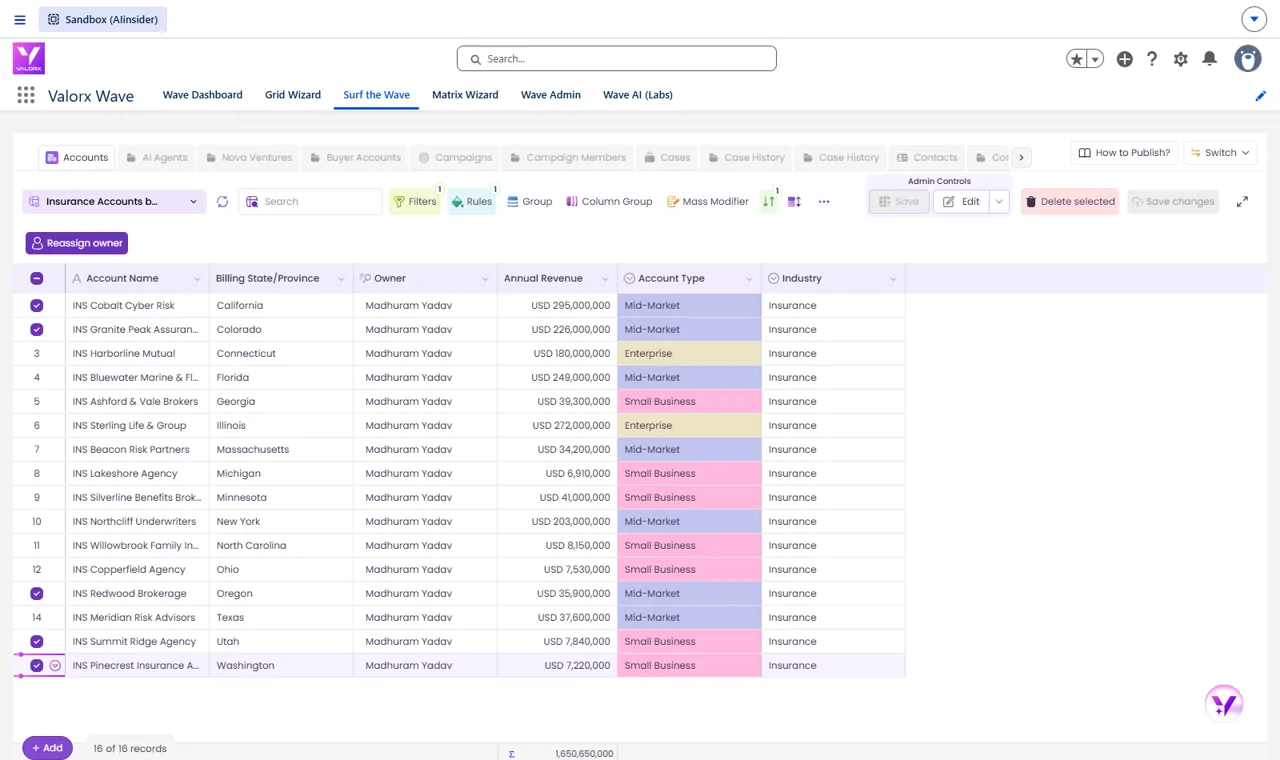 Reassign a whole region in one passAccounts sorted by state with account type colored, the West Coast selected, and owners reassigned with a flow button or the Mass Modifier.Launch walkthrough →2 min · click through