How to Investigate a Forecast Miss Using Salesforce Manufacturing Cloud
Key takeaways
- In a typical miss, the variance is concentrated, not spread evenly — in this example, 5 of 120 accounts drove 76% of a $2.5M miss.
- Most forecast misses fall into four root causes: rep override / timing errors, missing updates, late inventory corrections, and actuals integration errors.
- A clean Manufacturing Cloud implementation turns this analysis from a 4-day Excel reconciliation into a 4-hour query, because the adjustment notes and actuals are already in the system.
- The lasting ROI of forecasting software is not fewer misses — it's the ability to separate improvable error from irreducible market uncertainty and fix the process systematically.
Forecast miss analysis is the process of comparing a locked forecast against actual revenue, then identifying which accounts, products, channels, or planning periods caused the variance. In Salesforce Manufacturing Cloud, teams can investigate forecast misses by reviewing Account Forecasts, Account Forecast Period records, adjustment notes, and ERP actuals in one structured workflow. The goal is not to prevent every miss. The goal is to explain misses quickly, separate fixable process errors from market uncertainty, and improve future forecast accuracy.
The point of a good forecasting system isn't to prevent every miss — it's to explain a miss quickly and accurately so the process gets better. This is a worked example of how to run a structured post-mortem on a major forecast miss in Salesforce Manufacturing Cloud, attribute the variance to specific accounts and root causes, and turn that analysis into a forecast-accuracy improvement.
In short: Investigating a forecast miss means moving from "we came in below plan" to "here is exactly which accounts missed, by how much, and why." In Manufacturing Cloud, you do it in four steps — run an account-level variance report, open the Account Forecast Period detail for the biggest misses, classify each miss by root cause, then attribute the total. The payoff is the distinction between improvable error (bad data, wrong judgment, missing information) and irreducible error (genuine market uncertainty). Only the first three can be fixed.
What is a forecast miss?
A forecast miss is the gap between the revenue a business committed to in its locked forecast and the actual revenue that closed for the period. It is usually expressed as a dollar variance and a variance percentage.
A miss is not, by itself, a process failure — every forecast carries uncertainty. The failure is being unable to explain why the miss happened, because a forecasting process that can't attribute its misses can't improve.
That distinction is the whole game. Forecast variance analysis is the work of breaking a miss down by account and by cause so you can tell improvable error apart from noise.
Forecast miss investigation flow
Each stage feeds the next — and the final stage feeds back into a sharper forecast.
The scenario: a $2.5M Q3 miss before the board call
Atlas Connectors (fictional) locked its Q3 forecast at $14.2M. Q3 actuals came in at $11.7M — a $2.5M miss, or 17.6%. The VP of Sales Operations has 48 hours before the board call. She needs three answers: which accounts missed, by how much, and what drove it.
Here is the four-step investigation she runs inside Manufacturing Cloud.
How Do You Investigate a forecast miss in 4 steps?
Step 1 — Run an account-level variance report
The demand planning lead runs the Account Forecast Performance report, filtered to Q3, showing Forecast Revenue, Actual Revenue, and Variance % for every account, sorted by absolute variance descending.
The result narrows the problem immediately: the top 5 accounts account for $1.9M of the $2.5M miss — 76% of the total, from just 5 of 120 accounts. The investigation shifts from "what happened across the business" to "what happened at these five accounts."
Forecast miss concentration summary
A quick view of how the Q3 miss moved from a board-level number to a focused account-level investigation.
| Metric | Value | Meaning | Action |
|---|---|---|---|
| Locked Q3 forecast | $14.2M | Original committed forecast | Use as baseline |
| Q3 actual revenue | $11.7M | Closed revenue after period end | Compare against baseline |
| Total miss | $2.5M / 17.6% | Board-level variance | Start attribution |
| Top 5 account miss | $1.9M | 76% of total miss | Prioritize investigation |
Step 2 — Open the Account Forecast Period detail for each miss account
For each of the five accounts, the lead opens the Account Forecast Period records for the Q3 months. Each record shows the locked forecast value, the actual value loaded from ERP after close, and — critically — the adjustment history: what the forecast was at the start of the period, every adjustment made, and the note attached to each one.
This is where the story comes out:
- Account 1 — Distributor, $800K miss. Week-2 adjustment notes show the rep overrode the distributor's POS-based baseline upward by $600K, citing an expected design-win ramp in Q3. The design win is real, but the ramp started in Q4, not Q3. The distributor's POS data had the timing right; the rep override introduced the miss.
- Account 2 — Direct OEM, $550K miss. No adjustment notes. The forecast was carried forward from Q2 unchanged. Actuals show a production delay at the OEM that the account manager already knew about — a July activity-log note references it. The information existed in Salesforce; it never reached the forecast.
- Accounts 3–5. Two distributor inventory corrections visible in POS data that arrived after the lock date ($750K combined), plus one account where the ERP actuals load has an integration error — actuals appear artificially low ($350K) and need manual correction before the board deck.
Step 3 — Classify each miss by root cause
With the detail in hand, the VP assigns each miss to a category and a process fix:
Q3 forecast miss · root-cause attribution
Each account miss classified by root cause and matched to a specific process fix.
| Miss category | Amount | Root cause | Process fix |
|---|---|---|---|
| Rep override — timing error | $800K | Design-win revenue forecast in the wrong quarter | Tie ramp revenue to the confirmed production schedule, not an optimistic estimate |
| Missing update — known information | $550K | Known production delay never reflected in the forecast | Account managers update the forecast within 5 business days of any material customer news |
| Distributor inventory correction | $750K | Post-lock POS data showed an inventory draw-down invisible at lock | Move up the POS submission deadline; add inventory position to distributor forecast review |
| Actuals integration error | $350K | ERP load missed records for one account | Fix integration exception monitoring; correct the records |
Step 4 — Attribute the total and present it
The VP walks into the board call with a clean attribution: 76% of the miss sits in five accounts, driven by four distinct causes, each with a specific fix. The remaining 24% ($600K) is spread across small variances in 30-plus accounts — inside the normal forecasting range.
The analysis took 4 hours, not 4 days. The data was already in the system: structured, with adjustment notes that recorded what decisions were made and why, and actuals available the day after month-close.
The 4 root causes of a forecast miss
Across the example, every dollar of the miss maps to one of four causes — and this pattern generalizes well beyond a single company:
- Rep override / timing error — a human judgment call moved revenue into the wrong period.
- Missing update — information that already existed in the CRM never made it into the forecast.
- Late inventory correction — channel data (POS, inventory position) arrived after the lock date.
- Actuals integration error — the ERP-to-Salesforce load was incomplete, distorting the comparison.
The first two are judgment and discipline problems. The third is a process-timing problem. The fourth is a data-integration problem. Each has a different owner and a different fix — which is exactly why classifying the miss matters more than measuring it.
Why It matters: improvable vs. irreducible forecast error?
Here is the insight that makes the whole exercise worth doing:
The value of forecast miss analysis is not in noticing that a miss happened — the revenue report already shows that. The value is in the attribution: how much came from bad data, how much from a wrong judgment call, how much from information that existed but wasn't used, and how much from genuinely unpredictable events.
Only the first three categories are improvable through process change. The fourth — true market uncertainty — is irreducible. A forecasting process that can't tell these apart can't improve systematically; it just oscillates between blaming the reps and blaming the market. A process that can tell them apart fixes the improvable share quarter after quarter and stops trying to fix the part that can't be fixed. That compounding is how forecast accuracy actually improves over time.
Where Valorx Wave fits
Manufacturing Cloud gives manufacturers the forecasting structure: Account Forecasts, Account Forecast Periods, forecast measures, adjustment trails, and actuals that can be compared against plan. But forecast miss analysis often requires planners and Sales Ops teams to review hundreds of records across accounts, products, and periods.
That review can become slow if teams have to open records one by one, export data to Excel, or manually reconcile changes outside Salesforce.
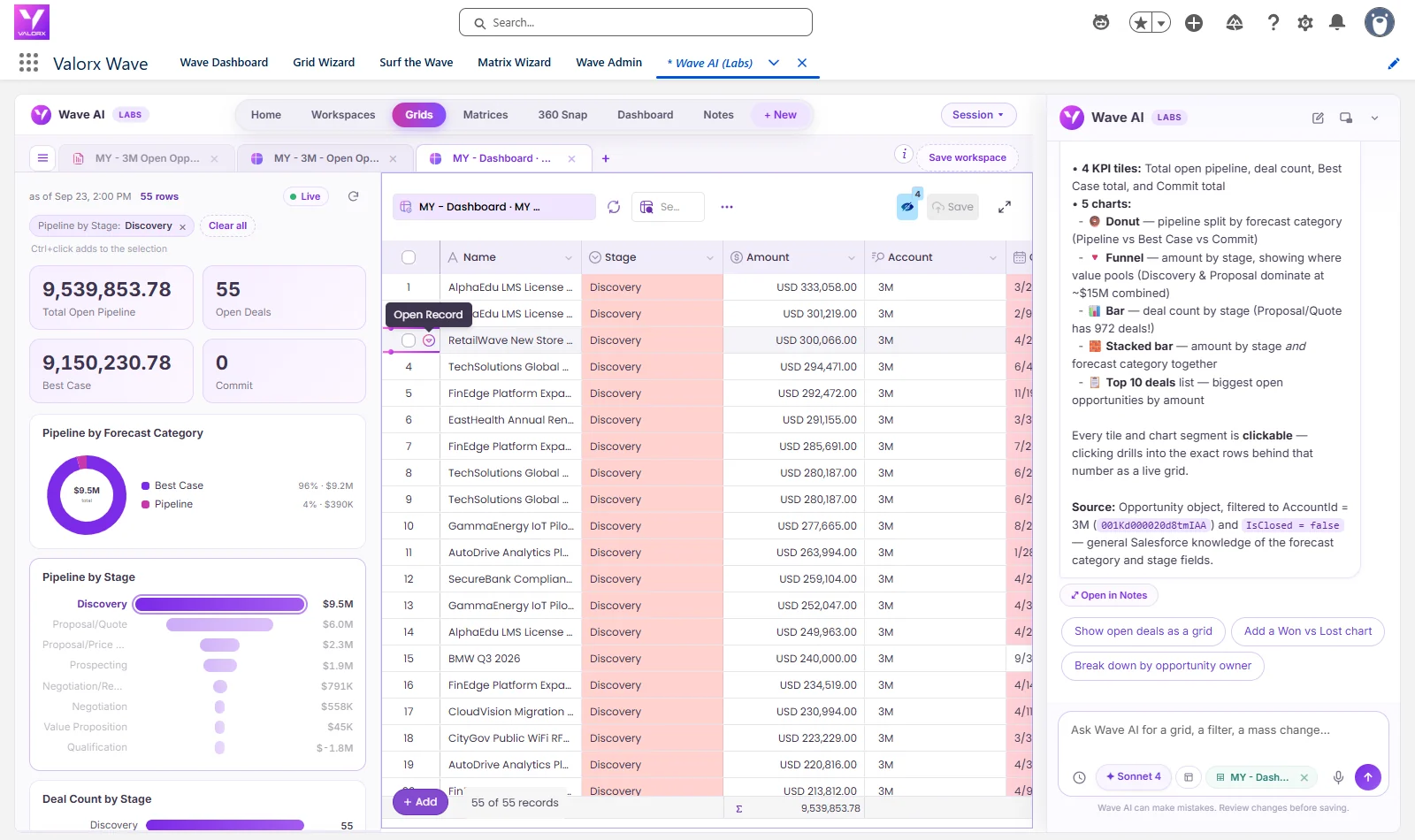
Valorx Wave helps by giving teams a spreadsheet-style workspace inside Salesforce. Planners can review Account Forecast Periods in bulk, filter the largest variances, update root-cause fields, add notes, assign owners, and manage corrective actions without leaving Salesforce or creating offline copies of the forecast.
For teams using Manufacturing Cloud, Wave does not replace the forecast model. It makes the operational review layer faster, easier to audit, and easier for business users to work with.
See it in action
Want to see how forecast variance review, Account Forecast Period updates, and adjustment history can work in a spreadsheet-style Salesforce workspace?
Book a Manufacturing Cloud demoHow Manufacturing Cloud makes this analysis possible
This entire post-mortem depends on three things being true in the system: clean actuals integration, disciplined adjustment notes, and reliable audit history. Salesforce Manufacturing Cloud provides the structure for all three — Account Forecasts, Account Forecast Period records with adjustment trails, and ERP actuals that load against the locked plan.
Without that structure, the same analysis means pulling five Excel files from five people, reconciling them, reconstructing what the forecast was at lock versus after adjustments, and hand-matching everything to ERP exports — a job that rarely fits inside a 48-hour board window.
If your team is doing forecast post-mortems in spreadsheets — or your adjustment history lives in people's memories instead of your records — that's the gap to close first.
Frequently asked questions
What is a forecast miss?
A forecast miss is the difference between the revenue a business committed to in its locked forecast and the revenue that actually closed for the period, shown as a dollar variance and a variance percentage. The miss itself isn't a failure; being unable to explain it is.
What causes sales forecasts to miss?
Most misses trace to four root causes: a rep override or timing error (revenue forecast in the wrong period), a missing update (known information never added to the forecast), a late inventory or channel-data correction that arrived after lock, and an actuals integration error that distorts the forecast-vs-actual comparison.
How do you analyze a forecast variance?
Run an account-level variance report to find where the miss is concentrated, open the forecast-period detail and adjustment history for the largest misses, classify each miss by root cause, then attribute the full variance. In Salesforce Manufacturing Cloud this runs on data already in the system, so it takes hours rather than days.
What is the difference between improvable and irreducible forecast error?
Improvable error comes from bad data, wrong judgment calls, or information that existed but wasn't used — all fixable through process change. Irreducible error is genuine market uncertainty that no process can remove. Distinguishing the two is what lets a forecasting process improve systematically instead of guessing.
How does Salesforce Manufacturing Cloud improve forecast accuracy?
It gives forecast variance analysis the structure it needs: Account Forecasts with editable period detail, an adjustment history that records what changed and why, and ERP actuals that load against the locked plan. That lets teams attribute every miss to a cause and fix the improvable share over successive quarters.
How often should manufacturers run forecast miss analysis?
At minimum, teams should run forecast miss analysis after every major forecast cycle, such as month close or quarter close. High-variance accounts or strategic products may need review weekly during active planning windows.
What is a good forecast accuracy percentage?
There is no single universal benchmark because forecast accuracy depends on product complexity, demand volatility, channel visibility, lead times, and planning horizon. The better question is whether forecast accuracy is improving over time and whether the team can explain the largest misses clearly.
Want to see how Account Forecasts and adjustment history work in your own org — without rebuilding your forecasting process from scratch?
Where do I start when a forecast misses?
Attribute the variance first: rank accounts by miss contribution. It's usually concentrated — in the worked example, 5 of 120 accounts drove 76% of a $2.5M miss.
What are the most common root causes?
Four recur: rep override/timing errors, missing updates, late inventory corrections, and actuals integration errors.
How long should the investigation take?
With clean Manufacturing Cloud data and adjustment notes, about 4 hours of querying — versus a 4-day Excel reconciliation without it.

.svg)





Choose the workflow you need:
Try Wave in browser Extension

Try Wave in Salesforce

Try Fusion In Excel

Enhancing Salesforce for industry leaders